EventLogExpert
A Windows Event Log viewer for tech support and IT professionals.
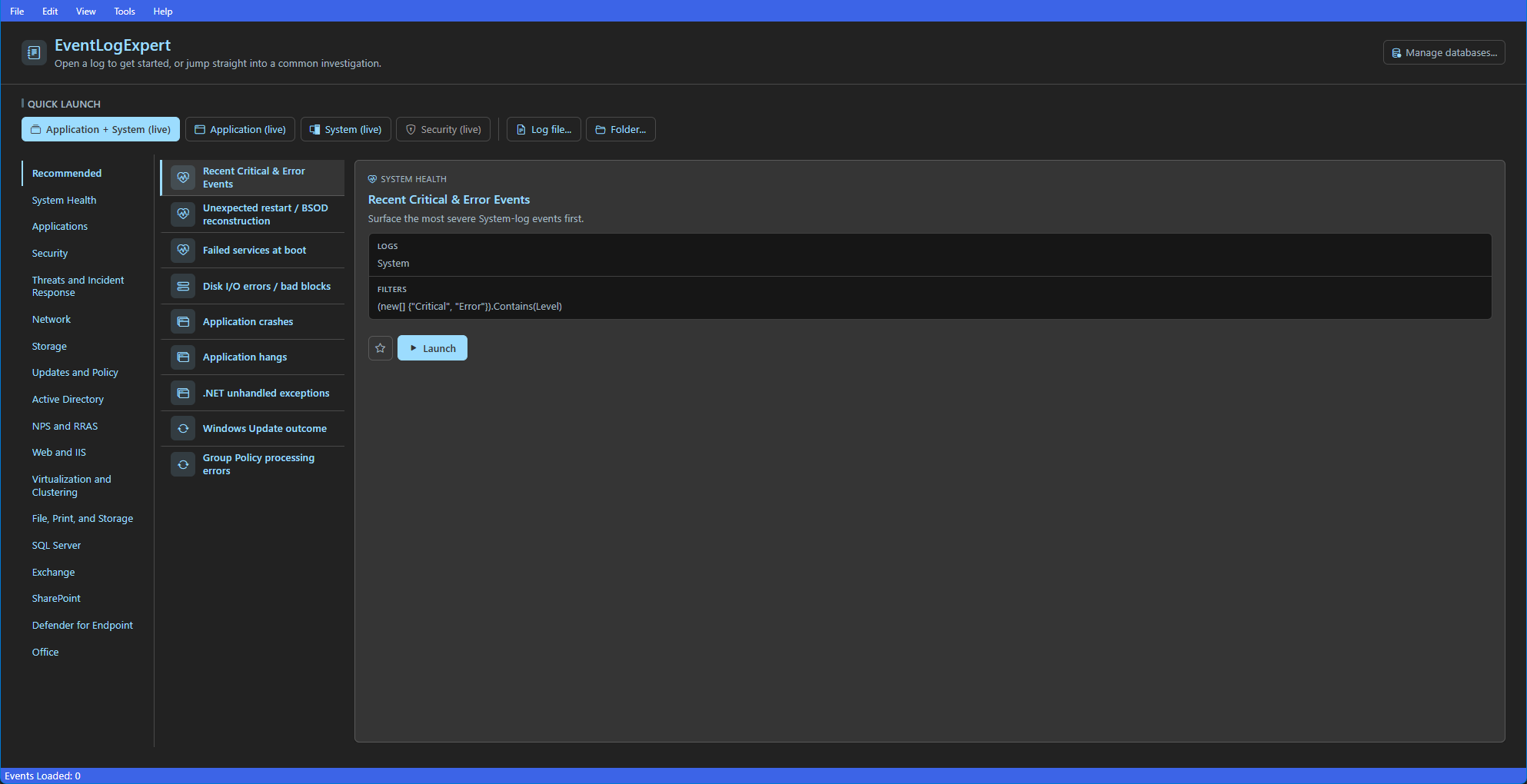
Key features
- Opens
.evtx files via File → Open, drag-and-drop, or by loading every .evtx in a folder in one step. Folders can also be passed at launch as command-line arguments.
- Combined view interleaves events from any mix of file and live logs by time across multiple machines.
- Configurable event-table columns (visibility, ordering, sort) with per-row highlight colors driven by your filters.
- Filter pane with Basic (property × operator) filters, predicates joined with
AND / OR, Date filter, Advanced filter expressions, and Exclusion filters.
- Filter Library with saved single filters, named filter sets, favorites, tag-based organization, automatic tracking of recently-applied filters, plus library-wide import / export and per-filter-set export.
- Live event channels with auto-discovery (admin-only channels disabled when not elevated),
Continuously Update, and a Load New Events buffered mode.
- Provider Databases — load
.db files captured on another machine so its .evtx files resolve descriptions and task categories correctly.
- In-line description previews in the table; on-demand event XML in the Details pane.
- Configurable Ctrl+C copy mode (
Default, Simple, XML, Full); System / Light / Dark themes (neutral Event Viewer-style) plus opt-in Modern Light / Modern Dark (blue-accent) themes.
- In-app Release Notes and Debug Log viewer; opt-in pre-release update channel.
For more information, check our docs.
Quick Start
Download EventLogExpert_{version}.msixbundle from the latest release and double-click it to install: .
The bundle runs natively on both x64 and ARM64, and Windows installs the matching architecture automatically. It is self-contained (the Windows App Runtime ships inside the package), so there is no separate runtime to install. Updates are checked on launch.
Requirements: Windows 11, Windows Server 2022, or Windows Server 2025 (x64 or ARM64).
Prefer the command line? Install the same bundle with:
Add-AppxPackage $home\Downloads\EventLogExpert_{version}.msixbundle
First time setup
Head over to our docs.
Contributing
This project welcomes contributions and suggestions. Most contributions require you to agree to a
Contributor License Agreement (CLA) declaring that you have the right to, and actually do, grant us
the rights to use your contribution. For details, visit https://cla.opensource.microsoft.com.
When you submit a pull request, a CLA bot will automatically determine whether you need to provide
a CLA and decorate the PR appropriately (e.g., status check, comment). Simply follow the instructions
provided by the bot. You will only need to do this once across all repos using our CLA.
This project has adopted the Microsoft Open Source Code of Conduct.
For more information see the Code of Conduct FAQ or
contact opencode@microsoft.com with any additional questions or comments.
Trademarks
This project may contain trademarks or logos for projects, products, or services. Authorized use of Microsoft
trademarks or logos is subject to and must follow
Microsoft's Trademark & Brand Guidelines.
Use of Microsoft trademarks or logos in modified versions of this project must not cause confusion or imply Microsoft sponsorship.
Any use of third-party trademarks or logos are subject to those third-party's policies.