Use this command to install Windows App Development CLI with WinGet:
winget install --id=Microsoft.WinAppCli -e
The Windows App Development CLI is a command-line interface tool designed to streamline Windows app development tasks. It manages Windows SDKs, packages apps, generates app identities and manifests, handles certificates, and integrates build tools with various frameworks like Electron, .NET, CMake, or Python.
Key Features:
Modern APIs Access: Utilizes the latest Windows App SDK and Windows SDK for enhanced functionality.
App Identity Management: Simplifies adding temporary identity for debugging without full packaging.
MSIX Packaging: Facilitates app packaging with signing and Store readiness.
Build Tools Integration: Seamlessly connects with build tools to automate workflows.
Audience & Benefit:
Ideal for developers using frameworks such as Electron or .NET, targeting Windows with native capabilities. It enhances productivity by automating tasks like manifest generation and certificate management, making it a valuable tool for CI/CD pipelines seeking efficient app deployment strategies.
The CLI can be installed via winget, offering a straightforward setup process to integrate into your development workflow.
README
winapp CLI
> [!IMPORTANT]
> :warning: Status: Public Preview — The Windows App Development CLI (winapp CLI) is experimental and in active development. We'd love your feedback! Share your thoughts by creating an issue.
> [!NOTE]
> The main branch contains work that is in active development. Documentation, features, and behavior here may differ from what is publicly released. For the latest stable version, see the latest release. To try the newest in-progress build, see Install from latest build below.
The Windows App Development CLI (winapp CLI) is a single command-line interface for managing Windows SDKs, packaging, generating app identity, manifests, certificates, and using build tools with any app framework. This tool bridges the gap between cross-platform development and Windows-native capabilities.
Whether you're building with .NET/Win32, CMake, Electron, or Rust, this CLI gives you access to:
Modern Windows APIs - Windows App SDK and Windows SDK with automatic setup and code generation
Package Identity - Debug and test by adding package identity without full packaging in a snap
MSIX Packaging - App packaging with signing and Store readiness
Developer Tools - Manifests, certificates, assets, and build integration
Perfect for:
Cross-platform developers using frameworks like Qt or Electron wanting native Windows features or targeting Windows
Developers who love their current tools and want to build Windows apps from VS Code, or any other editor
Developers crafting CI/CD pipelines to automate building apps for Windows
🤔 Why?
Many Windows APIs require your app to have package identity, enabling you to leverage some of the OS components Windows offers, that you wouldn't otherwise have access to. With identity, your app gains access to user-first features like notifications, OS integration, and on-device AI.
Our goal is to support developers wherever they are, with the tools and frameworks they already use. Based on feedback from developers shipping cross-platform apps on Windows, we built this CLI to streamline integrating with the Windows developer platform - handling SDK setup, header generation, manifests, certificates, and packaging in just a few commands:
Without winapp CLI, setting up a project involves 12 manual steps—downloading SDKs, generating headers, creating manifests, and more. With the CLI, it's just 4 commands.
Few examples of what package identity and MSIX packaging unlocks:
Checkout our getting started guides for step by step instructions of how to setup your environment, generate manifests, assets, and certificate, how to debug APIs that require package identity, and how to MSIX package your app.
Additional guides:
Packaging an EXE/CLI: step by step guide of packaging an existing exe/cli as MSIX
MAUI (Windows): package and sign .NET MAUI Windows outputs with the generated resizetizer manifest
Electron JS/TypeScript bindings(npm only): opt into auto-generated WinRT bindings via winapp init --add-js-bindings. See task-focused guides:
File picker — open native Windows file/folder pickers from the renderer
> [!CAUTION]
> These builds are from the main branch and may include unreleased features, breaking changes, or experimental functionality. Use at your own risk.
Download the latest CI build artifacts directly (no GitHub login required):
The direct links above are provided by nightly.link, a third-party service. If they stop working, you can download the same artifacts from GitHub Actions directly:
Scroll down to the Artifacts section and download what you need
Note: Downloading artifacts from GitHub Actions requires you to be signed in to GitHub.
Try a pull request build
Open the PR's Build and Package run and download cli-binaries, npm-package,
msix-packages, or nuget-packages from Artifacts. The build-artifacts job
summary also links to each download.
Packages appear before validation finishes. They are experimental builds,
not evidence that tests passed. Wait for build-and-package to succeed if you
need a fully validated build. If a download is not available yet, check the
build-artifacts job for progress or errors. A new commit cancels older runs of
the same PR.
📋 Usage
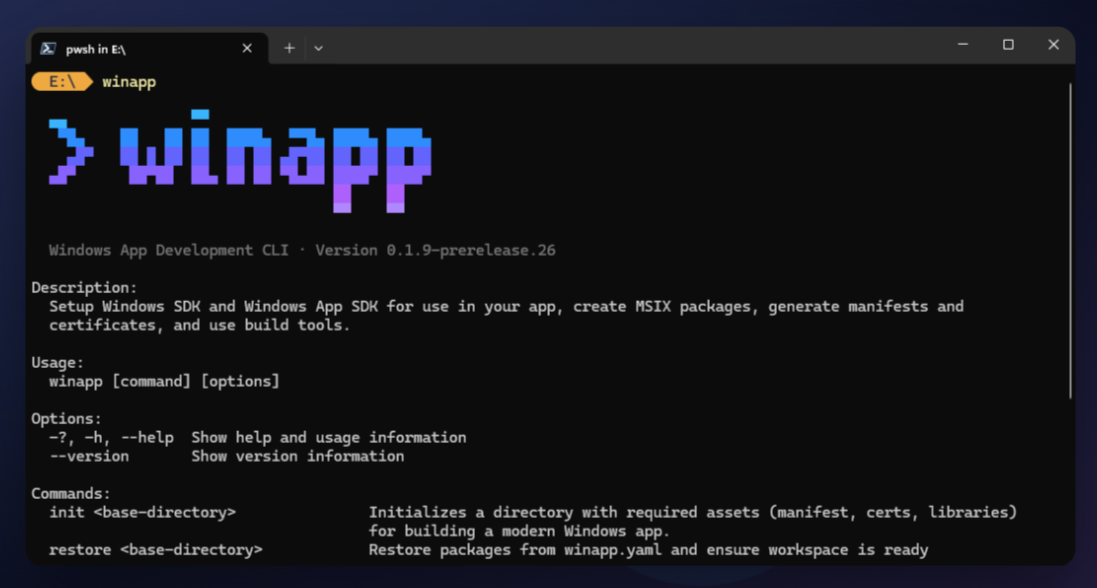
Once installed (see Installation above), verify the installation by calling the CLI:
winapp --help
or if using Electron/Node.js
npx winapp --help
Commands Overview
Setup Commands:
new - Create a new WinUI app from an official Windows App SDK template
init - Initialize project with Windows SDK and App SDK
az-sign - Sign with Azure Trusted Signing (cloud-managed identity, no local PFX)
create-external-catalog - Generate CodeIntegrityExternal.cat for TrustedLaunch sparse packages
See also: Security guidance — what development certificates and Developer Mode change on your machine, safe handling of devcert.pfx, and production signing.
Discovery (agent-first — built for AI coding agents to ground generated code in real metadata and real samples, and usable by hand):
find-api - Search and inspect the Windows/WinRT API surface (types, members, enums, namespaces) a project references
find-ui - Search WinUI controls & samples (WinUI 3 Gallery + Windows Community Toolkit; Reactor is opt-in via --source reactor) for a working code example
WPF app with production sparse packaging (identity-only MSIX) and an Inno Setup installer
🧩 VS Code Extension
The WinApp VS Code Extension brings WinApp CLI into Visual Studio Code. It can initialize projects, debug with package identity, package, sign, and more without leaving the editor. Press F5 to launch your app with identity and automatically attach a debugger.
winapp ships a single plugin (at plugins/winapp/) — an agent plus skills — that conforms to the Agent Plugins 1.0 specification and is distributed to GitHub Copilot and Claude Code through their respective plugin marketplaces.
GitHub Copilot CLI (global — works across all projects)
copilot plugin install microsoft/WinAppCli
Claude Code
claude plugin marketplace add microsoft/WinAppCli
claude plugin install winappcli@winappcli
This gives agents full understanding of winapp commands, workflows, and troubleshooting.
Need help or have questions about the Windows App Development CLI? Visit our Support Guide for information about our issue templates and triage process.
Contributing
This project welcomes contributions and suggestions. Most contributions require you to agree to a Contributor License Agreement (CLA) declaring that you have the right to, and actually do, grant us the rights to use your contribution. For details, visit Contributor License Agreements.
When you submit a pull request, a CLA bot will automatically determine whether you need to provide a CLA and decorate the PR appropriately (e.g., status check, comment). Simply follow the instructions provided by the bot. You will only need to do this once across all repos using our CLA.
# Build the CLI and package for npm, NuGet, and MSIX from the repo root
.\scripts\build-cli.ps1
The binaries and packages will be placed in the artifacts folder
Reviewing your changes before pushing
Developer-facing AI skills live under .github/skills/.
Before pushing a PR, you can ask Copilot CLI (or any agent that reads skill
files) to "review my PR" — the pr-review
skill fans out parallel sub-agents covering security, correctness and tests,
CLI UX, alternative solutions, necessity and simplicity, shipping surfaces
(docs/samples/packaging), and a different-model cross-check. It then builds and
runs the CLI to validate the critical findings, and prints a short list to
stdout.
Trademarks
This project may contain trademarks or logos for projects, products, or services. Authorized use of Microsoft
trademarks or logos is subject to and must follow
Microsoft's Trademark & Brand Guidelines.
Use of Microsoft trademarks or logos in modified versions of this project must not cause confusion or imply Microsoft sponsorship.
Any use of third-party trademarks or logos are subject to those third-party's policies.





)







