TideSI Muddyblack
Install TideSI with WinGet
winget install --id=Muddyblack.Tidesi -e AI usage and quota monitoring in the Windows system tray.
winget install --id=Muddyblack.Tidesi -e AI usage and quota monitoring in the Windows system tray.

Watch the tide of your Super Intelligence usage.






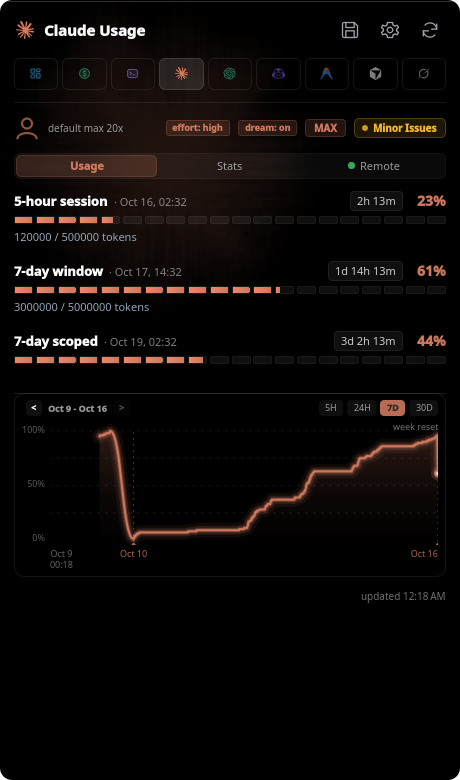
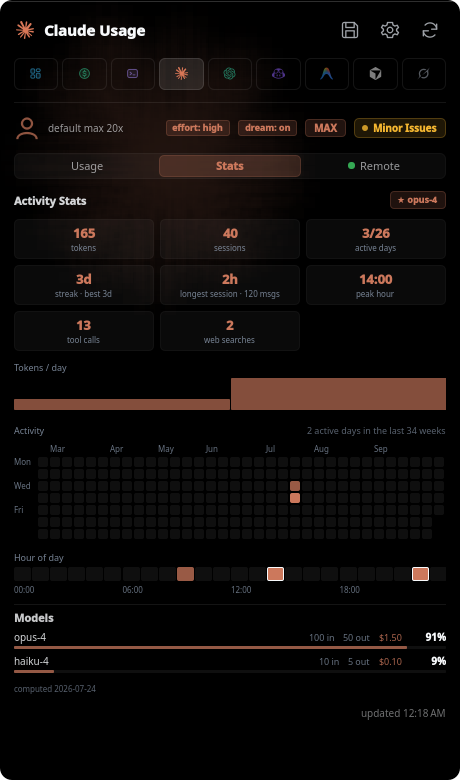
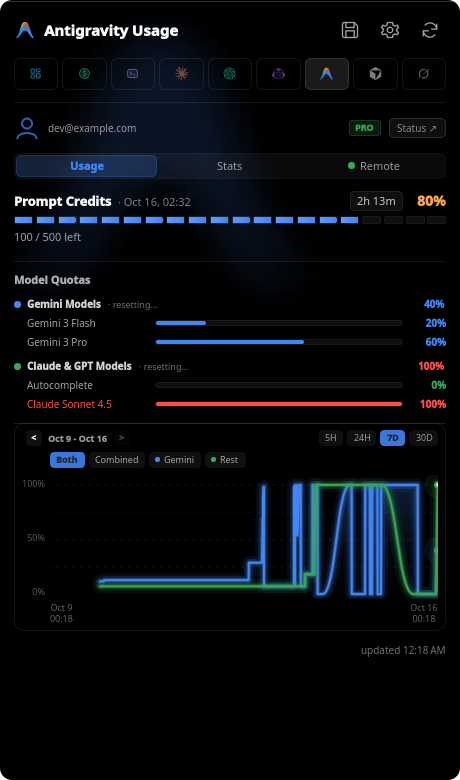
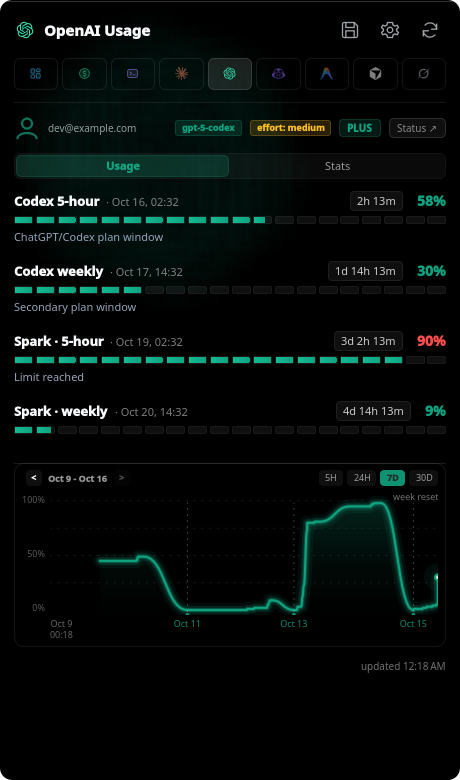
tideSI is a KDE Plasma 6 panel widget, a Hyprland/Quickshell shell, a tray app for Windows, macOS and other desktops, and a terminal CLI for tracking AI API quota usage across 25 provider services. Monitor subscription windows, account balances, local activity, and per-model usage through the shared backend, with animated segmented bars, live countdown timers, and account status.
| Claude | Antigravity |
|---|---|
 |  |
| Claude | Claude stats |
|---|---|
 |  |
| Antigravity | OpenAI |
 |  |
| Antigravity remote | Claude remote |
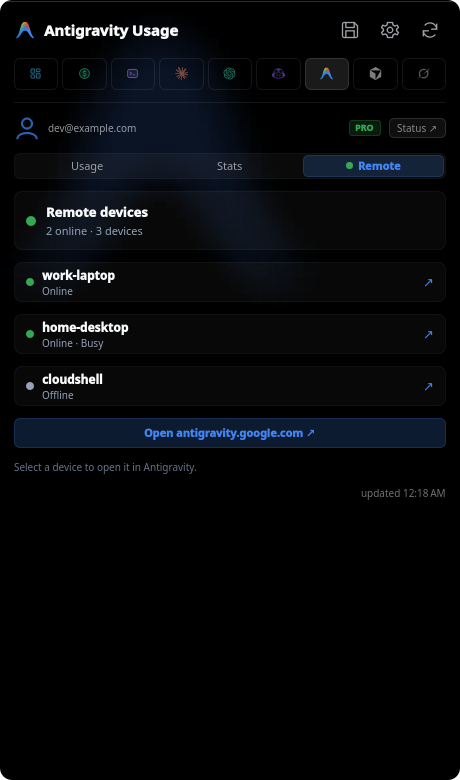 | 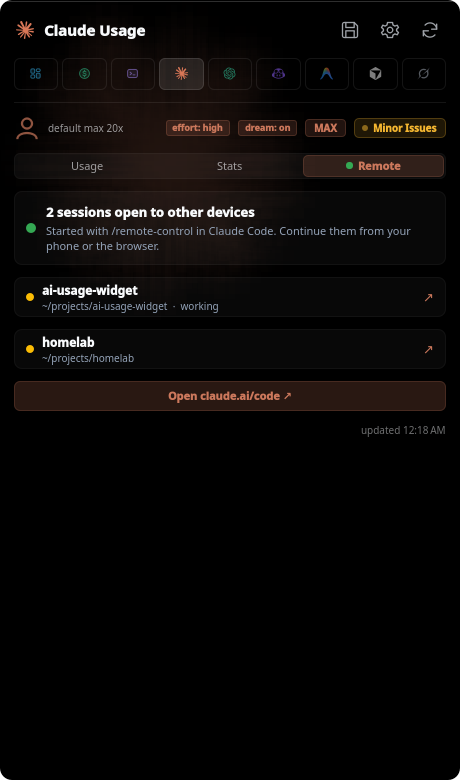 |
| Overview | Sessions |
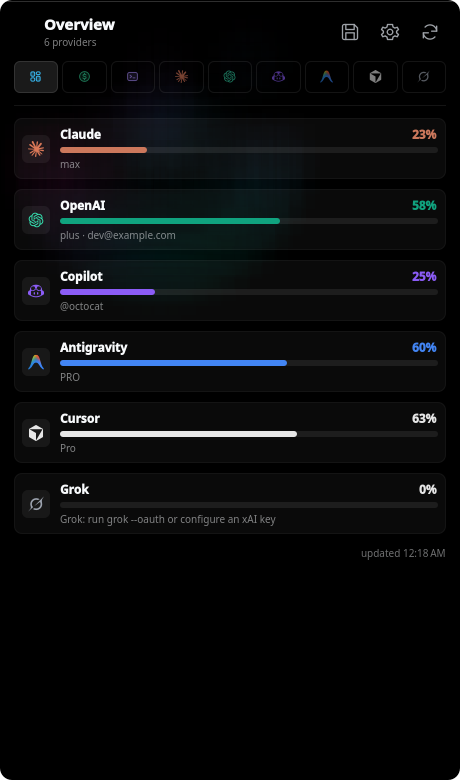 | 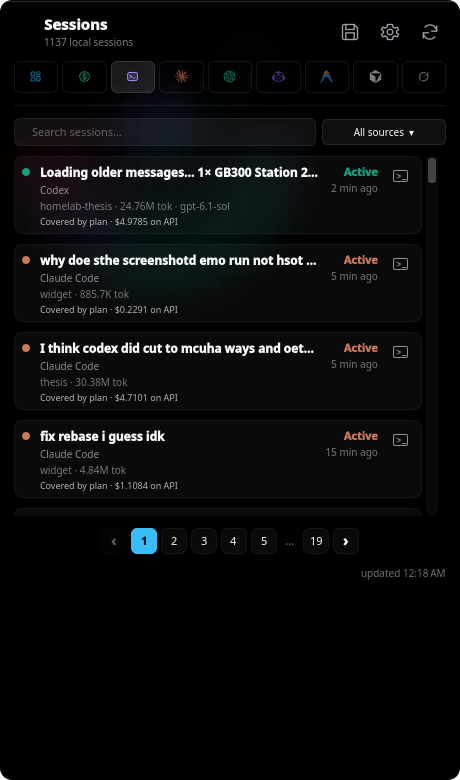 |
| Usage & Spend | Settings |
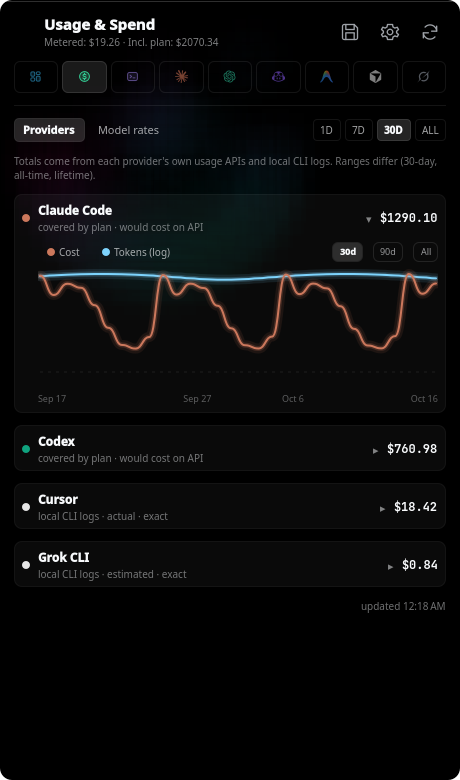 | 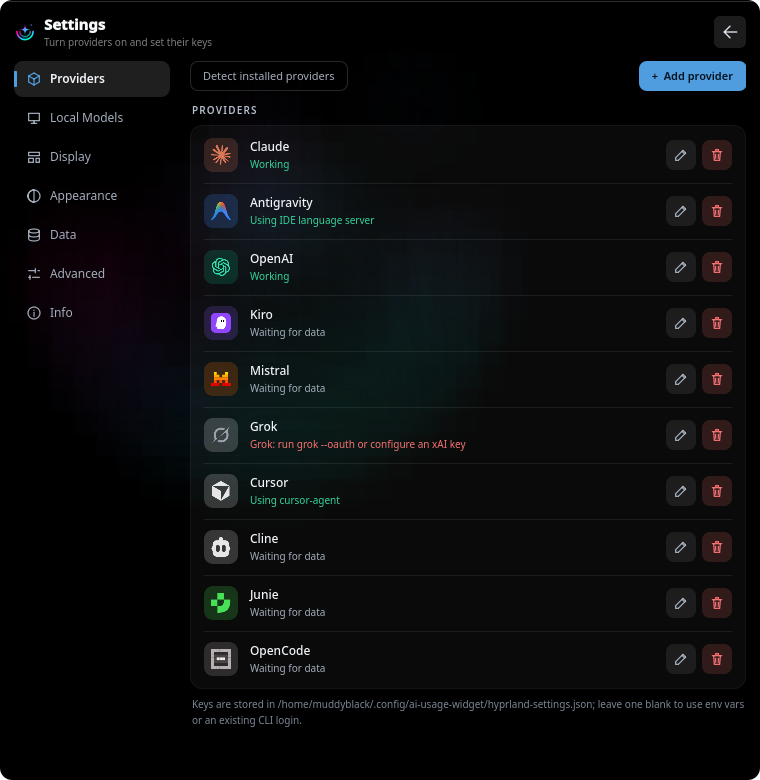 |
Generated from the real UI with demo data: make readme-screenshots.
Real desktop captures from PR #70 (b92b5ce), using demo data. Click an image
for the full-size view, including the native menu bar or taskbar.
| View | macOS | Windows |
|---|---|---|
| Sessions | 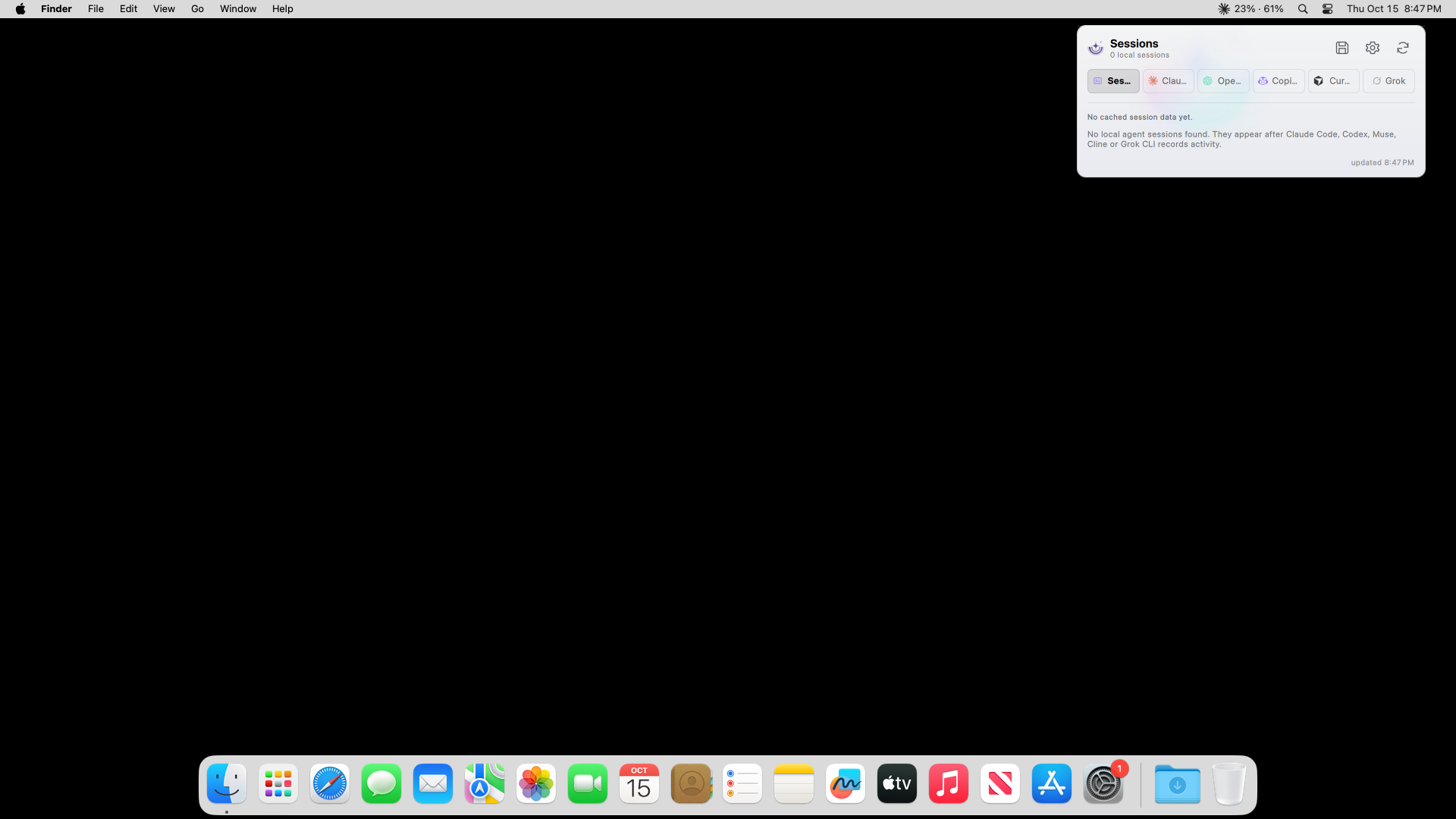 | 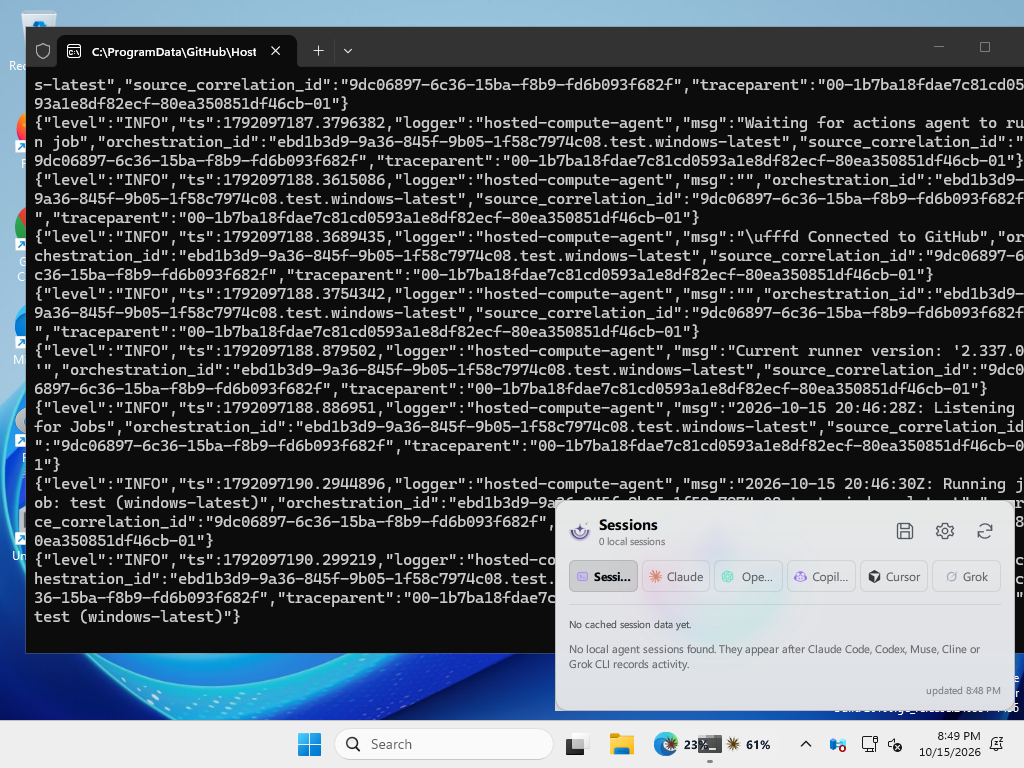 |
| Claude usage | 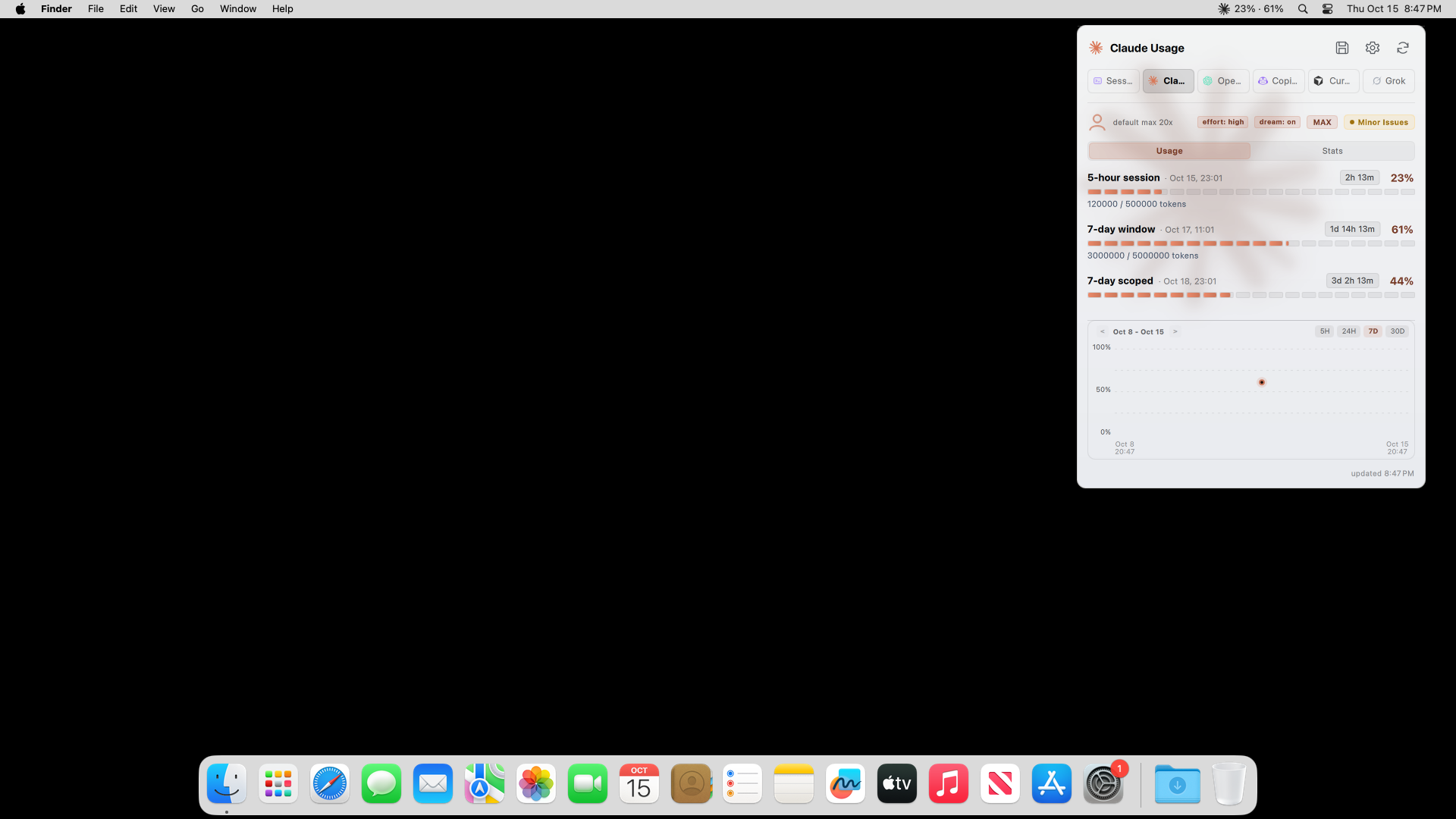 | 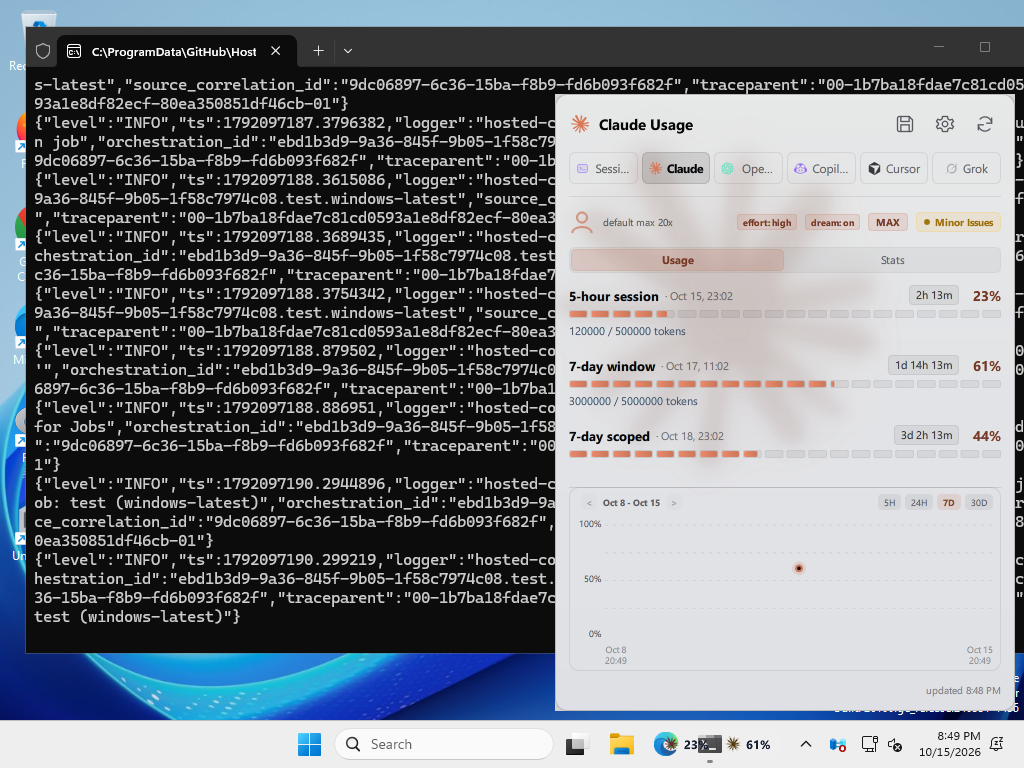 |
| OpenAI usage | 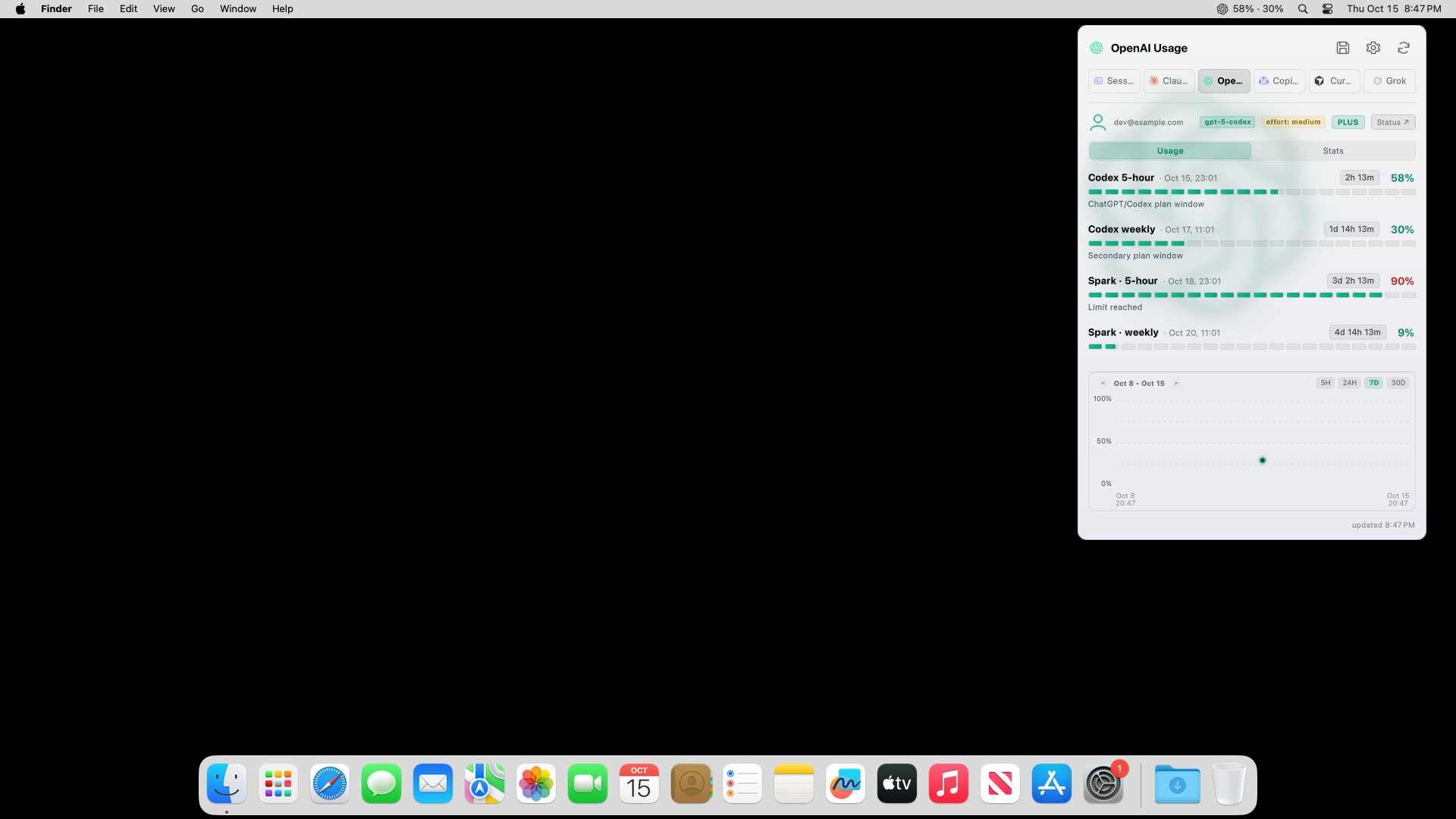 | 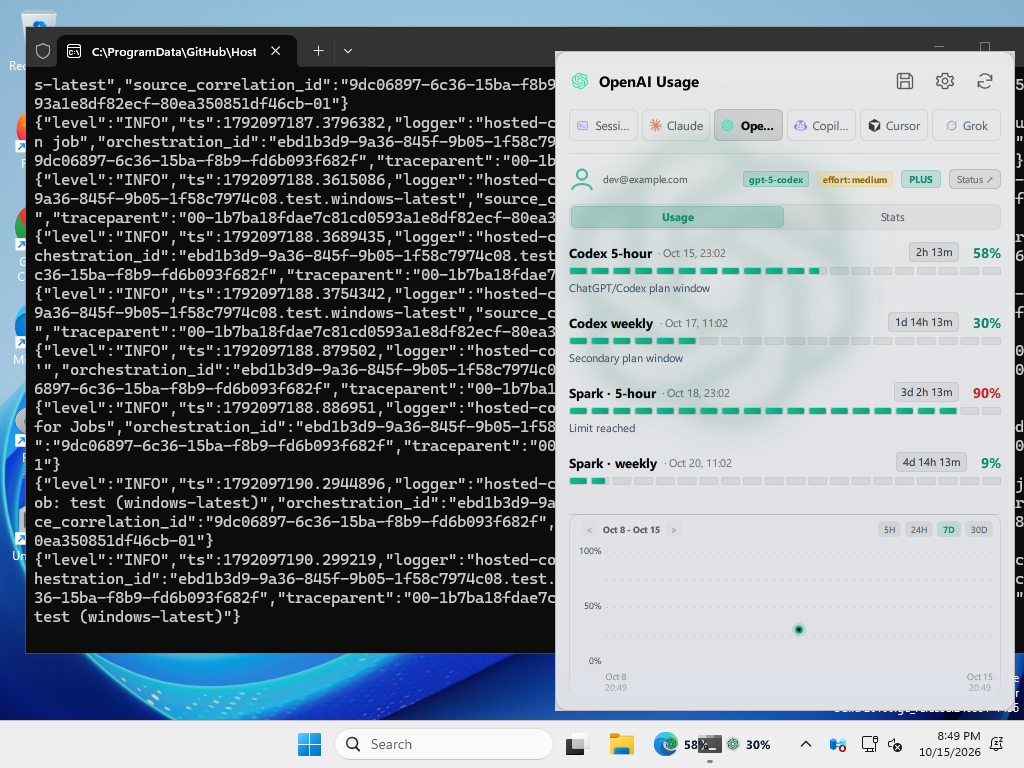 |
| Provider settings | 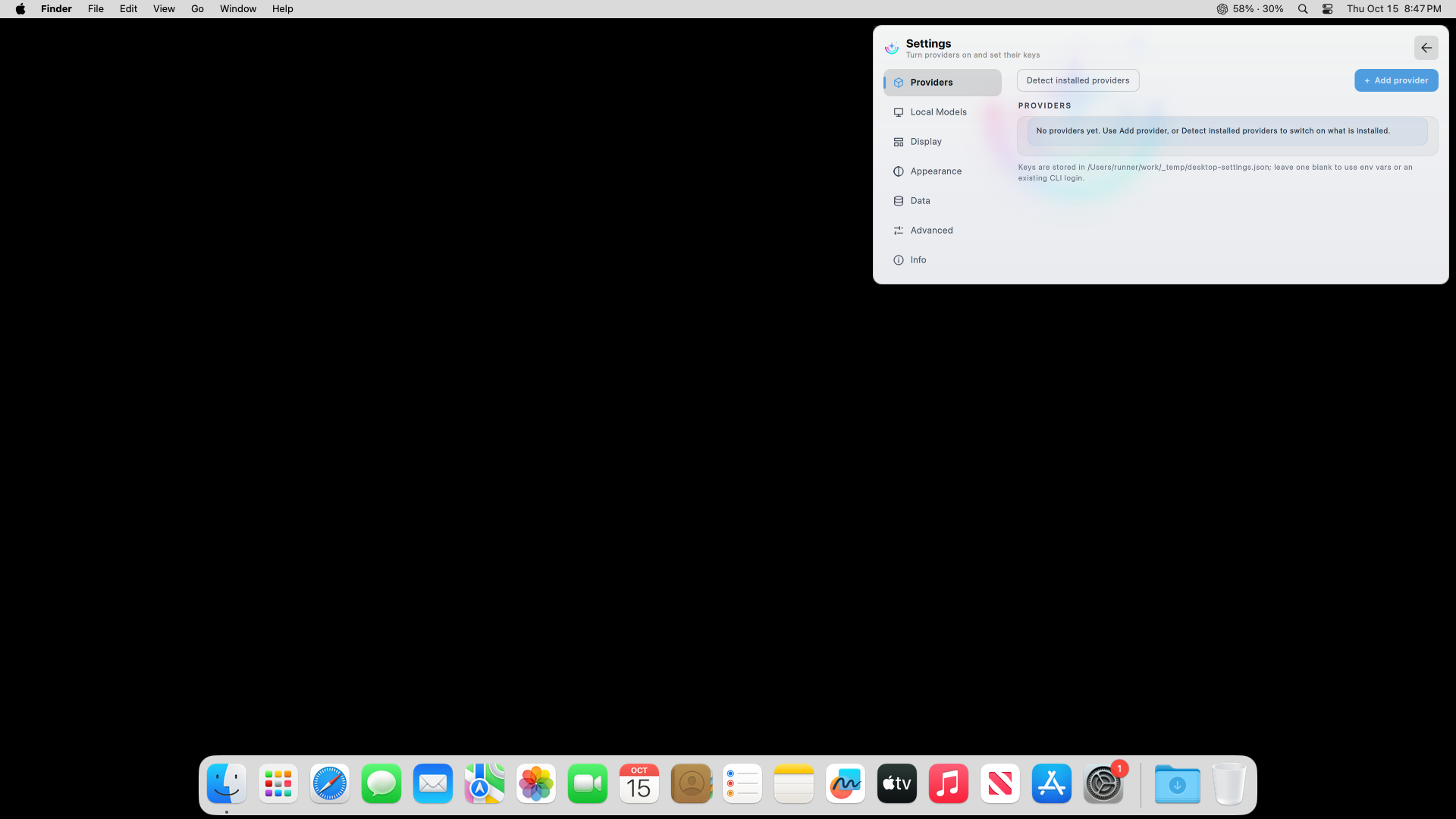 | 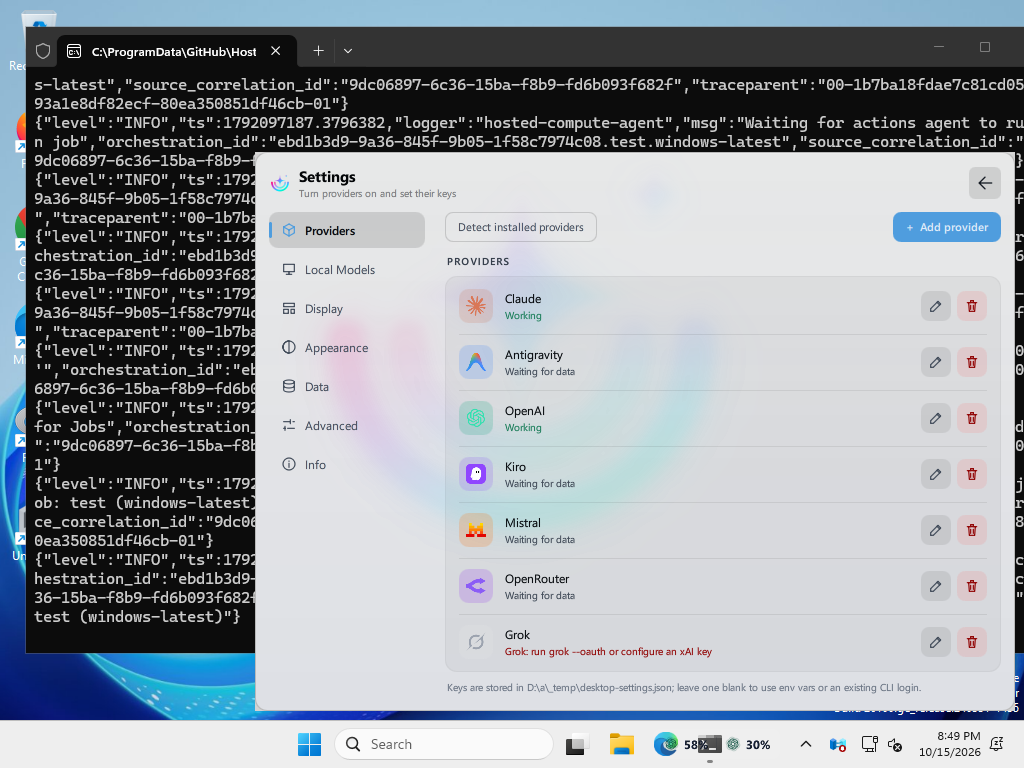 |
| Appearance settings | 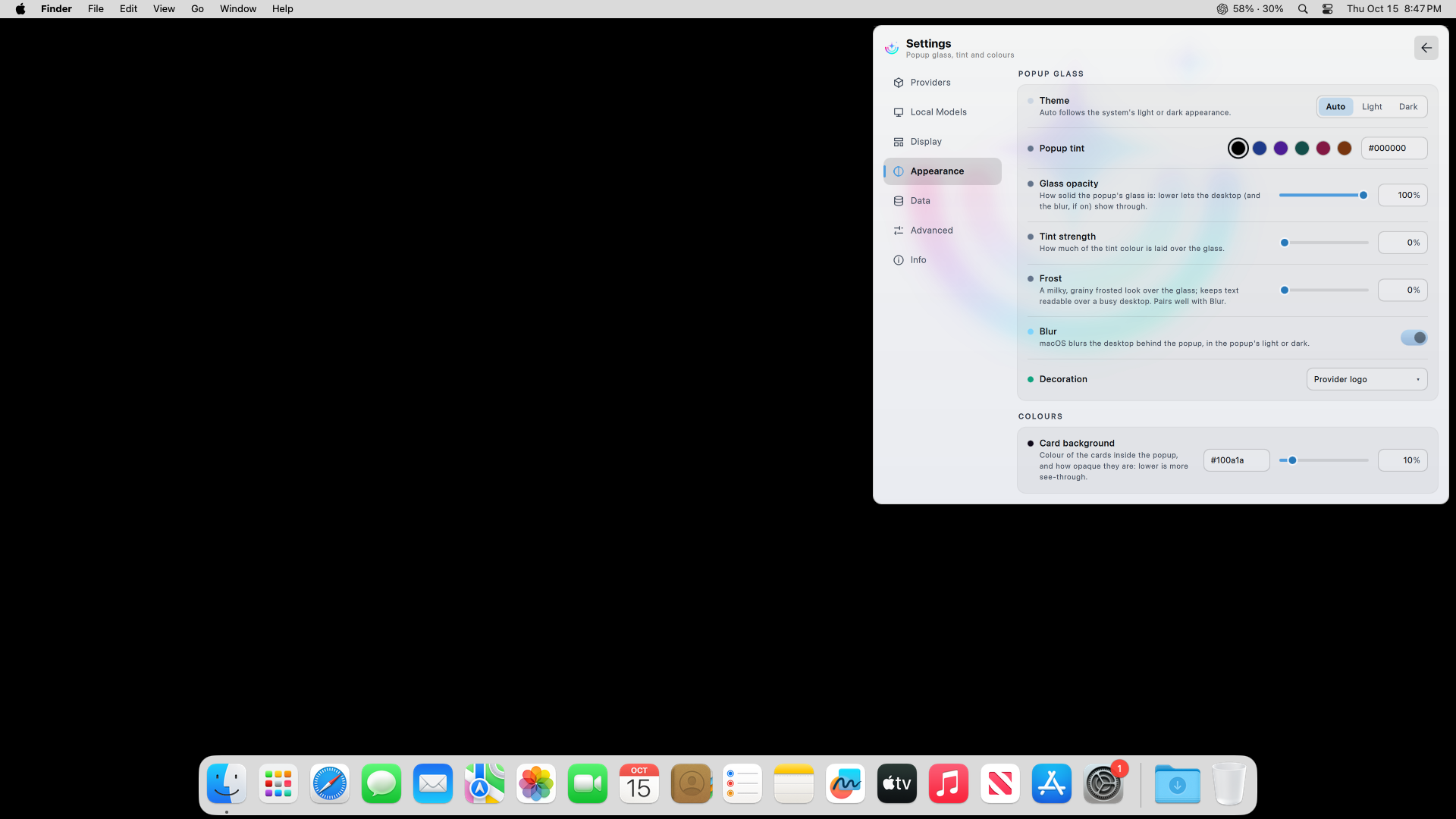 | 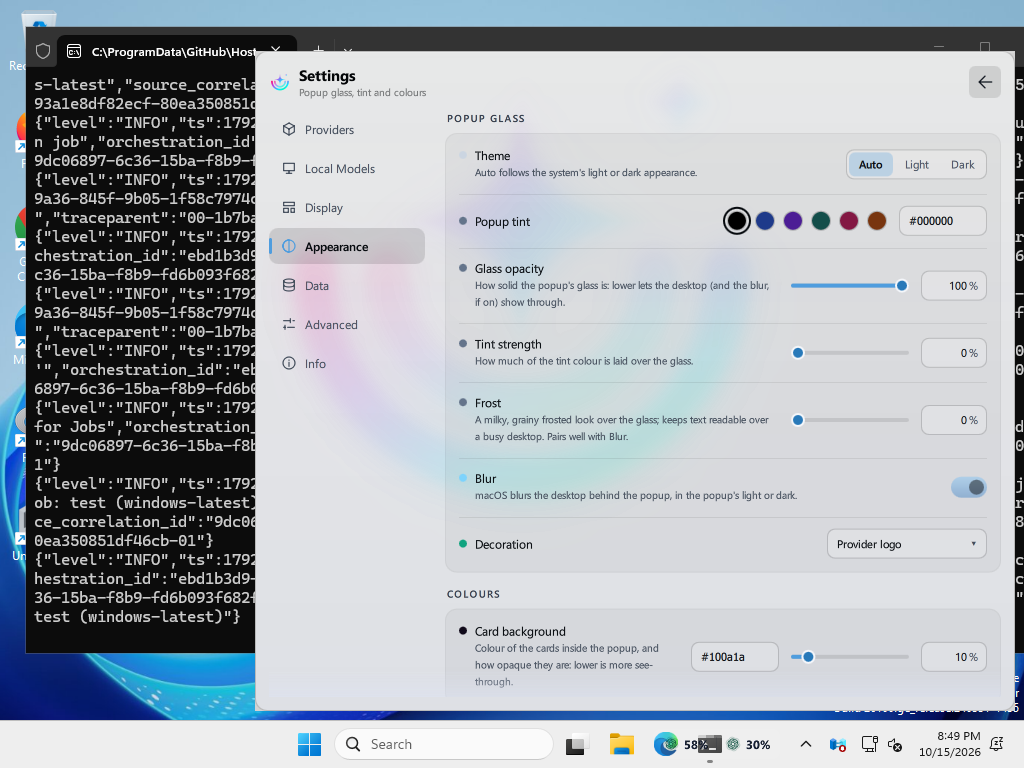 |
retry-after headers, dims and shows the error inline when a fetch failsget-ai-usage --sessions / --open-session ; not available for Muse, which ships no resume command)Sessions may include structured costUSD and costStatus fields. The status is
exact, partial, or unavailable. Token-derived costs are exact only when
the model matches the cached pricing catalog. Finite USD costs reported by a
provider can be exact. A mix of known and unknown models is partial. Unknown,
missing, or invalid model usage is unpriced and never estimated.
The optional costProvenance field says where a numeric session cost came from:
actual is a finite provider-reported USD amount, estimated is calculated
from exact local token usage and an exact cached model rate, and mixed contains
both kinds. A mixed row also carries finite non-negative
costBreakdown.actualUSD and costBreakdown.estimatedUSD values whose sum
matches costUSD; it is not a bill. Provenance is independent of coverage:
partial means some usage could not be priced, while unavailable means there
is no trustworthy numeric result.
Token estimates use exact OpenCode provider/model IDs and USD-per-million-token rates from models.dev first, with LiteLLM fallback for Anthropic and OpenAI. The shared catalog is cached for seven days; missing or unknown exact rates stay unavailable rather than being inferred.
Current local cost coverage includes Claude, Codex/OpenAI, Cline, and OpenCode
when explicit structured local usage is available. Cline's aggregate provider
totalCost remains provider-owned and is not surfaced as a per-session or local
actual; local Cline costs are estimates only when trustworthy per-session model
and token fields exist. OpenCode reads read-only structured assistant usage
across every provider it routed, aggregated per provider and model, and rolls
multi-provider sessions up per upstream provider; metadata-only sessions remain
unavailable.
Antigravity remains metadata-only and unavailable for cost because its verified
local schema has no structured billing data. Other providers are not implied to
have local session cost support.
Usage & Spend keeps provider-reported spend separate from non-navigable local source rows. Local actual and estimated rollups are merged by source, so an OpenCode row remains OpenCode; its secondary text identifies whether the amount is actual, estimated, or mixed and whether coverage is exact or partial. Local rows are never included in provider/API totals or presented as invoices. Session resume is a separate Sessions action that uses an opaque handle.
The local aggregate contains only totals and provider rollups. It emits no prompts, transcripts, paths, or raw session IDs. Local session costs therefore depend on the data and exact cached model pricing available on the machine. For the full contract and provider details, see docs/provider-contract.md and docs/providers.md.
Session search is handled by the backend with get-ai-usage --sessions --query . Empty, whitespace-only, and non-empty searches all return 60-session pages with exact totals and offer Load more when additional sessions exist. In the desktop sessions views, refresh shows the current cached page immediately while providers are scanned in the background, then shows the updated page once the scan finishes. The Sessions view offers a cache-backed source filter beside the search field. It uses --source or --source=; omitting it means All, and multiple sources are combined with OR semantics. The filter is view-local, resets pagination when changed, and is preserved by refresh and Load more. All appears only when more than one cached source is available.
The backend returns the additive sources descriptor list with verified IDs and labels, in canonical order: Cline (cline), Muse (muse), Codex (openai), Grok (grok), Claude Code (claude), OpenCode (opencode), MiMo Code (mimo), Antigravity (antigravity), Mistral (mistral), Cursor (cursor), and Junie (junie). Only sources with cached parsed rows appear. Query-only searches read that cache and do not scan local stores. Non-empty searches check all underlying session records using only provider, title, sessionName, state, and detail; fullTitle, opaque resume keys, IDs, paths, and transcripts are not searchable or exposed. Claude titles are clipped opening-prompt previews; raw prompt text never leaves the backend. See the provider contract for response, refresh, incomplete-cache, privacy, and cross-platform details.
Also runs on Hyprland, on Windows, on macOS and in a terminal — every platform shows the same UI (ui/) on the same backend (backend/); only the panel, tray or menu bar item around it is per platform (hosts/). See docs/architecture.md.
| Service | What the widget shows | Support status |
|---|---|---|
| Claude (Anthropic) | Subscription windows reported by Anthropic, reset times, and local activity stats | Supported |
| Antigravity / Google AI Studio | Overall quota, per-model Gemini usage, reset times, and named remote devices when accessible | Supported |
| OpenAI | 30-day API token/cost usage plus Codex/ChatGPT plan limits and account status | Supported |
| Grok (xAI) | CLI billing credits when exposed, free-tier exhaustion, and local session totals | Free tier tested; paid plans unverified |
| Kiro | Monthly credits, remaining balance, reset date, overage, and plan — from kiro-cli's login or the Kiro IDE | Supported |
| Mistral AI | Key status, available models, and local vibe CLI cost/token statistics | Supported |
| OpenRouter | Account balance, key spend (today / week / month), credit limit, usage percentage, and account label | Untested |
| Local Models | Telemetry from configured Ollama, vLLM, or llama.cpp servers without generation requests | Supported |
| Z.AI | 5-hour token quota, monthly tools quota, reset countdowns, model details, and today's token consumption | Supported |
| Ollama Cloud | Account usage limits and recent activity cost via API key or OpenCode login | Supported |
| GitHub Copilot | Premium request usage against the plan's own entitlement, the real reset day, and local Copilot CLI activity stats | Personal billing supported; organization/enterprise billing not yet supported |
| DeepSeek | Available balance with granted and topped-up breakdown | Supported |
| Kimi / Moonshot AI | Kimi Code plan windows (5-hour and weekly) and extra-usage wallet; Moonshot API balance with voucher and cash breakdown | Moonshot balance supported; Kimi Code quota tested on a used-up plan only |
| Muse | Local session stats: tokens, offline spend estimate, sessions, tool calls, workspaces, streaks. Plan windows available behind an opt-in switch | Supported (the plan quota costs tokens to read — off by default) |
| Cursor | Included usage for the billing cycle, the Auto/API split, on-demand spend, and plan name | Free login/stats tested; free agent quota unavailable; paid plans unverified |
| Cline | Tokens, sessions and spend for today / 7 / 30 days, plus all-time stats per model and workspace, from the CLI's own session logs | Supported (local stats; account balance not yet shown) |
| Junie | Local CLI tokens, cache counts, model activity, and resumable sessions | Untested; account quota and billed spend unavailable |
| MiMo Code | Local tokens, model breakdowns, session history and recorded or estimated costs | Local database verified; live subscription quota unavailable |
| JetBrains AI | Monthly AI credits, top-up credits and refill date, read from the IDE's own quota file — no key, no network | Reads the format the IDE writes; not yet verified on every IDE |
| Windsurf | Daily and weekly quota (or message / flow-action counters on older plans) from the editor's local cache — no key, no network | Reads the cache the editor writes; only as fresh as the last Windsurf run |
| Pi / OMP | Local token activity, model breakdowns and workspaces from the agents' session files | Local files only; spend is not shown (see below) |
| Kilo | Prepaid credit balance and Kilo Pass period usage, via an API key or the kilo CLI login | Request shape from Kilo's web API; not yet verified against a live account |
| CodeRabbit | Review count and reset date from coderabbit usage | Supported where the CLI is signed in; CodeRabbit publishes a count, not a quota |
| Zed | Plan and edit-prediction usage, via the editor's macOS Keychain login | Untested; macOS only |
What each provider needs signed in, and what it reads, is in docs/providers.md.
Provider startup is zero based. On first start the widget enables the providers whose tools are installed (a CLI or desktop app — old logs don't count), while nine providers remain manual-only. Settings → Providers → Detect installed providers re-syncs later: it turns on newly installed tools and turns off uninstalled ones unless you gave them an API key. Several Plasma widgets (other panels or screens) share their settings; each keeps its own pins. The complete policy, platform paths, and future-provider checklist are in docs/provider-detection.md.
MiMo Code is detected through the mimo executable. Enable MiMo Code in
provider settings to show local token usage, model breakdowns and recorded or
estimated costs. Its sessions can also be reopened from the Sessions tab.
The reader uses $XDG_DATA_HOME/mimocode/mimocode*.db (normally
~/.local/share/mimocode/mimocode.db); MIMO_DB overrides the database path.
It reads SQLite without starting the CLI or requiring an active subscription.
Subscription limits and remaining account quota are not available.
Enable Junie to show local CLI token activity and resumable sessions.
Linux, macOS and Windows read the same ~/.junie/sessions format
(JUNIE_HOME overrides the home). Account quota and billed spend are unavailable.
The widget does not need your API key or run paid requests.
For Google BYOK, export JUNIE_GOOGLE_API_KEY and run junie --provider google,
then select a model with /model. JetBrains account authorization is optional
for BYOK. See setup and verification details.
| Dependency | Notes |
|---|---|
| KDE Plasma 6.0+ | X-Plasma-API-Minimum-Version: 6.0. Needed for the widget only — the Hyprland shell and the terminal frontend run without it |
plasma5support | Provides the executable DataEngine for running the backend |
GNU coreutils (timeout) | Bounds each Plasma usage refresh to 60 seconds. Refreshes run one at a time; requests arriving during a refresh are combined into one follow-up |
| Python 3.8+ | Runs the shared provider backend (standard library only, no pip install). Auto-detected from PATH as python3, a versioned python3.x, or bare python. To pin a specific interpreter — a virtualenv, a non-standard prefix — set it under Settings → Advanced → Python, or export $PYTHON3. NixOS installs need no PATH entry at all: the flake pins the interpreter at build time |
git clone https://github.com/Muddyblack/tidesi.git
cd tidesi
./translate/build.sh   # compile the translations (needs gettext); skip for English only
kpackagetool6 -t Plasma/Applet -i package
# or to update an existing install:
kpackagetool6 -t Plasma/Applet -u package
Then right-click your panel → Add Widgets → search "tideSI".
A release .plasmoid or the KDE Store version already has the translations
built in. Installing from a clone like this compiles them with gettext; the
full list of tools for working on the source is in
CONTRIBUTING.md.
To remove:
kpackagetool6 -t Plasma/Applet -r org.muddyblack.tidesi
Or install it from the KDE Store.
On a Mac, the menu bar app installs with Homebrew (details):
brew tap muddyblack/tidesi https://github.com/Muddyblack/tidesi
brew install --cask muddyblack/tidesi/tidesi
NixOS (flake)
# flake.nix
{
  inputs.tidesi.url = "github:Muddyblack/tidesi";

  outputs = { self, nixpkgs, tidesi, ... }: {
    nixosConfigurations.mybox = nixpkgs.lib.nixosSystem {
      modules = [
        tidesi.nixosModules.default
        {
          programs.tidesi = {
            enable = true;          # the Plasma widget
            cli.enable = true;      # optional: tidesi-cli for the terminal
            desktop.enable = false; # optional: tray app + pill for non-Plasma desktops
            hyprland.enable = false; # optional: the Quickshell panel
          };
        }
      ];
    };
  };
}
Home Manager has the same module (tidesi.homeManagerModules.default), which also links
the widget into ~/.local/share/plasma/plasmoids. Packages can be used directly too:
tidesi.packages.${pkgs.system}.{default,cli,hyprland}. See
docs/packaging.md.
All configuration is done in the widget's settings panel (right-click the widget → Configure).
The project was renamed to tideSI. Settings, history and caches are moved to the new tidesi/ folders the first time it runs, so nothing is lost.
kpackagetool6 -t Plasma/Applet -r org.muddyblack.aiUsageWidgetprograms.ai-usage-widget still works as an alias of programs.tidesi, and the flake keeps ai-usage and ai-usage-cli as aliases of tidesi and tidesi-cli. The flake input is now github:Muddyblack/tidesi.scoop install tidesi (was ai-usage).| docs/providers.md | What each provider tab reads, credential resolution, API quirks, usage history |
| docs/cli.md | tidesi-cli — the terminal frontend, for SSH, status bars and non-Plasma desktops |
| docs/hyprland.md | Running the Quickshell panel on Hyprland, Caelestia or Waybar |
| docs/windows.md | The Windows tray app: installing, using and building it |
| docs/architecture.md | How the repository is laid out: one backend, one UI, one thin host per platform |
| docs/macos.md | The macOS menu bar app: the native menu bar item, where each provider's data is on a Mac, and how to build it |
| docs/packaging.md | The flake, the NixOS and Home Manager modules, and the nixpkgs packages |
| docs/provider-contract.md | The JSON model every frontend reads, and the backend architecture behind it |
| docs/provider-detection.md | Zero-default detection policy, platform settings, privacy limits, and provider addition checklist |
| CONTRIBUTING.md | Development install, tests, packaging, releasing |
Credentials entered in widget settings are stored locally in the desktop's
widget/config file and are sent only to the corresponding provider endpoints.
Automatically discovered credentials remain in their original local files. Tokens
never leave the backend: the JSON model handed to either frontend carries
presence flags (hasApiKey, keyValid, …) but no credential, and a contract
test enforces that. Usage history (timestamps plus usage values) is written
locally to ~/.local/share/tidesi/.