CSAuto Murky
winget install --id=MurkyYT.CSAuto -e Counter-Strike 2 companion that automates in-game tasks, such as accepting match, buying items and more.
CSAuto is a Counter-Strike 2 companion tool designed to automate in-game tasks, enhancing your gameplay experience by reducing human error. It streamlines repetitive actions, allowing you to focus on strategic play.
Key Features:
- Auto Accept Matches: Quickly accept matches without missing the button.
- Customizable Auto-Buy Menu: Configure items to buy automatically at start.
- Smart Reload System: Automatically reloads when out of bullets.
- Discord Rich Presence Integration: Displays game info like player count (note: may be bannable).
- Mobile Notifications: Receives bomb timer updates on your phone.
- Window Management: Brings the game to front upon match acceptance.
Audience & Benefits: Ideal for CS2 players seeking a smoother, interruption-free gaming experience. By automating tasks, CSAuto helps you maintain focus and play at your best.
Install CSAuto via winget for seamless setup.
Enhance your Counter-Strike 2 gameplay with CSAuto, the ultimate companion for strategic advantage.
README

CSAuto









Description
Have you ever started searching for a game in CS2, left the keyboard for a bit, and noticed that you missed the accept button? frustrating isn't it? Or have you ever forgotten to buy armor or defuse kit as ct?
Don't Worry!
CSAuto is the software for you
Features
- Auto accept matches for you
- Auto reload for you when you have 0 bullets left and keep spraying after reloading!
- Auto buy selected items in customizable menu!
- Auto pause/resume currently playing song/video
- Show customizable game info in Discord Rich Presence (show amount of players in lobby can be bannable!)
- Send time left till bomb exploded to mobile!
- Bring game to front when accept button appears and return to previous window!
Screenshots
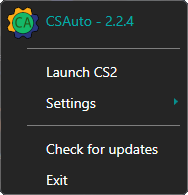
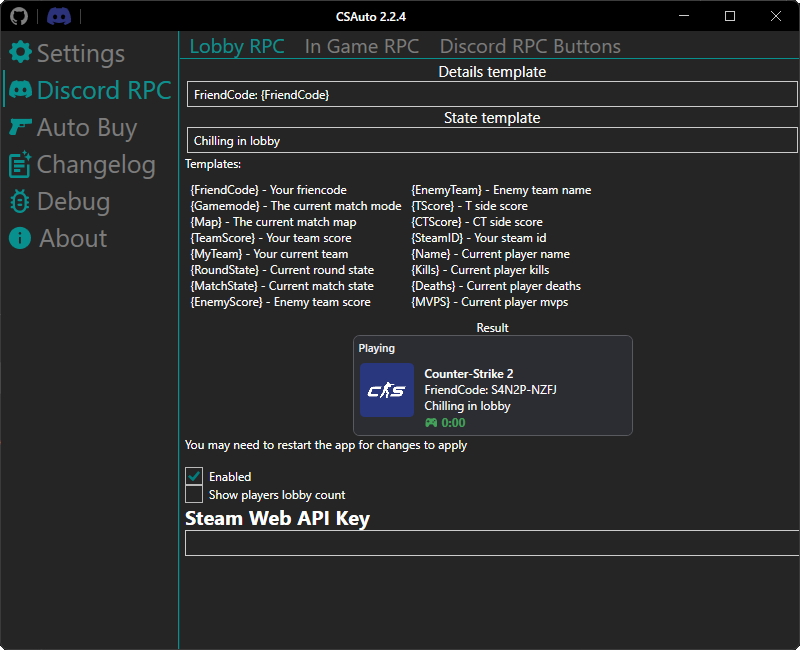
Installation



Launch Options
--show- Show settings window on application startup--maximized- Make settings window always start maximized--language [language name]- Change app language to the one specified (e.g en,ru), doesn't change the settings--portable- Run the app in portable mode--log- Enabling logging, regardless of whether it is enabled in the settings, doesn't change the settings--cs- Launch cs with CSAuto
FAQ
How to connect thru the mobile app
- Make sure you have installed the app on your phone
- Make sure you are connected to the same network
- In the dekstop app go to the
Servercategory and remember theIPandPort - Go to the desktop app, in the
Settings -> Phone notificationscategory and make sure it is enabled - Go to the mobile app and enter the
IPandPortyou saw in theServercategory - Launch cs and try to connect to the server in the mobile app
The app couldn't set the launch options, what to do?
- Open Steam library
- Right-click on CS2 and press properties
- In the general tab you have launch options at the bottom
- Add
+exec csautobindcommandsender.cfgto the launch options - Close and start the game
Discord doesn't show amount of players in lobby
- Open the Discord category
- Get your Steam web api key from here
- Enter your Steam Web API Key
- After you entered it you should have it
- If you still don't have it, make sure you created a lobby by inviting someone and enabled it
How to get notifications in Telegram
- Send a message to the bot
- Get your chat id by sending a message to this bot
- Copy your 'Chat ID'
- Go to the 'Phone notifications' category and enter the Chat ID you got
What is the latest version for CS:GO
The latest version released for CS:GO is 1.1.2 and can be downloaded here, be warned that some features might not work as intended
Suggestions
If you have any suggestions you can create an issue/discussion with the suggestion in it or use Discord server
Thanks in advance :)
Contributors
Development
Building the app
- Install Visual Studio 2022 with C# and .NET MAUI (Maybe you will need Xamarin as well).
- Install Inno Setup Compiler.
- Clone the repository and open the solution in Visual Studio 2022
- Build the app
- If you want the installer you can run the compile.bat
Disclaimer
CSAuto is not affiliated, endorsed by, or in any way officially connected with Valve and/or Counter-Strike