Use this command to install NxFileViewer with WinGet:
winget install --id=Myster-Tee.NxFileViewer -e
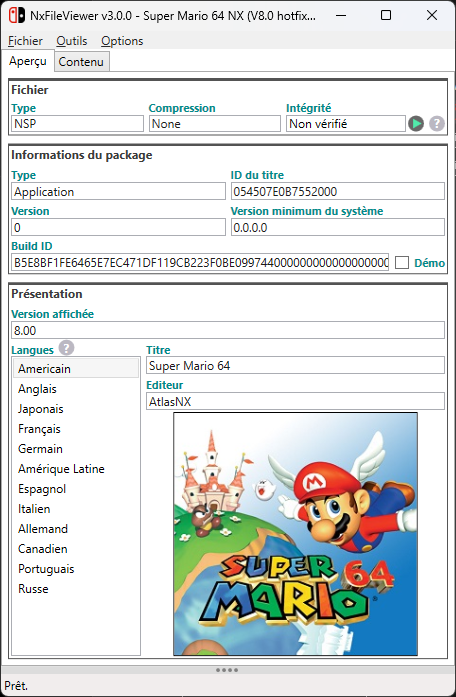
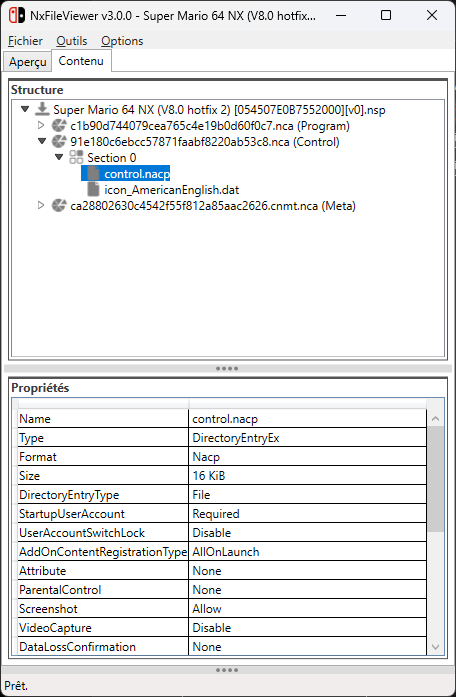
NxFileViewer is a software tool designed to view and browse content from Nintendo Switch files, including NSP, NSZ, XCI, and XCZ formats. It provides users with an intuitive interface to explore file structures, export individual files, and manage keys for decryption.
Key Features:
Multi-Format Support: Works with NSP, NSZ, XCI, and XCZ files.
Drag-and-Drop Functionality: Simplifies file management by allowing users to drag and drop files into the application.
Export Capabilities: Enables the export of individual files or entire structures for further use.
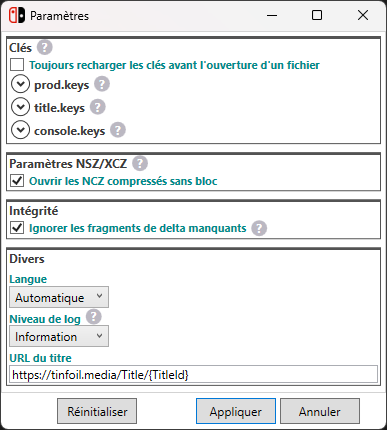
Key Management: Automatically searches for keys in common locations or downloads them from a specified URL, streamlining decryption processes.
User-Friendly Interface: Features a responsive design with a single executable file for easy distribution and installation.
Multi-Language Support: Available in English, French, and additional languages through community contributions.
Audience & Benefit:
Ideal for Nintendo Switch enthusiasts, gamers, and developers who need to explore or modify Switch files. NxFileViewer offers seamless navigation of file structures, saving users time and effort by automating key management and decryption processes. Its intuitive design ensures that even those without deep technical expertise can efficiently manage Switch content.
The software is available as a single executable file and can be installed via winget, ensuring quick setup and minimal system impact.
Automatically download keys from an URL defined in the settings
Supports drag and drop
Checks real files type (XCI or NSP)
Detailed log
User-friendly and responsive interface
Single executable file
Do not write anything outside of the program directory
Verify integrity (hash and signature)
Displays missing keys
Opens title URL
Multiple languages (actually English and French, PR me for more ;))
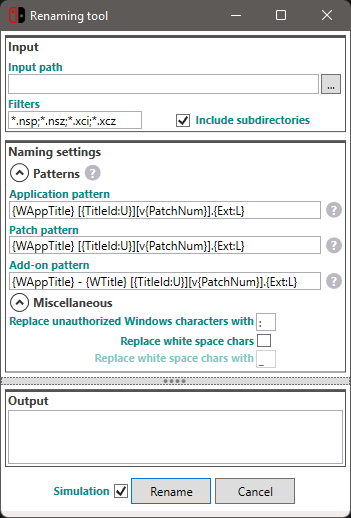
Advanced files renaming
Full support of NSZ and XCZ files (compressed with NSZ tool from nicoboss).
Screenshots
Requirements
If application doesn't start, please install the .NET Desktop Runtime 8 which can be downloaded from the official Microsoft website here.
Contribute
Feel free to contribute to this project to make this program better.
I designed the application so that it can be easily localized in several languages.
If you want this app in your language, send me your translations ;).
Development
Requirements
Microsoft Visual Studio 2022+
Publishing
Run the PowerShell script below.
.\Publish.ps1
Credits
Special thanks to Thealexbarney for his powerful and easy to use LibHac library.
Special thanks to nicoboss who took a lot of time to explain me the NSZ format and many other things.