Neovide is a graphical user interface (GUI) client for Neovim, designed to provide a seamless and efficient editing experience while maintaining the core functionality of Neovim. Built in Rust, Neovide offers a modern, lightweight alternative to terminal-based Neovim usage.
Key Features:
Low Overhead: Designed to minimize resource consumption while delivering a responsive and smooth user experience.
Native Performance: Leverages GPU acceleration for rendering, ensuring fluid scrolling and smooth animations.
Cross-Platform Support: Works on Windows, macOS, and Linux, with consistent performance across all platforms.
Minimal Configuration: Requires little setup beyond standard Neovim configurations, making it easy to adopt.
GPU-Accelerated Rendering: Optimized for modern graphics hardware, ensuring fast and efficient text rendering.
Audience & Benefit:
Ideal for developers and editors who use Neovim or Vim and seek a GUI without compromising on performance or functionality. Neovide provides an intuitive visual interface that enhances productivity while staying true to the core principles of Neovim.
Neovide can be installed via winget, making it accessible to users familiar with package managers.
README
Neovide
This is a simple graphical user interface for Neovim (an
aggressively refactored and updated Vim editor). Where possible there are some graphical
improvements, but functionally it should act like the terminal UI.
To checkout all the cool features, installation instructions, configuration settings and
much more, head on over to neovide.dev.
Screenshot of Neovide running on Windows
Installation
Pre-built releases for macOS, Windows and Linux are published on the
GitHub Releases page and each release includes signed
installers or AppImage builds. For detailed package-manager commands, verification steps and build
from source instructions, see the installation guide on neovide.dev
Getting help
Neovide is maintained in spare time, so please be patient when asking for support. Depending on your
question:
Use the issue tracker for reproducible bugs or crash reports.
Open a thread in GitHub Discussions for general
questions, tips, or feature ideas.
Chat in real time on Discord or on
Matrix if you want help from other community members.
Discussions and chat are better suited to questions or workflow brainstorming, while the issue
tracker works best for actionable bugs.
Supporting the Project
If you use and like Neovide, please consider
sponsoring the project on GitHub. Funding helps pay for
code-signing certificates, cross-platform hardware and the time maintainers spend supporting users.
There are tiers for individuals and teams, and one-time contributions are welcome too.




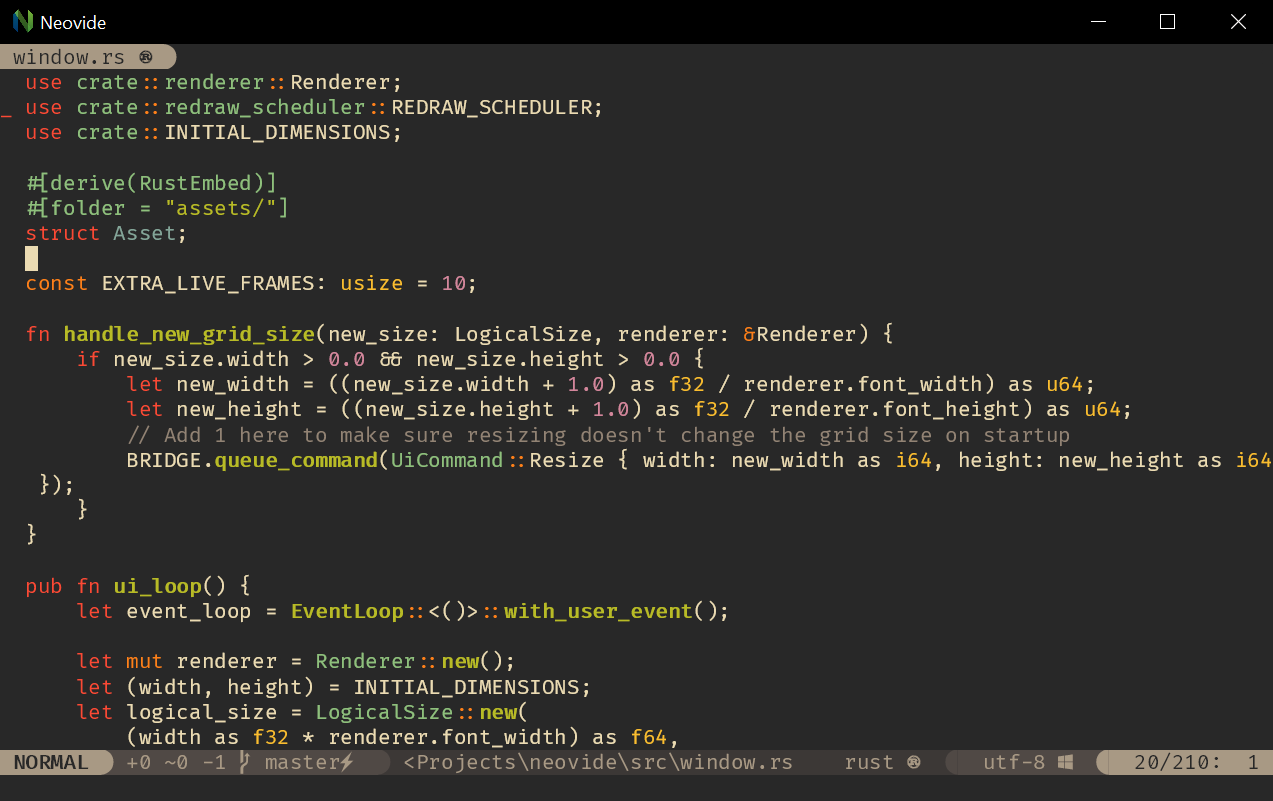 Screenshot of Neovide running on Windows