yoo Nihitdev
winget install --id=Nihitdev.yoo -e Local CLI for project, Git, and development environment information.
A small, local-first CLI for viewing project, Git, and development environment information.
š Read the yoo documentation
yoo collects common project and environment checks in a few commands:
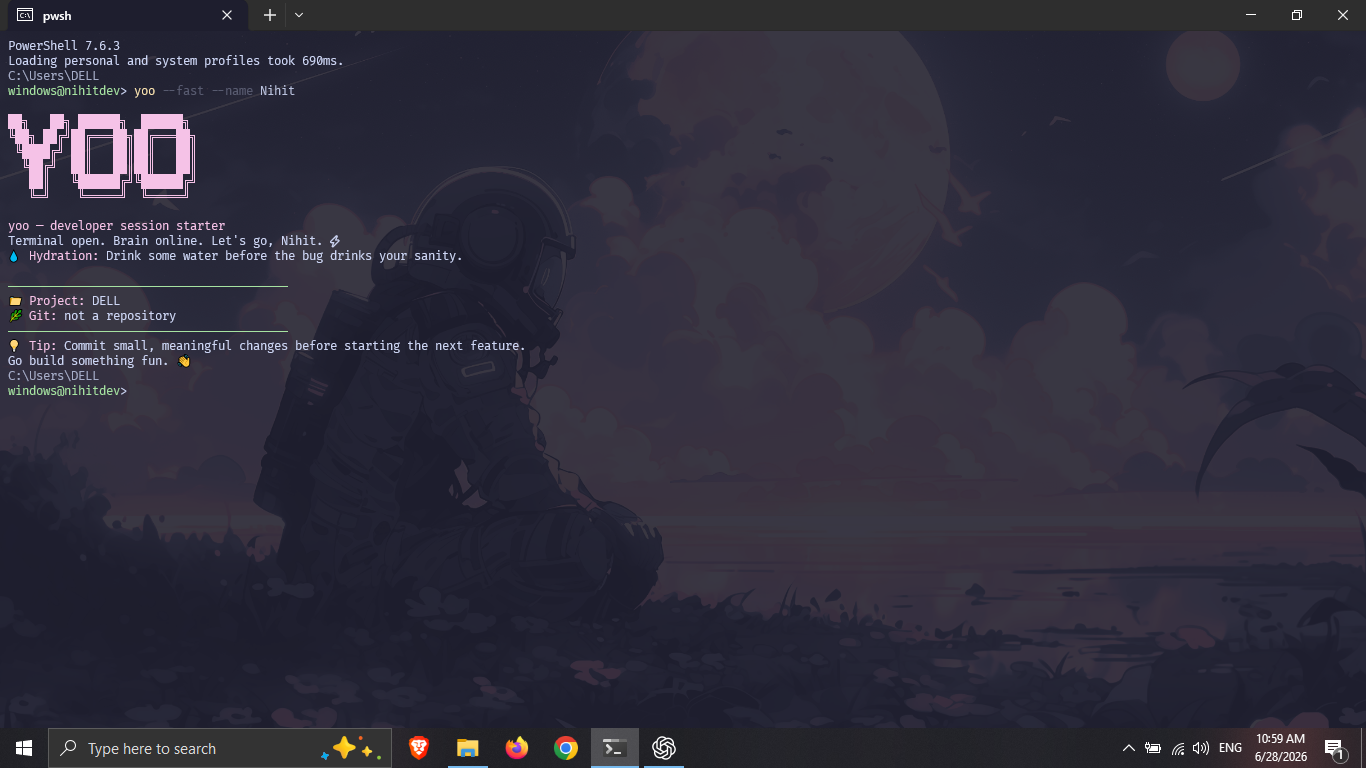
yoo # show a session summary
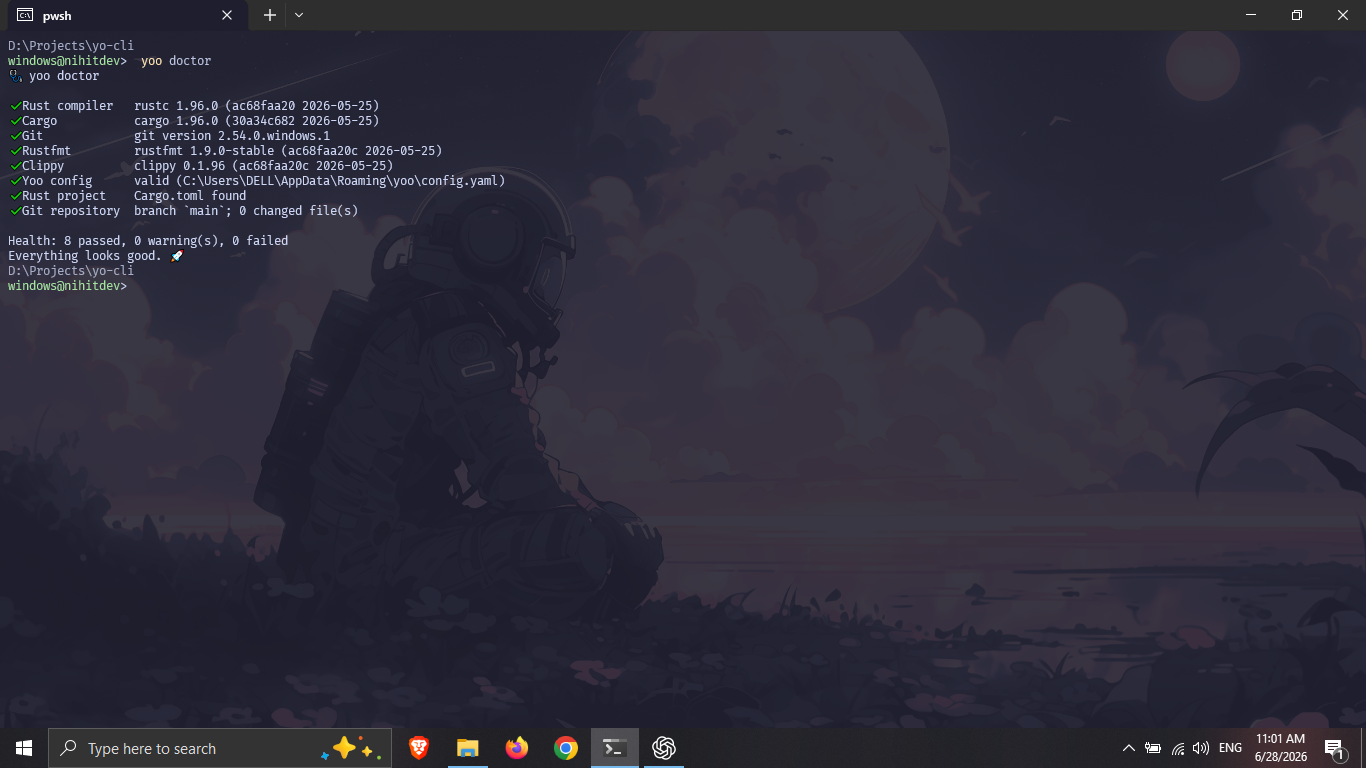
yoo doctor # check development tools and configuration
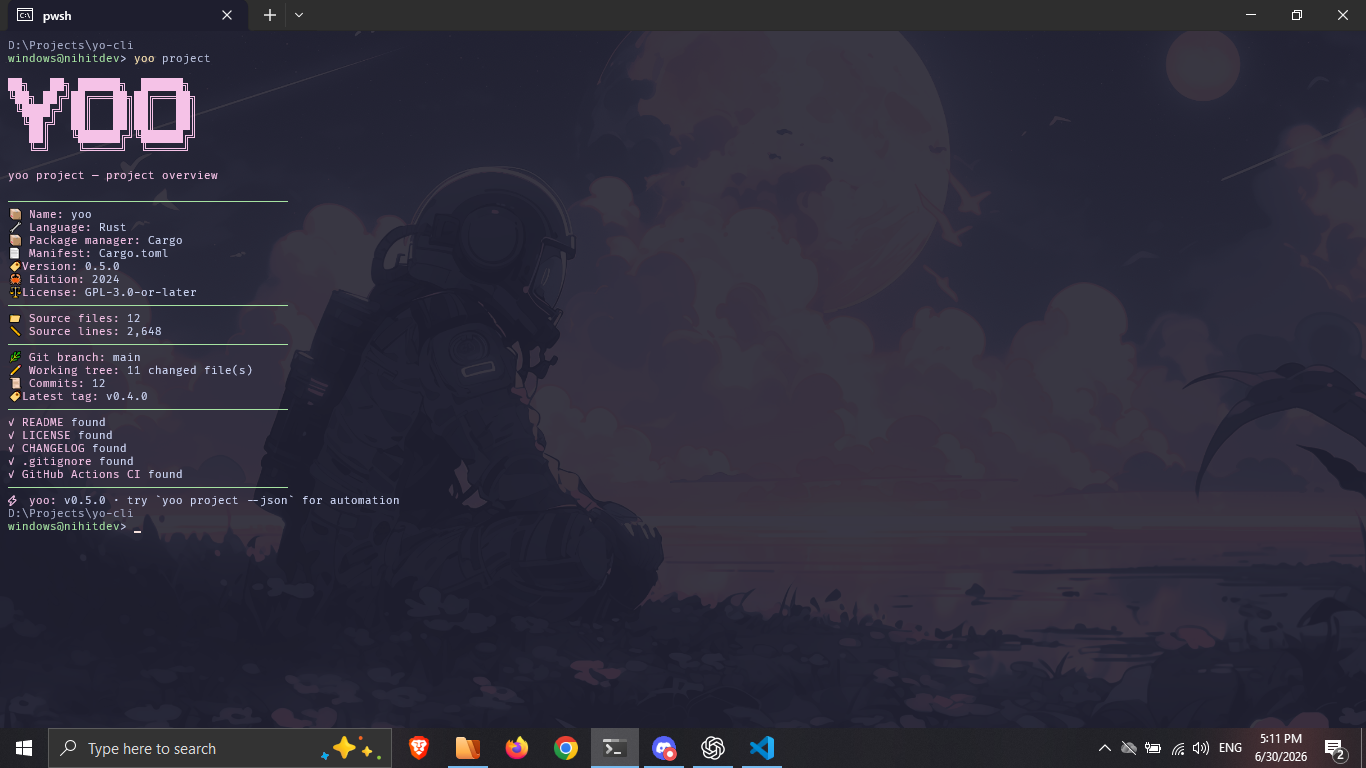
yoo project # inspect the current repository
The project is:
yoo fetch --json and yoo project --jsonyoo --fast
This displays the current project, Git branch, working-tree state, and a configured reminder.
yoo doctor
Check Rust, Cargo, Git, Rustfmt, Clippy, yoo configuration, project detection, and repository state. Project detection works with Rust, Node.js, Python, Go, Java, and .NET repositories.
yoo project
Get project metadata, package-manager detection, source statistics, Git details, and common repository-file checks.
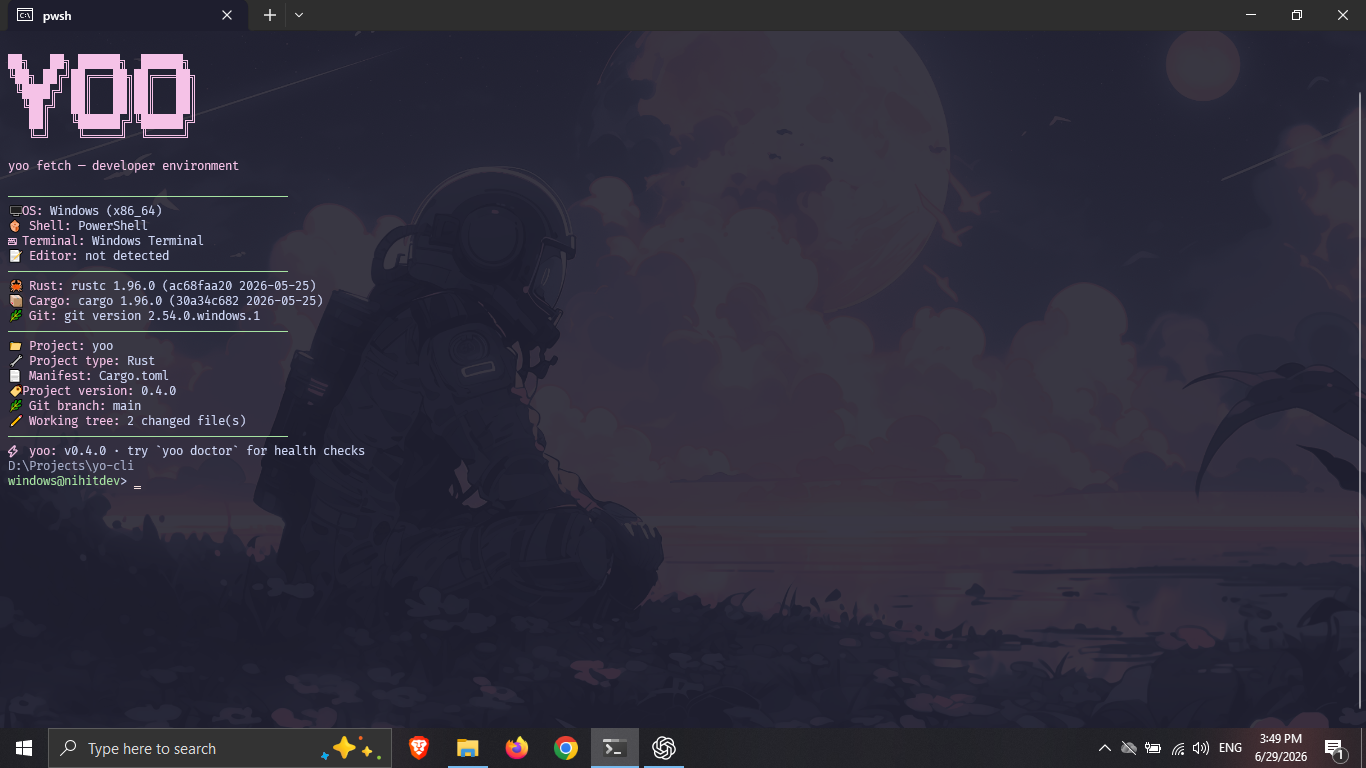
yoo fetch
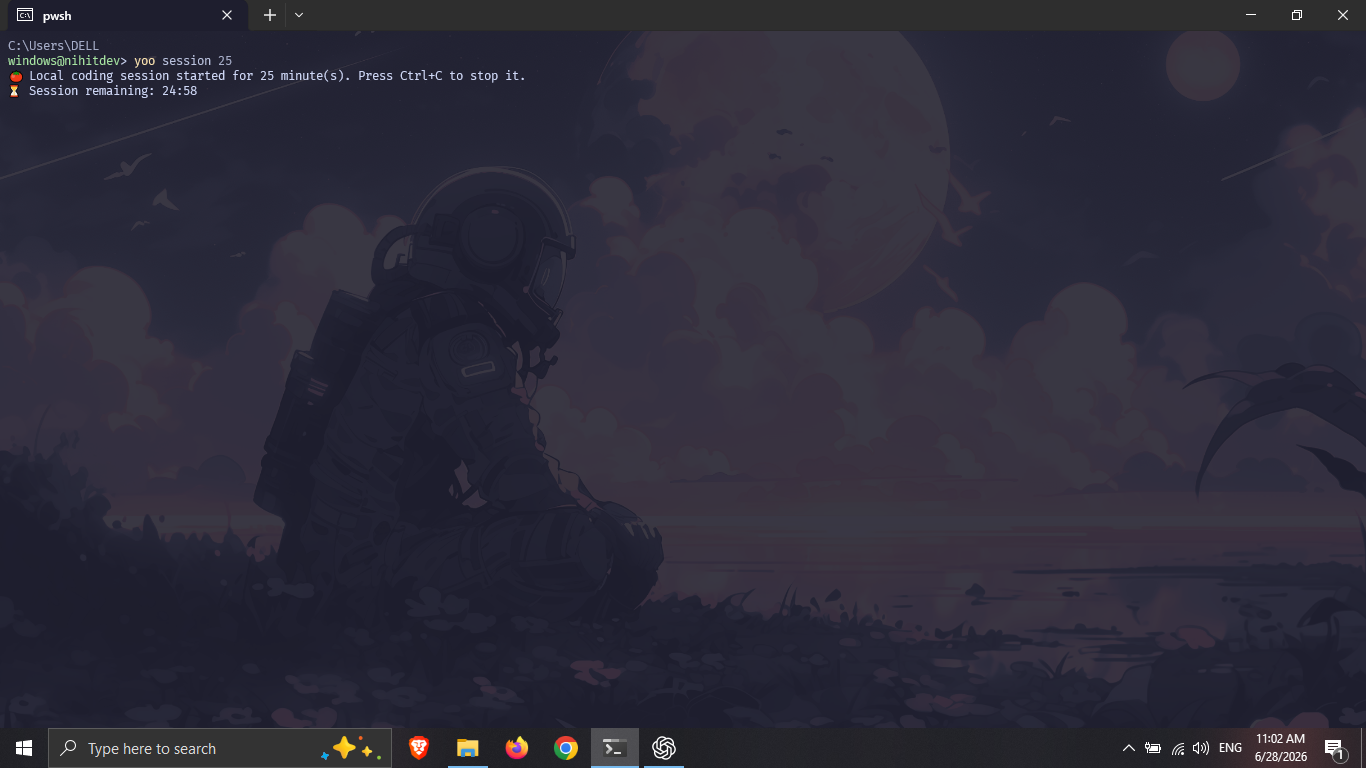
yoo session 25
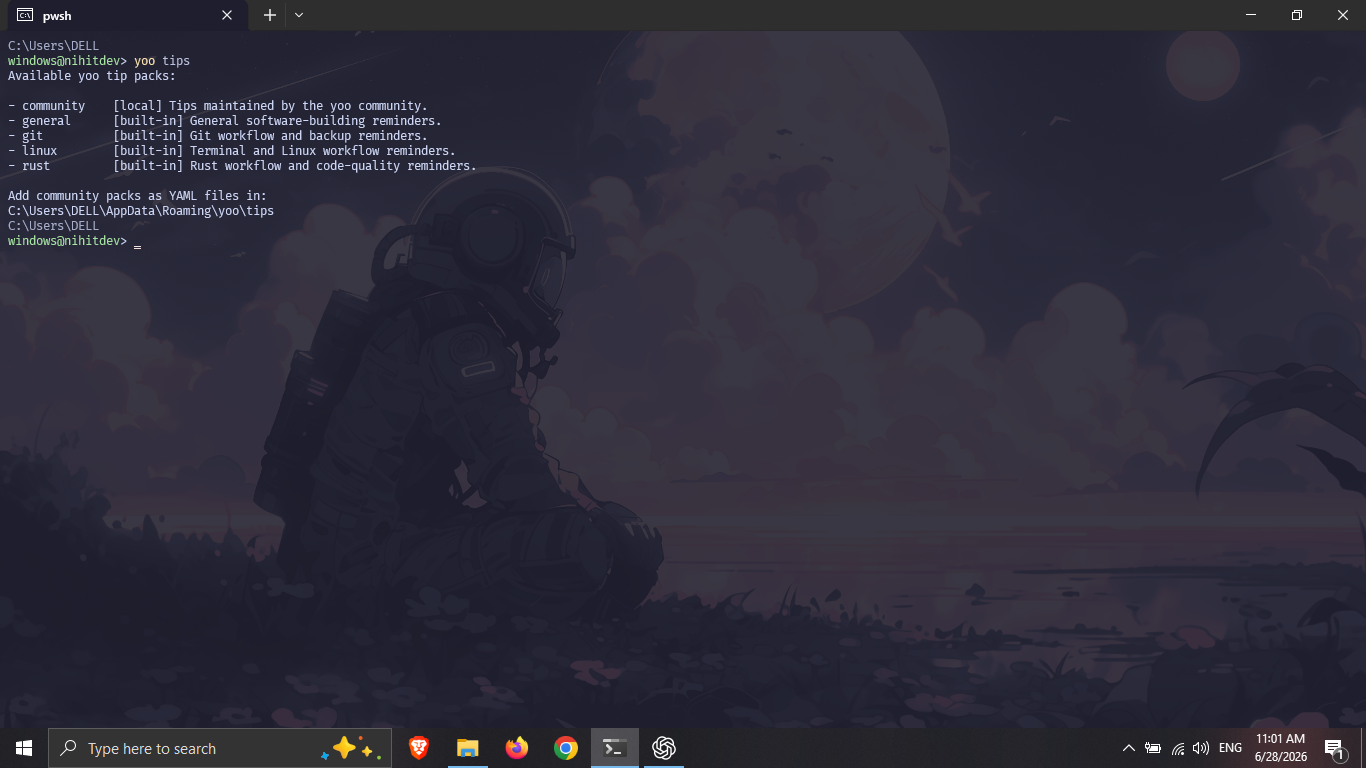
yoo tips
On supported Linux x86-64 and Apple Silicon macOS systems:
curl --proto '=https' --tlsv1.2 -LsSf \
https://raw.githubusercontent.com/nihitdev/yo-cli/main/install.sh | sh
The installer verifies the downloaded binary against the release's published SHA-256 checksum and installs it to ~/.local/bin. Override the destination with YOO_INSTALL_DIR or install a specific release with YOO_VERSION=0.9.0.
See the installation guide for platform details, updates, uninstallation, and installer security options.
cargo binstall yoo
If needed, install Cargo Binstall first with cargo install cargo-binstall.
cargo install yoo
npm install -g @nihitde_v/yoo
pnpm add -g @nihitde_v/yoo
bun add -g @nihitde_v/yoo
These packages download the matching prebuilt binary from GitHub Releases.
winget source update
winget install --id Nihitdev.yoo --exact
scoop bucket add nihitdev https://github.com/nihitdev/scoop-bucket
scoop install yoo
The Chocolatey package is awaiting registry review.
git clone https://github.com/nihitdev/yo-cli.git
cd yo-cli
cargo install --path .
| Command | Purpose |
|---|---|
yoo | Start a developer session |
yoo doctor | Check local tools, configuration, project detection, and Git |
yoo project | Show project metadata, source stats, Git details, and repository files |
yoo fetch | Show the developer environment and current project |
yoo status | Alias for yoo fetch |
yoo session [MINUTES] | Start a local focus timer |
yoo tip [PACK] | Print a tip from a built-in or local pack |
yoo tips | List available tip packs |
yoo completions | Generate Bash, Zsh, Fish, or PowerShell completions |
yoo init | Create the default config and sample tip pack |
yoo config | Print the active config path |
yoo help | Show complete CLI help |
Useful display options:
yoo --fast
yoo --theme tokyo-night
yoo --plain
yoo --no-art
yoo project --plain
Generate completions from the installed binary:
# Bash
mkdir -p ~/.local/share/bash-completion/completions
yoo completions bash > ~/.local/share/bash-completion/completions/yoo
# Zsh
mkdir -p ~/.zfunc
yoo completions zsh > ~/.zfunc/_yoo
# Fish
mkdir -p ~/.config/fish/completions
yoo completions fish > ~/.config/fish/completions/yoo.fish
For Zsh, ensure ~/.zfunc is included in fpath before compinit runs.
For PowerShell, add this line to your profile:
yoo completions powershell | Out-String | Invoke-Expression
See the shell completion guide for persistent setup and troubleshooting on every supported shell.
| Project type | Marker | Package manager |
|---|---|---|
| Rust | Cargo.toml | Cargo |
| Node.js | package.json | npm, pnpm, Yarn, or Bun |
| Python | pyproject.toml | pip, uv, Poetry, or Pipenv |
| Go | go.mod | Go modules |
| Java | pom.xml or Gradle files | Maven or Gradle |
| .NET | .sln or .csproj | .NET SDK |
Generated and dependency directories such as .git, target, node_modules, dist, build, .next, .venv, and vendor are skipped while counting source files.
Use undecorated JSON in scripts and editor integrations:
yoo fetch --json
yoo project --json
Example project fields:
{
"yoo_version": "0.9.0",
"project": {
"name": "yoo",
"language": "Rust",
"version": "0.9.0"
},
"git": {
"branch": "main",
"changed_files": 0
}
}
Example terminal output:
š¦ Name: yoo
š§ Language: Rust
š· Version: 0.9.0
--json cannot be combined with display options such as --plain, --no-art, or --theme.
Create the default TOML file and a sample community tip pack:
yoo init
yoo config
Config locations:
Windows: %USERPROFILE%\.config\yoo\config.toml
Linux: ~/.config/yoo/config.toml
macOS: ~/Library/Application Support/yoo/config.toml
The main settings are:
[profile]
name = "developer"
[appearance]
theme = "neon"
ascii = true
colors = true
typing_speed_ms = 12
[git]
show_branch = true
show_status = true
[tips]
enabled = true
pack = "general"
[session]
default_minutes = 25
show_complete_message = true
Available themes: neon, ocean, mono, dracula, tokyo-night, gruvbox, nord, rose-pine, and catppuccin.
Built-in packs include general, git, linux, and rust.
yoo tip rust
yoo tips
Local packs are simple YAML files stored in the tips directory beside the yoo config:
name: team
description: Team workflow reminders.
tips:
- Keep pull requests small enough to review carefully.
- Write down the command that fixed the problem.
yoo reads local environment, project, and Git information and prints it to the terminal or requested JSON output. It does not transmit or retain project data.

git clone https://github.com/nihitdev/yo-cli.git
cd yo-cli
cargo fmt --check
cargo test --locked
cargo clippy --locked -- -D warnings
cargo build --release --locked
yoo is free software released under GPL-3.0-or-later. Source code, development history, and release automation are maintained in this repository.
| Problem | What to try |
|---|---|
| Missing config warning | Run yoo init; defaults already work without a config file |
| No colours | Check whether output is redirected or use a terminal with ANSI support |
| Missing Git information | Run yoo inside a Git repository and ensure git is in PATH |
| Slow Cargo installation | Use cargo binstall yoo for a prebuilt binary |
| JSON rejects an option | Remove display flags when using --json |
GPL-3.0-or-later. See LICENSE.