Purrpeek Nikhil Raj
Use this command to install Purrpeek with WinGet:
winget install --id=NikhilRaj.Purrpeek -e Your system information, from a cat's perspective. Purr approved.
winget install --id=NikhilRaj.Purrpeek -e Your system information, from a cat's perspective. Purr approved.
_ _
| | | |
/ ) _ __ _ _ _ __ _ __ _ __ ___ _| | __
_ \ | ' | | | | '| '| '_ \ / _ / _ \ |/ /
( / | |) | || | | | | | |) | __/ __/ <
|| | ./ _,|| || | ./ _|___||_
| | | |
|| |_|







Purrpeek is a cross-platform, cat-approved CLI for quickly inspecting your operating system, hardware, storage, network, power, shell, and terminal. It supports macOS, Linux, and Windows.
Collection is best-effort: if a system detail is unavailable, Purrpeek still displays everything it collected successfully.
| Preview 1 | Preview 2 |
|---|---|
Ghostty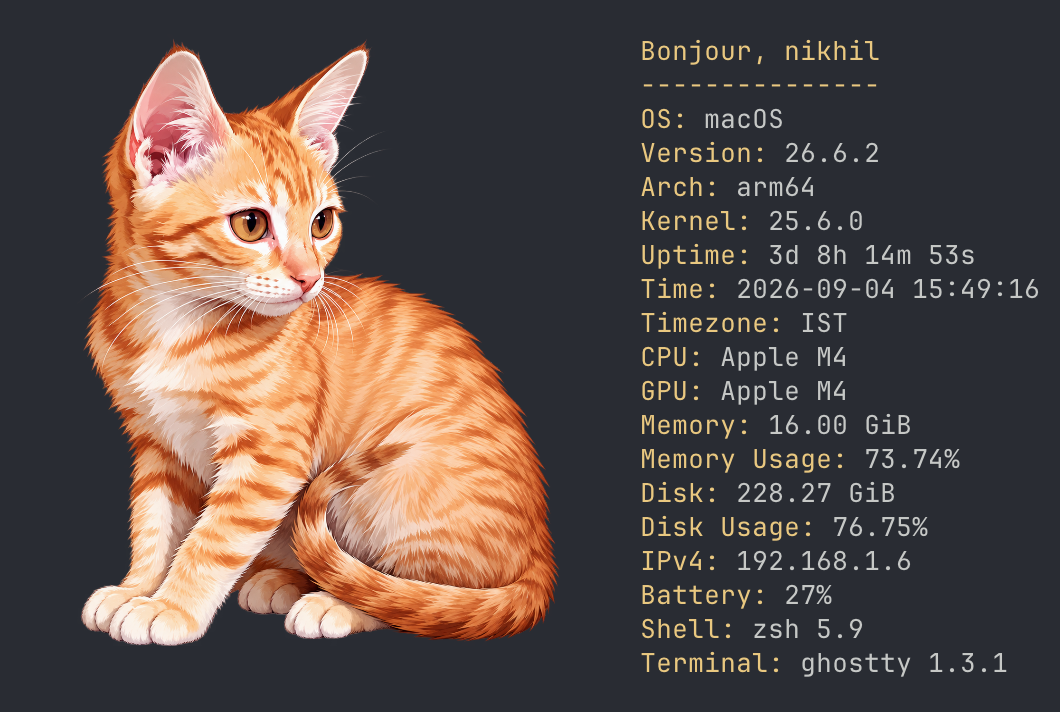 | Ghostty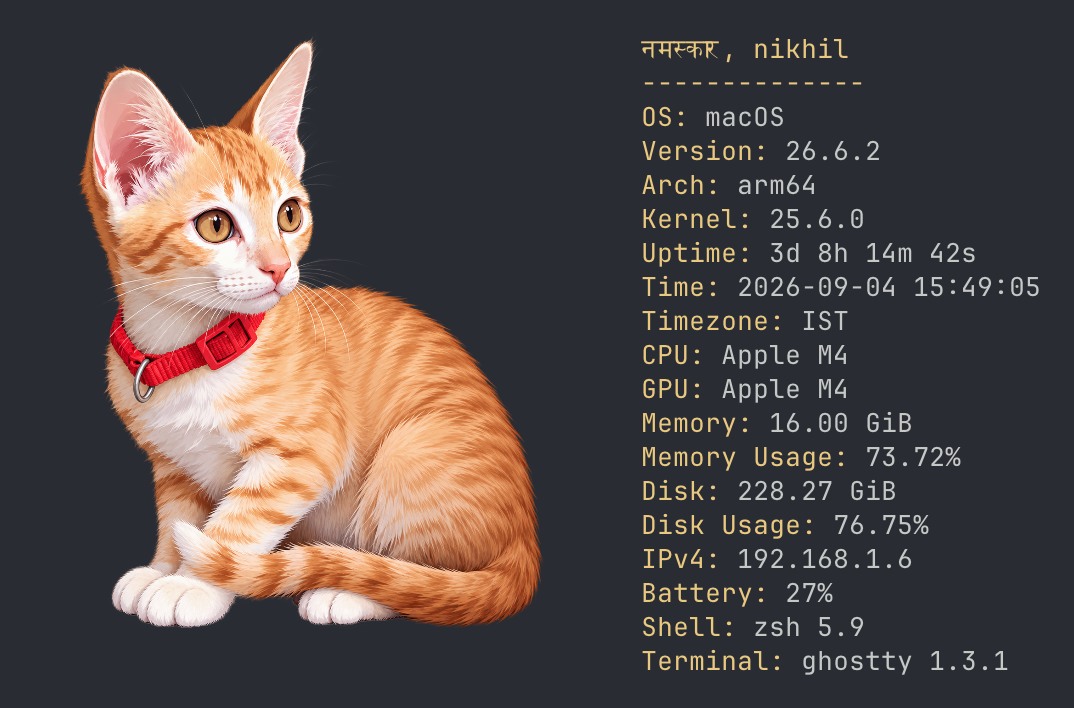 |
macOS Terminal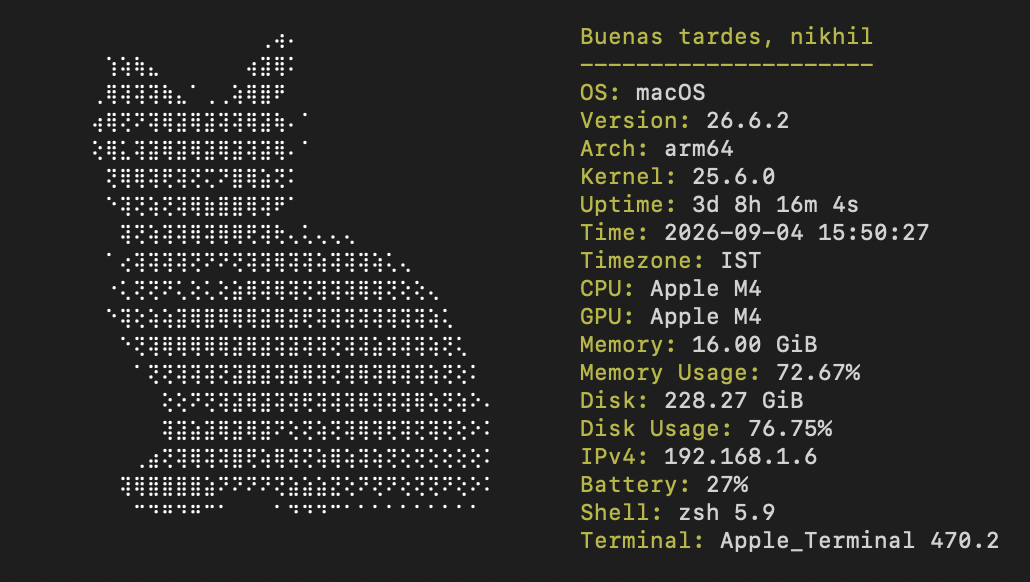 | macOS Terminal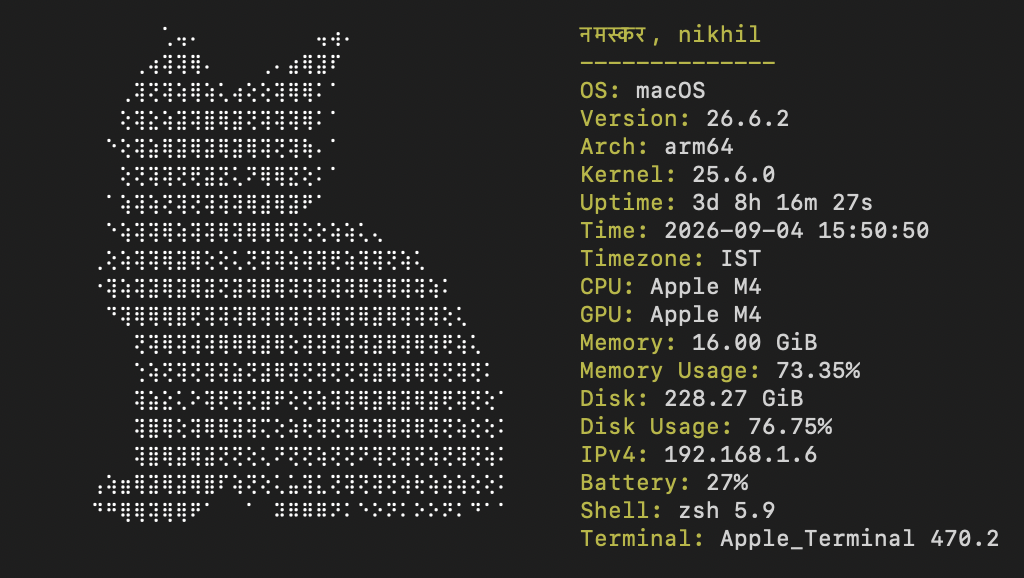 |
> Note: Images are rendered in terminals with supported image protocols; other terminals use the Braille fallback.
| Package manager | Commands |
|---|---|
| Homebrew | brew install nikhil25803/tap/purrpeek |
| Nix | Install: nix profile install github:nikhil25803/purrpeekRun: nix run github:nikhil25803/purrpeek |
| Scoop | Setup: scoop bucket add nikhil25803 https://github.com/nikhil25803/scoop-bucketInstall: scoop install purrpeekRun: purrpeek |
| AUR | Coming soon |
| WinGet | Coming soon |
| Debian | Coming soon |
| Fedora | Coming soon |
| Snap | Coming soon |
Install the latest release on Linux (amd64 or arm64):
curl -fsSL https://raw.githubusercontent.com/nikhil25803/purrpeek/main/scripts/install.sh | sh
The script verifies the release checksum and installs purrpeek to /usr/local/bin, using sudo when required. Review the installer before running it if you prefer not to pipe a remote script directly into a shell.
Download the archive for your operating system and architecture from GitHub Releases. On Linux or macOS, extract it and install the binary:
tar -xzf purrpeek___.tar.gz
sudo install -m 755 purrpeek /usr/local/bin/purrpeek
Windows releases are provided as .zip archives. Extract purrpeek.exe and place it in a directory on PATH.
Clone the repository:
git clone https://github.com/nikhil25803/purrpeek.git
cd purrpeek
Set up, test, and build the project without Make:
# macOS and Linux
./scripts/setup.sh

# Windows Command Prompt
scripts\setup.bat
The scripts download dependencies, run all tests, and build the executable under bin/. To perform the same steps manually:
go mod download
go test ./...
# macOS and Linux
go build -o bin/purrpeek ./cmd/purrpeek

# Windows
go build -o bin/purrpeek.exe ./cmd/purrpeek
Run the built executable with ./bin/purrpeek on macOS/Linux or bin\purrpeek.exe on Windows.
| Command | Description |
|---|---|
purrpeek | Render artwork and system details. |
purrpeek --json | Print the complete system report as JSON. |
purrpeek --verbose | Render normally and show collection warnings on stderr. |
purrpeek --json --verbose | Print JSON and show collection warnings on stderr. |
purrpeek --help | Show all CLI flags. |
Warnings are quiet by default and written to standard error only with --verbose, keeping JSON output usable by other tools.
From the repository, use go run ./cmd/purrpeek in place of purrpeek or run make run-purrpeek.
| Command | Description |
|---|---|
./scripts/setup.sh | Set up, test, and build on macOS or Linux. |
scripts\setup.bat | Set up, test, and build on Windows. |
make test | Run all Go tests. |
make run-purrpeek | Run Purrpeek from source. |
make build-purrpeek | Build bin/purrpeek. |
make build-windows | Build bin/purrpeek.exe for Windows. |
Nix commands require Nix; AUR and Debian commands require Docker.
| Command | Description |
|---|---|
make nix-check | Validate the flake on all supported systems. |
make nix-build | Build the package with Nix. |
make aur-check | Build the x86_64 AUR package interactively. |
make aur-build | Build the x86_64 AUR package. |
make deb-build | Build the amd64 Debian package and place artifacts in dist/. |
| Category | Information provided |
|---|---|
| Operating system | Username, hostname, OS name and version, kernel version, and architecture |
| Uptime | Human-readable uptime and boot time |
| Time | Local time, timezone, and UTC offset |
| CPU | Model, physical and logical core counts, usage, and optional frequency |
| GPU | Detected graphics processor models |
| Memory | Total, used, and available memory with usage percentage |
| Disk | Home usage, mounted volumes, filesystems, mount points, capacity, and usage |
| Network | Primary interface, IPv4 and IPv6 addresses, MAC address, MTU, and interface details |
| Batteries | Battery names and charge percentages when present |
| Shell | Name, version, and executable path |
| Terminal | Name, version, TERM, COLORTERM, width, and height |
Purrpeek reads optional user files from the platform configuration directory:
| Platform | Purrpeek configuration | Greeting localization |
|---|---|---|
| macOS | ~/Library/Application Support/purrpeek/purrpeek-conf.yaml | ~/Library/Application Support/purrpeek/greetings.json |
| Linux | $XDG_CONFIG_HOME/purrpeek/purrpeek-conf.yaml | $XDG_CONFIG_HOME/purrpeek/greetings.json |
| Windows | %AppData%\purrpeek\purrpeek-conf.yaml | %AppData%\purrpeek\greetings.json |
On Linux, $XDG_CONFIG_HOME is normally ~/.config. User configuration is read on every invocation, so these files do not require rebuilding Purrpeek.
The YAML configuration controls which bundled images may be selected and which system fields appear in normal terminal output:
images:
  - mongo_no_bg.png
  - snow_no_bg.png

render:
  cpu:
    model:
      name: CPU
      description: Processor model
      enabled: true
For each render field:
name is the label displayed in the terminal.description documents what the field contains.enabled decides whether the field is rendered.The user file is merged over the embedded defaults, so it only needs to contain values you want to change. Purrpeek randomly chooses from valid configured image names. Malformed YAML, unknown fields, and unreadable configuration files stop the command with a concise error.
Repository contributors can change the embedded YAML or add images under internal/asset/images/. Because these files are embedded in the executable, rebuild afterward:
make build-purrpeek
./bin/purrpeek
Purrpeek chooses a random available language and greeting on each run. The local time selects one of four periods:
| Period | Local time |
|---|---|
morning | 05:00–11:59 |
afternoon | 12:00–16:59 |
evening | 17:00–20:59 |
night | 21:00–04:59 |
Create an optional greetings.json in the user configuration directory to add a language or replace phrases for an existing language and period:
{
  "de": {
    "morning": ["Guten Morgen"],
    "afternoon": ["Guten Tag"],
    "evening": ["Guten Abend"],
    "night": ["Gute Nacht"]
  }
}
User entries merge with the bundled catalog by language and period. Phrase arrays for matching periods replace the bundled arrays, while all unspecified translations remain available. Blank and duplicate phrases are removed. Malformed JSON, unsupported period names, control characters, and unreadable files stop the command with an error.
Repository contributors can edit the bundled greeting catalog. It is embedded at build time, so run make build-purrpeek before testing those changes in bin/purrpeek.
Purrpeek is available under the MIT License. Copyright © 2026 Nikhil Raj.