oxide-sloc









oxide-sloc is a Rust-based local code analysis tool — IEEE 1045-1992 SLOC analysis, unit test detection, and coverage reporting.
Quick Start
bash scripts/run.sh # installs on first run, then opens http://127.0.0.1:4317
On Windows with no Git Bash, use the native-PowerShell installer instead — it needs
no bash (see Windows without Git Bash):
powershell -ExecutionPolicy Bypass -File scripts\internal\install.ps1
.\oxide-sloc.exe serve
| Platform | What happens |
|---|
| Windows 10/11 (Git Bash) | bash scripts/run.sh — extracts the pre-built binary from dist/, or builds offline |
| Windows 10/11 (no Git Bash) | powershell -File scripts\internal\install.ps1 — native, no bash; extracts dist/ or builds fully offline (needs a MinGW linker) |
| Linux — Rust installed | Builds offline from the committed vendor.tar.gz.* parts |
| Linux — no Rust, toolchain committed | Bootstraps Rust from toolchain/ archives, builds offline |
| Linux — online | bash scripts/internal/install.sh --online downloads the release binary |
| Air-gapped | See docs/airgap.md |
Features
- CLI + web UI —
analyze / report / diff / serve / send / init commands; guided 4-step web flow with Quick Scan
- IEEE 1045-1992 physical SLOC — configurable mixed-line, continuation-line, compiler-directive, and blank-in-comment policies; symbol counting (functions, classes, variables, imports)
- Deep metrics — COCOMO I effort/cost estimate, approximate cyclomatic complexity (branch-keyword count), ULOC / DRYness, and duplicate-file detection on every run
- Git Hotspots — ranks refactor candidates by
code lines × commit activity over a configurable window (90 days by default); per-file commit counts and last-changed dates from a single git log pass
- Code Ownership — per-author line attribution via
git blame; contributor leaderboard, per-author file drill-down, hotspot ownership, and .mailmap identity merge/export; on by default
- Test Metrics — lexical test function detection across 60 languages; test-to-code density; multi-format coverage import (LCOV, Cobertura XML, JaCoCo XML, coverage.py JSON, Istanbul/NYC JSON)
- Flexible output — HTML reports, PDF, CSV, and 4-sheet Excel export; re-render any saved JSON
- Code-scanning exports — SARIF 2.1.0 (GitHub code scanning / GitLab SAST), GitLab Code Quality (Code Climate) JSON, Bitbucket Code Insights, and cloc-compatible JSON; see docs/ci-integrations.md
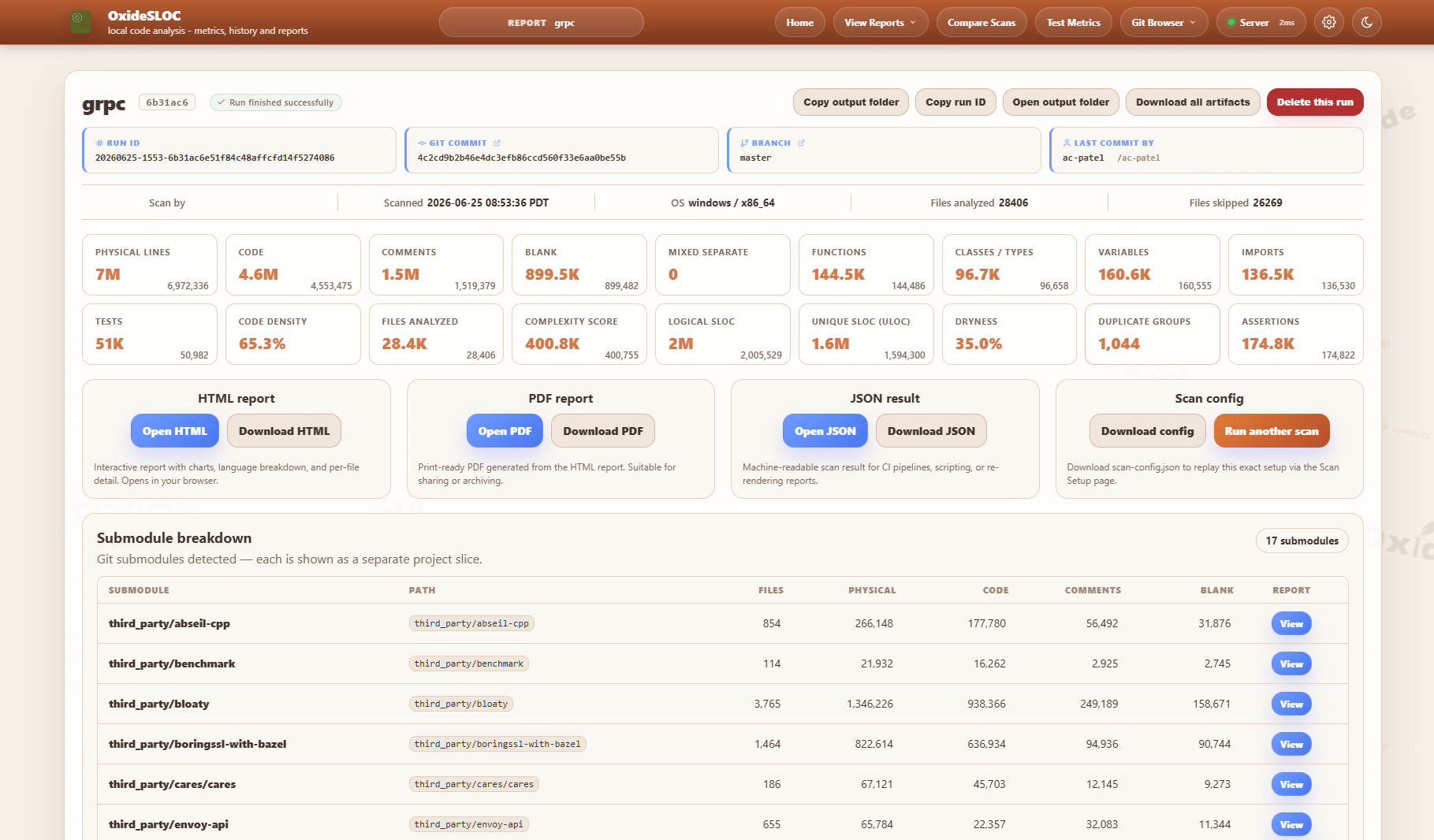
- Git integration — branch/tag/commit browser (remote URLs and local checkouts), recursive submodule scanning, GitHub/GitLab/Bitbucket webhooks and polling, submodule breakdown
- CI/CD — GitHub Actions, Jenkins, GitLab CI; native Jira + Bitbucket + Confluence publishing; JSON metrics API, SVG badge endpoint, embeddable widget, SMTP/webhook delivery
- Offline-first — vendored deps, Chart.js compiled in, no CDN calls; Docker on GHCR; LAN server mode with API key auth and optional TLS
Why oxide-sloc vs cloc / tokei / scc / UCC?
| Capability | oxide-sloc | cloc | tokei | scc | UCC |
|---|
| Languages | 60 | 250+ | 240+ | 240+ | ~30 |
| Web UI + HTML/PDF reports | ✓ | — | — | — | — |
| MCP server (AI agent tools) | ✓ | — | — | — | — |
| Test function detection | ✓ | — | — | — | — |
| Trend / history tracking | ✓ | — | — | — | — |
| Coverage file import | ✓ | — | — | — | — |
| Git Hotspots (churn × size) | ✓ | — | — | — | — |
| Code ownership (git-blame attribution) | ✓ | — | — | — | — |
| COCOMO + complexity¹ + DRYness | ✓ | — | — | ✓ | partial |
| IEEE 1045-1992 compliance | ✓ | partial | — | — | partial |
| REST API + SVG badge | ✓ | — | — | — | — |
| Git webhook integration | ✓ | — | — | — | — |
| CI/CD marketplace action | ✓ | — | — | — | — |
| SARIF / code-scanning export² | ✓ | — | — | — | — |
| Offline / air-gapped build | ✓ | — | — | — | — |
¹ Complexity is a lexical approximation — a sum of branch/decision keywords (if, for, while, ||, &&, …) per code line, not a control-flow-graph McCabe computation.
² SARIF 2.1.0 for GitHub code scanning / GitLab SAST, plus GitLab Code Quality (Code Climate), Bitbucket Code Insights, and cloc-compatible JSON.
cloc, tokei, and scc win on raw language count and throughput for pure line-counting
pipelines; UCC (USC's Unified Code Count) brings rigorous physical/logical SLOC counting,
cyclomatic complexity, and two-baseline differencing from an academic lineage. oxide-sloc is
the right choice when you need analysis depth, visual reports, history, or AI-native
integration — particularly as an MCP tool callable by Claude, Copilot, and other agents.
Screenshots
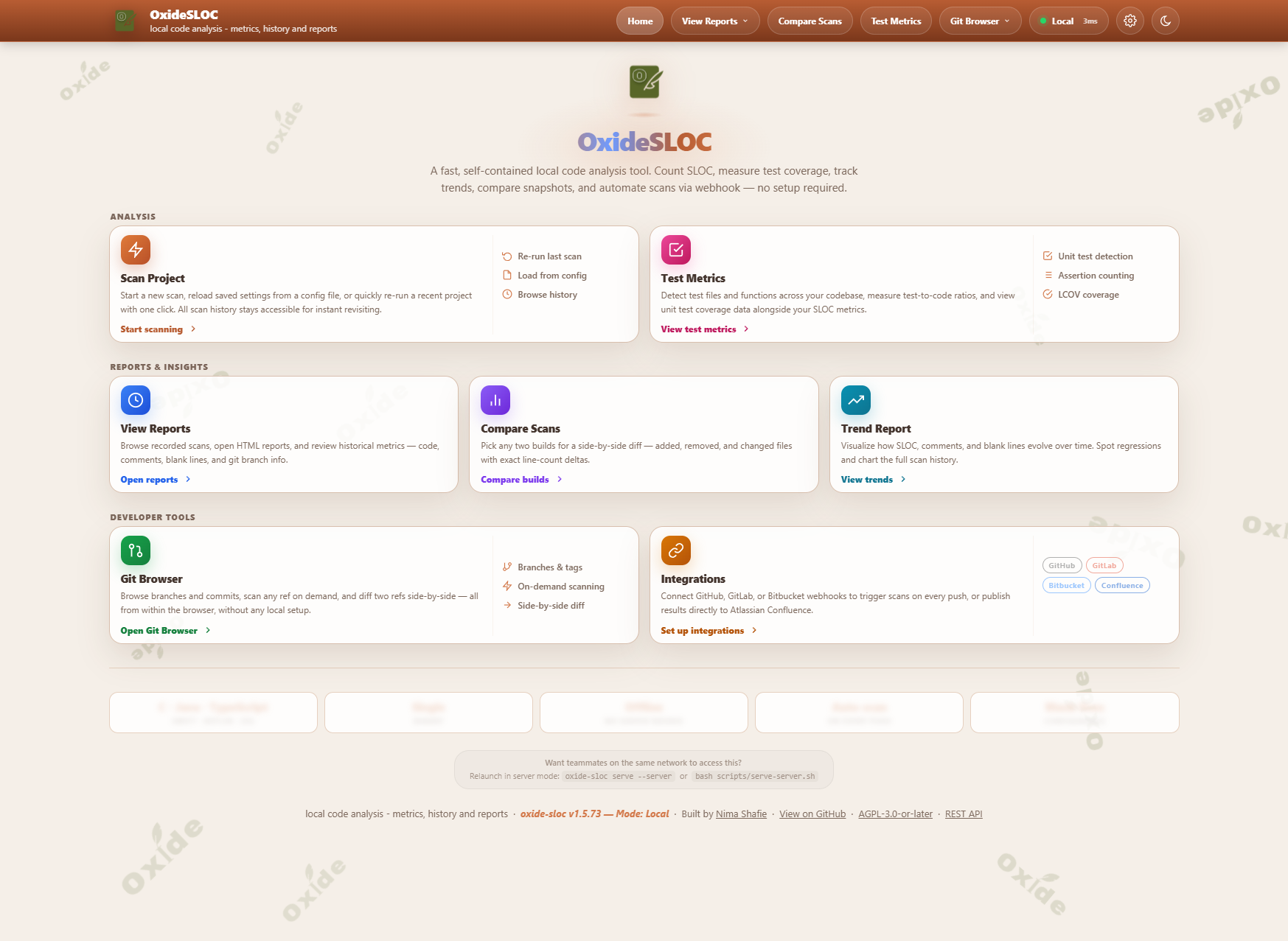
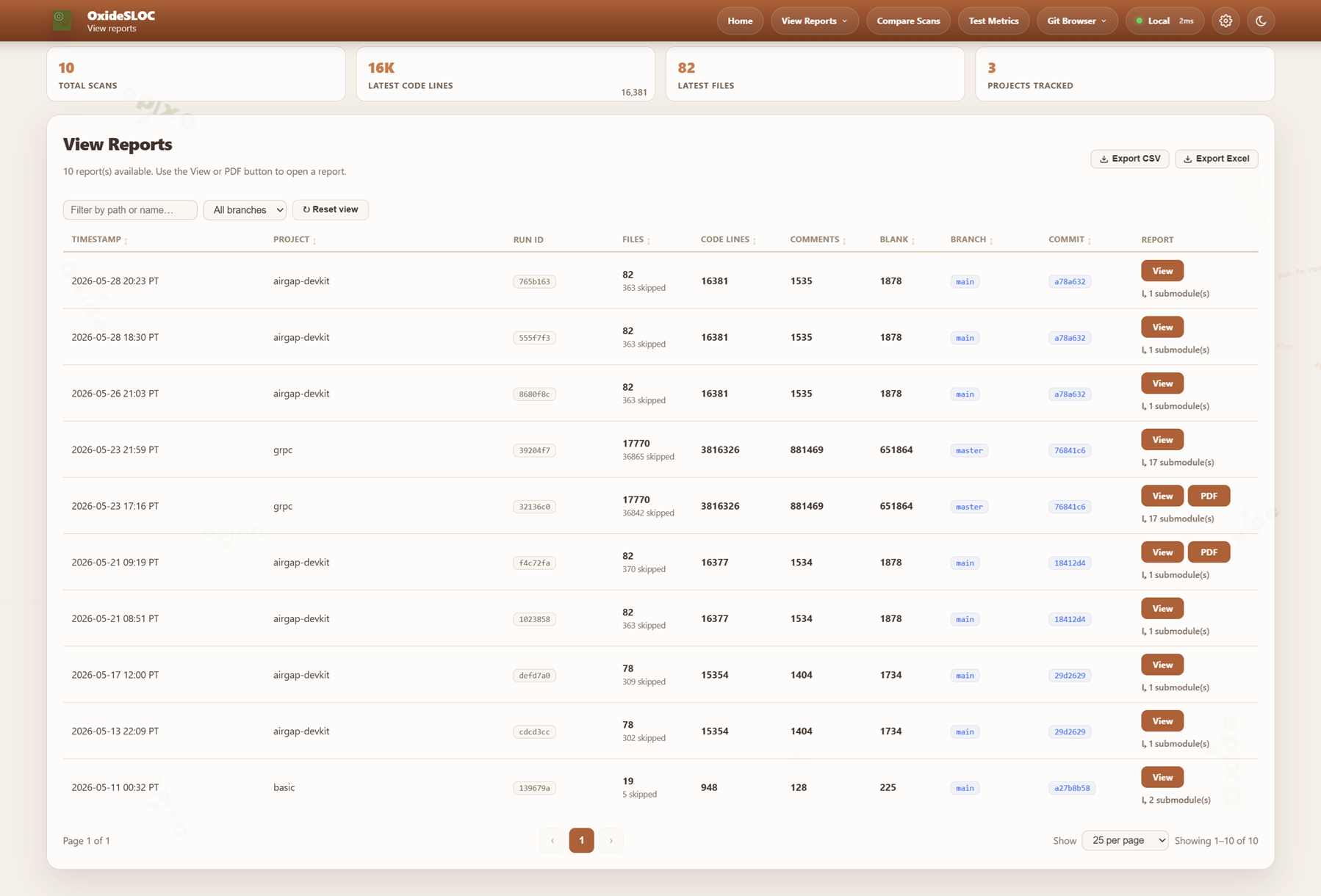
| View Reports | Scan Delta |
|---|
 | 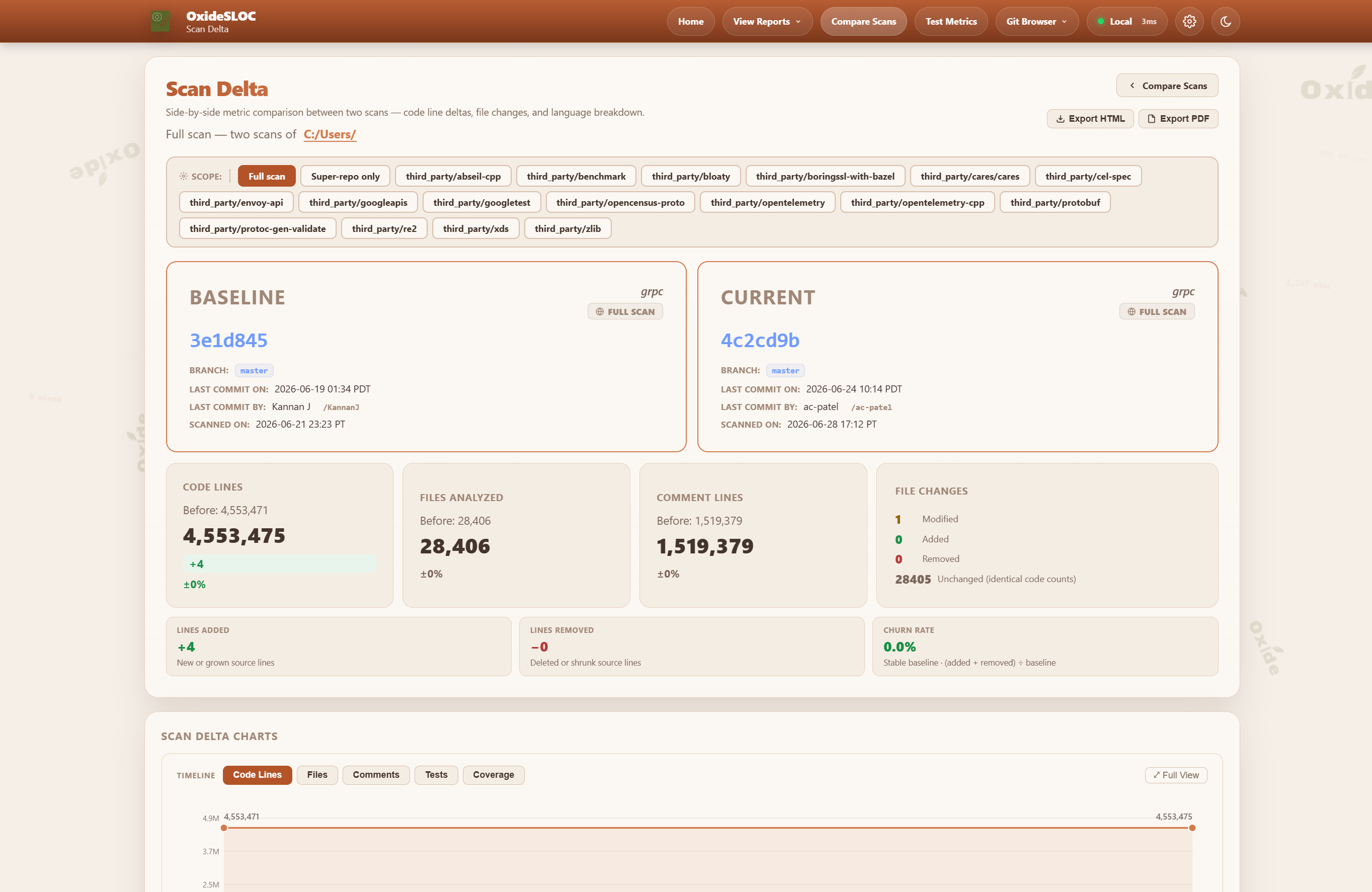 |
| Trend Reports | Test Metrics |
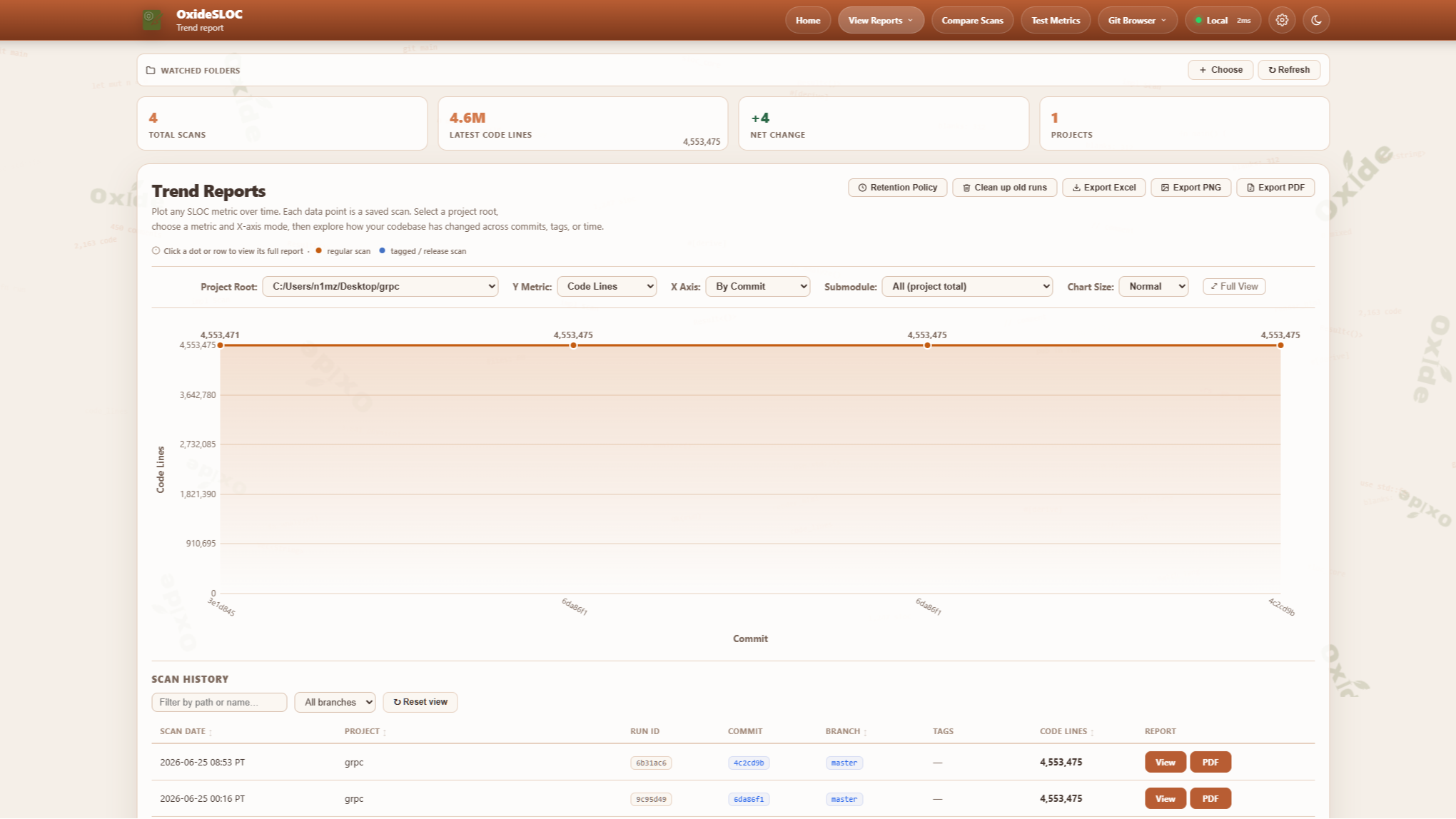 | 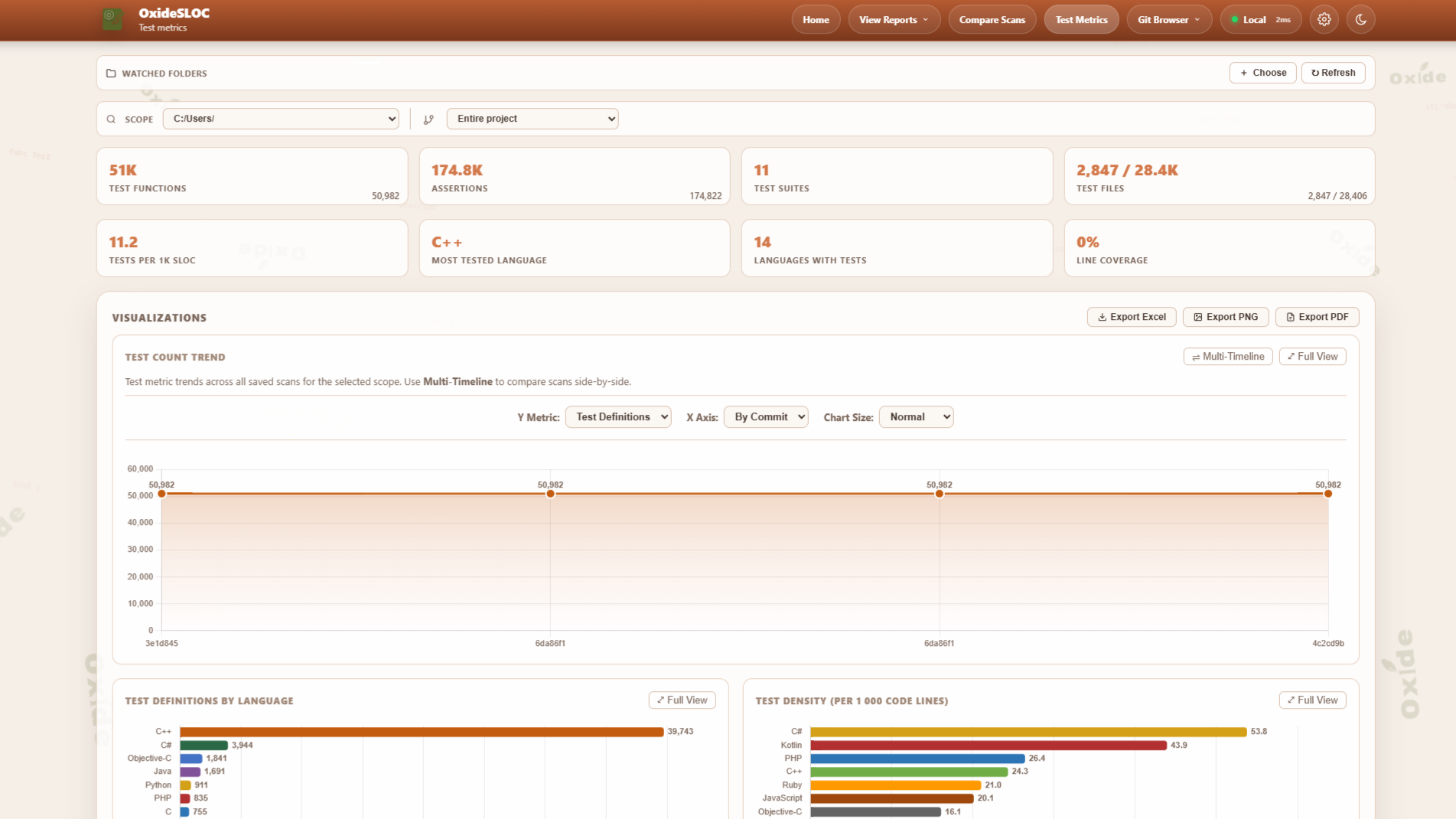 |
| PDF Report | Excel Export |
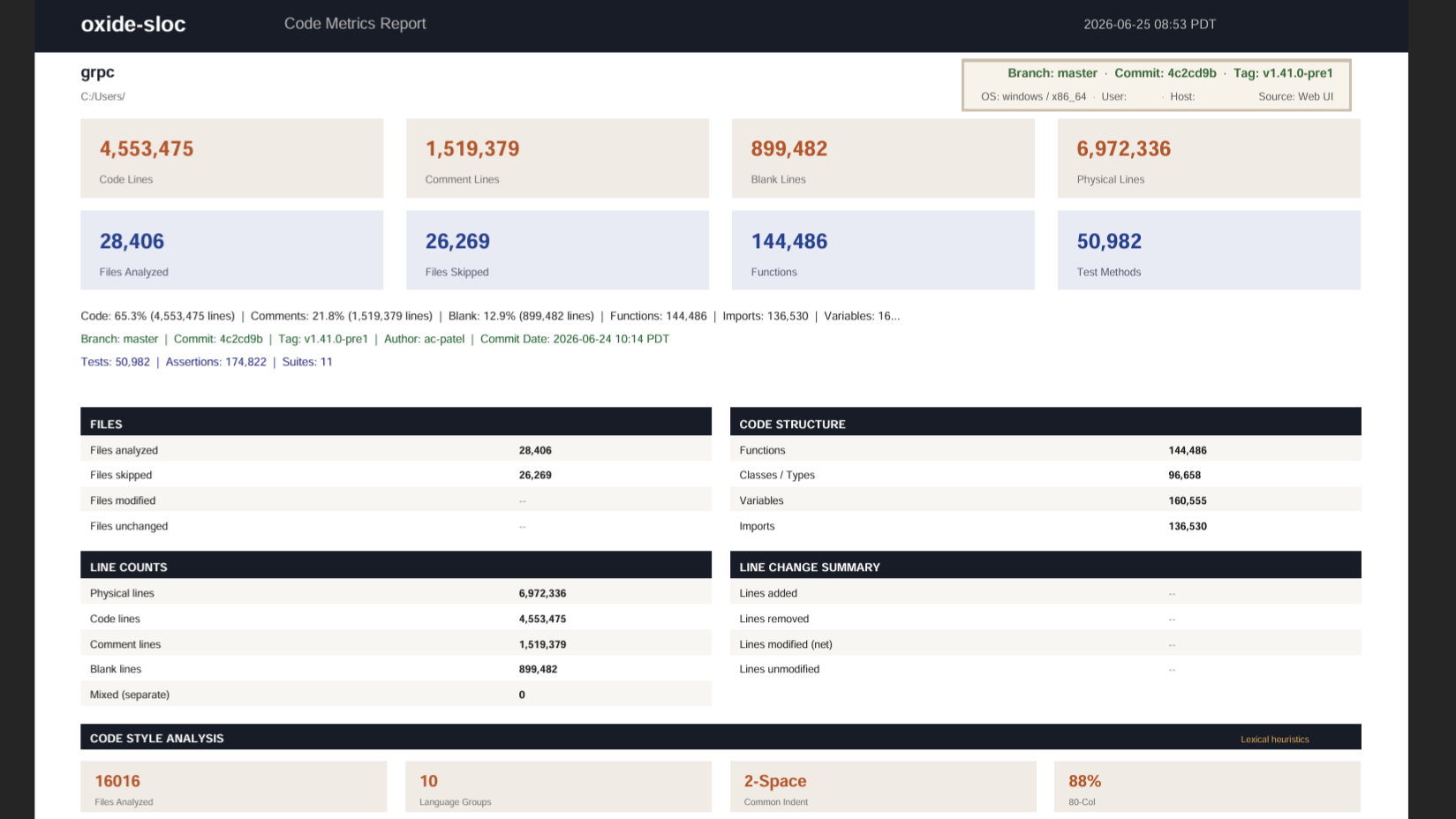 | 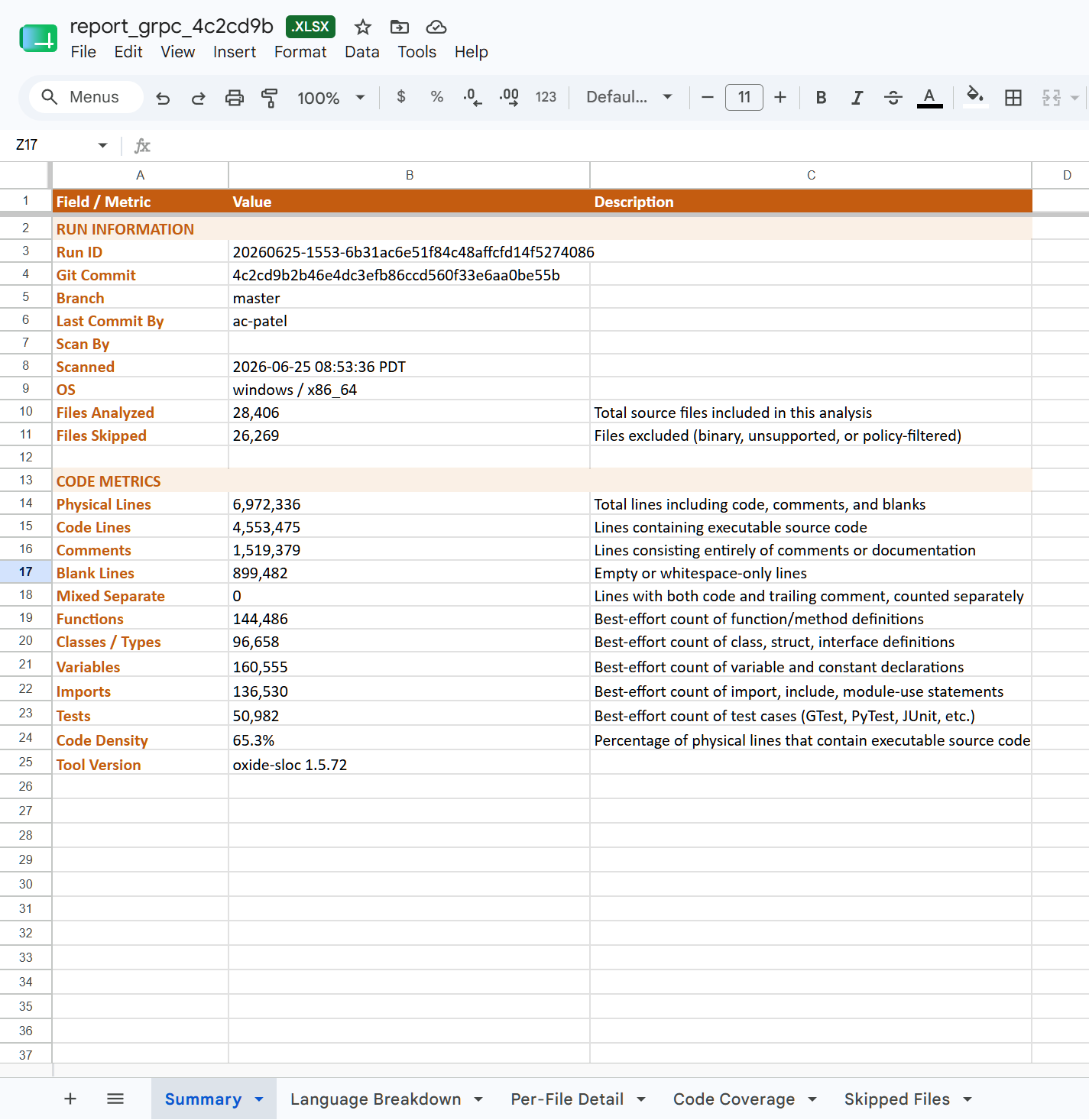 |
Installation
Package managers
| Manager | Command | Platform |
|---|
| winget | winget install NimaShafie.OxideSLOC | Windows |
| Chocolatey | choco install oxide-sloc | Windows |
| Scoop | scoop bucket add oxide-sloc https://github.com/oxide-sloc/scoop-oxide-sloc && scoop install oxide-sloc | Windows |
| Homebrew | brew tap oxide-sloc/oxide-sloc && brew install oxide-sloc | macOS / Linux |
| Nix | nix run github:oxide-sloc/oxide-sloc | Linux / macOS |
| cargo | cargo install oxide-sloc --locked | Any |
| DEB / RPM | Download from Releases | Ubuntu / RHEL |
Docker
A container image is published to the GitHub Container Registry on every push to main and
every release tag:
docker pull ghcr.io/oxide-sloc/oxide-sloc:latest
Tags: latest (current main), a minor series (e.g. 1.6), and exact versions (e.g. 1.6.24).
Web UI — the image runs serve --server by default, binding 0.0.0.0:4317. Server mode is
fail-closed, so provide an API key (sent as Authorization: Bearer ):
docker run --rm -p 4317:4317 \
  -e SLOC_API_KEY=$(openssl rand -hex 32) \
  ghcr.io/oxide-sloc/oxide-sloc:latest
# then open http://localhost:4317
For a quick throwaway trial on a trusted local machine, opt out of auth explicitly:
docker run --rm -p 4317:4317 \
  -e SLOC_ALLOW_UNAUTHENTICATED=1 \
  ghcr.io/oxide-sloc/oxide-sloc:latest
CLI — append a subcommand to override the default and mount the repo read-only:
docker run --rm -v /path/to/your/repo:/repo:ro \
  ghcr.io/oxide-sloc/oxide-sloc:latest analyze /repo --plain
docker compose (builds the image locally):
export SLOC_API_KEY=$(openssl rand -hex 32)
docker compose up
Set SLOC_ALLOWED_ROOTS and SLOC_TLS_CERT/SLOC_TLS_KEY as needed; for PDF export in a
container without SYS_ADMIN, add -e SLOC_BROWSER_NOSANDBOX=1. See
docs/server-deployment.md.
Windows without Git Bash
The bash launchers (run.sh / install.sh) need Git Bash. On a locked-down or
air-gapped Windows host where you cannot install Git for Windows,
use the native-PowerShell installer — it reproduces the full offline flow
(checksum-verify → reassemble split parts → extract with the built-in tar.exe →
bootstrap the bundled toolchain → cargo build --release --offline) using only tools
that ship with Windows 10/11:
powershell -ExecutionPolicy Bypass -File scripts\internal\install.ps1
# flags: -Rebuild (fresh compile), -Build (compile even if dist\ exists),
#        -MingwBin , -SkipDist
If a pre-built binary is committed in dist\, it is extracted and no build runs. For a
source build, the one requirement PowerShell cannot supply is a C linker: the bundled
toolchain targets x86_64-pc-windows-gnu, which links with MinGW gcc/ld. The
installer auto-locates it from a PortableGit folder (a no-install extract),
-MingwBin , $env:SLOC_MINGW_BIN, or a gcc already on PATH:
# Stage a portable Git Bash once (no installer) — provides both the
# bash.exe for CI and the mingw64\bin linker for the native build:
powershell -ExecutionPolicy Bypass -File ci\jenkins\stage-portable-git.ps1 PortableGit-2.47.0-64-bit.7z.exe
$env:SLOC_PORTABLE_GIT = 'C:\Tools\PortableGit'   # only if staged outside the workspace
For running the Jenkins pipeline on a Windows agent without a system Git install, see
the Windows-agents section of docs/ci-integrations.md.
Usage
CLI
# Analyze — common forms
oxide-sloc analyze ./my-repo                            # colored summary
oxide-sloc analyze ./my-repo --plain                    # machine-readable key=value (CI-friendly)
oxide-sloc analyze ./my-repo -j out.json -H out.html -c out.csv -x out.xlsx
oxide-sloc analyze ./my-repo --per-file
oxide-sloc analyze ./my-repo --fail-on-warnings --fail-below 10000
oxide-sloc analyze ./my-repo --enabled-language rust --enabled-language python
oxide-sloc analyze ./my-repo --submodule-breakdown
oxide-sloc analyze ./my-repo --per-file --activity-window 90    # Git Hotspots (0 disables)
oxide-sloc analyze ./my-repo --per-file --attribution           # Code Ownership via git blame (on by default; --no-attribution skips)
oxide-sloc analyze ./my-repo --coverage-file lcov.info          # attach test coverage into the report
oxide-sloc analyze ./my-repo --max-complexity 15 --no-duplicates # gate on complexity (exit 6); drop duplicate files

# Other commands
oxide-sloc report result.json -H report.html --pdf-out report.pdf
oxide-sloc diff baseline.json current.json -j delta.json
oxide-sloc serve                                        # http://127.0.0.1:4317
oxide-sloc init                                         # creates .oxide-sloc.toml
oxide-sloc send result.json --smtp-to team@example.com --smtp-host smtp.example.com
oxide-sloc healthz                                      # probe a running server (Docker HEALTHCHECK)
Run oxide-sloc --help for the full flag list.
Web UI
oxide-sloc serve # → http://127.0.0.1:4317
A guided 4-step flow: select project → counting rules → outputs → review & run. Quick Scan submits from step 1 with all defaults. Reports include a ranked Git Hotspots table (when run against a git repo) alongside the SLOC, complexity, and COCOMO breakdowns.
Additional pages: Test Metrics (/test-metrics), Trend Reports (/trend-reports), Compare Scans (/compare-scans), Code Ownership (/code-ownership) for per-author blame attribution and the contributor leaderboard, Integrations (/integrations) for webhook and Jira/Bitbucket/Confluence setup, and the Git Browser (/git-browser) for scanning any branch, tag, or commit — from a remote URL or a local checkout, with recursive submodule support.
Configuration
oxide-sloc init # generates .oxide-sloc.toml with all options documented inline
IEEE 1045-1992 counting parameters — mixed_line_policy, continuation_line_policy, blank_in_block_comment_policy, count_compiler_directives — are configurable via TOML or CLI flags. CLI flags always override config file values.
Supported Languages (60)
Ada, Assembly, Awk, C, C++, C#, Clojure, CMake, Crystal, CSS, D, Dart, Dockerfile, Elixir, Elm, Erlang, F#, Fortran, GLSL/HLSL, Go, GraphQL, Groovy, Haskell, HCL/Terraform, HTML, Java, JavaScript, Julia, Kotlin, Lisp/Scheme, Lua, Makefile, Nim, Nix, Objective-C, OCaml, Pascal/Delphi, Perl, PHP, PowerShell, Protocol Buffers, Python, R, Ruby, Rust, Scala, SCSS/Sass, Shell, Solidity, SQL, Svelte, Swift, Tcl, TypeScript, Verilog/SystemVerilog, VHDL, Visual Basic, Vue, XML/SVG, Zig.
> TOML, Markdown, and YAML are intentionally not supported — no meaningful SLOC metric applies.
Metrics API
| Endpoint | Description |
|---|
GET /api/metrics/latest | Metrics for the most recent scan |
GET /api/metrics/:run_id | Metrics for a specific run |
GET /api/project-history?path= | Scan history for a project root |
GET /badge/:metric | SVG badge (code-lines, files, comment-lines, blank-lines) |
GET /embed/summary | Embeddable HTML widget |
GET /healthz | Plain-text liveness probe (ok) |
GET /readyz | Readiness probe (200 ready / 503 when the registry or output dir is not writable) |
GET /api/health | Structured health JSON (status, version, git SHA, build time, uptime, dependency checks) |
GET /api/version | Version + build provenance (git short SHA, RFC-3339 build time) |
Full OpenAPI 3.1 spec: GET /api/openapi.yaml or docs/openapi.yaml.

CI/CD
| Platform | File |
|---|
| GitHub Actions | ci/sloc-github-action.yml — copy to .github/workflows/ |
| GitHub Marketplace | uses: NimaShafie/oxide-sloc@main (see action.yml) |
| Jenkins | testing/examples/jenkins/Jenkinsfile |
| GitLab CI | ci/sloc-gitlab.yml — include via include: |
| Bitbucket Pipelines | testing/examples/bitbucket/bitbucket-pipelines.yml |
| Azure Pipelines | testing/examples/azure/azure-pipelines.yml |
Marketplace action:
- uses: NimaShafie/oxide-sloc@main
  id: sloc
  with:
    path: .
    html-out: sloc-out/report.html
- run: echo "Code lines ${{ steps.sloc.outputs.code-lines }}"
For Jenkins/GitLab setup, native Jira / Bitbucket / Confluence publishing, and artifact repository integration, see docs/ci-integrations.md.
To scan repositories hosted on different git instances than the tool/pipeline (e.g. tooling on bitbucket.instance1.com, code on bitbucket.instance2.com) — with per-host credentials, corporate proxy/VLAN support, and air-gapped offline import — across local, server, and Jenkins modes, see docs/multi-instance.md.
Supply chain security
Because oxide-sloc ships the binaries, vendored crates, and toolchains needed for a fully
offline build, every release is scanned with the industry-standard tools so you can trust what
you are deploying:
| Tool | What it produces | Where |
|---|
| Syft | SBOM in SPDX (oxide-sloc.spdx.json) and CycloneDX (oxide-sloc.cdx.json) | Release assets |
| Grype | Vulnerability scan of the CycloneDX SBOM (grype-report.txt) | Release assets + code scanning |
| Trivy | Filesystem + container scan (vulns, secrets, misconfig) | GitHub Security → Code scanning |
These complement the existing cargo-cyclonedx SBOM, cargo-audit / cargo-deny gate, SLSA
provenance, cosign keyless signatures, GitHub build-provenance attestation, and VirusTotal scan.
The air-gap kit (scripts/internal/make-airgap-kit.sh) carries a security/ folder with these
reports so they travel with the offline bundle. Full details and offline re-scan steps are in
docs/supply-chain.md.
Editor & Build Integrations
Run oxide-sloc reports without leaving your editor or build:
| Integration | Location | What it does |
|---|
| VS Code extension | oxide-sloc-vscode | Analyze the workspace or a file, view HTML reports, and see a live code-line count in the status bar. |
| Visual Studio extension | oxide-sloc-visual-studio | VS 2022 VSIX: analyze the solution or a selected item, a metrics tool window, and HTML report/web UI commands. |
| CMake module | cmake/OxideSloc.cmake | include(OxideSloc) + oxide_sloc_add_report(...) adds a report target with exit-code build gating. |
| CMake example | examples/cmake/ | A runnable sample project wiring the module in. |
See docs/ide-integrations.md for setup, settings, and the exit-code table.
LAN Server
bash scripts/serve-server.sh              # open, prints every LAN address
bash scripts/serve-server.sh --with-auth  # generates a session key, requires login
See docs/server-deployment.md for persistent deployments, TLS, and firewall configuration.
Development
cargo fmt --all -- --check
cargo clippy --workspace --all-targets -- -D warnings
cargo build --workspace
cargo test --workspace
cargo run -p oxide-sloc -- serve    # http://127.0.0.1:4317
Repository Layout
crates/
  sloc-cli/         # CLI entry point and commands (binary: oxide-sloc)
  sloc-config/      # Config schema and TOML parsing
  sloc-core/        # File discovery, decoding, aggregation, delta engine, COCOMO/hotspots
  sloc-git/         # Git CLI wrappers, webhook parsing, scan-schedule store
  sloc-languages/   # Language detection, lexical analyzers, symbol counting
  sloc-report/      # HTML rendering, PDF/CSV/Excel export
  sloc-web/         # Axum web server, metrics API, badge endpoint
  sloc-mcp/         # MCP stdio server for AI agent integration
ci/                 # CI scripts + config presets
cmake/              # OxideSloc.cmake reusable CMake module
docs/               # airgap.md, ci-integrations.md, ide-integrations.md, server-deployment.md, openapi.yaml
dist/               # Windows pre-built binary (committed by CI after each release)
examples/           # examples/cmake/ runnable CMake integration sample
scripts/            # run.sh, serve-server.sh (user-facing entry points)
testing/            # fixtures/ (scan sample repo) + examples/ (CI configs, sloc.example.toml)
AI Integration
The sloc-mcp binary implements the Model Context Protocol (protocol revision 2025-06-18, with version negotiation), making oxide-sloc callable as a tool from Claude Desktop, Claude Code, and any MCP-compatible host. All 7 tools carry read-only / open-world annotations and return structured content alongside their text block.
cargo build -p sloc-mcp
Claude Code (project .mcp.json):
{ "mcpServers": { "oxide-sloc": { "command": "sloc-mcp" } } }
Available tools: analyze_path · get_metrics_latest · get_metrics_history · get_run_metrics · compare_runs · health_check · ingest_result
Pre-built tool definitions for Claude API (tool_use) and OpenAI (function_calling): docs/mcp/. A running server also exposes GET /llms.txt and GET /llms-full.txt for agent self-discovery.
License
oxide-sloc is licensed under AGPL-3.0-or-later.
Copyright (C) 2026 Nima Shafie.
Nima Shafie — github.com/NimaShafie