about
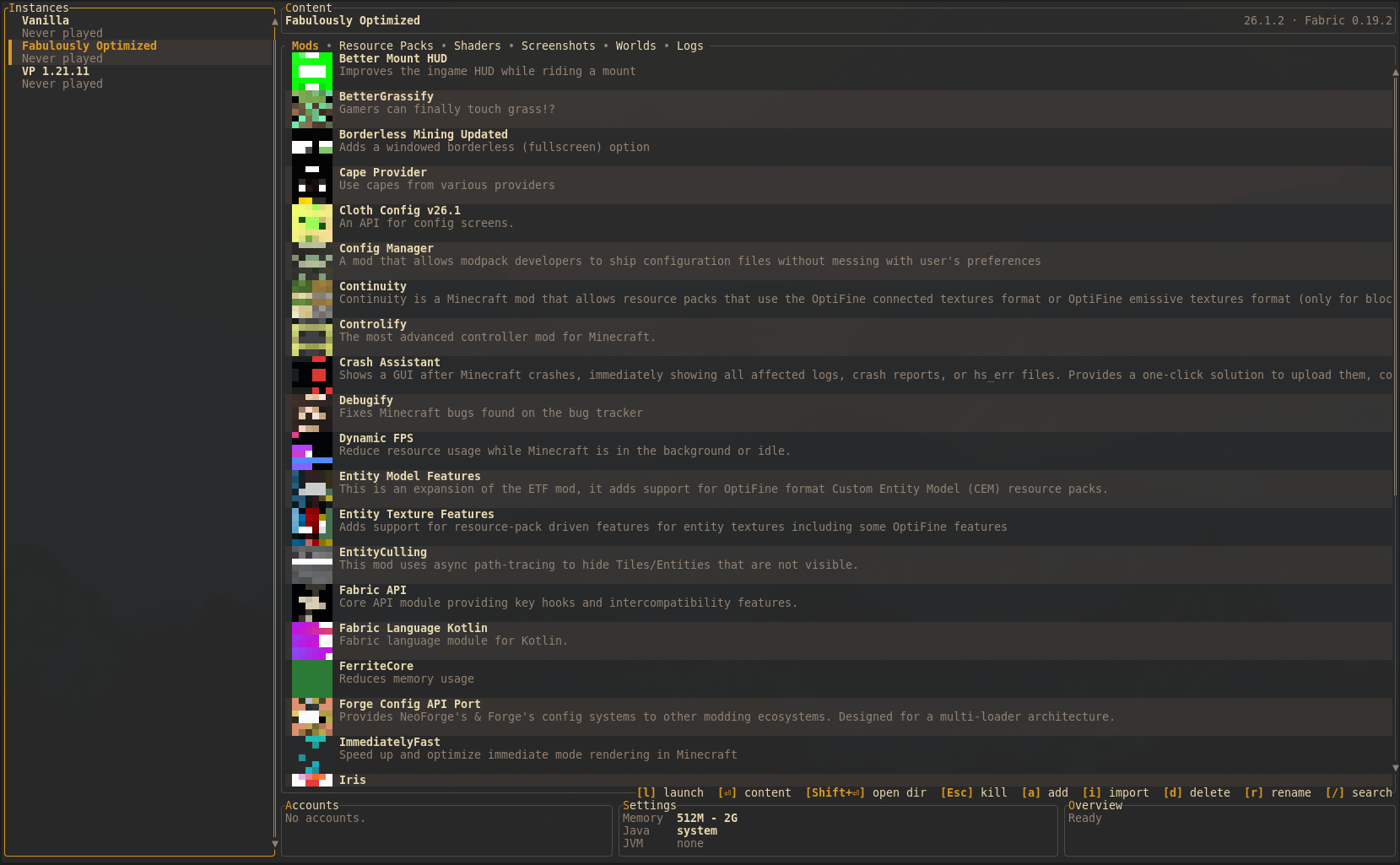
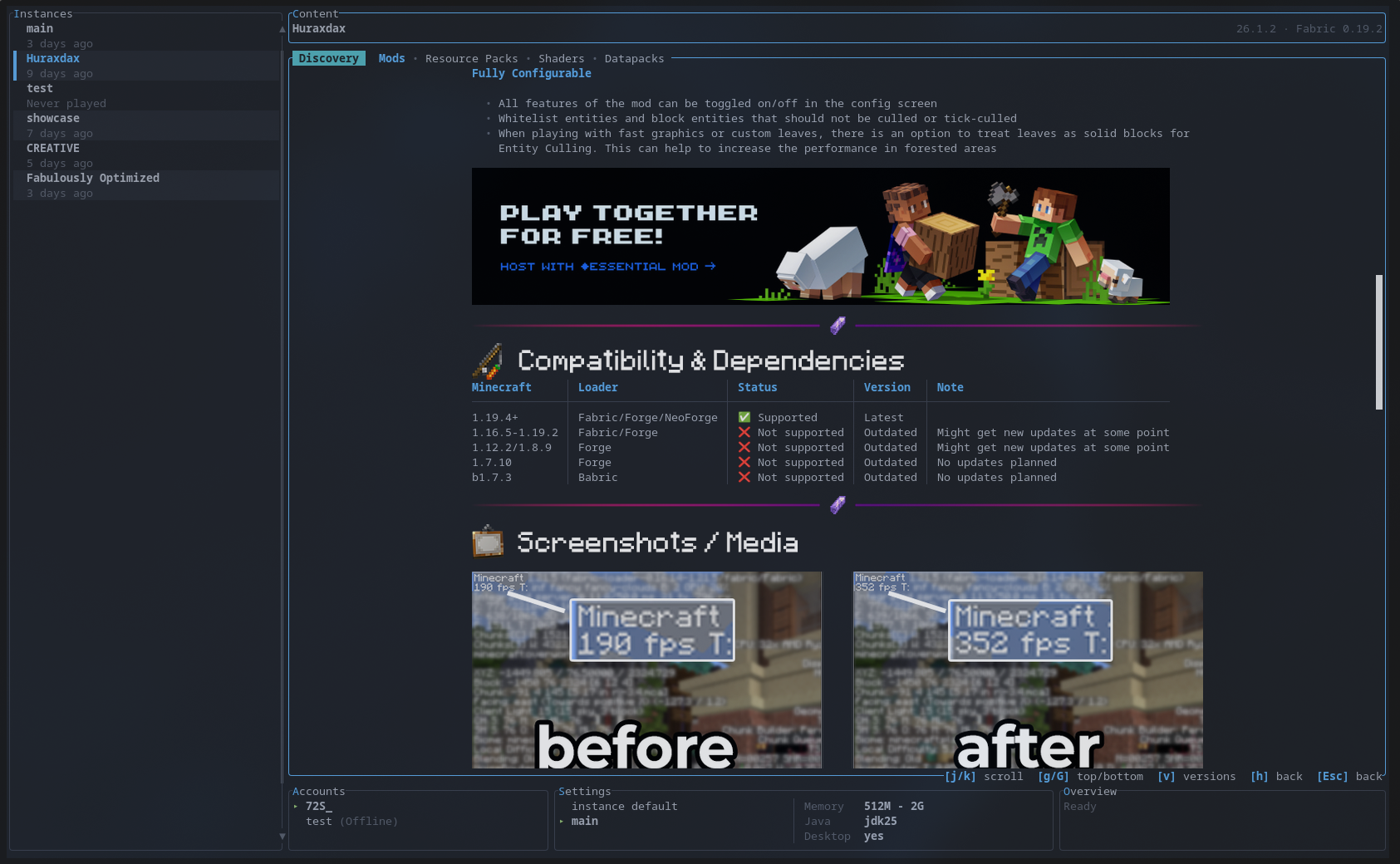
we all love TUIs. and we all know the official Minecraft launcher is not exactly a joy to use (performance wise; no hatespeech here). so here's rmcl, a fully featured Minecraft launcher that lives in your terminal. written in Rust.
it does everything you'd expect from a launcher.

features
| Mod Loader | Supported |
|---|
| Vanilla | ✅ |
| Fabric | ✅ |
| Forge | ✅ |
| NeoForge | ✅ |
| Quilt | ✅ |
| LiteLoader | ❌ |
| Rift | ❌ |
modpacks and accounts
Browse Modrinth and CurseForge modpacks or import Modrinth, CurseForge, MultiMC, Prism, and GTNH packs directly. Direct imports accept a file, Modrinth URL, or project slug. Source builds enable CurseForge when CURSEFORGE_API_KEY is set at compile time. Able to use multiple Microsoft accounts and offline accounts aswell.
authentication
rmcl uses its own Microsoft client ID for Minecraft account authentication.
Authentication is performed through Microsoft’s official services.
installation

macOS / Linux
prebuilt archives are attached to each GitHub release.

# Homebrew
brew install objz/tap/rmcl
Windows
release builds include a .zip archive and an .msi. WinGet packages are
submitted from release CI and become available after review.

# WinGet
winget install Objz.Rmcl
Arch Linux



# from source (release tarball)
paru -S rmcl

# prebuilt binary
paru -S rmcl-bin

# latest git
paru -S rmcl-git
Cargo

cargo install rmcl
from source
requires a Rust toolchain and a JDK (javac and jar on PATH).
git clone https://github.com/objz/rmcl.git
cd rmcl
cargo build --release
where things live
config & data
settings, accounts, instances, and cached game metadata.
| what | Linux | macOS | Windows |
|---|
config (config.toml, theme.toml, accounts.json) | ~/.config/rmcl/ | ~/Library/Application Support/rmcl/ | %APPDATA%\rmcl\ |
| instances | ~/.local/share/rmcl/instances/ | ~/Library/Application Support/rmcl/instances/ | %LOCALAPPDATA%\rmcl\instances\ |
| metadata (versions, libraries, assets, loader profiles) | ~/.local/share/rmcl/meta/ | ~/Library/Application Support/rmcl/meta/ | %LOCALAPPDATA%\rmcl\meta\ |
each instance has an instance.json for its config and a .minecraft/ directory with the actual game files.
Launcher settings can be edited from the TUI or in config.toml. Changes to
instances_dir, meta_dir, and image_protocol apply after restarting rmcl;
other launcher settings apply immediately. Omitting java_path enables automatic
Java selection. Global JVM arguments and environment variables are applied before
per-instance values. Instances can explicitly inherit the launcher window mode
and resolution defaults.
[general]
check_modpack_updates = true
check_content_updates = true

[defaults]
memory_min = "512M"
memory_max = "2G"
jvm_args = []
environment = {}
window_mode = "windowed"
resolution = [854, 480]

[ui]
image_protocol = "auto"
hidden_shortcut_hints = [] # all, main, instances, content, accounts, settings, popups

[content]
preferred_provider = "modrinth"
preferred_provider_only = false
ask_on_provider_conflict = true
Use hidden_shortcut_hints = ["main"] to keep only popup guides,
["all"] to hide every guide, or list individual areas to hide them selectively.
logs
launcher logs are per-session and contain rmcl's own output. instance launch logs capture game stdout/stderr per launch.
| what | Linux | macOS | Windows |
|---|
| launcher logs | ~/.cache/rmcl/ | ~/Library/Caches/rmcl/ | %LOCALAPPDATA%\rmcl\ |
| instance launch logs | //.minecraft/logs/launches/ | same | same |
the following measurements were taken from a release build on a Linux development system. they are intended as a practical reference, since terminal, window size, content count, and hardware all affect the result.
idle instance list
over a 60 second sample, the instance list used 497.81 ms of CPU time. that is about 0.83% of one CPU core. resident memory was 15.1 MiB.
idle mods list
with a populated mods list and its icons loaded, a 60 second sample used 664.77 ms of CPU time. that is about 1.11% of one CPU core. resident memory was 67.2 MiB, with a peak of 69.9 MiB.
continuously scrolling through the populated mods list used 1000.02 ms of CPU time over 30 seconds. that is about 3.33% of one CPU core.
In comparison, the Modrinth AppImage used approximately 14-30% of a CPU core and about 327 Mib of memory while browsing the mod list.
themes
rmcl ships with 10 built-in themes:
catppuccin · dracula · nord · gruvbox · one-dark · solarized · tailwind · tokyo-night · rose-pine · terminal
pick one in ~/.config/rmcl/theme.toml:
theme = "gruvbox"
border_style = "rounded"   # rounded | plain | double | thick
custom themes
drop a TOML file in ~/.config/rmcl/theme/ and reference it by name, or point theme at an absolute path. keys are flat and top level, don't nest them under [theme]. only name, id and accent are required, the rest falls back to a default:
# ~/.config/rmcl/theme/my-theme.toml
name = "My Theme"
id = "my-theme"

accent = { Rgb = [249, 115, 22] }
accent_dim = "#7f5539"
text = "#cdd6f4"
text_dim = "DarkGray"
text_bright = "#ffffff"
success = "#a6e3a1"
error = "#f38ba8"
warning = "#f9e2af"
info = "#89dceb"
diff_added = "#a6e3a1"
diff_removed = "#f38ba8"
diff_context = "DarkGray"
border = "#585b70"
surface = "#313244"
background = "#1e1e2e"
then set theme = "my-theme" in theme.toml.
colors accept "#f97316", ANSI names ("Red", "LightBlue"), { Rgb = [r, g, b] } or { Indexed = n }.
note that [custom] in theme.toml is only for overriding single values of a builtin, it doesn't define a new theme. same for border_style, that one lives in theme.toml, not in a theme file.
contributing
contributions are welcome. fork it, branch it, PR it. see CONTRIBUTING.md
license
Copyright (C) 2026 Constantin Bauer
This project is licensed under the GNU General Public License v3.0. see LICENSE.