about
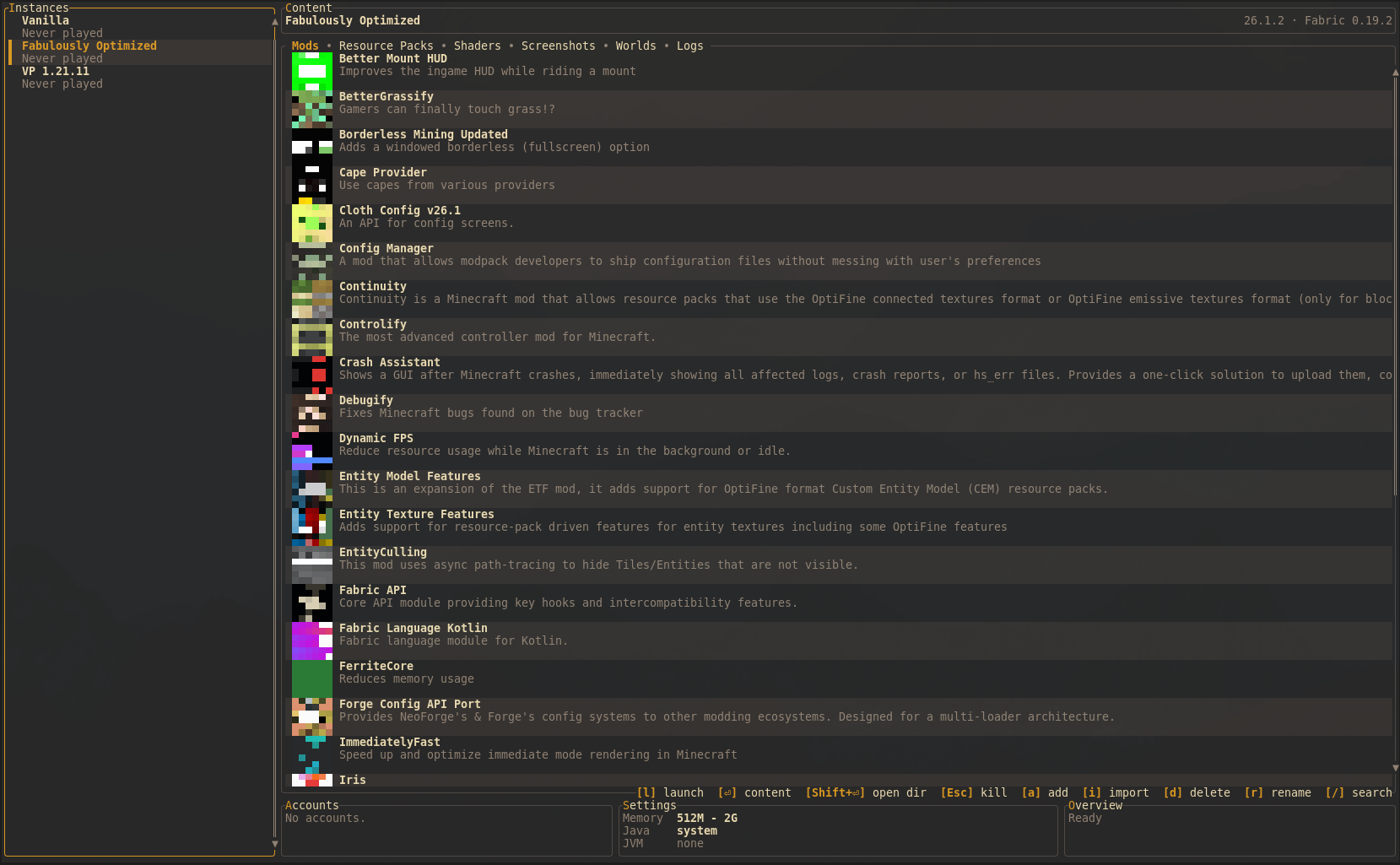
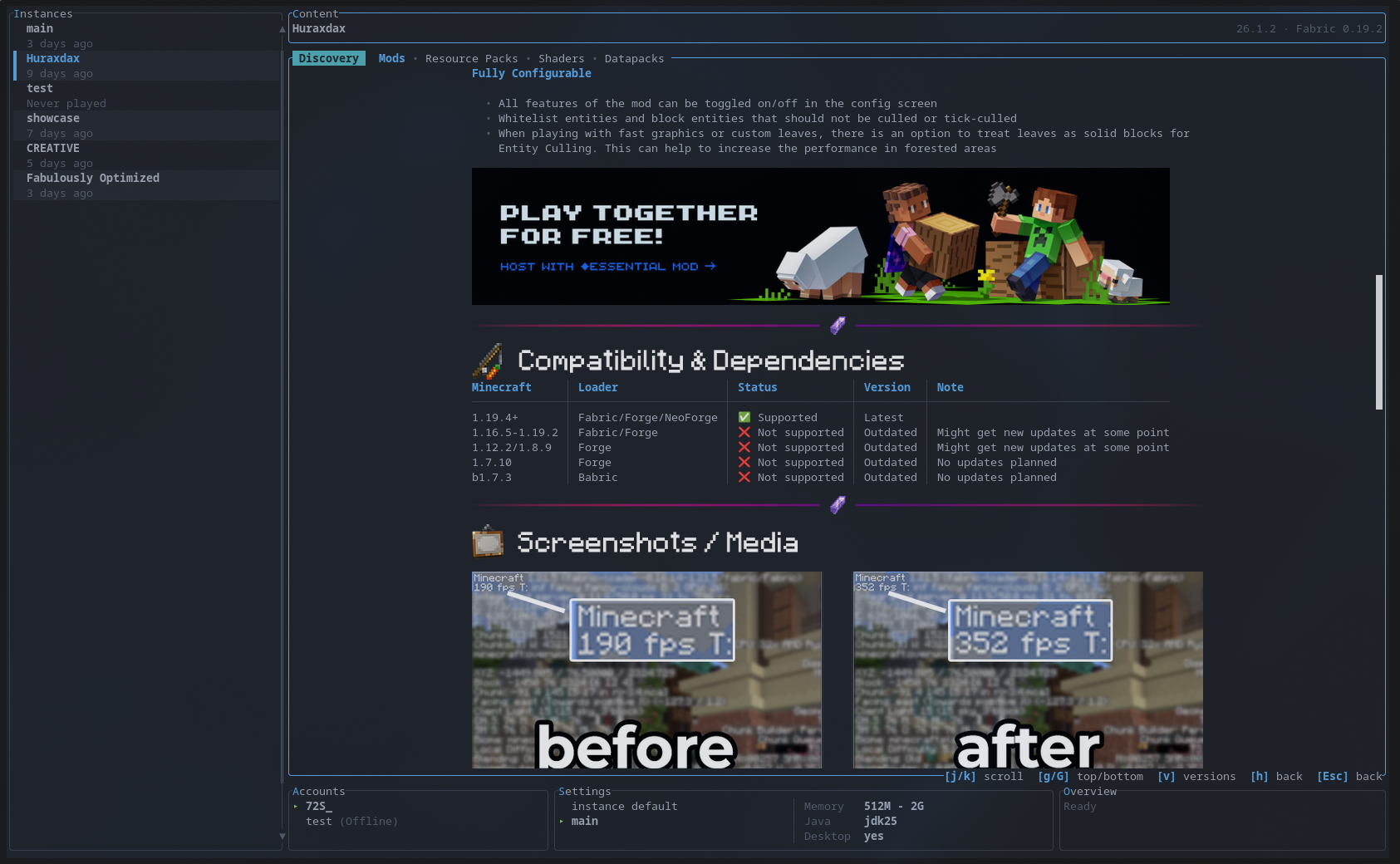
we all love TUIs. and we all know the official Minecraft launcher is not exactly a joy to use (performance wise; no hatespeech here). so here's rmcl, a fully featured Minecraft launcher that lives in your terminal. written in Rust.
it does everything you'd expect from a launcher.

features
| Mod Loader | Supported |
|---|
| Vanilla | ✅ |
| Fabric | ✅ |
| Forge | ✅ |
| NeoForge | ✅ |
| Quilt | ✅ |
| LiteLoader | ❌ |
| Rift | ❌ |
modpacks and accounts
Browse Modrinth and CurseForge modpacks or import Modrinth, CurseForge, and MultiMC/Prism archives (including GTNH packs in that format). Direct imports accept a local archive, Modrinth URL, or Modrinth project slug. CurseForge requires a build-time API key. Multiple Microsoft accounts and offline accounts are supported.
installation

macOS / Linux
prebuilt archives are attached to each GitHub release.

# Homebrew
brew install objz/tap/rmcl
Linux archives and Homebrew installations require the system libxcb runtime
package (libxcb1 on Debian/Ubuntu, libxcb on Arch).
An ARM64 launcher build still needs Minecraft natives for that platform. For
example, Minecraft 1.20.1 supplies macOS ARM64 natives but no Linux ARM64 natives;
using a custom GLFW library alone does not provide the other required libraries.
Windows
release builds include a .zip archive and an .msi. WinGet packages are
submitted from release CI and become available after review.

# WinGet
winget install Objz.Rmcl
Arch Linux



# from source (release tarball)
paru -S rmcl

# prebuilt binary
paru -S rmcl-bin

# latest git
paru -S rmcl-git
Nix

nix run github:objz/rmcl
nix profile install github:objz/rmcl
the flake builds rmcl from source. To use your own key instead, override it
at build time:
CURSEFORGE_API_KEY=your-key nix build --impure .#
Minecraft 1.12 and older currently fail to launch because rmcl doesn't pass
-Djava.library.path for legacy version profiles.
Cargo

cargo install rmcl
from source
requires a Rust toolchain and a JDK (javac and jar on PATH).
Linux builds also require the libxcb development package (libxcb1-dev on Debian/Ubuntu, libxcb on Arch).
git clone https://github.com/objz/rmcl.git
cd rmcl
cargo build --release
navigation
Use Ctrl + arrow keys to move between the Instances, Content, Accounts,
Settings, and Overview panels. In Content, use plain Left / Right or h / l
to switch tabs, and Tab to switch between installed content and discovery.
Content can be installed, updated, removed, or enabled/disabled while a game is
running. Mods normally apply on the next launch; packs and configs may reload
live, and the operating system can still reject changes to open files. Instance
deletion, renaming, world deletion/renaming, runtime changes, and whole-modpack replacement require stopping it.
exporting modpacks
Export modpacks from the TUI or CLI as CurseForge (curseforge, the default),
Modrinth (mrpack) or MultiMC/Prism (mmc) archives.
rmcl export "My Instance" --format curseforge --output pack.zip
Worlds, logs and personal settings are excluded by default. Add files with
repeatable --include options. CurseForge and Modrinth reference matching downloads;
--bundle-unmatched allows copying unmatched content after you check redistribution
permissions. MultiMC/Prism bundles files and works offline.
Choose a new output path outside the game folder. For standalone folders, use
--directory instead of an instance name; see rmcl export --help for options.
authentication
rmcl uses its own Microsoft client ID for Minecraft account authentication.
Authentication is performed through Microsoft’s official services.
CurseForge API
Git, source, and Cargo builds use rmcl's dedicated API key unless CURSEFORGE_API_KEY is set at compile time. An empty or whitespace-only override disables CurseForge.
Use of the API is subject to the CurseForge 3rd Party API Terms and Conditions.
Keys supplied for rmcl are for rmcl builds only. Forks, rebranded applications,
and unrelated projects must use their own key. Keys included in source or compiled
binaries are extractable; do not publish a private key.
where things live
config & data
settings, accounts, instances, and cached game metadata.
| what | Linux | macOS | Windows |
|---|
config (config.toml, theme.toml, accounts.json) | ~/.config/rmcl/ | ~/Library/Application Support/rmcl/ | %APPDATA%\rmcl\ |
| instances | ~/.local/share/rmcl/instances/ | ~/Library/Application Support/rmcl/instances/ | %APPDATA%\rmcl\instances\ |
| metadata (versions, libraries, assets, loader profiles) | ~/.local/share/rmcl/meta/ | ~/Library/Application Support/rmcl/meta/ | %APPDATA%\rmcl\meta\ |
These are default locations. On Linux, XDG_CONFIG_HOME, XDG_DATA_HOME, and
XDG_CACHE_HOME override the corresponding base directories. Instance and metadata
paths can also be changed in config.toml.
each instance has an instance.json for its config and a minecraft/ directory with the actual game files.
Launcher settings saved through the TUI apply immediately, except changes to
instances_dir, meta_dir, and image_protocol, which require a restart.
Settings files opened through rmcl's editor shortcut are reloaded after saves;
otherwise, restart rmcl after editing config.toml externally. When neither global nor instance
java_path is set, rmcl selects Java automatically. Global JVM arguments and
environment variables are applied before per-instance values. Instances can
explicitly inherit the launcher window mode and resolution defaults.
[general]
check_modpack_updates = true
check_content_updates = true

[defaults]
memory_min = "512M"
memory_max = "2G"
jvm_args = []
environment = {}
window_mode = "windowed"
resolution = [854, 480]

[ui]
image_protocol = "auto"
hidden_shortcut_hints = [] # all, main, instances, content, accounts, settings, popups

[content]
preferred_provider = "modrinth"
preferred_provider_only = false
ask_on_provider_conflict = true
Use hidden_shortcut_hints = ["main"] to keep only popup guides,
["all"] to hide every guide, or list individual areas to hide them selectively.
logs
launcher logs are per-session and contain rmcl's own output. instance launch logs capture game stdout/stderr per launch.
| what | Linux | macOS | Windows |
|---|
| launcher logs | ~/.cache/rmcl/ | ~/Library/Caches/rmcl/ | %LOCALAPPDATA%\rmcl\ |
| instance launch logs | //minecraft/logs/launches/ | same | same |
the following measurements were taken from a release build on a Linux development system. they are intended as a practical reference, since terminal, window size, content count, and hardware all affect the result.
idle instance list
over a 60 second sample, the instance list used 497.81 ms of CPU time. that is about 0.83% of one CPU core. resident memory was 15.1 MiB.
idle mods list
with a populated mods list and its icons loaded, a 60 second sample used 664.77 ms of CPU time. that is about 1.11% of one CPU core. resident memory was 67.2 MiB, with a peak of 69.9 MiB.
continuously scrolling through the populated mods list used 1000.02 ms of CPU time over 30 seconds. that is about 3.33% of one CPU core.
In comparison, the Modrinth AppImage used approximately 14-30% of a CPU core and about 327 Mib of memory while browsing the mod list.
themes
rmcl ships with 10 built-in themes:
catppuccin · dracula · nord · gruvbox · one-dark · solarized · tailwind · tokyo-night · rose-pine · terminal
pick one in ~/.config/rmcl/theme.toml:
theme = "gruvbox"
border_style = "rounded"   # rounded | plain | double | thick
custom themes
drop a TOML file in ~/.config/rmcl/theme/ and reference it by name, or point theme at an absolute path. keys are flat and top level, don't nest them under [theme]. only name, id and accent are required, the rest falls back to a default:
# ~/.config/rmcl/theme/my-theme.toml
name = "My Theme"
id = "my-theme"

accent = { Rgb = [249, 115, 22] }
accent_dim = "#7f5539"
text = "#cdd6f4"
text_dim = "DarkGray"
text_bright = "#ffffff"
success = "#a6e3a1"
error = "#f38ba8"
warning = "#f9e2af"
info = "#89dceb"
diff_added = "#a6e3a1"
diff_removed = "#f38ba8"
diff_context = "DarkGray"
border = "#585b70"
surface = "#313244"
background = "#1e1e2e"
then set theme = "my-theme" in theme.toml.
colors accept "#f97316", ANSI names ("Red", "LightBlue"), { Rgb = [r, g, b] } or { Indexed = n }.
note that [custom] in theme.toml overrides colors of the selected theme, whether built-in or loaded from a file; it doesn't define a standalone theme. border_style belongs at the top level of theme.toml, not in a custom theme file.
contributing
contributions are welcome. fork it, branch it, PR it. see CONTRIBUTING.md
license
Copyright (C) 2026 Constantin Bauer
This project is licensed under the GNU General Public License v3.0. see LICENSE.