Bing Wallpaper Now
English | 中文
> For AI agents / CLI assistants: see AI_INSTALL.md for
> copy-paste-runnable install commands across all platforms
> (macOS / Windows, x64 / ARM64).
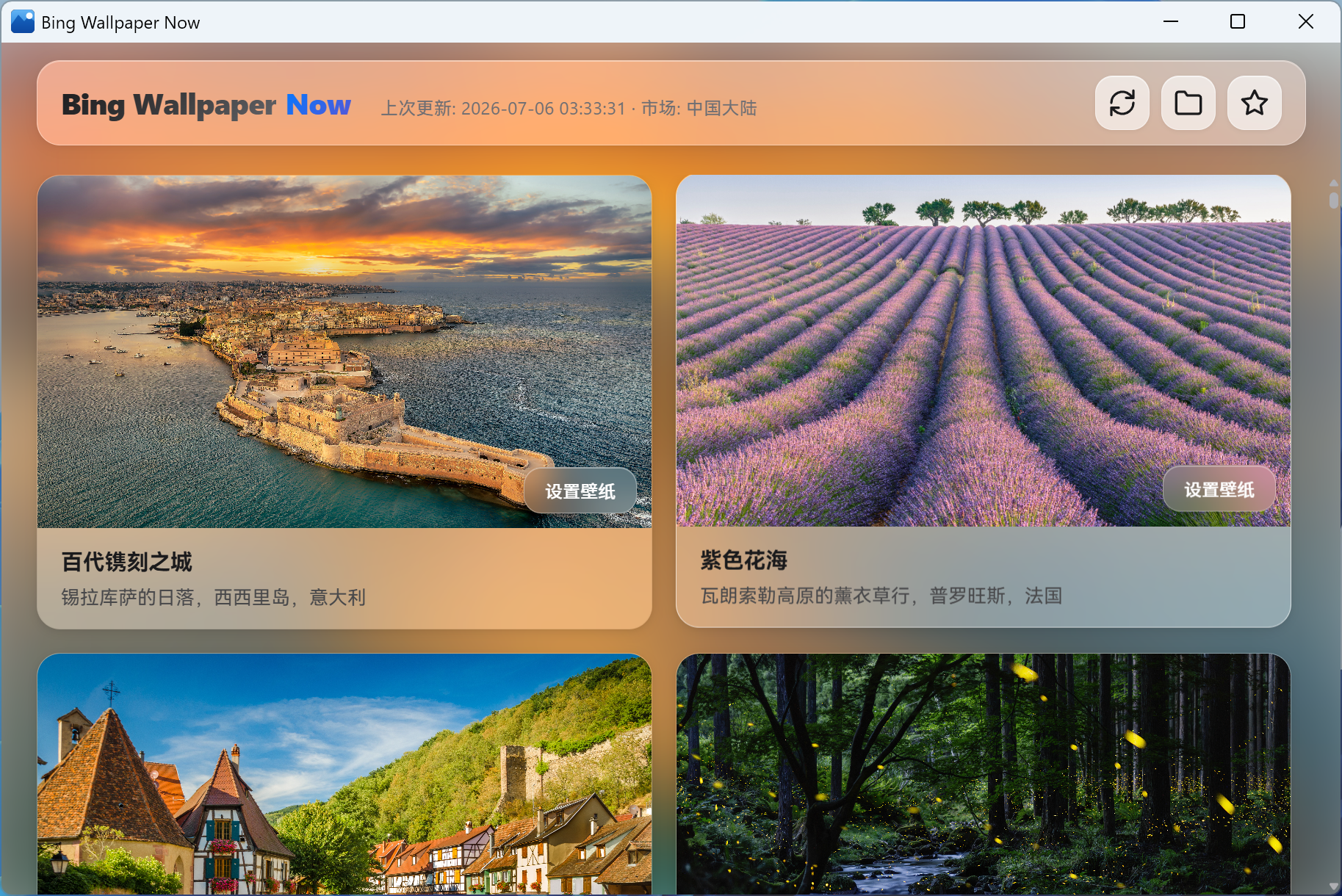
A cross-platform desktop app to automatically fetch and set Bing's daily beautiful wallpapers.


📦 Download & Install
Get the latest version from GitHub Releases:
- Windows:
.msi installer
- macOS Apple Silicon:
.dmg disk image
macOS via Homebrew
brew tap qiyuey/tap
brew install --cask bing-wallpaper-now
Windows via WinGet
winget install Qiyuey.BingWallpaperNow
macOS Installation Note
If you see "App is damaged or cannot be opened", run the following in Terminal (add sudo in front if needed):
xattr -rd com.apple.quarantine "/Applications/Bing Wallpaper Now.app"
✨ Why Bing Wallpaper Now
Lightweight & Modern
- Built with Tauri 2.0 — Rust backend + React frontend, not Electron. Low memory, fast startup
- 2 native platform builds — macOS (Apple Silicon), Windows (x64 / ARM64)
- Privacy first — No telemetry, no tracking. Only talks to Bing API. All data stored locally
Portrait Display Support
- Auto-detects portrait monitors and downloads dedicated 1080×1920 wallpapers
- Mixed landscape/portrait multi-monitor setups get the correct orientation per screen
Deep macOS Integration
- Multi-monitor — Sets wallpaper on all displays via native NSWorkspace API
- Fullscreen & Split View — Correctly handles wallpapers in fullscreen apps
- Space auto-restore — Automatically restores and verifies wallpaper when switching Spaces or exiting fullscreen
- Tray-only — No Dock icon, no taskbar clutter
More Features
- 📸 Auto-fetch Bing UHD wallpapers daily, one click to set
- 🔄 In-app auto-update with progress and signature verification
- 🎨 Light / dark / system-follow themes
- ⚙️ Custom save directory, wallpaper market, startup options
- 🗑️ Automatic cache cleanup to control disk usage
❓ FAQ
Q: How do I set a wallpaper?
A: Click any wallpaper card to instantly set it as your desktop. On macOS, it applies to all monitors automatically.
Q: Does the app keep running after closing the window?
A: Yes, closing the window minimizes it to the system tray. Click the tray icon to reopen, right-click to quit.
Q: Where are my wallpapers saved?
A: By default in a "Bing Wallpaper Now" folder under your system pictures directory. You can change this in settings.
Q: How much storage does it use?
A: Each UHD wallpaper is roughly 1–3MB. Keeping 8 uses about 8–24MB. The app auto-cleans older cache.
Q: Can I use it offline?
A: Yes, previously downloaded wallpapers can be set anytime without internet.
Q: Why does a "market mismatch" warning appear?
A: Bing may ignore your selected market in some regions and return
wallpapers from another. The app adapts automatically — no action needed.
📞 Support & Feedback
🤝 Contributing
Want to help make Bing Wallpaper Now better? You're welcome!
Please read AGENTS.md for development setup, code style, project structure, and workflow guidelines.
📄 License
MIT License - see LICENSE.
Project also supports the Anti-996 License, advocating for:
- ⏰ Reasonable working hours
- 🏖️ Work-life balance
- 💪 Developer well-being
Say NO to 996, prioritize your well-being! 💪
🙏 Acknowledgments
- Bing - Beautiful daily wallpapers
- AI-assisted tools