
Stremio Enhanced
This is a community project and is
NOT affiliated with Stremio in any way.


<a href="https://nodejs.org/">
<img src="https://img.shields.io/badge/Node.js-43853D?style=for-the-badge&logo=node.js&logoColor=white" alt="NodeJS" />
</a>
<a href="https://www.typescriptlang.org/">
<img src="https://img.shields.io/badge/TypeScript-007ACC?style=for-the-badge&logo=typescript&logoColor=white" alt="TypeScript" />
</a>
<a href="https://www.electronjs.org/">
<img src="https://img.shields.io/badge/Electron-191970?style=for-the-badge&logo=Electron&logoColor=white" alt="Electron" />
</a>
<a href="https://developer.mozilla.org/en-US/docs/Web/HTML">
<img src="https://img.shields.io/badge/HTML-239120?style=for-the-badge&logo=html5&logoColor=white" alt="HTML" />
</a>
<a href="https://developer.mozilla.org/en-US/docs/Web/CSS">
<img src="https://img.shields.io/badge/CSS-2965F1?&style=for-the-badge&logo=css3&logoColor=white" alt="CSS" />
</a>
</p>
📌 Table of Contents
❓ What is Stremio Enhanced?
Stremio Enhanced is an Electron-based Stremio desktop client with support for plugins and themes. It enhances the default Stremio experience by adding more customization options and integrations.
🛠 How It Works
- It runs the Stremio streaming server automatically in the background.
- It loads the web version of Stremio within an Electron environment.
✨ Features
-
Themes – Customize the look and feel of Stremio with different themes to match your style.
- Example: Modern Glass Theme – A modern glass-like aesthetic theme
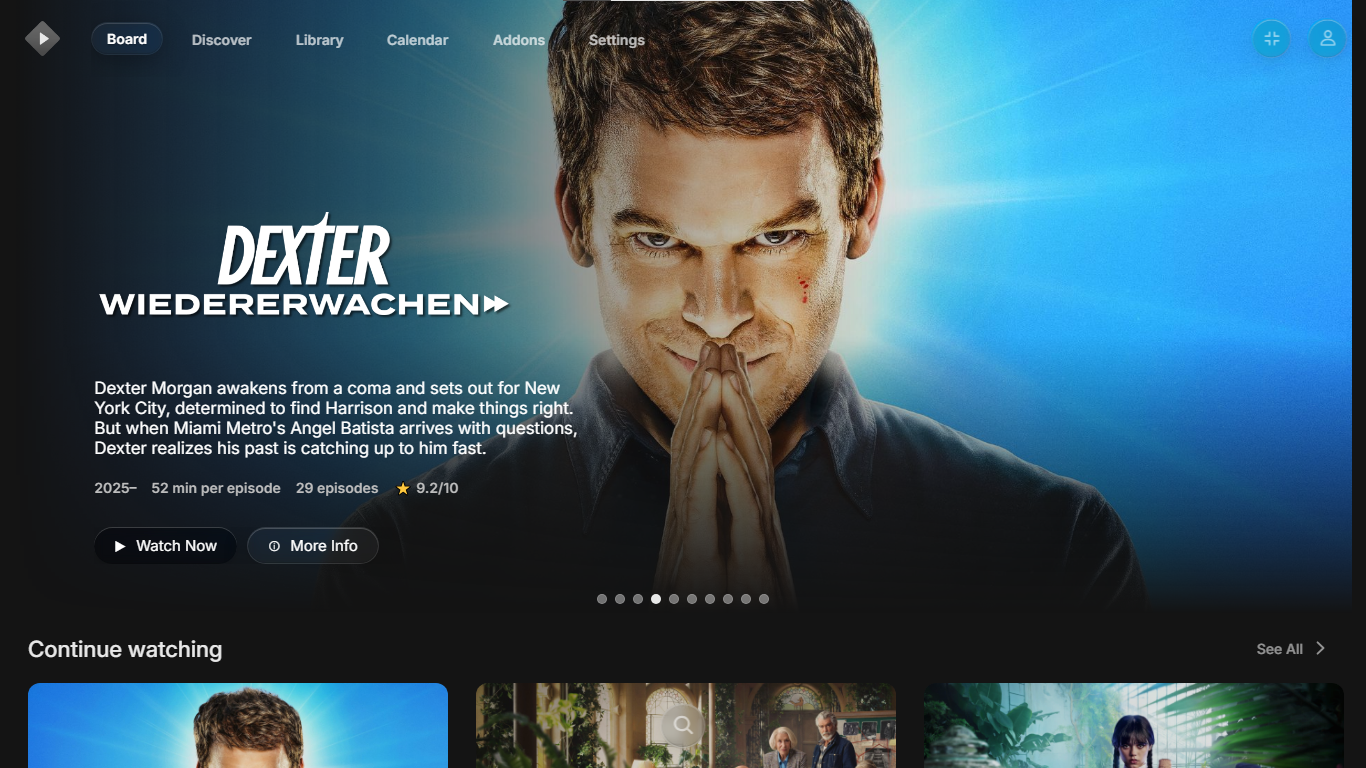 (This community-made theme by Fxy6969 and can be found in Stremio-Glass-Theme)
-
Plugins – Extend Stremio’s functionality with JavaScript plugins for more features.
- Example: AniSkip Integration – A plugin to integrate AniSkip to autoskip anime openings and endings.
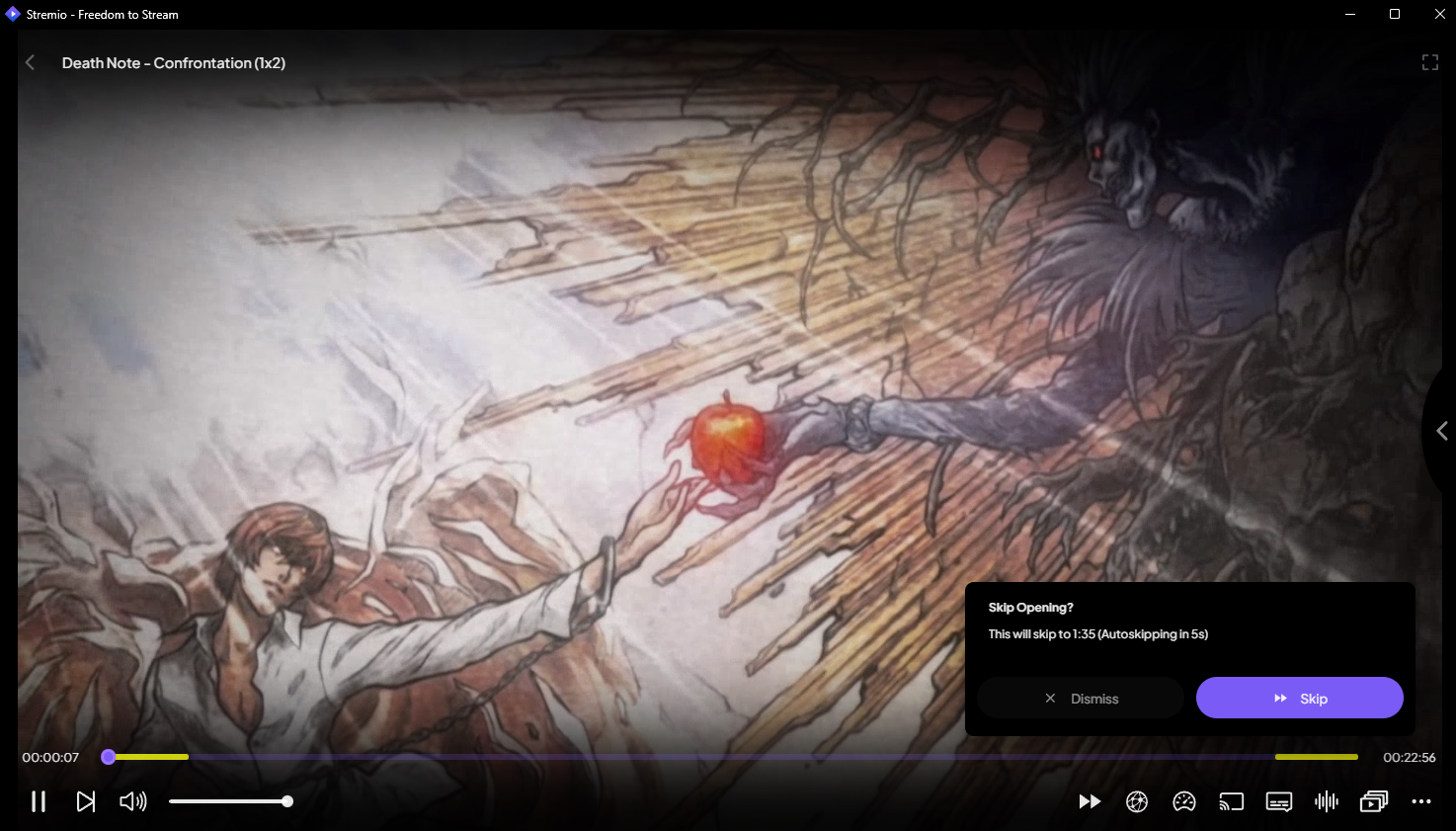 (This plugin is still under testing but can be found in stremio-aniskip.)
-
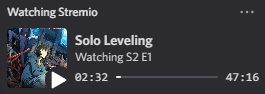
Built-in Toggleable Discord Rich Presence – Show what you're watching on Discord with an easy-to-toggle Rich Presence feature.
📥 Downloads
You can download the latest version from the releases tab.
If you're on Windows, you can also install via winget:
winget install REVENGE.StremioEnhanced
You can also install Stremio Service (which is required for Stremio Enhanced to stream content) via winget:
winget install Stremio.StremioService
⚙️ Build From Source
- Clone the repository:
git clone https://github.com/REVENGE977/stremio-enhanced.git
- Navigate to the project directory:
cd stremio-enhanced
- Install dependencies:
npm install
- Build the project with electron-builder:
- For Windows:
npm run build:win
- For Linux (x64):
npm run build:linux:x64
- For Linux (arm64):
npm run build:linux:arm64
- For macOS (x86):
npm run build:mac:x64
- For macOS (arm64):
npm run build:mac:arm64
🎨 Themes and Plugins
🖌️ Installing Themes
- Go to the settings and scroll down.
- Click on the "OPEN THEMES FOLDER" button.
- Move your theme into the opened folder.
- Restart Stremio Enhanced.
- You should see your theme in the settings with an option to apply it.
🛠️ Installing Plugins
- Go to the settings and scroll down.
- Click on the "OPEN PLUGINS FOLDER" button.
- Move your plugin into the opened folder.
- Restart Stremio Enhanced or reload using Ctrl + R
- You should see your plugin in the settings with an option to enable it.

You can also use the new community tab.
- Go to the settings and scroll down.
- Click on "Community Plugins & Themes"
- Here you can see and download the available submitted community-made themes and plugins.
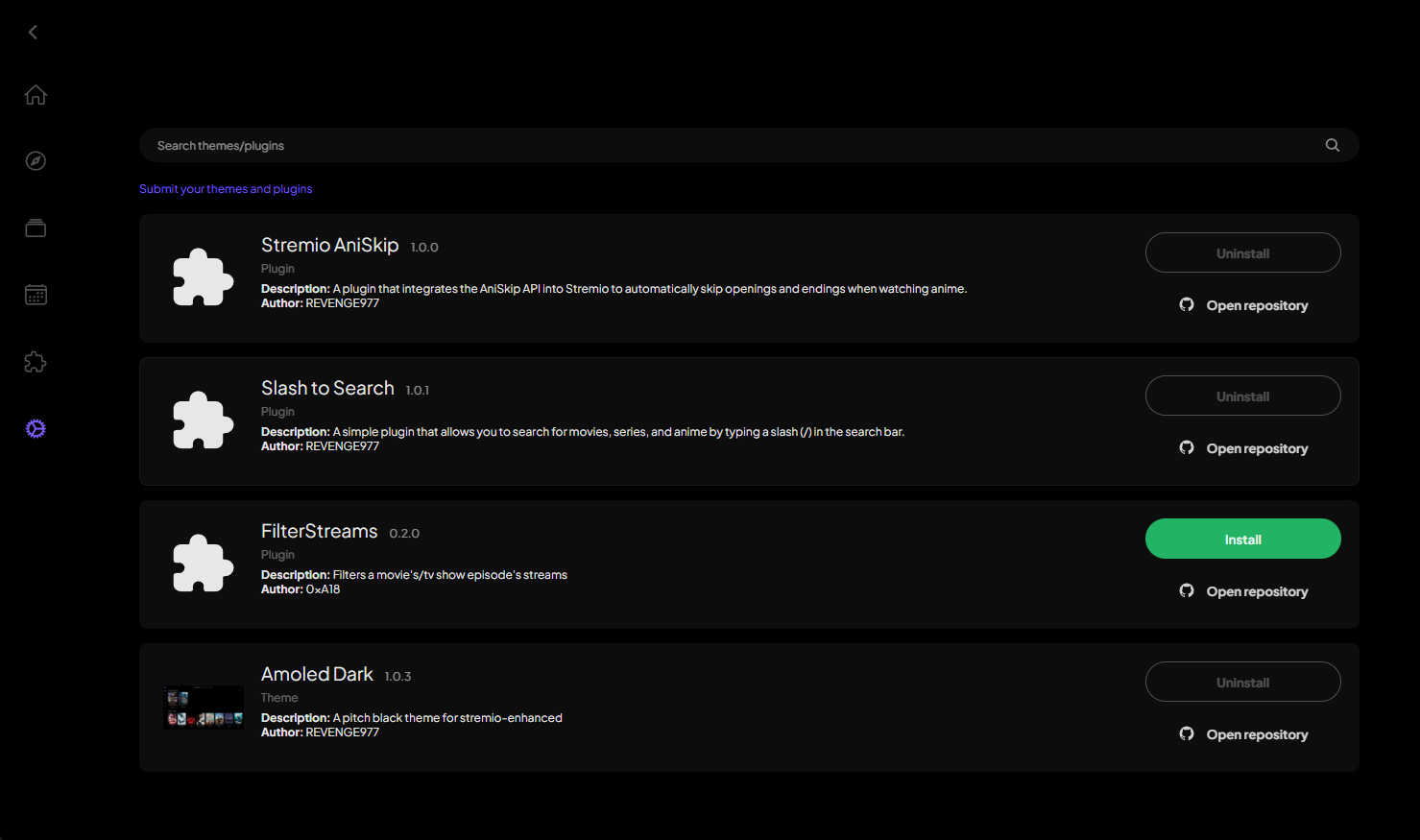
These plugins and themes are fetched from the Stremio Enhanced Registry repository. If you're a developer you can submit your work there.
❓ What Is the Difference Between Plugins and Addons?
- Addons are available on the normal version of Stremio. They add catalogs and streams for Stremio.
- Plugins add more functionality to Stremio, like new features.
🛠️ Creating your own theme/plugin
You can read the wiki for information on how to create your own plugin/theme and how to submit it to the marketplace
🐛 Known Issues
- Due to browser limitations, Blu-ray PGS embedded subtitles don't load. The only way to get around this is to play streams via external players such as VLC or MPV.
- On macOS, you'll need to bypass Gatekeeper to run the app. This is because the app is not signed.
📃 Todo List
You can find the current list of tasks and planned features in the todo.md file.
You can suggest ideas and give feature requests by either creating a feature request issue or by contacting me in my Discord server below.
🔗 Discord Server
You can contact me on my Discord server to discuss anything related to my projects, whether it'd be features you'd like to see in this project or to share ideas for themes/plugins you'd like to see made.

⭐ Support the Project
Consider giving the project a ⭐ star on GitHub! Your support helps more people discover it and keeps me motivated to improve it.
If you'd like to go the extra mile, you can also support me by sponsoring the project. Every contribution, big or small, is truly appreciated!

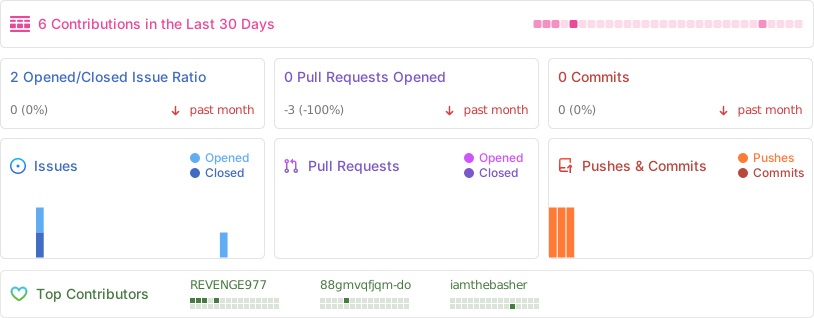
📊 Repository Stats
🚨 Important Notice
This project is not affiliated in any way with Stremio.
- This project is licensed under the MIT License.
💻 Developed with ❤️ by REVENGE977 | 📜 Licensed under MIT