bertbrowser


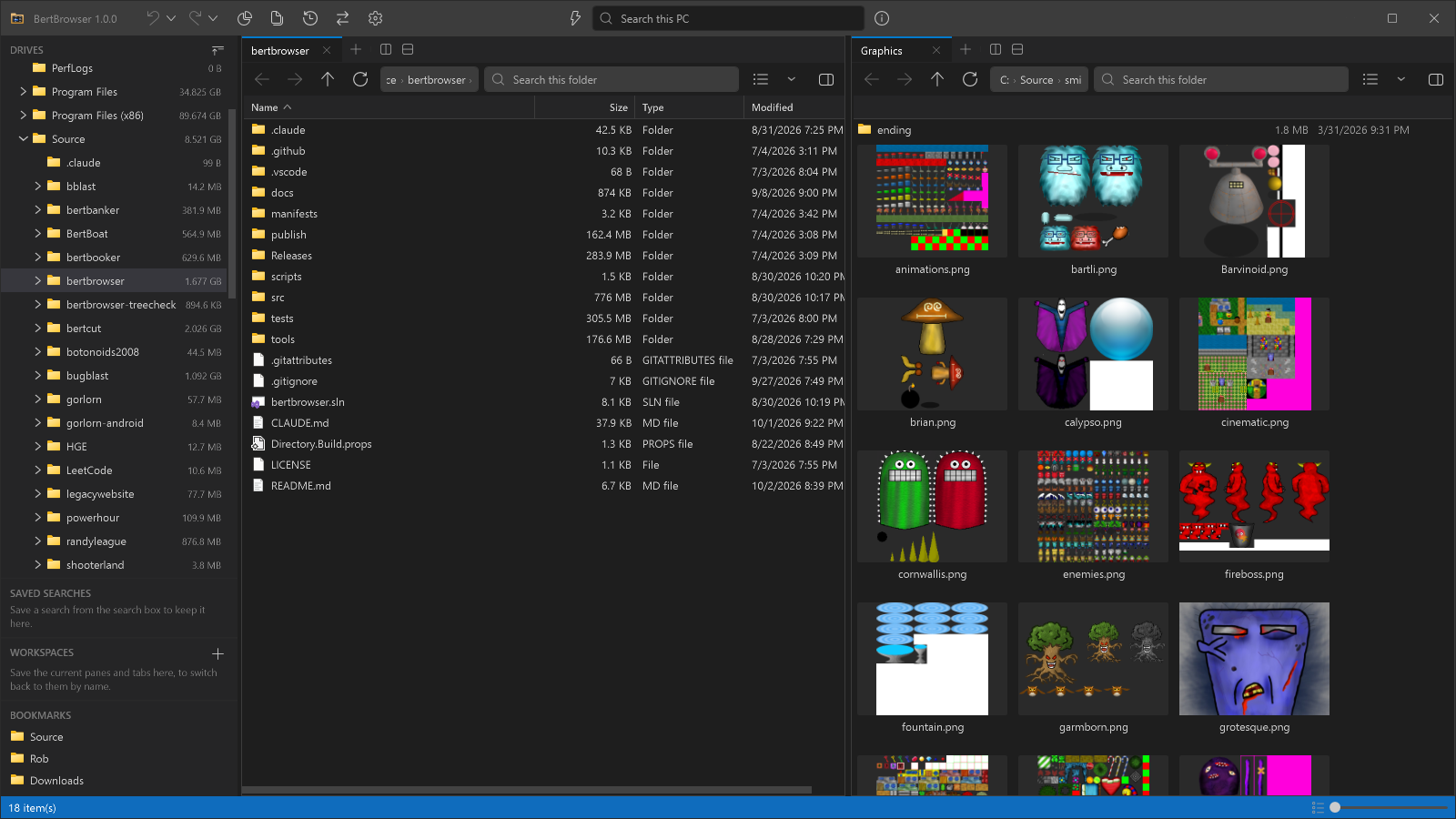
A fast and memory-efficient offline Windows 10/11 file browser.
- Offline - BertBrowser does not connect to the Internet except a startup check against GitHub Releases for app updates.
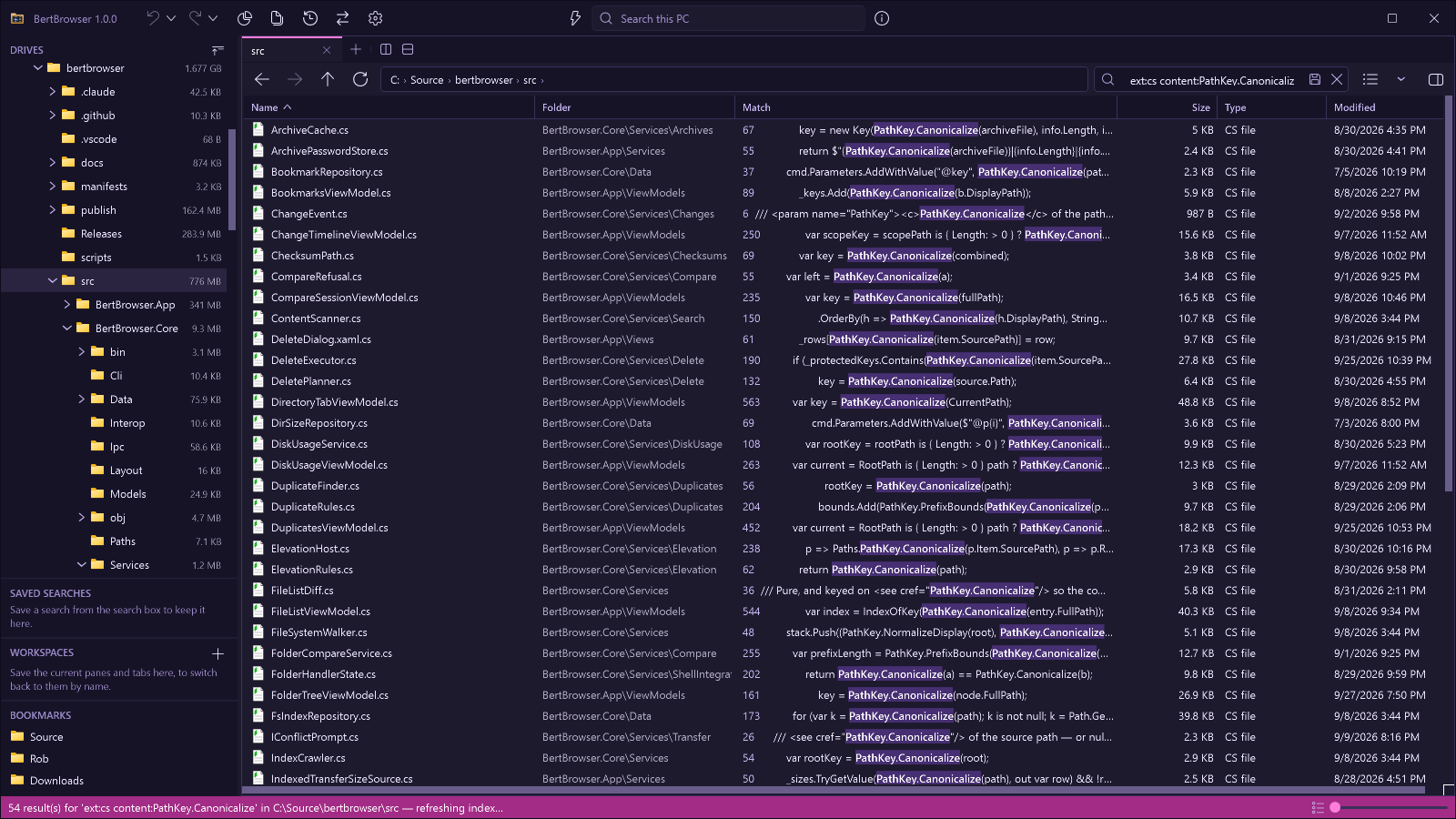
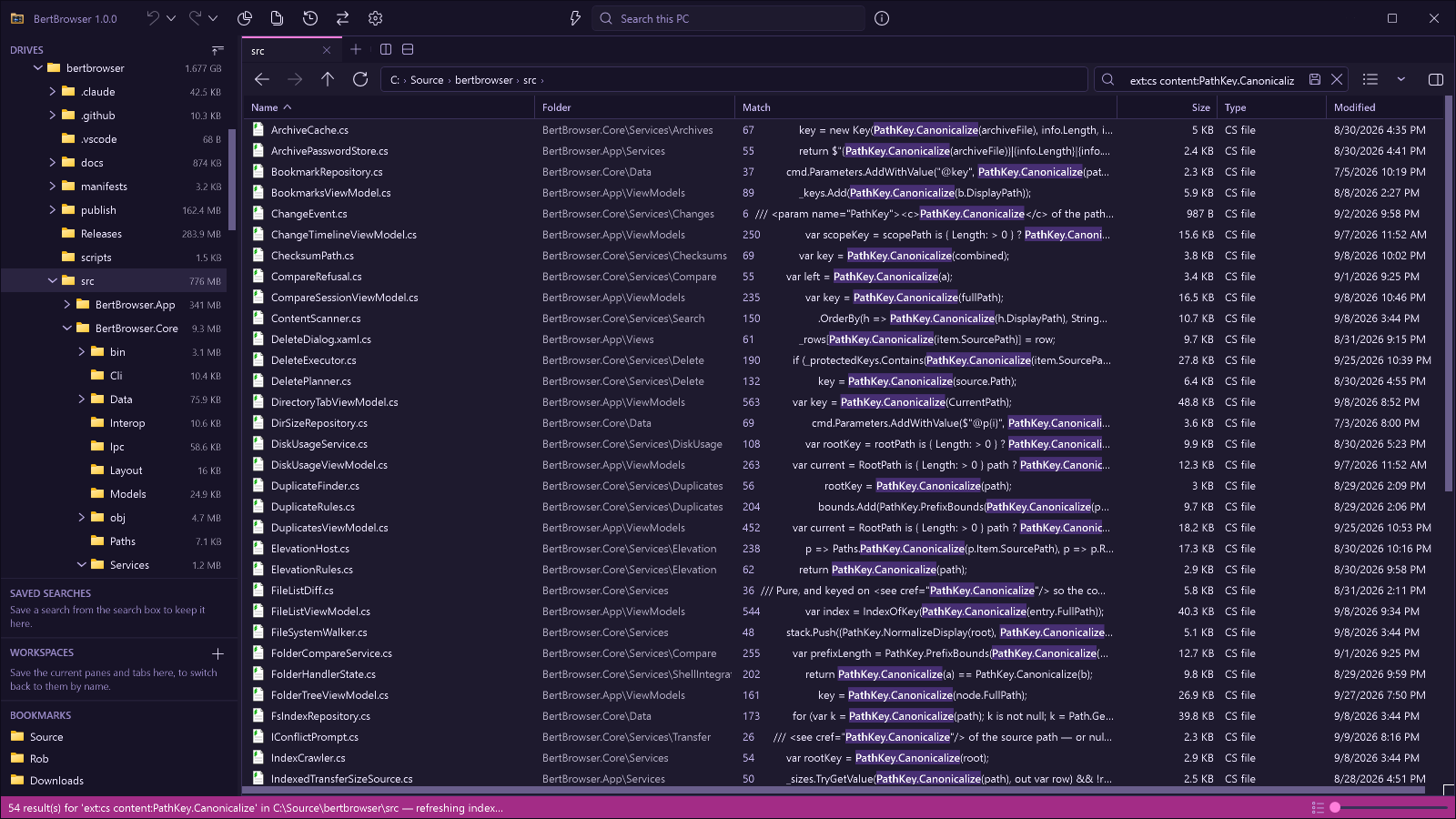
- Instant global search - MFT indexing and USN journal tracking for fastest possible performance.
- Directory sizes — Show total size on directories, just like files.
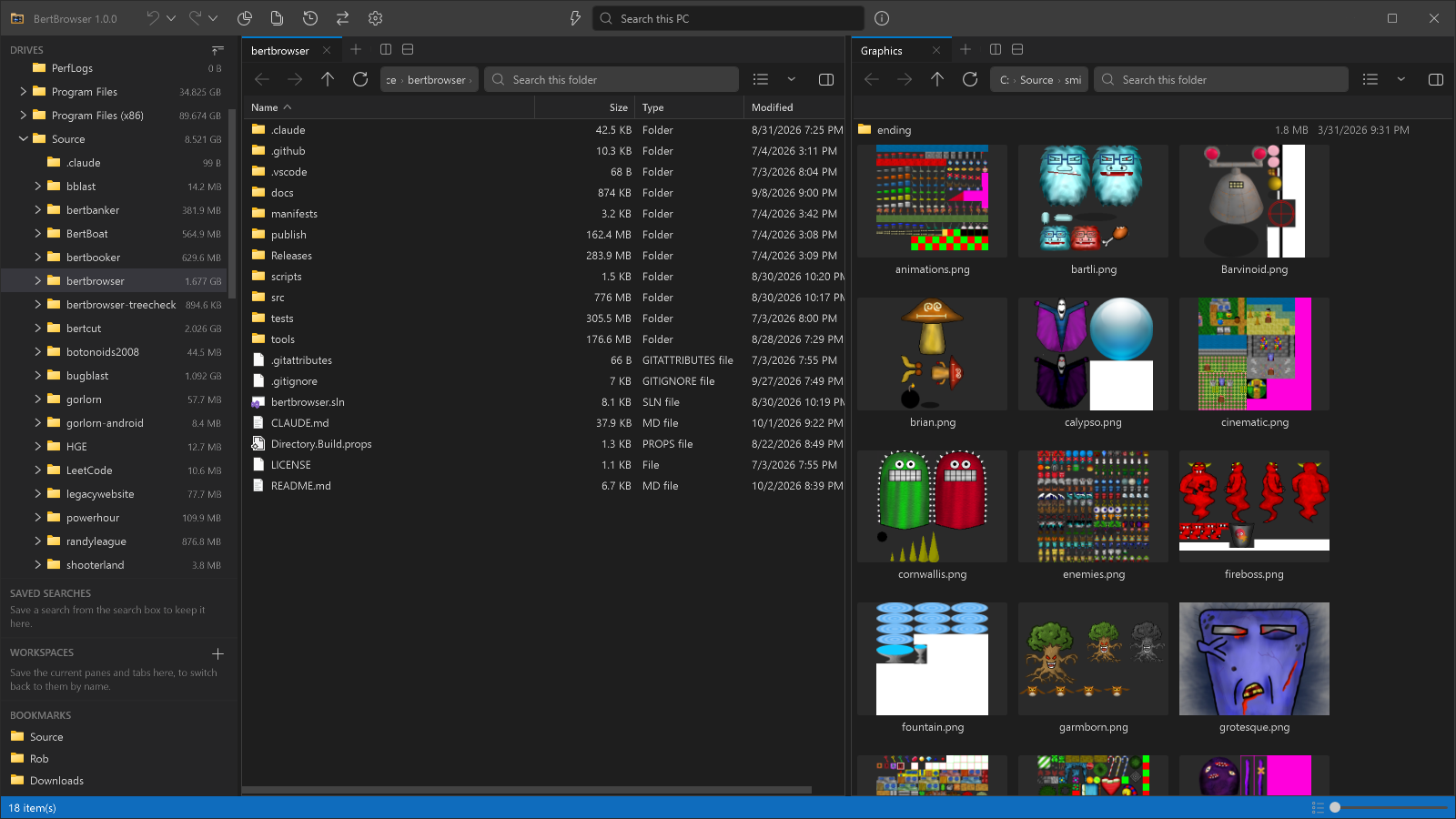
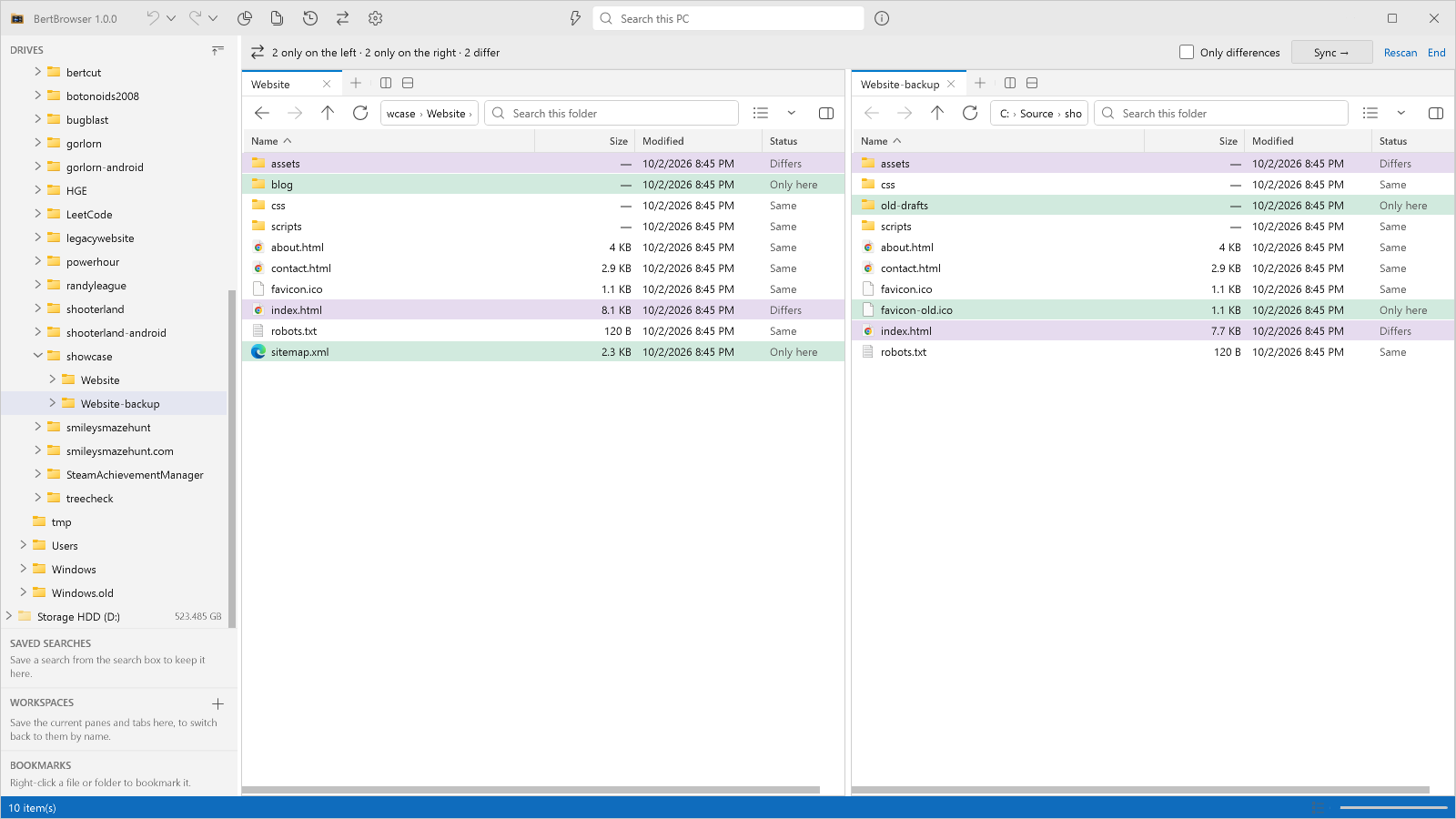
- Split panes with tabs - Infinite pane splitting and tabs per pane.
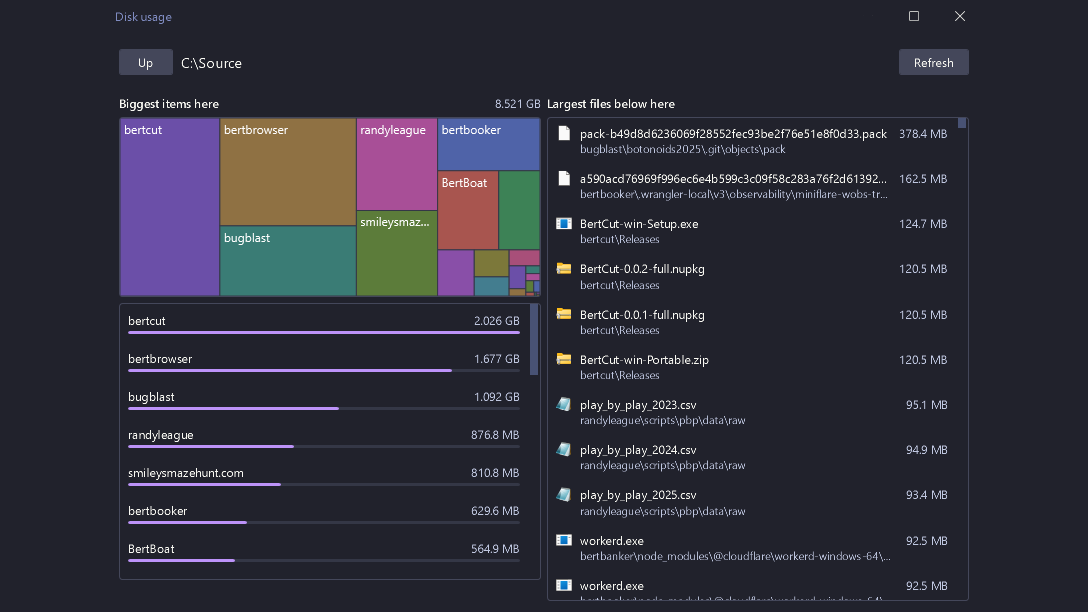
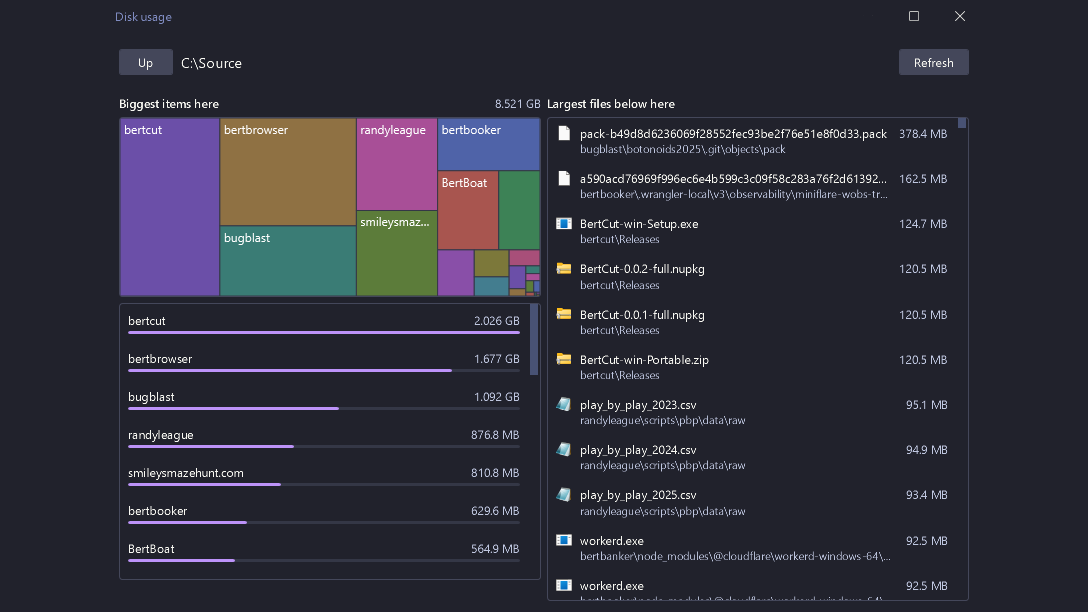
- Tree Map browser by filesize - Visualize recursive directory sizes, easily find whats taking the most space.
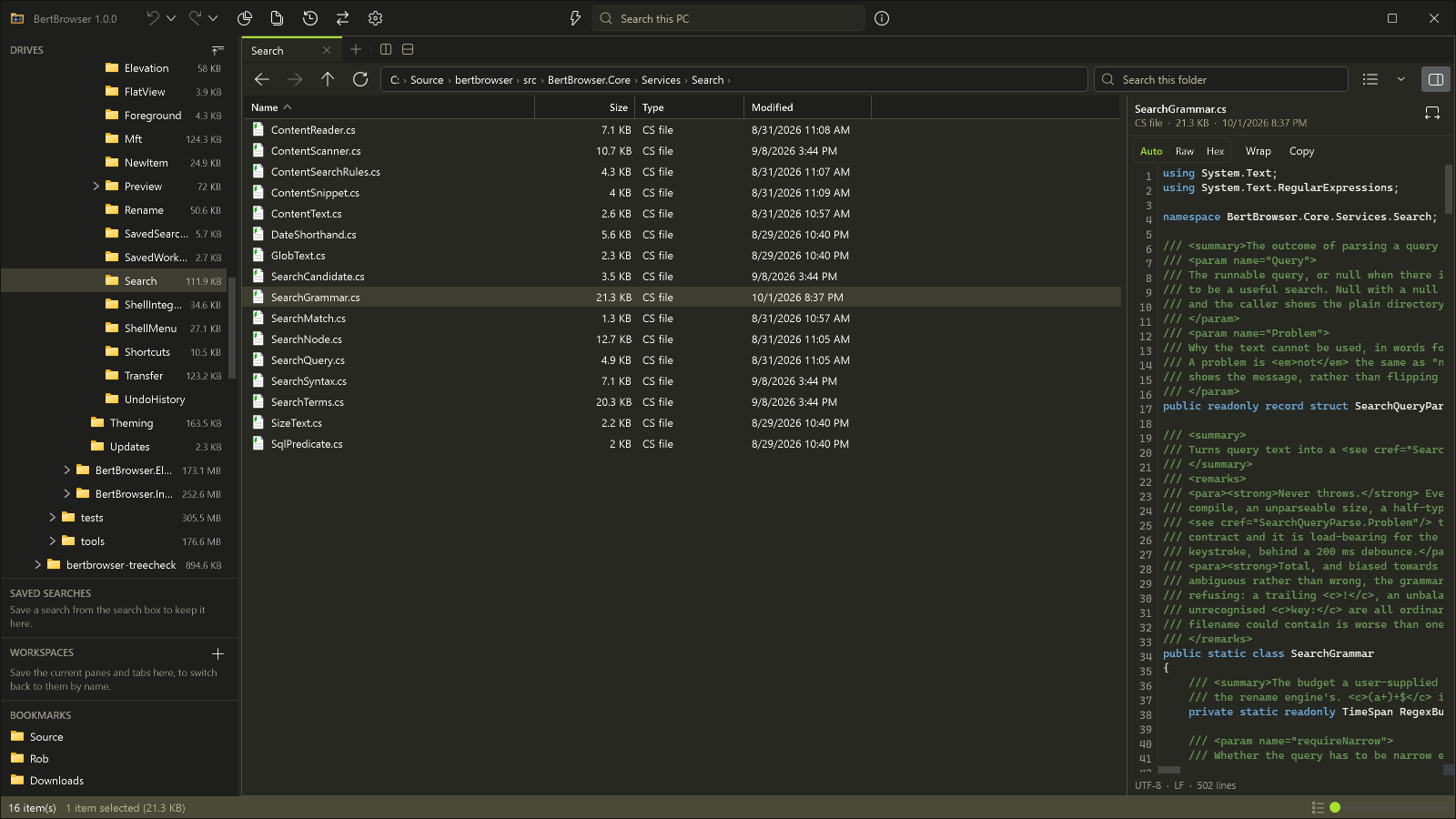
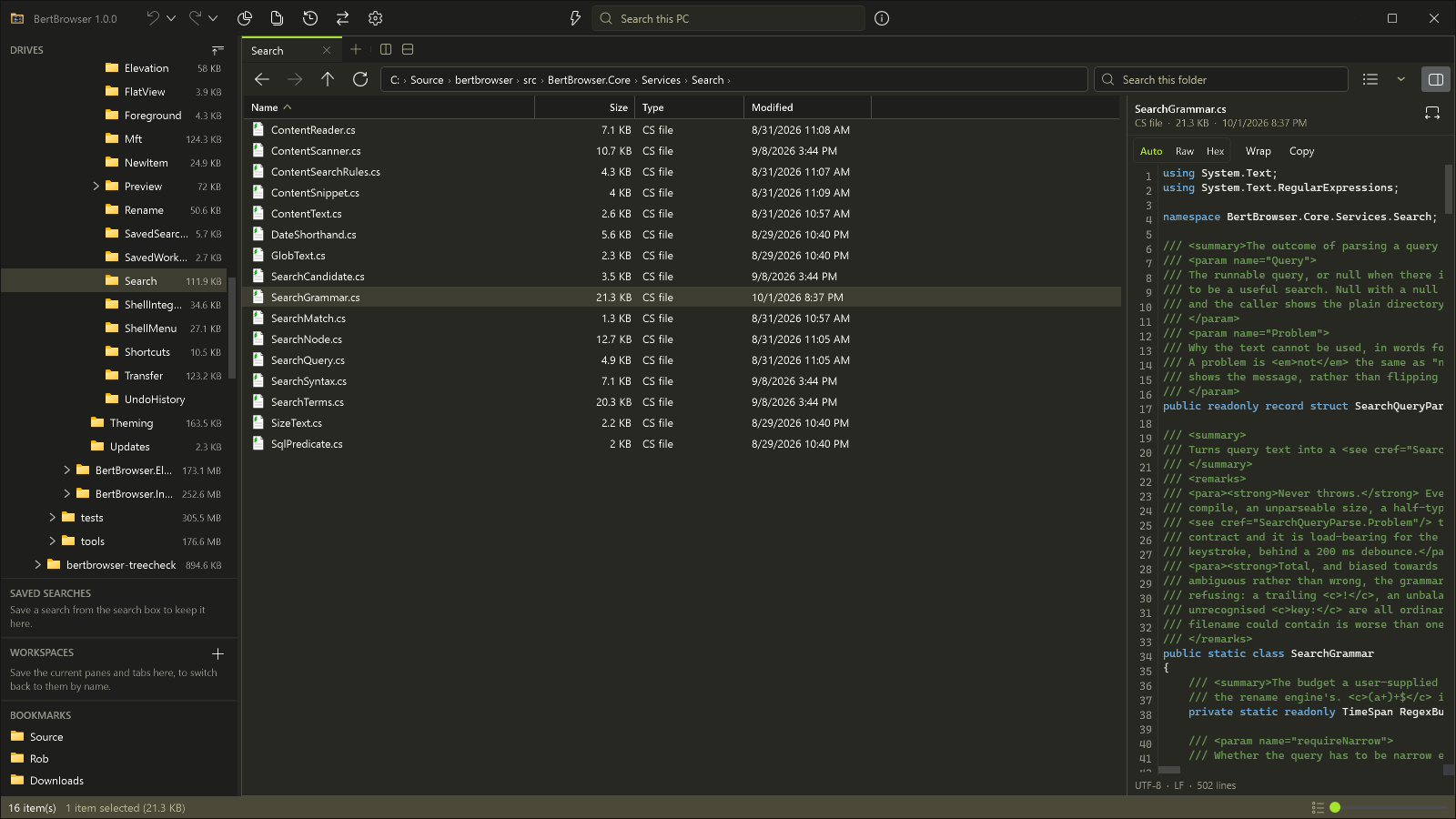
- Rich Preview Panel - Inline media playback, syntax highlighting in text, hex viewer
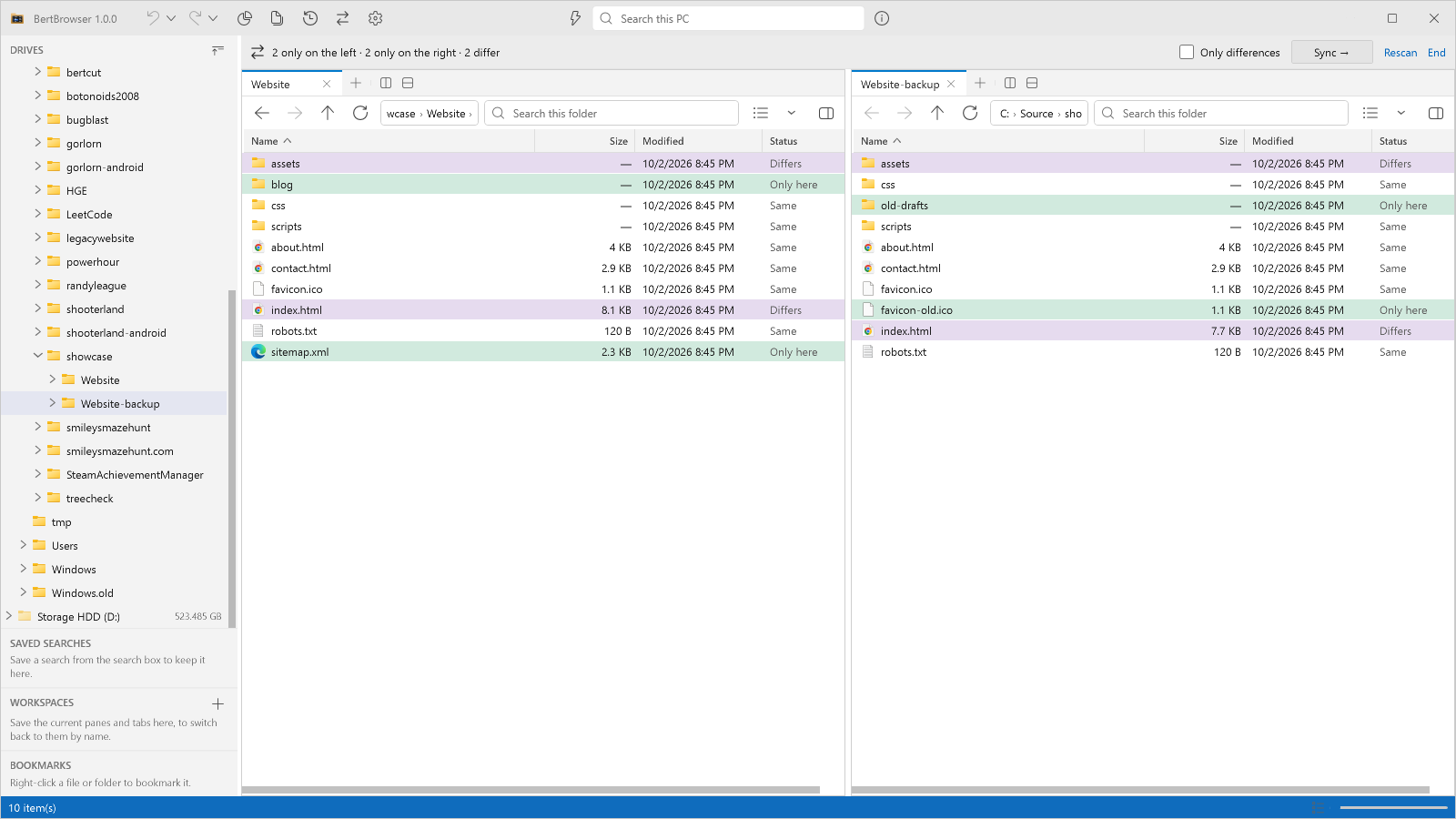
- Tools - Find duplicates, compare files and directories, track file system changes, and more!
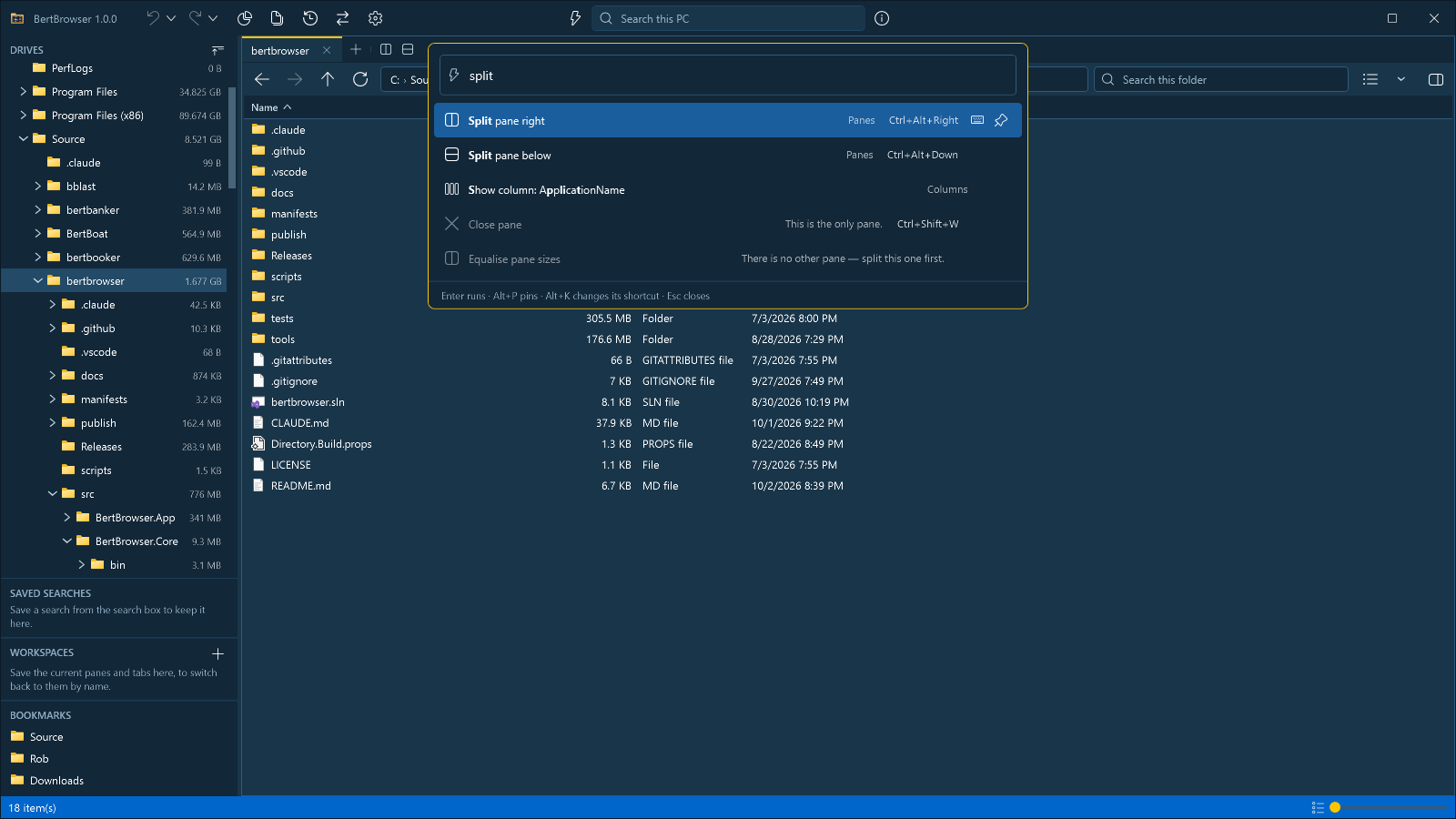
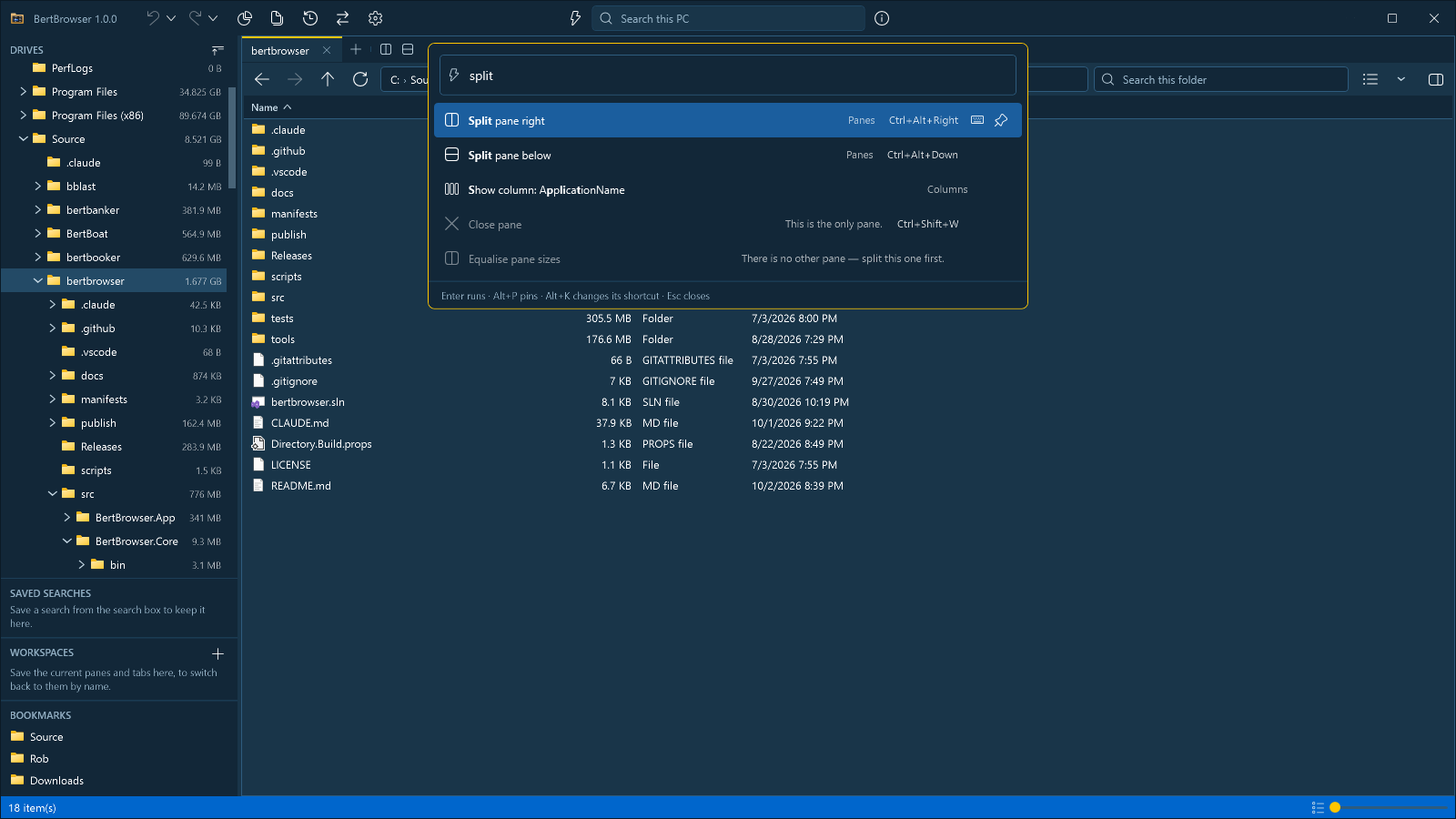
- Customizable - Customizable command palette, menus, toolbars, browser columns, context menus, themes; saved workspaces and searches.
Install
winget install RobWalsh.BertBrowser
Unstable
The latest code in main, rebuilt and published on every push. It gets the same test suite a release
gets and none of the settling time.
It replaces an installed copy rather than sitting beside it, and from then on that copy updates
along unstable instead of along releases. Help ▸ About says which you are on, as does the taskbar — BertBrowser 1.1.3-unstable.42
against BertBrowser 1.1.2. Your data in %USERPROFILE%\.bertbrowser is untouched either way, and
running the stable installer
over the top puts you back.
See bench/README.md.
Building and running
git clone https://github.com/robgwalsh/bertbrowser.git
cd bertbrowser

dotnet build bertbrowser.sln       # build
dotnet test bertbrowser.sln        # run tests
dotnet run --project src/BertBrowser.App              # launch
dotnet run --project src/BertBrowser.App -- C:\Some\Dir   # launch at a specific folder
Note that warnings are treated as errors across the solution (Directory.Build.props), so a clean build is a warning-free build.
See docs/build-and-release.md for packaging, the tag-driven release workflow, and how updates reach installed copies.
Testing the interface
tools/BertBrowser.Harness allows testing the BertBrowser in a headless way: it builds the app's own service graph and shows the real
MainWindow parked outside every monitor and refused activation, then drives it with a small script
language and captures it with RenderTargetBitmap — a software re-render of the visual tree, so
being offscreen and covered costs nothing.
$harness = "tools\BertBrowser.Harness\bin\Debug\net10.0-windows\BertBrowser.Harness.exe"

& $harness --script tools\ui\smoke.bbs      # browse, search, move, rename, delete, undo
& $harness --script tools\ui\themes.bbs     # every built-in theme, and the dialogs
& $harness --script tools\ui\tree.bbs --sandbox C:\Source\treecheck --allow-outside
& $harness -c "tree .; refresh; shot look"  # ad hoc; prints the PNG path
& $harness --help
Each run gets a throwaway fixture tree and its own scratch BERTBROWSER_DATA_DIR, so it never
touches your real index, settings or themes. It starts no programs, never touches the clipboard, and
refuses to write outside its sandbox — the harness drives the real transfer, rename and delete
executors, not stubs.
Benchmarking
tools/BertBrowser.Bench comprehensively benchmarks all aspects of BertBrowser performance.
Results are compared against a committed per-machine baseline, CI gates allocations on every
push, and docs/performance.md is generated from the baselines.
$bench = "tools\BertBrowser.Bench\bin\Release\net10.0\BertBrowser.Bench.exe"
& $bench run --filter *FsIndex*          # a Core area, BenchmarkDotNet
& $bench ui --scenario listing-10k       # a UI scenario, five fresh processes
& $bench compare --baseline bench\baselines\.json --current bench-results\current.json
Data locations
| What | Where |
|---|
| Size-cache + search-index database | %USERPROFILE%\.bertbrowser\bertbrowser.db |
| Window/session settings | %USERPROFILE%\.bertbrowser\settings.json |
Delete the folder to reset the app completely.
Project layout
src/BertBrowser.Core — everything testable and UI-free: SQLite persistence and migrations, path canonicalization, search-index and directory-size services.src/BertBrowser.App — the WPF shell (MVVM via CommunityToolkit.Mvvm, DI via Microsoft.Extensions.DependencyInjection).tests/BertBrowser.Core.Tests — xUnit tests for Core; they run against real temp SQLite databases and directory trees.tools/BertBrowser.Harness — hosts the real window offscreen and scripts it; tools/ui/*.bbs are the scripts.tools/BertBrowser.Bench — the benchmark tool; bench/baselines/ holds what it is compared against.
See CLAUDE.md for a deeper architecture walkthrough (path-key invariants, migrations, the size-scan algorithm).
License
MIT