
FreSH
Runs bash scripts on Windows, unchanged.
No WSL, no MSYS2, no Git Bash. One executable, written in C, starts in 9.5 ms.
The same shell runs on macOS and Linux, and on ARM as well as x64.
scoop bucket add fresh https://github.com/S42yt/FreSH
scoop install fresh/fresh              # or: scoop install fresh/fresh-portable
Or download FreSH.exe from the releases
and put it on your PATH. Nothing else is needed. On a Mac or a Linux
box:
sh -c "$(curl -fsSL https://raw.githubusercontent.com/S42yt/FreSH/master/install.sh)"
Windows on ARM gets FreSH-Setup-arm64.exe. Every way to install it is in
installing, and verifying the download
takes one command.
What it is
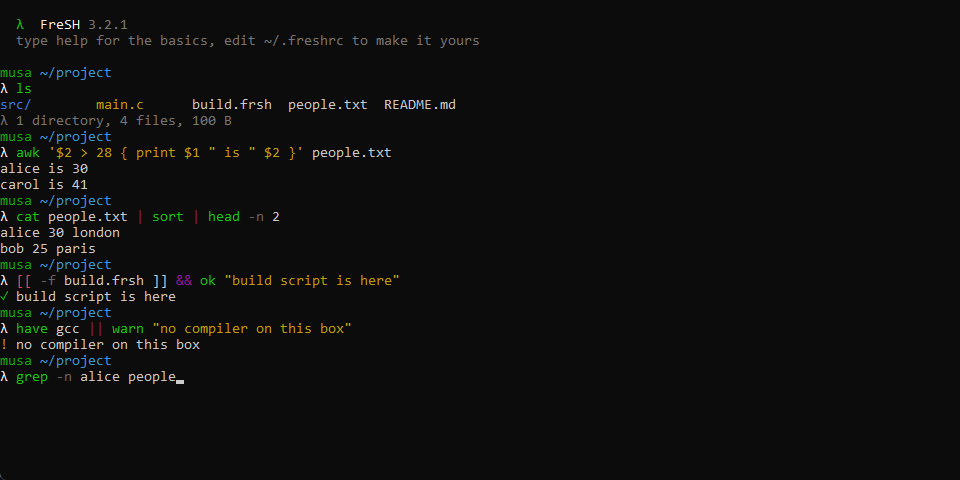
A shell for Windows that runs the bash scripts you already have. What
"unchanged" means is written down honestly in
bash compatibility: what works, what does not, and why. Every
line under Works has a test, and on every push CI runs the same scripts
through real bash on Linux and through FreSH on Windows and fails the build on
any difference.
It does not shell out for the parts a unix script leans on. awk, sed,
grep, sort and the rest are built in, so a pipeline does not spawn a
process per stage, and a script behaves the same on a machine with nothing else
installed. A line that starts with a PowerShell cmdlet or a cmd builtin is
handed to the right shell whole, so you never have to leave.
It starts quicker than cmd, about 25× quicker than Git Bash, and it stays
quick with a theme, plugins and a git prompt loaded:
| Shell | start, run nothing, exit |
|---|
FreSH -c exit | 11.8 ms |
cmd /c exit | 12.9 ms |
bash -c exit (Git Bash) | 236 ms |
pwsh -c exit | 570 ms |
Every number here has a method and a script behind it in
benchmarks, and the story of how each one was won is in
the blog.
Documentation
Using it: shortcuts ·
configuration · themes ·
plugins
Writing scripts: scripting ·
bash compatibility · awk ·
command reference · how it fails
Getting and trusting it: installing ·
verifying a download ·
code signing
Working on it: building ·
benchmarks · tests ·
fuzzing · blog
Updating
FreSH updates itself:
fresh update             # install the newest release
fresh update --check     # only say whether there is one
fresh update --pre       # take prereleases too
fresh update --selector  # browse every release, arrows move, enter installs
Behind a proxy, set FRESH_PROXY to its address, with the login in it if the
proxy wants one; configuration has the shape.
License
GNU General Public License v3.0, see LICENSE.
Contributing
Issues and pull requests welcome. CONTRIBUTING.md has the
branch naming, the commit style, what a change needs to bring with it, and how
releases are cut. The short version: branch as feat/, fix/, perf/,
docs/, test/, ci/, refactor/ or chore/ followed by kebab case, open a
pull request, keep CI green.