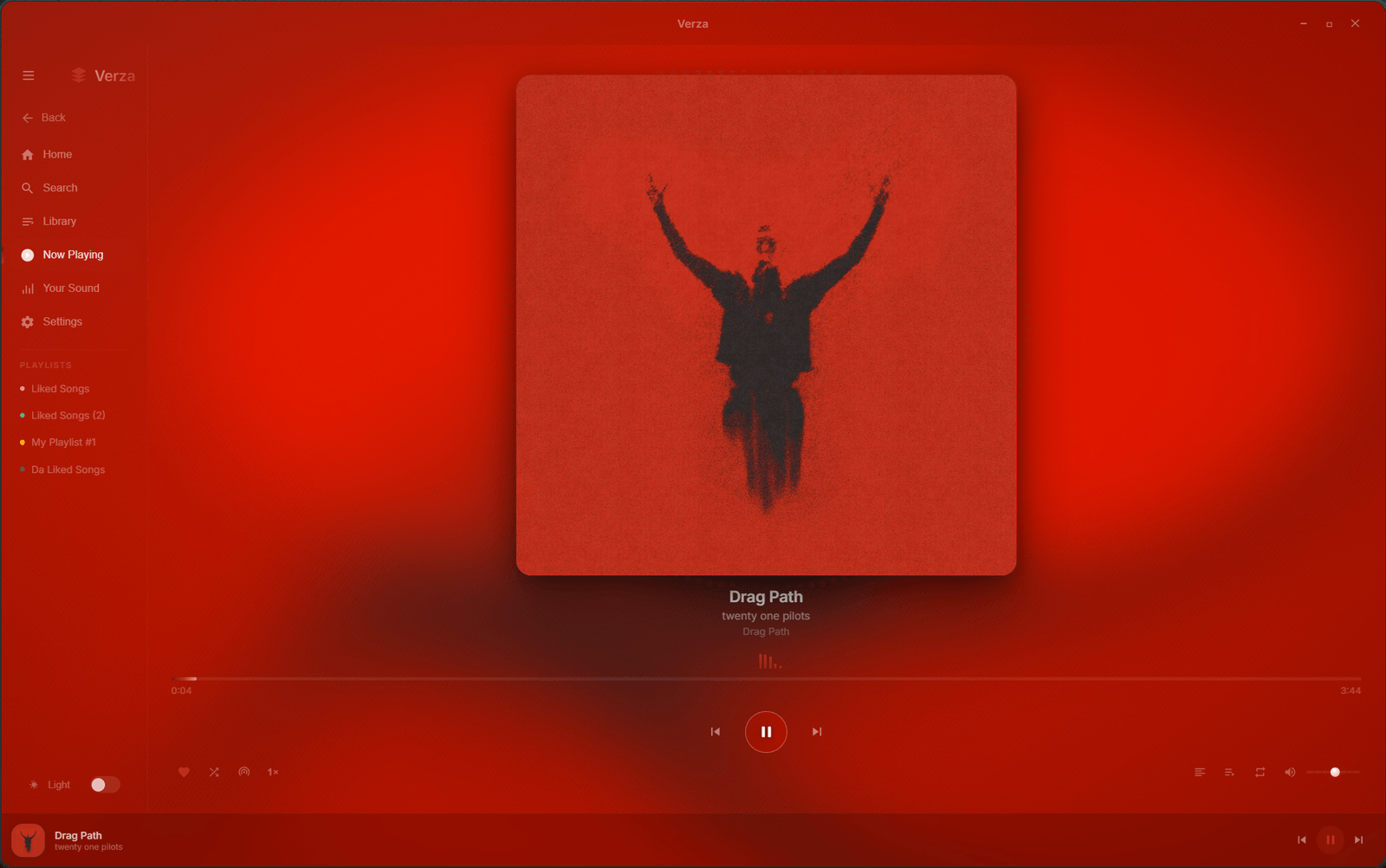
Verza Next is a desktop player for YouTube Music. It plays audio only, without video or ads,
and adds the things a music app is expected to have: offline downloads, time-synced lyrics,
a 10-band equalizer with presets, crossfade, volume normalization, a sleep timer, global
media hotkeys and Windows media controls.
Its home page is built from what you actually listen to rather than an editorial feed, and
"Your Sound" works out the genres behind your listening and builds radio stations from them.
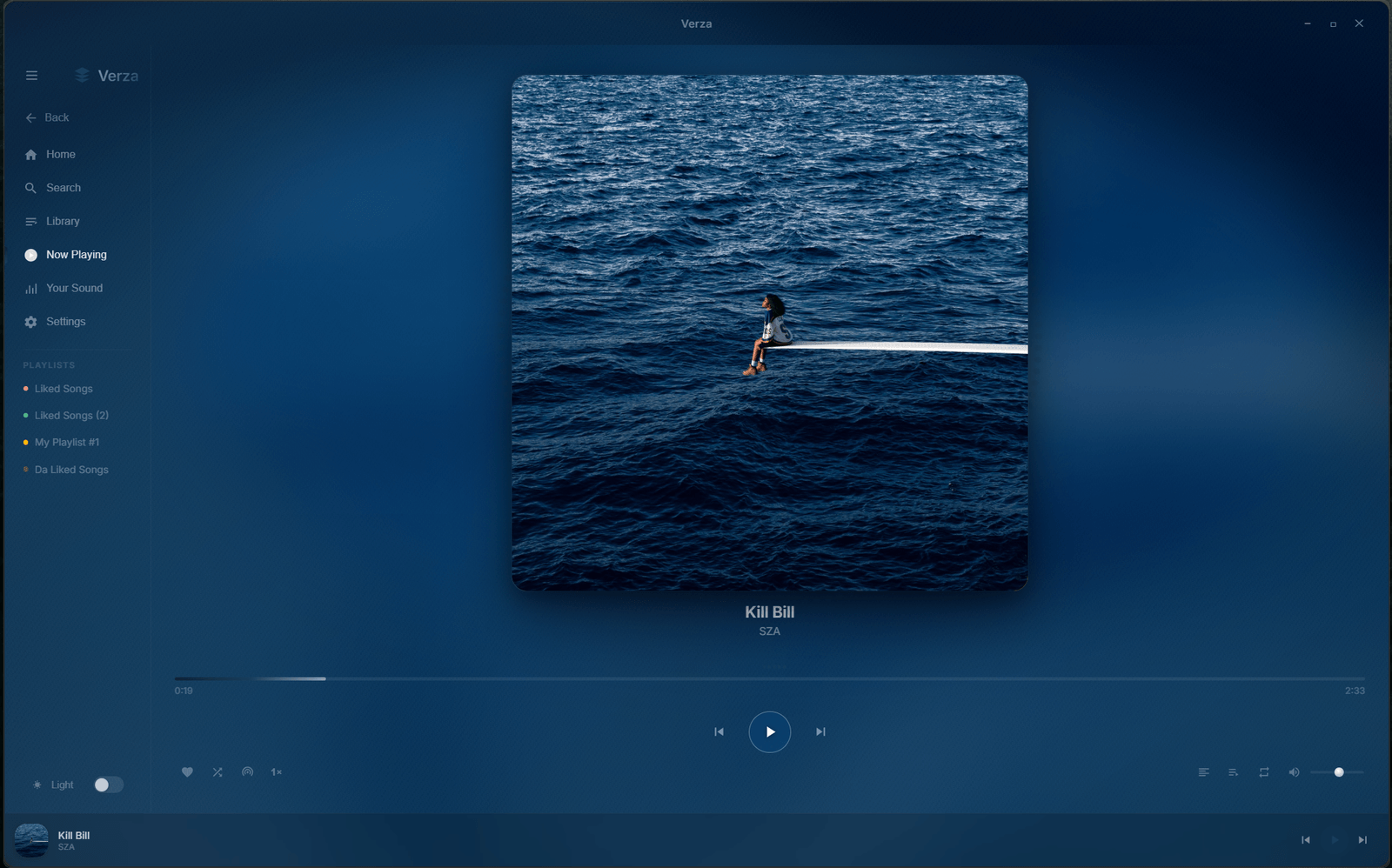
The window is translucent, with a liquid-glass look that picks up the colour of the album art.
Verza Next is unofficial and is not affiliated with YouTube or Google.
README
Verza Next
A translucent, liquid-glass music player for Windows
Anonymous · audio-only · every animation hand-tuned.
Instant-start playback, offline downloads, synced lyrics, a 10-band EQ,
and a flowing album-art background that always matches what's playing.
> Not affiliated with YouTube or Google. Verza is an independent personal project. It plays
> publicly-available music through YouTube's own endpoints — it bundles no copyrighted media, ships no
> API keys, and stores nothing on any server. For personal use.
Install in 3 steps
DownloadVerzaNext_x.y.z_x64-setup.exe from the latest release.
Run it. Windows will likely warn you with a blue "Windows protected your PC" screen — this is
normal for apps that aren't code-signed by a big company (a certificate costs hundreds a year).
Click More info → Run anyway.
Open Verza Next. Choose Sign in for your YouTube Music library, or Skip — full-length
playback works either way.
Verza Next keeps itself up to date: it checks on launch and installs on the next restart.
Your first minute
Search anything at the top → click a song to play, or an album/artist to open it.
Press ▶ — audio starts in well under a second and stays seekable while it loads.
Click the cover for Now Playing: synced karaoke lyrics, a live visualizer, and the flowing
cover-art background.
Hit ♥ to save a song. Playing one starts a radio that keeps going — or pick
Discovery radio for songs and artists you've never heard.
Right-click almost anything for actions: play next, add to queue, like, download, go to artist.
What it does
⚡ Instant-start playback, full-length, even signed out
⬇️ Offline downloads — a song, an album, or a whole playlist; plays with no connection
🎧 Discovery radio — genuinely new music every time, never the same rotation twice
🎚️ 10-band EQ, crossfade, playback speed, and output-device picking
🎤 Real time-synced lyrics that light up in time with the track
📊 Your Sound — your listening story (top artists, when you listen, comfort songs), computed on your device
💜 Your library — liked songs, recents, and your own playlists
📥 Import from Spotify or a playlist JSON (Apple Music, Deezer, TIDAL, Soundiiz…)
🎨 Liquid glass — real Windows acrylic, six accent palettes plus Adaptive (colour from the cover), light & dark
🖥️ Desktop-native — system tray, media keys, global hotkeys, launch at startup, notifications
🌙 Sleep timer, wind down, gentle start, and resume where you left off
FAQ
Is it safe? Why does Windows warn me?
The app isn't code-signed (those certificates are expensive), so Windows SmartScreen shows a warning for any unrecognised installer. Choose More info → Run anyway. Verza talks to no server of its own.
Do I need a YouTube account?
No. Playback, search, radio, lyrics and downloads all work signed out. Signing in only adds your personalised home feed and your YouTube Music library.
Where is my data stored?
In a folder on your PC (%USERPROFILE%\.verza) — library, settings, and downloads. If you sign in, the login is kept only on your machine and never appears in a backup or export.
How do updates work?
Automatically — Verza Next checks on launch, and you can also check any time from Settings → Check for updates. New versions install on restart, and a What's new card shows what changed.
Is there a Mac or Linux build?
Not yet — Windows 10/11 (64-bit) today.
Verza Next — a personal project, shared for personal use. Not affiliated with YouTube or Google.