Use this command to install BatteryNotifier with WinGet:
winget install --id=Sandip124.BatteryNotifier -e
BatteryNotifier is a cross-platform battery monitoring application designed to notify users when their laptop battery is fully charged or running low. It provides real-time insights into battery status, helping users manage their devices efficiently.
Key Features:
Customizable Notifications: Set personalized charge thresholds for full and low battery alerts.
Battery Drainer Detection: Identifies apps consuming excessive power and offers actionable tips to optimize usage.
System Tray Integration: Runs quietly in the background with a click-to-access interface.
Themes and Sounds: Supports Light, Dark, and System themes, along with built-in tones, curated sounds, or custom audio files.
Do Not Disturb Awareness: Respects focus modes on all platforms to avoid interruptions.
Encrypted Settings: Securely stores preferences using DPAPI (Windows) or AES-256-GCM (macOS/Linux).
Audience & Benefit:
Ideal for busy professionals, travelers, and anyone managing multiple devices. BatteryNotifier helps users reduce battery stress, extend device longevity, and stay productive with timely alerts and insights into power consumption. It can be installed via winget.
README
Battery Notifier
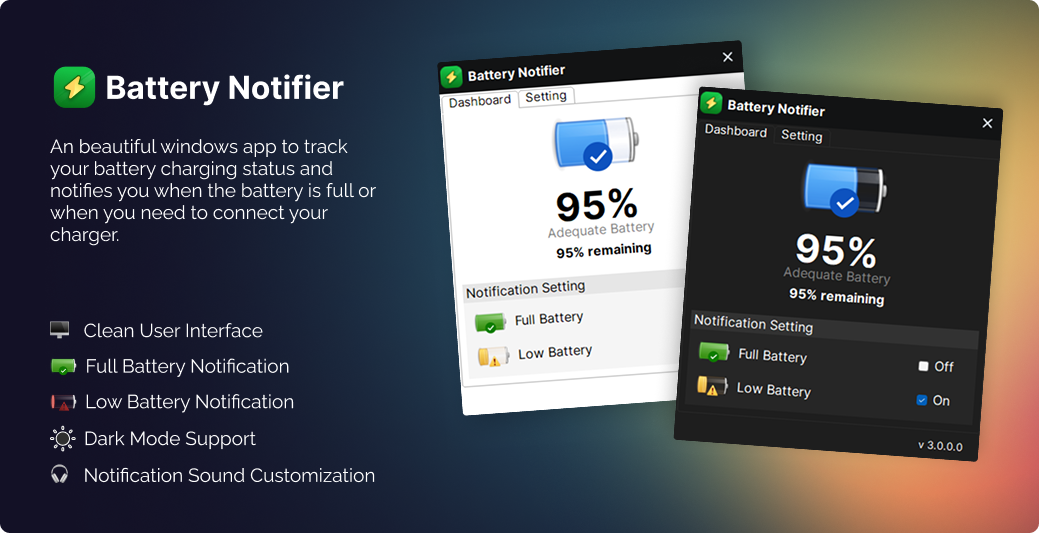
A cross-platform battery monitoring app that notifies you when your battery is full or low. Runs in the system tray with customizable sounds, themes, and notification thresholds.
Built with Avalonia UI and .NET 10 — works on Windows, macOS, and Linux.
Screenshot:
Features
Battery notifications — alerts when battery is full (while charging) or low (while discharging)
Customizable thresholds — set your own full/low battery percentage triggers
Battery drainer detection — shows which apps are draining your battery the most, with estimated time impact and actionable tips
Battery health dashboard — capacity, cycle count, temperature, power draw, charge history sparkline, and wear trend
Sound library — built-in synthesized tones, bundled Editor's Choice sounds, or import your own
System tray — runs quietly in the background, click to show/hide
DND-aware — respects Do Not Disturb / Focus mode on all platforms
Themes — System, Light, and Dark mode
Launch at startup — auto-start with your OS
Escalating notifications — Duolingo-inspired backoff so you're not spammed
Encrypted settings — encrypted at rest (DPAPI on Windows, AES-256-GCM on macOS/Linux)