Ridgeline Saturate
Use this command to install Ridgeline with WinGet:
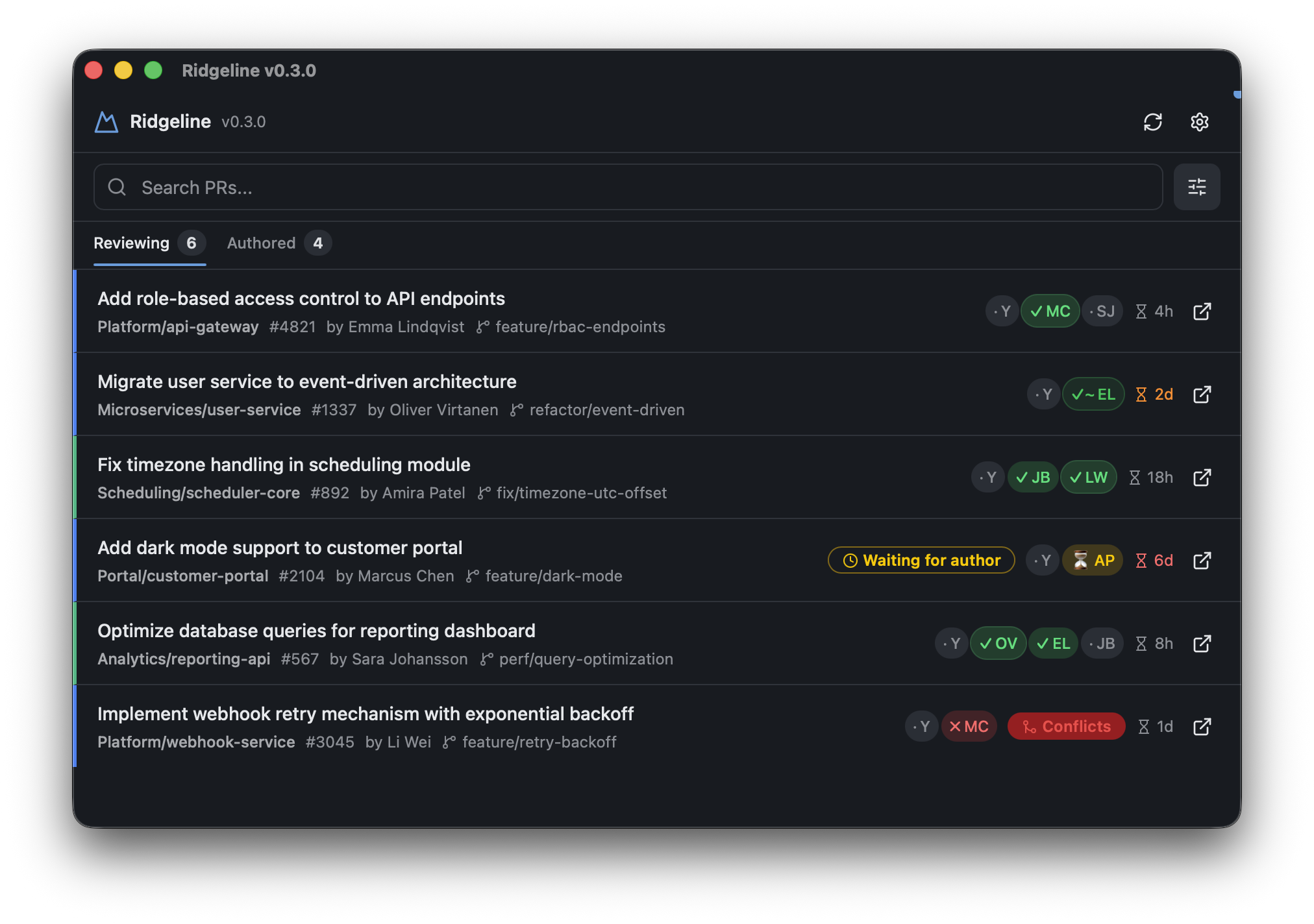
winget install --id=Saturate.Ridgeline -e Ridgeline is a desktop application designed to centralize pull request management across Azure DevOps organizations, projects, and repositories. It streamlines code review workflows by providing a unified view of all active pull requests in one place.
Key Features:
- Cross-tenant overview: Connect multiple Azure DevOps organizations for comprehensive pull request monitoring.
- Reviewing/Authored tabs: Separate views for PRs you're reviewing versus PRs you've created.
- Vote summary: Track approval status, rejections, and "waiting for author" states at a glance.
- Configurable filters: Hide drafts, filter by provider, and search across titles, repositories, and branches.
- Native notifications: Receive OS-level alerts for new PRs, vote changes, and build failures.
Audience & Benefit: Ideal for developers, code reviewers, and DevOps professionals managing multiple Azure DevOps environments. Ridgeline saves time by consolidating pull request management into a single interface, reducing context switching and improving workflow efficiency. It can be installed via winget on Windows.