SciScope



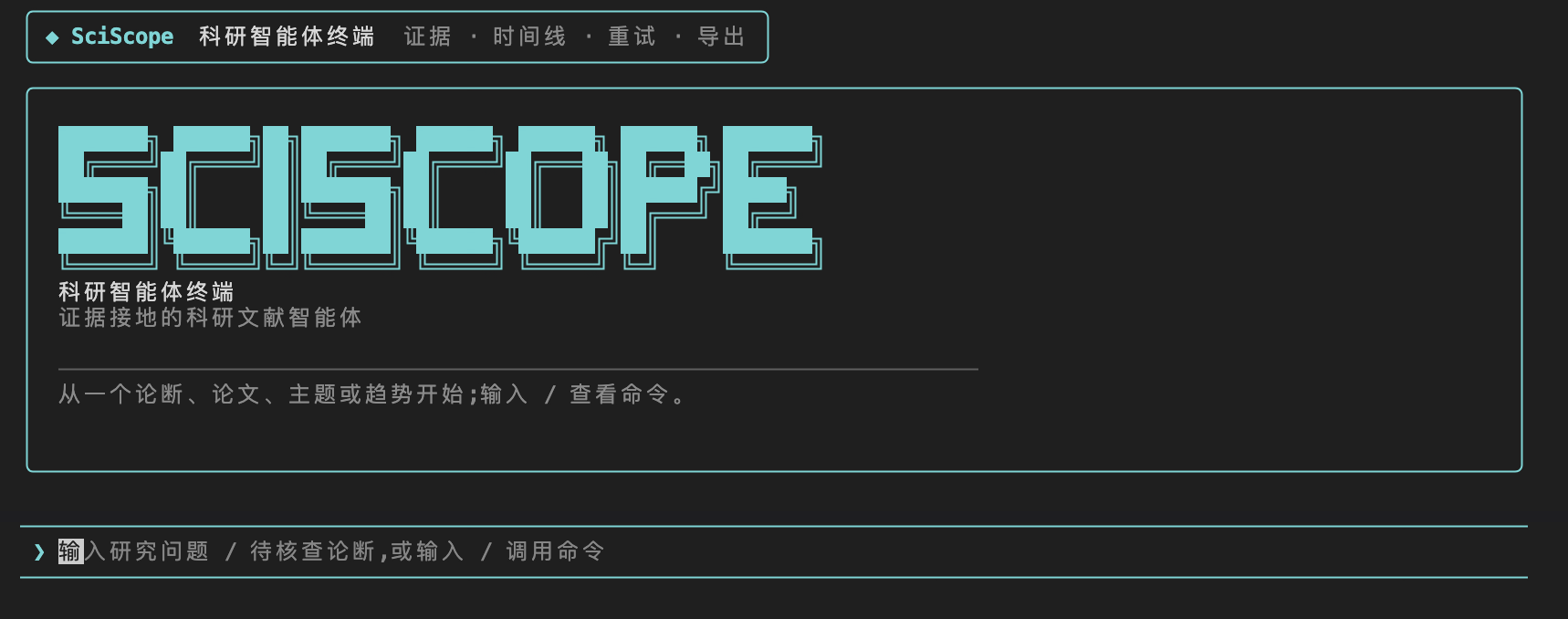
SciScope 是一个证据接地的科研文献智能体:用户通过跨平台终端客户端提问,
后端以文献检索、趋势分析、论文推荐、证据核查和报告资产为基础给出可追溯回答。
发布版默认连接托管后端,普通用户无需本机启动 Python、PostgreSQL 或模型服务。
快速开始
推荐优先使用 npm,macOS 用户也可以用 Homebrew,Windows 用户也可以用 Scoop。
完整下载索引见 docs/release/README.md。
npm install -g sciscope-tui
sciscope-tui
Windows npm 用户如果遇到 GitHub Release 下载或解压失败,可暂时使用 Scoop;
npm 修复版 0.2.2 已在源码中准备好,等待 registry 发布。
其他安装方式:
| 场景 | 命令 | 适合谁 |
|---|
| 跨平台 / 开发者 | npm install -g sciscope-tui | macOS、Windows、Linux;已有 Node.js 的用户 |
| macOS | brew tap Timcai06/sciscope && brew trust --cask timcai06/sciscope/sciscope-tui && brew install --cask sciscope-tui | Homebrew 用户 |
| Windows | scoop bucket add sciscope https://github.com/Timcai06/scoop-sciscope && scoop install sciscope-tui | Scoop 用户 |
| 无网络演示 | sciscope-tui demo | 不依赖后端的固定演示流程 |
启动后直接输入科研问题即可;也可以输入 / 查看命令菜单。离线演示:
sciscope-tui demo
开发者连接本地后端:
SCISCOPE_BACKEND=http://127.0.0.1:8000 sciscope-tui
产品边界
- Python 是底座:数据治理、RAG、检索、证据接地、Agent 工具编排都在
backend/ 与 src/ 体系中实现。
- Go TUI (
tui/) 是终端客户端,不承载推理,只消费后端的 SSE 事件。
- Web 前端已从当前项目路径移除;主交互端为 Go TUI 与 FastAPI API。
仓库启动面向 Makefile,以下信息优先于旧文档口径。文档总入口见
docs/README.md;日常操作以本 README、tui/README.md、
docs/operations/deploy-hosted-backend.md 和 docs/operations/runbook.md 为准。
当前环境口径
| 场景 | 后端 | 数据库 | 检索 | 用途 |
|---|
| 生产/demo | Render Web Service | Supabase Postgres + pgvector | PostgreSQL FTS + DeepSeek evidence chat;禁用运行时本地 embedding | 用户试用、演示视频、npm/Brew/Scoop 默认入口 |
| 本地开发 | 本机 FastAPI | 本地 PostgreSQL | full hybrid lexical + semantic retrieval | 全量数据、模型实验、报告生成、agent 调试 |
生产/demo 为小样本 hosted corpus,当前约 220 papers / 467 chunks。本地开发环境
保留全量语料、全量向量与更重的语义检索能力。不要把 hosted free demo 描述成全量
semantic production;它是稳定公开入口,架构上可升级到更大实例后开启运行时语义检索。
项目结构速览
- 目标:把论文源数据变成可检索、可问答、可分析的交付资产(图表、报告、证据链)。
- 数据入口:
data/raw(新增采集 landing zone)、data/raw_canonical(可审计原始底账)、src/harvest(采集/治理入口)。
- 服务出口:
backend/app 的 FastAPI(搜索、趋势、推荐、Agent 流式问答)。
- 访问端:
项目目录和运行边界见 docs/architecture/project_structure.md。
本地开发
环境要求:
- Python 3.11+
- PostgreSQL(RAG/检索链条和
/api/search 需要)
- Go(如运行
make tui)
标准启动:
make install
make backend
打开:
- 后端文档:
http://127.0.0.1:8000/docs
常见开发运行路径:
- 后端:
make backend 或 make dev。
- 仅 TUI:发布版直接
sciscope-tui;源码开发用 make backend(先起后端)→ make tui。
- 本地模型端到端:先保证可用 OpenAI-compatible 服务,再用
make dev-vllm。
- 离线演示:
make tui-demo。
- TUI 体检:
make tui-doctor。
- MCP 服务端:
make mcp(把工具暴露给 Claude Desktop 等 MCP 客户端,详见 docs/developer/mcp.md)。
核心命令
数据层与报告
make raw-governance:原始治理到 data/raw_canonical。make analysis-assets-all:生成 data/analysis/*。make processed-corpus:生成 data/processed/papers_corpus.json。make report-figures:生成图表资源到 output/assets/sciscope_data_report/。make data-report-pdf:生成 sciscope_data_report.pdf。make project-report-pdf:先刷新项目报告图表,再生成 sciscope_project_report.pdf。make full-rebuild:从分析资产开始重建入库、向量、模型、图谱与数据报告;原始治理需先跑 make raw-governance。make data-layer-refresh:分析资产 + 语料 + 报表重建的轻量入口。
data/ 不是 PostgreSQL 的重复备份:它是数据库、RAG、模型、报告的可重建资产层。数据库负责在线查询服务;data/raw_canonical、data/analysis、data/processed/papers_corpus.json、data/processed/paper_chunks.jsonl 负责复现、审计与报告。
报告叙事、截图和 hosted/local 口径见 docs/reports/report-optimization.md。
模型层与工具链
make rag-chunks:构建 RAG 块。make postgres-load:写入 PostgreSQL。make postgres-refresh:schema + load 的完整刷新。make embeddings / make trend-model / make recommend-model / make graph-export:模型/图谱资产构建。make agent-build:embeddings + trend + recommend + graph 聚合构建。
服务与验证
make test:后端测试。make test-backend:仅后端测试。make smoke:基础 API 健康检查。make agent-smoke:live agent 黑盒验收,检查真实库表规模、skills 工具链路与工具预算。make vllm-smoke:检查本地 OpenAI-compatible 模型端点。make tui-build TUI_VERSION=0.2.1:产出 Go 客户端二进制。
Terminal Agent Client(Go TUI)
终端客户端是“协议消费者”:它不承载模型与检索决策逻辑,只消费
POST /api/agent/stream 的 SSE 事件并渲染为可读面板。
启动方式(发布版推荐,默认连接 hosted backend):
sciscope-tui
源码开发时连接本地后端:
make backend  # 先启动后端 127.0.0.1:8000
make llm      # 可选:本地 LLM 兼容网关(用于真实联网问答)
SCISCOPE_BACKEND=http://127.0.0.1:8000 make tui
make tui-demo # 离线演示流程(无后端)
make tui-doctor # 检查后端/LLM/会话目录/图谱资产
版本与发布链路请见:
tui/README.mddocs/release/README.md
运行时速查
默认环境变量(运行时有默认值):
SCISCOPE_DATA_PATH=data/sample/papers.sample.jsonSCISCOPE_DB_DSN=postgresql://tim@localhost:5432/sciscopeSCISCOPE_USE_MOCK_LLM=trueSCISCOPE_LLM_PROVIDER=deepseekSCISCOPE_BACKEND 仅用于 TUI 覆盖后端地址;发布二进制已内置 hosted URL。SCISCOPE_ENABLE_RUNTIME_EMBEDDINGS=false 用于小规格 hosted 服务,避免 Web 容器加载本地 embedding 模型。- Agent 运行时:单一 LangGraph StateGraph(
backend/app/agent/langgraph_runtime.py),无运行时开关。
关键 API:
POST /api/agent/stream(SSE):请求支持 question/history/session_id/retry;SSE 事件 plan/text/tool_call/tool_result/reflect/final/error,并在 meta 中返回 runtime/node/elapsed_ms/session_id/retry,供 TUI 渲染工具时间线与同会话 /retry。GET /api/ingest/statusGET /api/dashboard/overviewGET /api/disputes(只读争议前线;只包含已采信的正反证据)POST /api/chat
常见故障(先查这里)
- 端口不可达:确认
make backend 已启动,访问 127.0.0.1:8000。
- TUI 无法显示流式:确认后端先跑,再执行
make tui;必要时设置 SCISCOPE_TUI_ICONS=off。
- 检索/趋势为空:确认 PostgreSQL 已准备好,执行
make postgres-refresh 或至少 make postgres-load + make rag-chunks。
- LLM 报错:切回
SCISCOPE_USE_MOCK_LLM=true 做快速验证;或先 make llm 提供本地模型。
- 图表/PDF 缺失:检查
data/analysis 和 output/assets/sciscope_data_report,再跑 make report-figures && make data-report-pdf。
- 项目报告缺失或指标过期:先确认
data/processed 和 output/eval 是否为最新,再跑 make project-report-pdf。
现有边界
- 该分支的主运行路径是:Python agent/data layer 为核心,Go TUI 为终端消费端。
- Web 前端源码已移除;若未来重启 Web 界面,应作为新范围重新设计和接入。
src/data_contracts/ 是共享数据契约层(Paper 模型/loaders/normalize),backend 运行时与 src.harvest 共用;核心数据治理以 src/harvest、src/analysis、src/infra 为准。src/models/ 是 Python 代码包(嵌入/趋势/推荐脚本);models/ 是 gitignore 的模型文件资产,二者同名不同物。- DeepSeek 是 hosted/demo 的默认云端模型;确定性本地验证仍可使用 mock 模式,本地 LLM 通路以
make dev-vllm / make llm 为主。
许可证与贡献
SciScope 以 Apache License 2.0 开源。欢迎围绕后端、数据/RAG 管线、Go TUI、
打包发布、文档和测试提交 issue 或 pull request;贡献入口见
CONTRIBUTING.md,安全问题请先看 SECURITY.md,
社区协作规范见 CODE_OF_CONDUCT.md。