OpenKeyboard Pedro Sousa (Sketchpunk Labs)
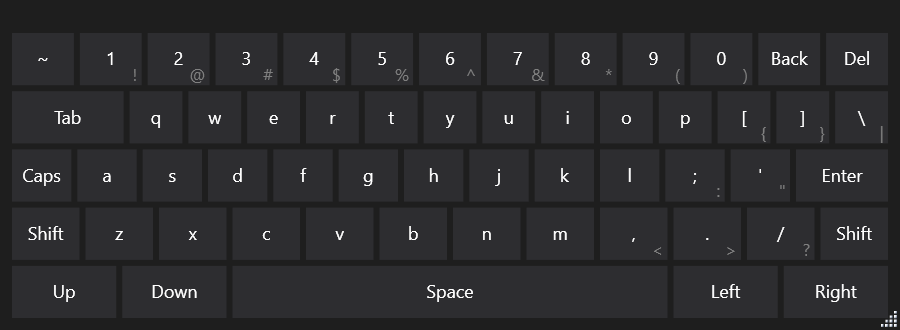
winget install --id=Sketchpunk.OpenKeyboard -e OpenKeyboard is a virtual keyboard application designed for Windows tablet users, offering a compact and customizable on-screen input solution. It serves as an alternative to the default Windows 8 keyboard, which can be too large for some screens, while expanding into versatile functionality through user-defined layouts.
Key Features:
- Customizable Layouts: Users can create or modify XML files to design their own keyboard layouts, enabling tailored configurations for specific needs.
- Resizable and Adaptable Keys: The keyboard window is resizable, with keys that adjust in size accordingly. Opacity settings allow users to make the keyboard semi-transparent, ensuring it stays out of the way when not actively used.
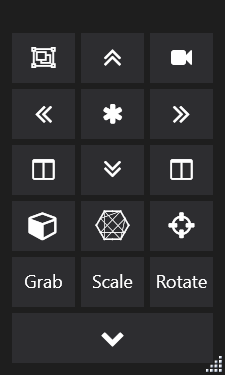
- Popup Menus for Space Efficiency: Custom popup menus can be assigned to buttons, saving space on less frequently used items while maintaining accessibility.
- FontAwesome Icons Integration: Buttons can display icons using FontAwesome, enhancing visual clarity and functionality.
- Portability: The application is portable, requiring no installation beyond unzipping the files and running it, making it ideal for users who prefer lightweight software solutions.
Audience & Benefit: Ideal for Windows tablet users seeking a flexible on-screen keyboard solution, OpenKeyboard is particularly beneficial for those using applications that require quick shortcuts, such as Blender3D. Its customization capabilities allow users to optimize their workflow, enhancing efficiency and ergonomics while working with touchscreens. The ability to create layouts specific to individual needs ensures that the keyboard adapts seamlessly to different tasks and environments.
Installation via winget is available for those who prefer streamlined setup processes.