
Everything Next

Find any file on Windows before you finish typing.
Everything's instant search, delivered through a lightweight Windows 11 app engineered in Rust for speed and low overhead.
Built with Tauri and Leptos. Everything 1.5 and SDK3 are included.




Download for Windows
·
Install with WinGet
·
Features
·
Build from source
·
Report a bug
Native dark and light themes
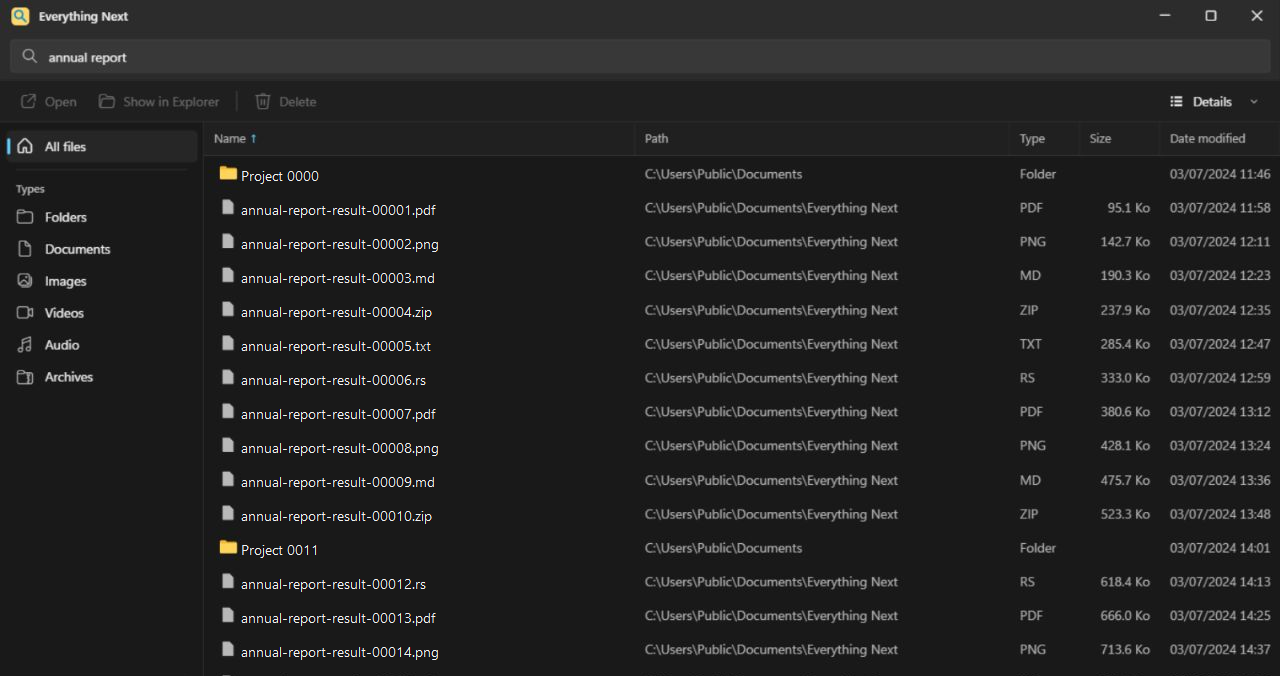
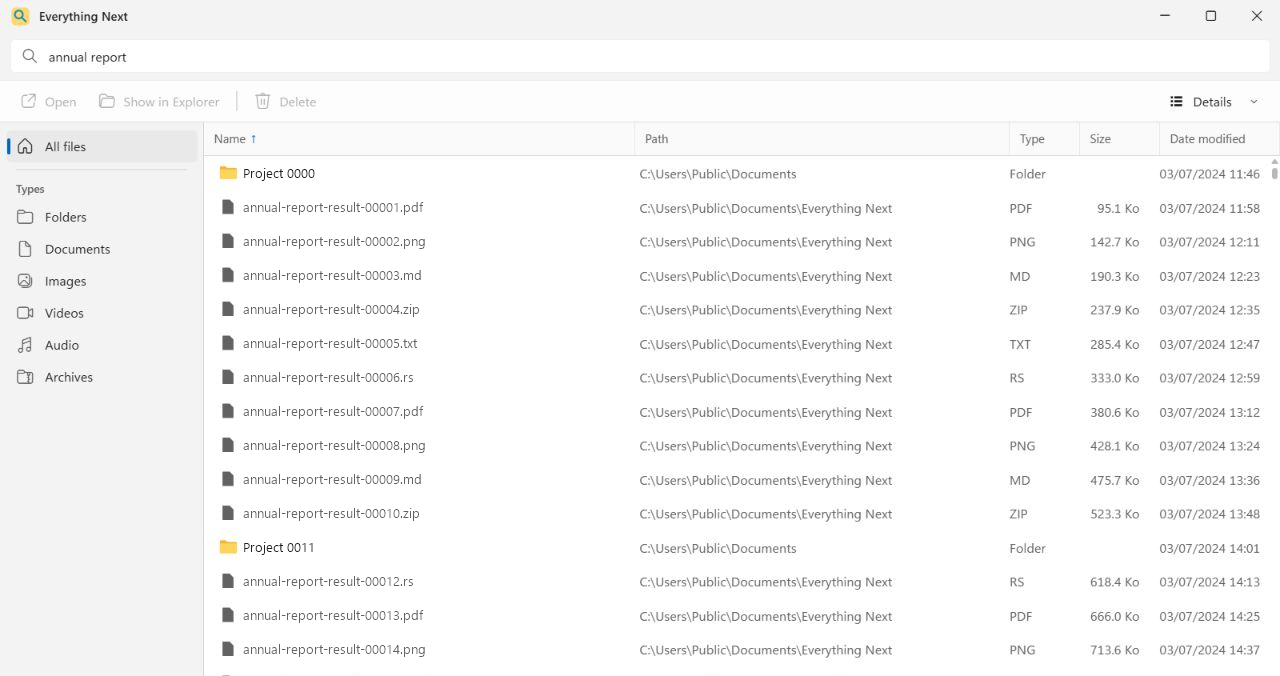
Everything Next Website
stephanorgiazzi.github.io/EverythingNext
Everything Next is an open-source desktop client for Everything 1.5. It keeps Everything's native query syntax and fast index, then adds the file actions, keyboard controls, views, and Windows 11 native-like design.
Why Everything Next
Everything Next is extremely fast: search starts just 55 ms after your last keystroke.
It pairs that speed with a clean, Windows 11-inspired interface that feels right in both light and dark mode.
You can sort by name, path, type, size, or modified date; filter by common file types; exclude folders; and switch between details, small icons, medium icons, and large icons.
Download
- Open the Releases page.
- Download the NSIS
.exe installer for the version you want.
- Run the installer, then launch
EverythingNext.exe.
> [!NOTE]
> Everything Next currently targets Windows 11 x64. The installer runs per machine, installs to Program Files, and requests administrator approval to configure its indexing service.
Install with WinGet
The latest published version is available from the official WinGet community source:
winget install --id StephanOrgiazzi.EverythingNext --exact
PowerToys Run
Everything Next works with the EverythingPowerToys plugin.
In PowerToys Settings → PowerToys Run → Everything, set Everything path to the installed EverythingNext.exe.
The plugin can then:
- read results through the default Everything IPC instance;
- open Show more results with
EverythingNext.exe -s "query".
If Everything Next is already running, the existing window is restored, the query is forwarded, and the search field receives focus.
Keyboard shortcuts
| Shortcut | Action |
|---|
Ctrl+L | Focus search |
↑ / ↓ | Move through results |
Page Up / Page Down | Move by one page |
Home / End | Jump to the first or last result |
Shift + navigation | Extend the selection |
Ctrl+Space | Toggle the current result |
Enter | Open |
F2 | Rename |
Delete | Move to the Recycle Bin with confirmation |
Shift+F10 | Open the context menu |
Ctrl+A | Select every result |
Esc | Close the menu or clear the selection |
How it works
Everything 1.5 maintains the local file index. The Rust backend connects to SDK3 through an explicit named pipe, while the Leptos interface requests only the pages needed for the current viewport. Tauri 2 packages the stack as a Windows desktop application, and Windows Shell APIs supply native icons, thumbnails, clipboard behavior, and file operations.
Searches and file metadata stay on your machine.
Build from source
Requirements
- Windows 11 x64
- Rust stable MSVC
- the
wasm32-unknown-unknown Rust target
- Visual Studio 2022 Build Tools with the Windows SDK
- WebView2, included with Windows 11
Everything 1.4 and older SDK versions are not supported by the native application.
Quick start
Set-ExecutionPolicy -Scope Process Bypass
.\scripts\setup.ps1
.\scripts\check.ps1
.\scripts\dev.ps1
setup.ps1 downloads and verifies:
- Everything SDK3 3.0.0.9 at
src-tauri\Everything3_x64.dll;
- Everything 1.5.0.1418b x64 portable at
src-tauri\engine\Everything.exe.
The first dev.ps1 run creates the isolated EverythingNextDev instance and installs its service under Program Files\Everything Next Dev.
To use local engine or SDK binaries instead:
$env:EVERYTHING_ENGINE_EXE = "C:\path\to\Everything.exe"
$env:EVERYTHING_SDK3_DLL = "C:\path\to\Everything3_x64.dll"
$env:EVERYTHING_INSTANCE = "EverythingNextDev"
Build an installer
For a faster local build:
.\scripts\build.ps1
For a fully checked production build with Thin LTO:
.\scripts\build.ps1 -Production
The NSIS installer is written to target\release\bundle\nsis.
Contributing
Bug reports and focused pull requests are welcome. For behavior changes, open an issue first so the problem and expected behavior are clear before implementation starts.
License
Everything Next is available under the MIT License.
The bundled Everything runtime is redistributed under its MIT license. Everything and PCRE notices are included in src-tauri/engine/THIRD-PARTY-LICENSES.txt and in the installer.
Acknowledgments