Killendar keeps your appointments in a single file on your own machine, with optional SQLCipher AES-256 encryption at rest once you set a password. Month, week, day and agenda views, color categories, recurring appointments, and iCalendar import and export. Unlocked it is an ordinary SQLite database you can read, back up, or copy to another machine. Runs portable or installs for you or every user - no account, no sync, no telemetry. Open source under GPLv3.
README
Free and open-source calendar for Windows with no account, no sync, and no telemetry. Month, week, day and agenda views, repeating appointments, color categories, iCalendar import and export, and optional AES-256 encryption at rest. Your appointments live in a single .kcal file on your own machine - an ordinary SQLite database until you put a password on it. Install or run portable. Single Windows EXE, ~5 MB, no runtime install required.
How importing, repeats, reminders, backups, privacy and the command line work is in the guide. Internals, formats, storage details, and limits live on the technical page.
Features
Four views - month, week, day and agenda - with one shared previous / next / today control; Month zooms from one to six visible weeks and draws multi-day appointments as continuous runs
Appointments edited in a slide-out sidebar panel, not a dialog: title, start and end, all-day, location, description and attendees
Repeating appointments - daily, weekly on the days you tick, monthly on a date or on the first to fourth or last weekday, or yearly, every N of those, ending never, after a count, or on a date - with per-date exceptions; editing or deleting one date offers just that date, this and following (except for a series kept on another time zone's clock), or the whole series
Reminders with snooze and dismiss, shown when they come due and caught up after Killendar was closed, with a tray notification while it sits in the tray
Search, undo, a Recently deleted list kept for 30 days, and verified daily backups going back about five weeks that restore as a new Killendar
Duplicate an appointment, save templates, set your work days and hours, see when appointments overlap, and move them by keyboard
Optional time zones per appointment, with a second zone's hours beside your own in Week and Day
Drag to move appointments across times and days; overlapping appointments sit side by side instead of hiding one behind the other
Color categories you define, painting every view; a work week from your own work days, with time off shaded, and a grid density control down to quarter hours
Import and export in the formats people actually hand you: iCalendar (.ics, RFC 5545) both ways, CSV in Outlook's column format both ways, saved email invites (.eml) in, and a themed web page out in Month, Week, Day or Agenda layout with a print stylesheet
Optional encryption: the lock button puts a password on a Killendar and it is encrypted at rest with SQLCipher (AES-256, per-page HMAC-SHA512); opt-in, so no password means a plain readable SQLite file
As many Killendars as you like - work, on-call, family - each its own .kcal file with its own password or none; keep them in the default profile folder, another folder you choose, or beside the portable executable; show others beside the open one, each in its own color and read only
Thirteen themes - Dark, Light, Black, 98SE, Blood, Greed, Cyanotic, Ectoplasm, Decay, Mourning, Sepulchre, Delirium and Malaise - four of them (Dark, Light, Black and 98SE) take eight accent hues each, so 41 looks in all; twenty languages switchable without a restart (contribute via TRANSLATING.md)
Keyboard driven with single-key shortcuts; full keyboard shortcut overlay on F1 with list and visual keyboard views
Runs portable, or self-installs per-user (no UAC) or machine-wide (/silent for scripted deployment); uninstalls cleanly and never deletes your appointments
Verified code signing shown in the About card, checked with WinVerifyTrust rather than just read off the file
Local-only: no account and no telemetry. The only connection it makes on its own is a check for updates at startup, which you can turn off in About. Copy diagnostics in About gives a support report with no appointment content, names, addresses or paths, and sends nothing
Screenshots
Month view - Holidays named on their day, and a Family calendar shown beside the open one in its own color, on the Dark theme with the red accent.
Week view - A second time zone's hours beside your own, and Thanksgiving named in the day header, on the Decay theme.
Repeats - A monthly repeat on the second Tuesday that moves to the next workday, plus one extra date, on the 98SE theme.
Reminders - Snooze or dismiss each one as it comes due, on the Mourning theme.
Killendars - Every calendar file in the folder, with its last automatic backup, on the Sepulchre theme.
Printing - A printed month, appointments in their category colors with the color key at the top.
Requirements
Windows 10 or 11 (x64)
No runtime install. Everything needed is inside the EXE (targets .NET Framework 4.8, which ships with every supported Windows release).
Download
WinGet:
winget install killendar
Chocolatey:
choco install killendar
Prebuilt binary:
Source (GPL3 corresponding source for this release):
Build from source
git clone https://github.com/SteveTheKiller/Killendar.git
cd Killendar
dotnet build Killendar.csproj -c Release
Requires the .NET Framework 4.8 developer pack and Visual Studio 2022 (or the Build Tools).
Scripted deployment and uninstall completion are described in Deployment and uninstall results, including pending exit code 997 and the final status receipt.
brand/ holds the working artwork and is not tracked. Everything the app consumes is generated out of it into Resources/, which is tracked, so a fresh clone builds without it.
GPLv3. See LICENSE. If you fork, modify, or redistribute Killendar, your version must also be released under GPLv3 with source available. No exceptions for commercial rebrands.
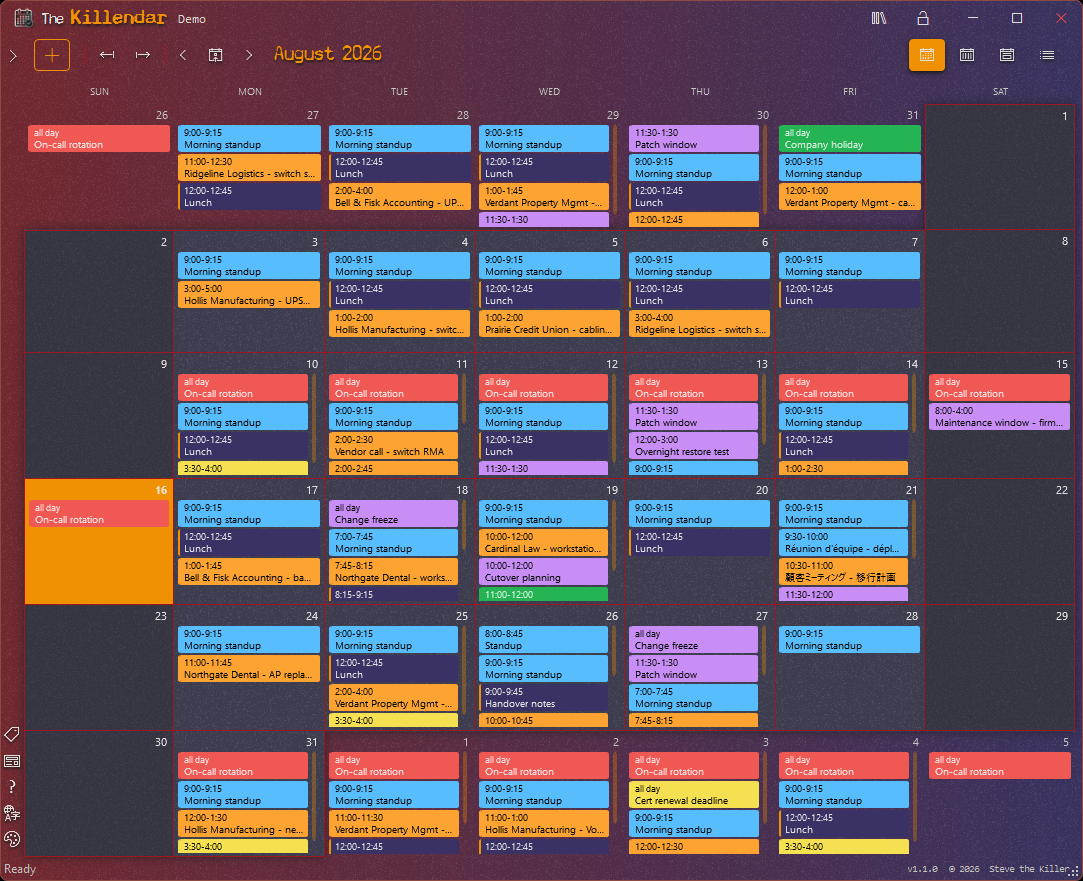 Month view - Holidays named on their day, and a Family calendar shown beside the open one in its own color, on the Dark theme with the red accent.
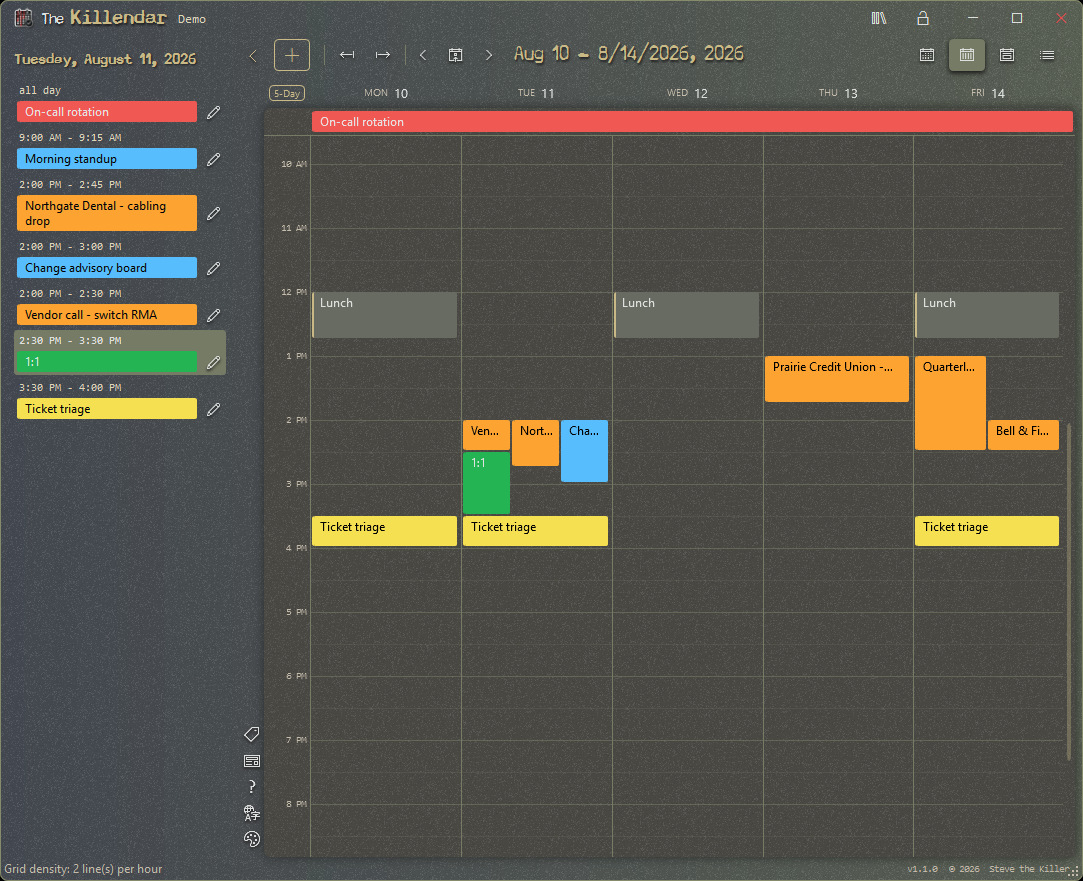 Week view - A second time zone's hours beside your own, and Thanksgiving named in the day header, on the Decay theme.
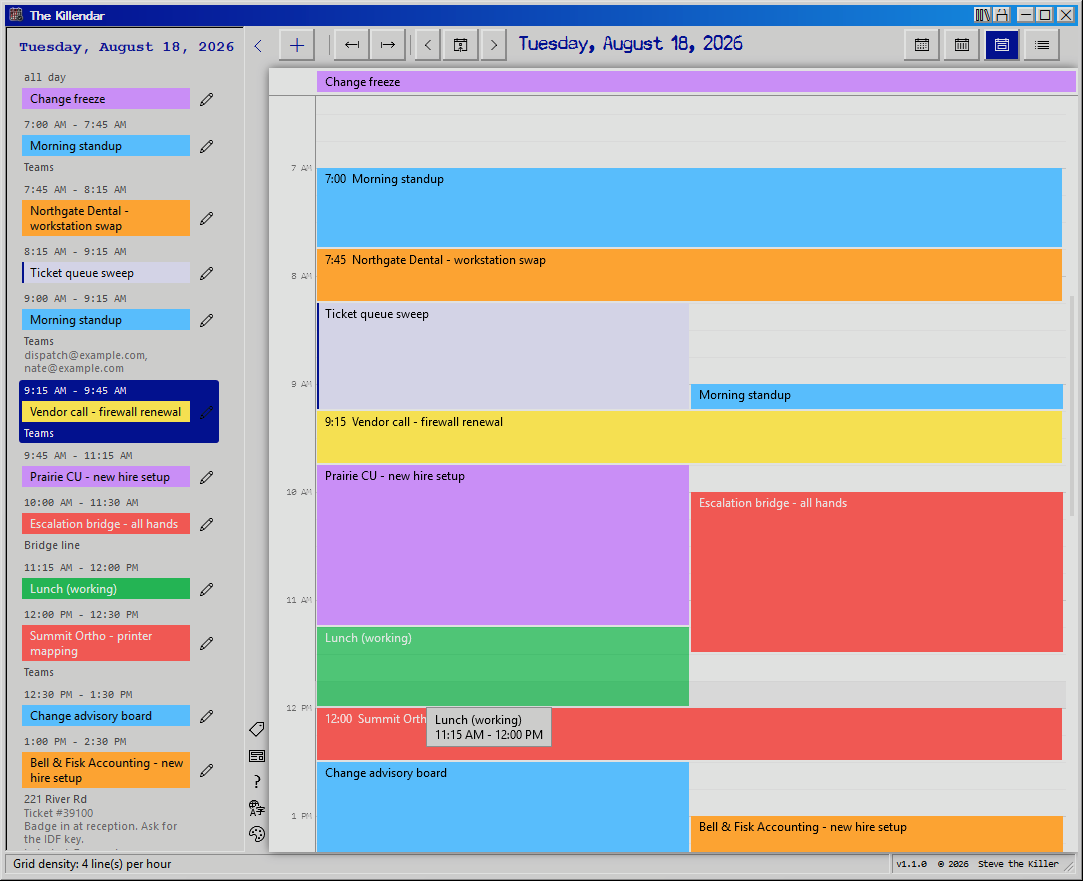 Repeats - A monthly repeat on the second Tuesday that moves to the next workday, plus one extra date, on the 98SE theme.
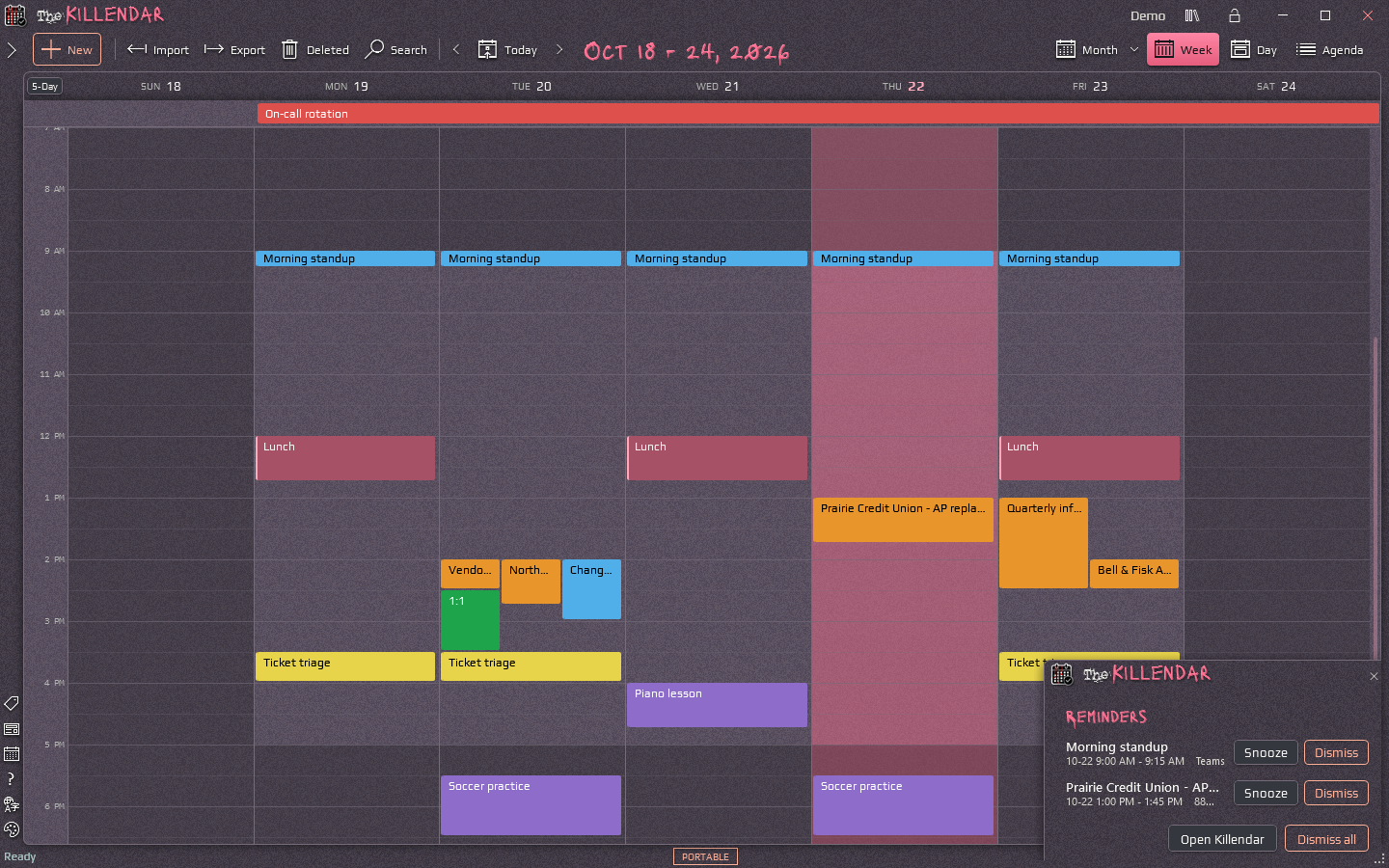 Reminders - Snooze or dismiss each one as it comes due, on the Mourning theme.
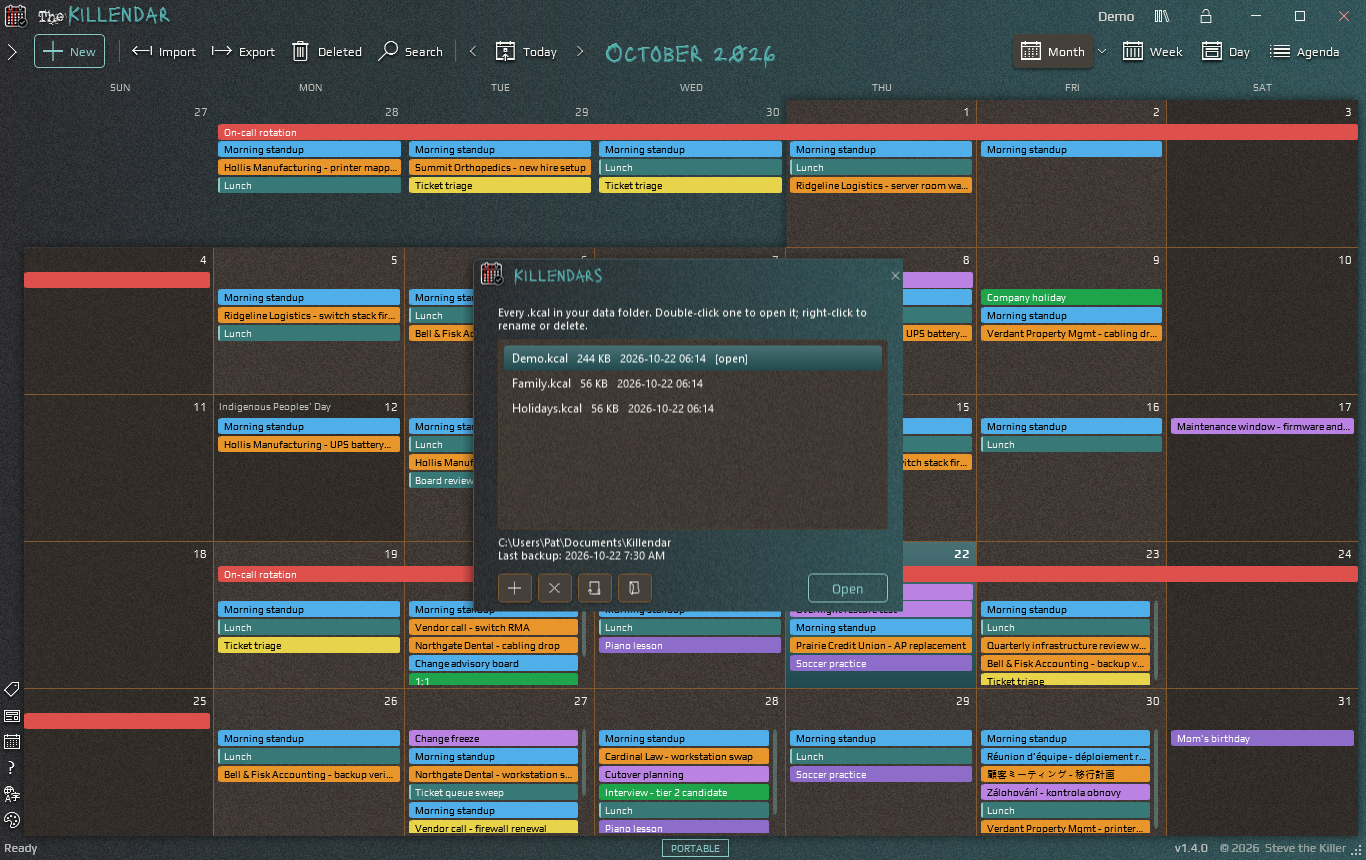 Killendars - Every calendar file in the folder, with its last automatic backup, on the Sepulchre theme.
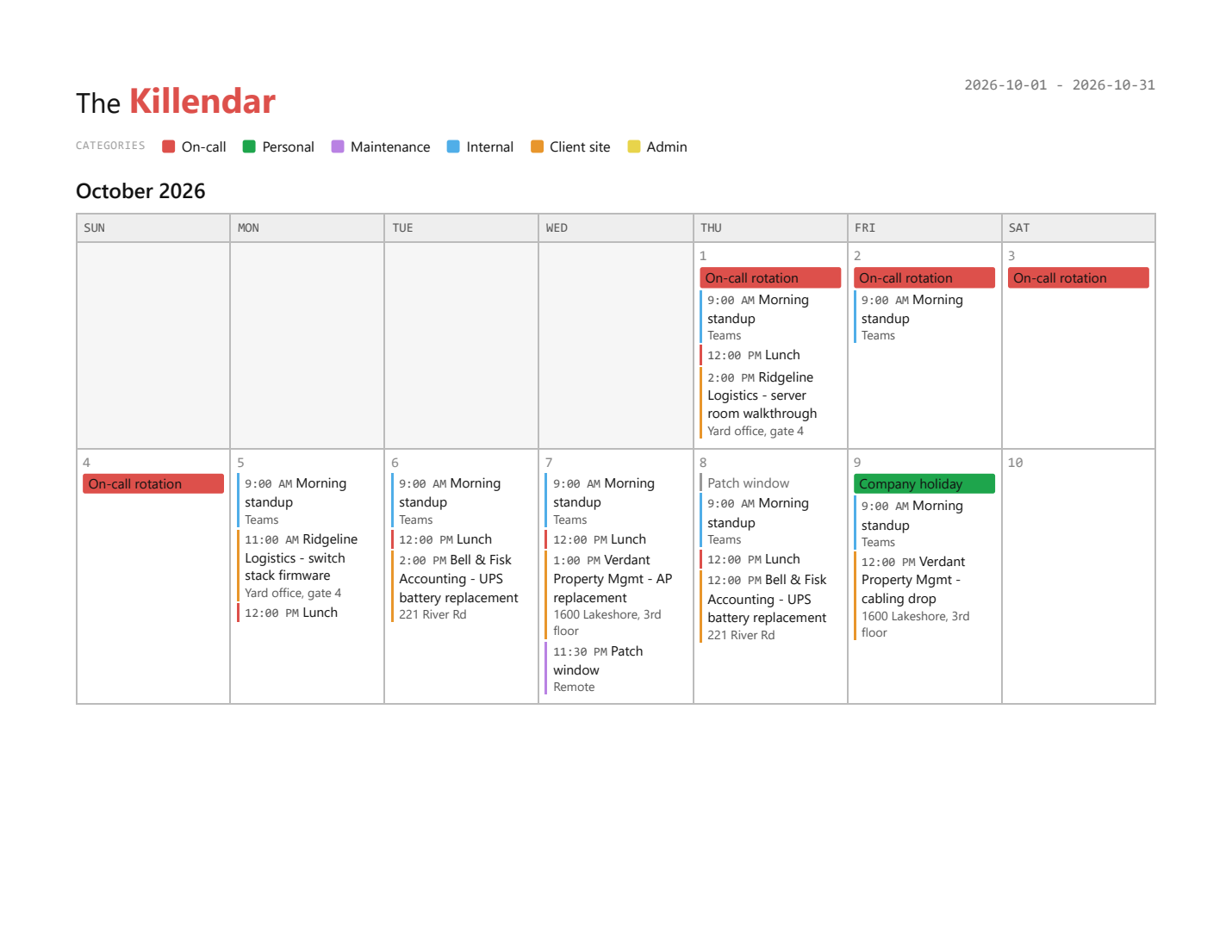 Printing - A printed month, appointments in their category colors with the color key at the top.