



> Cross-platform SMTP / IMAP / POP3 connectivity tester with
> IT-actionable diagnostics. CLI and GUI in one single static binary
> per OS, no external runtime, no OpenSSL on the host.
When your mail flow breaks at 09:00 on a Monday, this is the tool you
hand to your IT department alongside an exact reproduction of the error
the server returned — not "it doesn't work".
Screenshots
The GUI follows the OS appearance, with a manual auto / dark / light
override on the Advanced tab. Both palettes meet WCAG 2.2 Level AAA
contrast on the elements where colour carries information.
| Dark | Light |
|---|
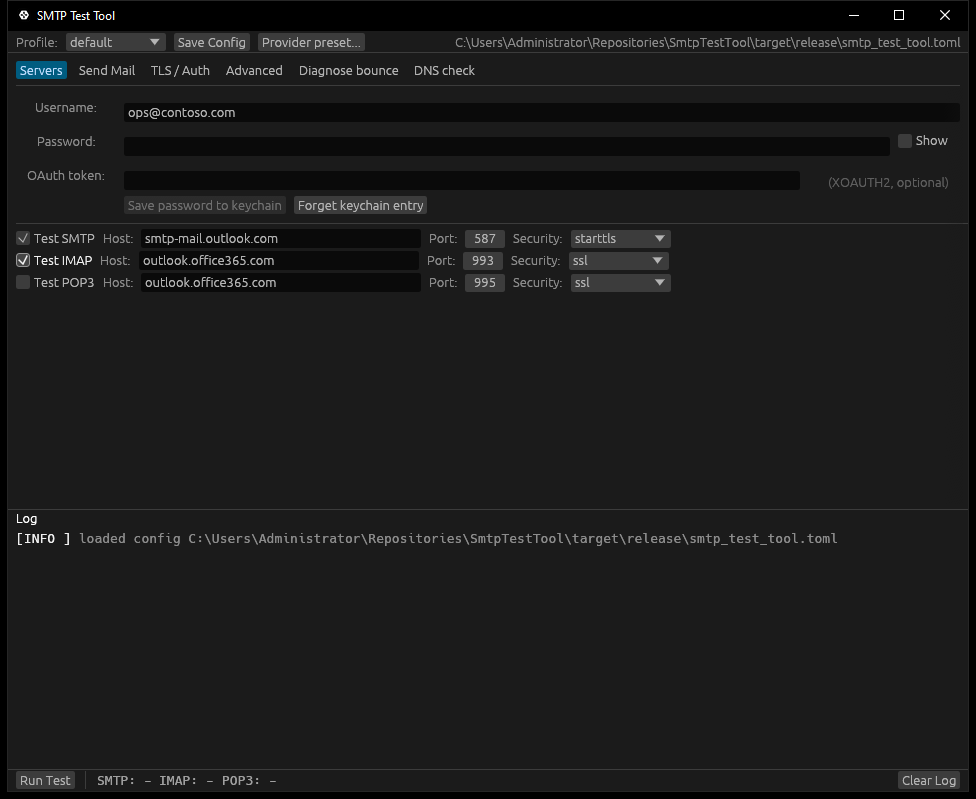 | 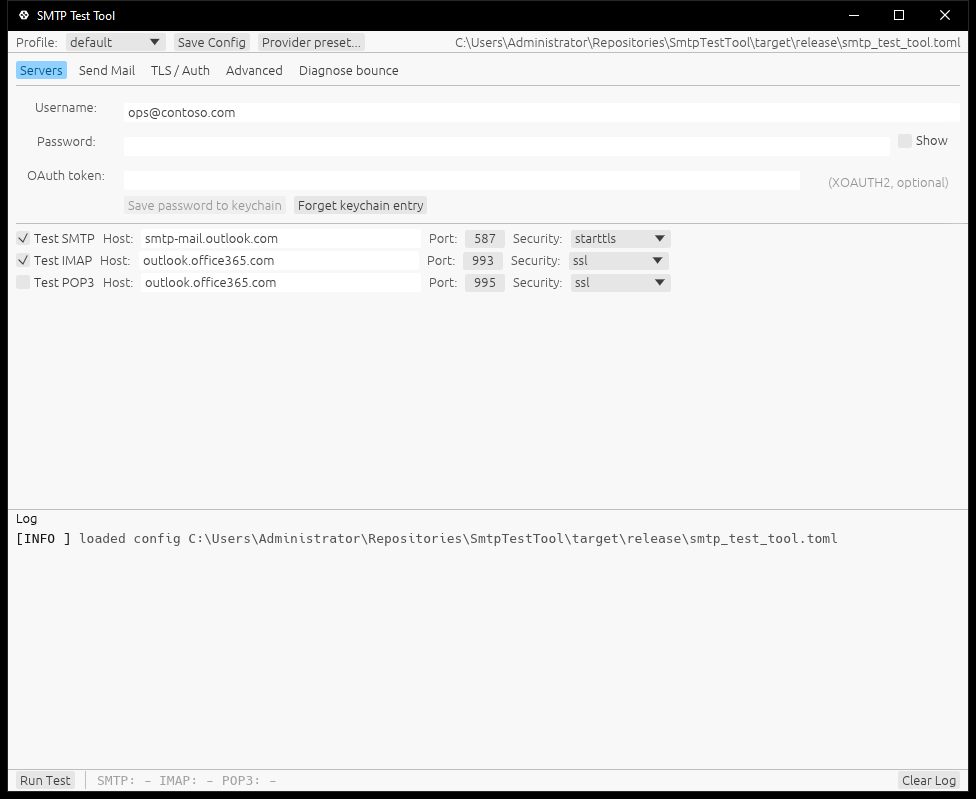 |
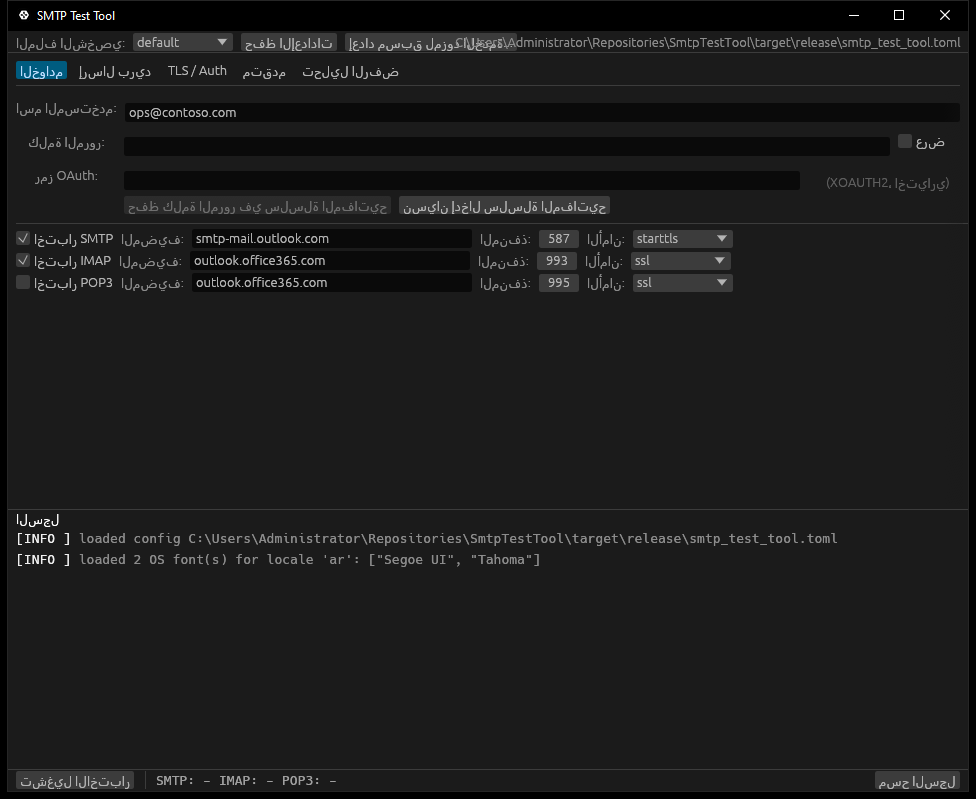
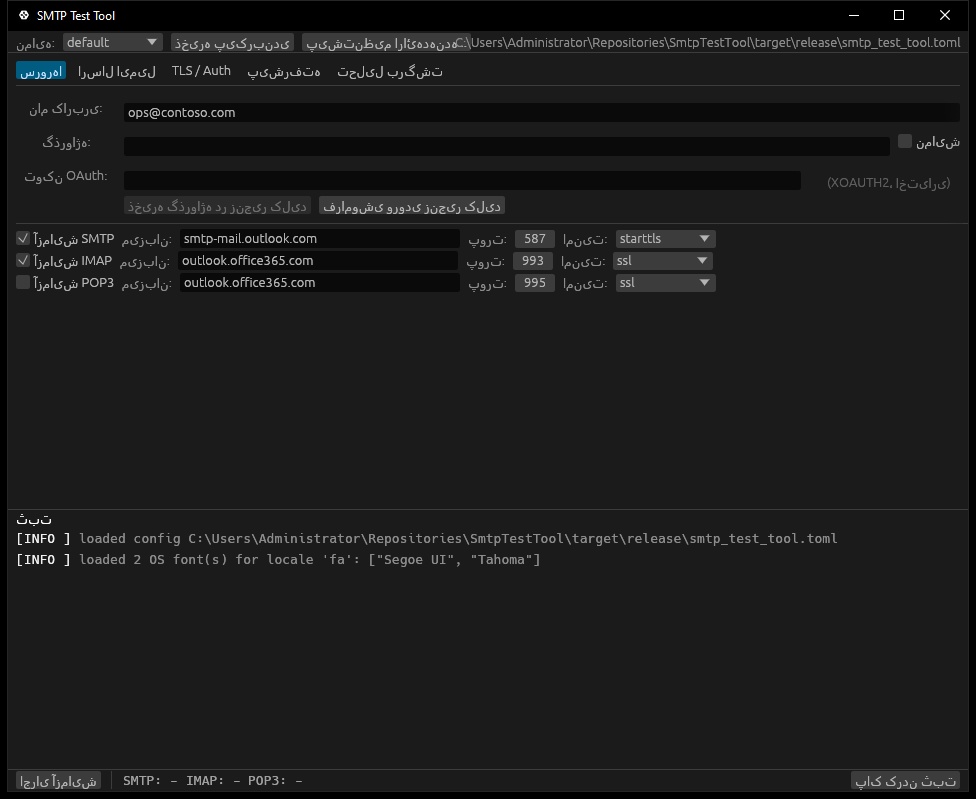
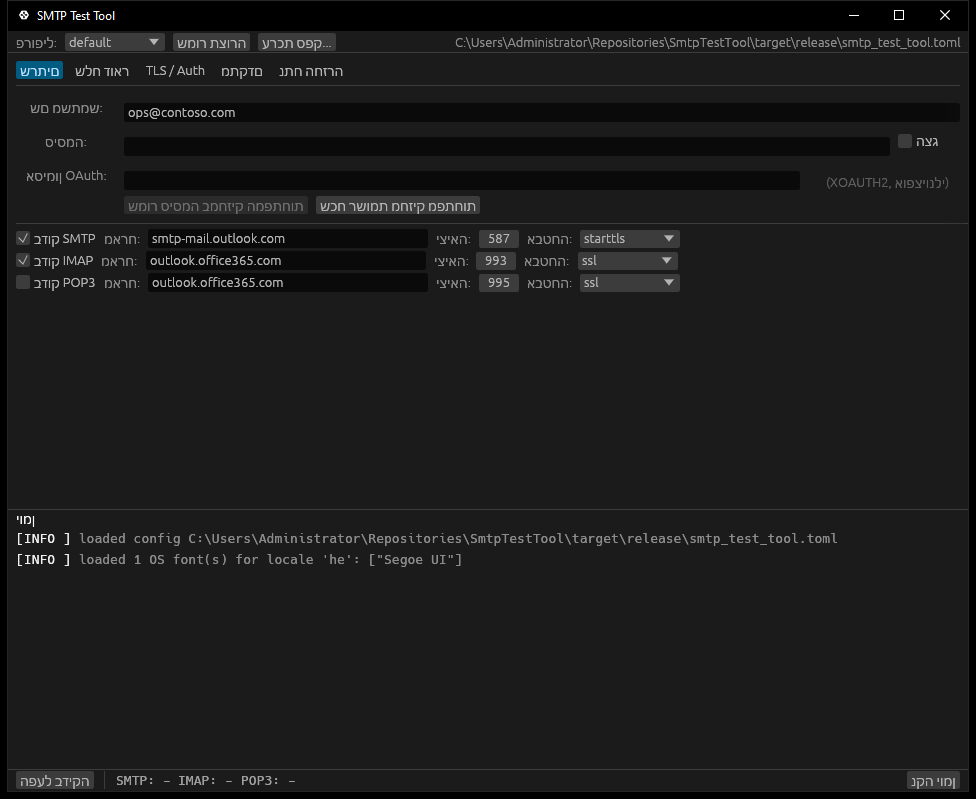
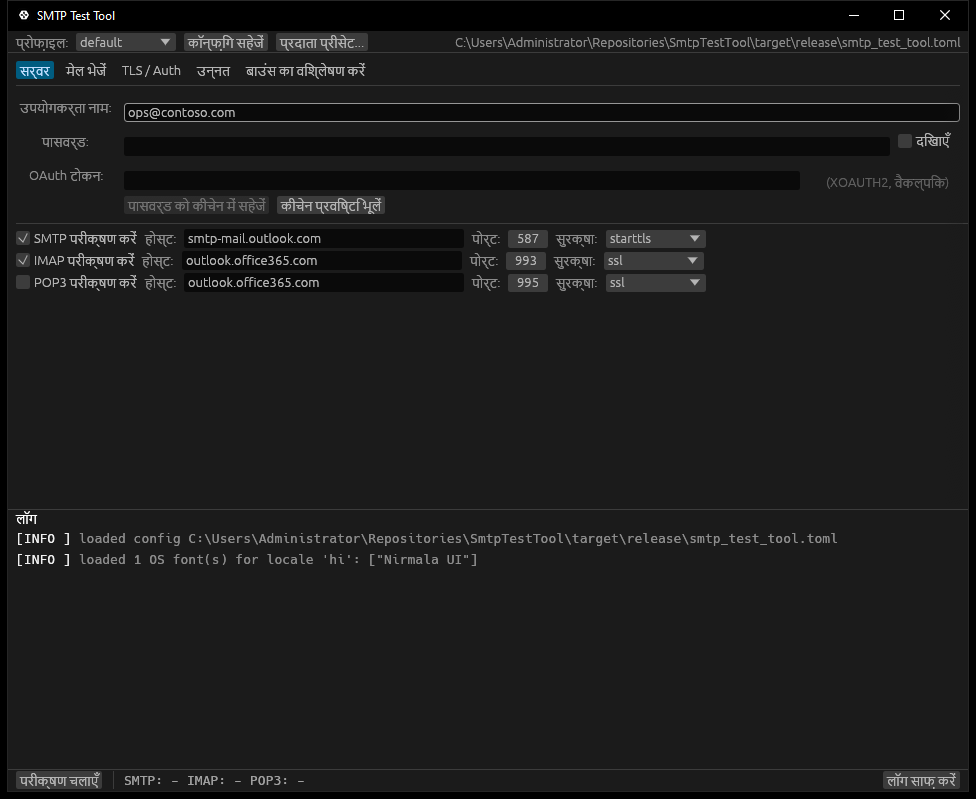
Non-Latin locales pick up an OS-installed font automatically (see
Languages for the discovery story). Example renders:
Chinese (zh) | Japanese (ja) | Korean (see ko.toml) |
|---|
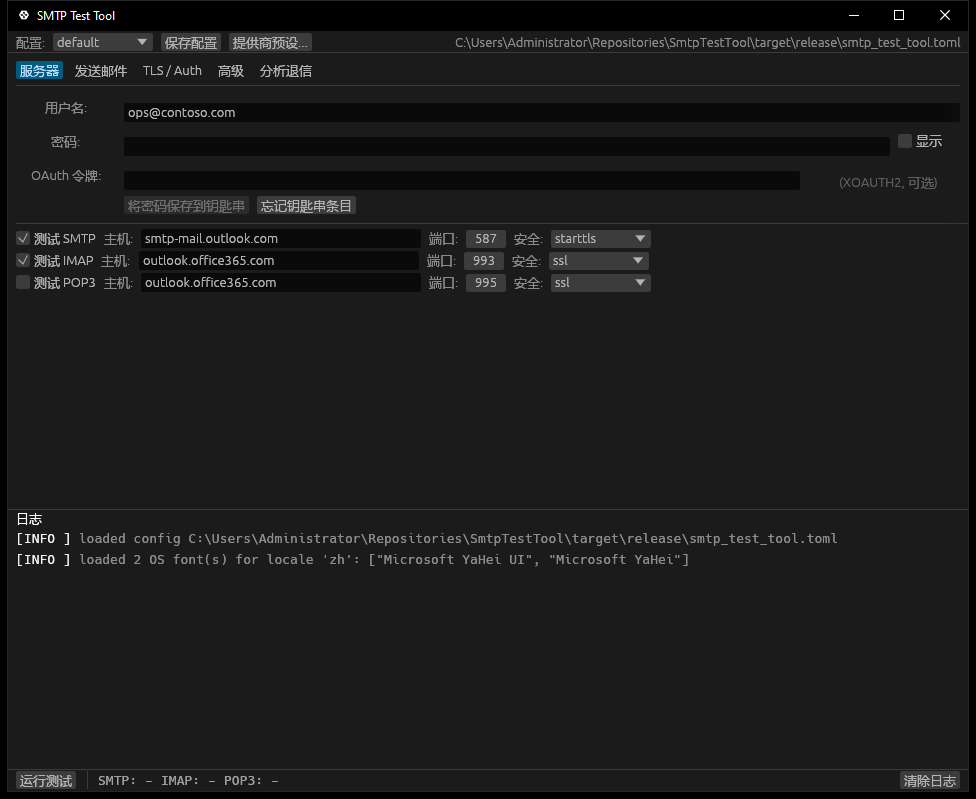 | 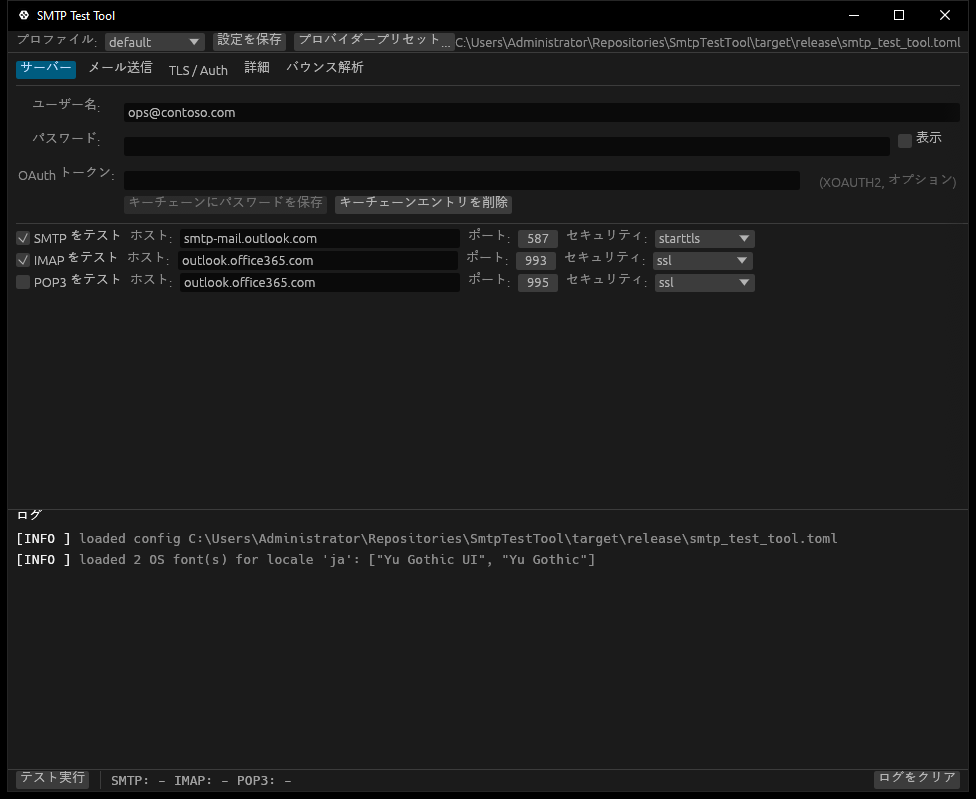 | OS: Malgun Gothic |
Arabic (ar) | Persian (fa) | Hebrew (he) |
|---|
 |  |  |
Hindi (hi) | Bengali (bn) | Thai (th) |
|---|
 | 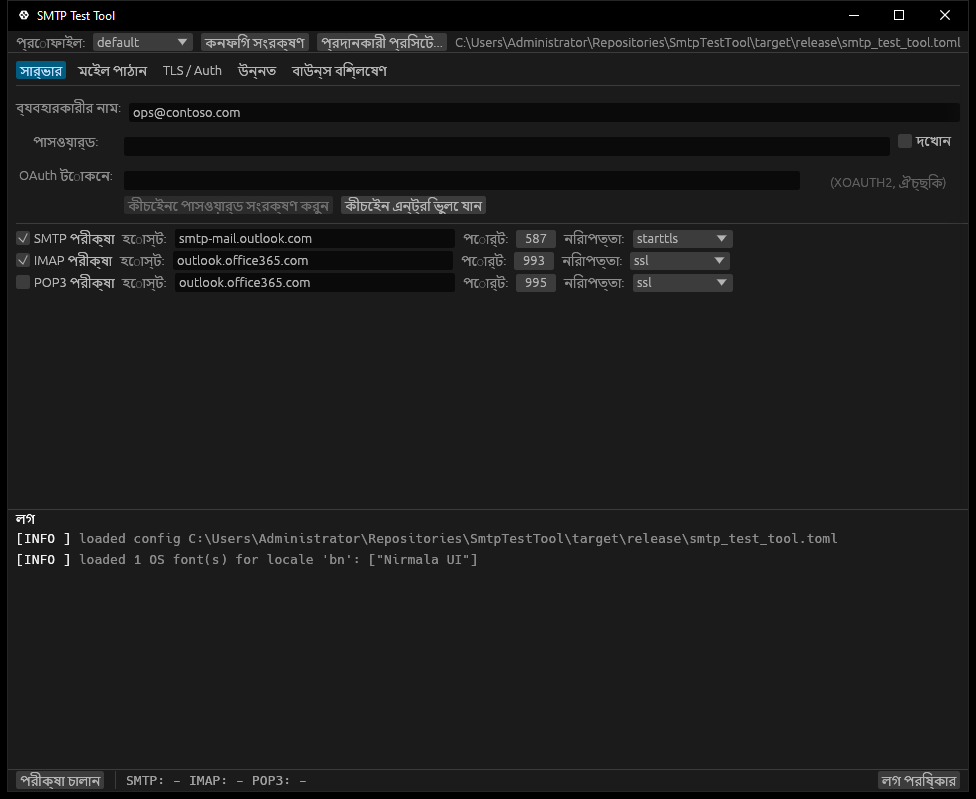 | 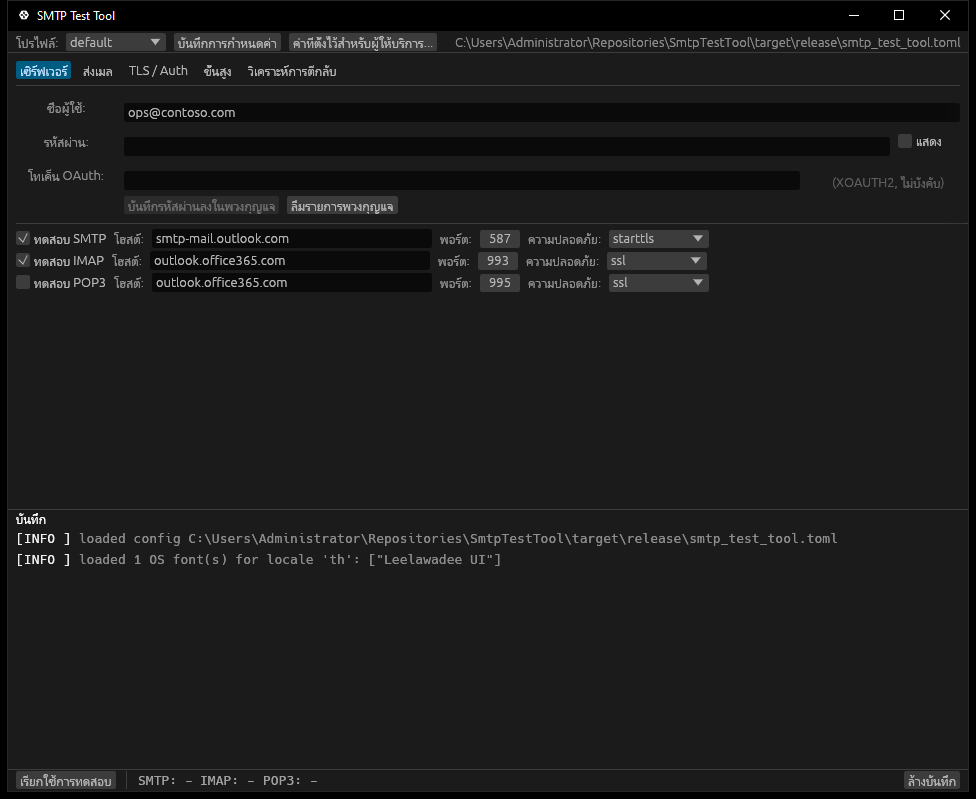 |
Tamil (ta) | Telugu (te) | |
|---|
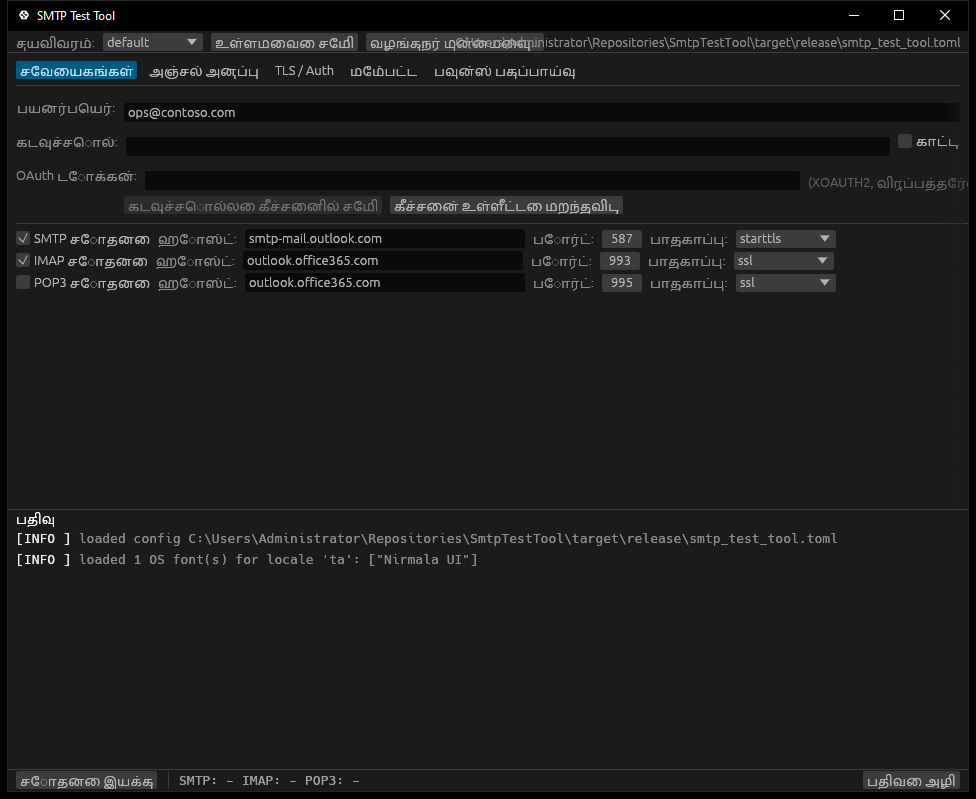 | 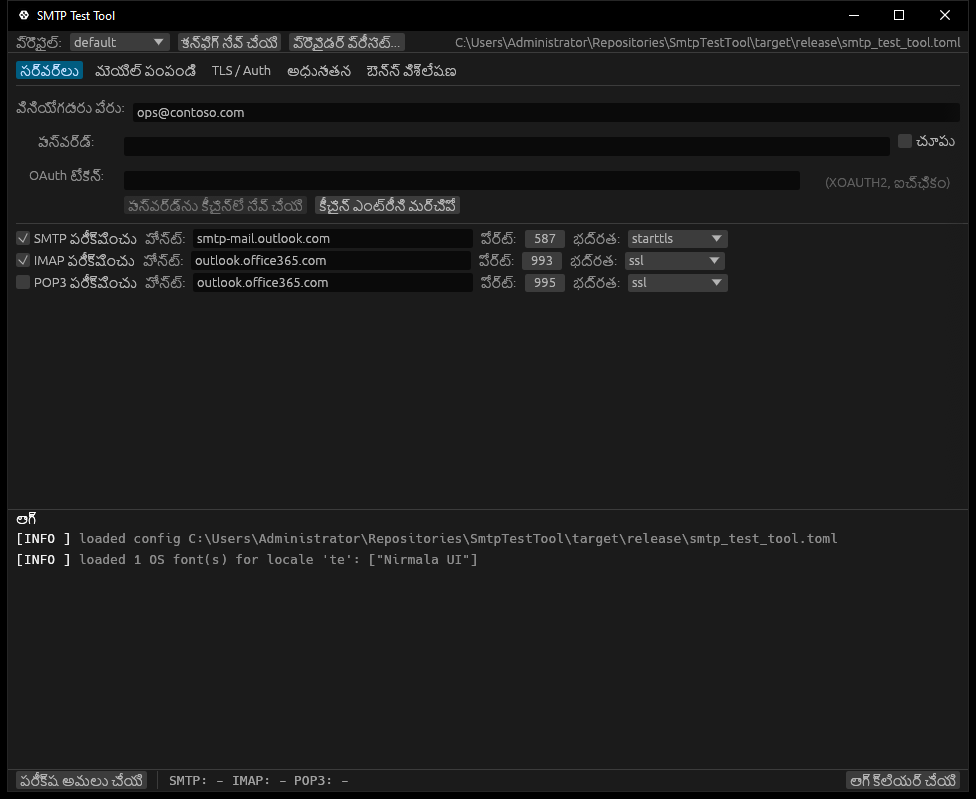 | |
Languages
The GUI, the CLI prompts, and every diagnostic hint can be displayed
in any of the currently-shipped locales. The application auto-
detects the OS locale on startup and applies it if a translation
exists, otherwise falls back to English. The Advanced tab carries a
language picker limited to your OS locale + English — deliberately
two options at most, so the UI does not grow with the translation
set.
Shipped in v0.1.6 — 36 languages (11 non-Latin scripts):
| Code | Native name | Status |
|---|
en | English | base, hand-maintained |
nl | Nederlands | native quality |
ar | العربية | machine-translated, native review welcome (RTL: needs system Arabic font) |
bg | Български | machine-translated, native review welcome |
bn | বাংলা | machine-translated, native review welcome (needs system Indic font) |
cs | Čeština | machine-translated, native review welcome |
da | Dansk | machine-translated, native review welcome |
de | Deutsch | machine-translated, native review welcome |
el | Ελληνικά | machine-translated, native review welcome |
es | Español | machine-translated, native review welcome |
fa | فارسی | machine-translated, native review welcome (RTL: needs system Arabic font) |
fi | Suomi | machine-translated, native review welcome |
fr | Français | machine-translated, native review welcome |
he | עברית | machine-translated, native review welcome (RTL: needs system Hebrew font) |
hi | हिन्दी | machine-translated, native review welcome (needs system Indic font) |
hr | Hrvatski | machine-translated, native review welcome |
hu | Magyar | machine-translated, native review welcome |
id | Bahasa Indonesia | machine-translated, native review welcome |
it | Italiano | machine-translated, native review welcome |
ja | 日本語 | machine-translated, native review welcome (needs system CJK font) |
ko | 한국어 | machine-translated, native review welcome (needs system CJK font) |
no | Norsk | machine-translated, native review welcome |
pl | Polski | machine-translated, native review welcome |
pt | Português | machine-translated, native review welcome |
ro | Română | machine-translated, native review welcome |
ru | Русский | machine-translated, native review welcome |
sk | Slovenčina | machine-translated, native review welcome |
sr | Srpski | machine-translated, native review welcome |
sv | Svenska | machine-translated, native review welcome |
ta | தமிழ் | machine-translated, native review welcome (needs system Indic font) |
te | తెలుగు | machine-translated, native review welcome (needs system Indic font) |
th | ไทย | machine-translated, native review welcome (needs system Thai font) |
tr | Türkçe | machine-translated, native review welcome |
uk | Українська | machine-translated, native review welcome |
vi | Tiếng Việt | machine-translated, native review welcome |
zh | 简体中文 | machine-translated, native review welcome (needs system CJK font) |
Latin / Cyrillic / Greek locales render with eframe's bundled
Inter/Hack fonts. The eleven non-Latin locales (zh, ja, ko,
ar, fa, he, hi, bn, ta, te, th) need a system-installed
font that covers their script. Modern Windows / macOS / Linux desktops ship
one out of the box:
| Script | Windows | macOS | Linux (Noto) |
|---|
| CJK Simplified | Microsoft YaHei UI | PingFang SC | Noto Sans CJK SC |
| Japanese | Yu Gothic UI | Hiragino Sans | Noto Sans CJK JP |
| Korean | Malgun Gothic | Apple SD Gothic Neo | Noto Sans CJK KR |
| Arabic / Persian | Segoe UI + Tahoma | Geeza Pro | Noto Sans Arabic |
| Hebrew | Segoe UI | Arial Hebrew | Noto Sans Hebrew |
| Indic (all scripts) | Nirmala UI | Devanagari Sangam MN | Noto Sans Devanagari / Noto Sans Bengali |
| Thai | Leelawadee UI | Thonburi | Noto Sans Thai |
At startup the GUI consults fontdb to find one and appends it to
egui's fallback chain; nothing is bundled into the binary. If
your distro lacks the relevant Noto package, glyphs will render as
tofu — install fonts-noto-cjk / fonts-noto-arabic /
fonts-noto-hebrew / fonts-noto to fix.
See CONTRIBUTING.md § Translations
for the native-review recipe — PRs welcome.
Features
- Three protocols in one tool: SMTP (via
lettre), IMAP and POP3
(hand-rolled over rustls so we own the full wire trace).
- IT-actionable diagnostics: every server response is parsed and
enriched with a human explanation. Microsoft 365's most painful codes
(
5.7.60 SendAsDenied, 5.7.139 Basic-Auth-disabled, 5.7.57
unauthenticated MAIL FROM, 5.7.708 IP-reputation block, …) are
translated to "what to ask IT to change".
- Provider presets for the eleven mail services people actually
use: Outlook.com / Hotmail, Microsoft 365, Gmail / Google Workspace,
Yahoo Mail, iCloud / Apple Mail, Proton Mail (Bridge), Fastmail,
Zoho Mail, AOL Mail, GMX / Mail.com, and Yandex Mail — pick one
from the Provider preset menu and the SMTP / IMAP / POP3 host,
port, and security fields fill themselves in. Each preset carries
a small note about app-password or Bridge requirements where they
apply.
- Profiles in a human-readable TOML file (
smtp_test_tool.toml)
auto-loaded from the executable's directory, so "verify the
last-known-good settings still work" is one click.
- DNS-side audit (feature
dns): MX / SPF / DMARC / DKIM lookups,
MX-host A/AAAA resolution, and IT-actionable hints sorted by severity
(Critical / Warning / Info) — catches the ~90% of mail-flow
failures that are actually DNS misconfiguration (missing MX, MX with
no A record, +all SPF, missing or p=none DMARC, a revoked or
weak <1024-bit DKIM key). DKIM selectors can't be enumerated from
DNS, so the audit probes a built-in common-selector list by default
(Microsoft 365, Google, SendGrid, …) or exactly the selectors you
pass with --dkim-selector; --no-dkim skips it. CLI:
smtp-test-tool dns (--json for machines; non-zero exit
on any Critical hint, for shell-script alerting). GUI: a DNS check
tab that audits on a background thread.
- OAuth2 device-code flow for Microsoft 365 (feature
oauth,
RFC 8628): mint an XOAUTH2 token without storing a password. CLI:
smtp-test-tool oauth-login --user prints a URL + code,
polls until you authorise in the browser, then stores the refresh
token in the OS keychain so later runs auto-mint a fresh access
token. GUI: device-code login wired into the credentials block.
- Accessibility is the baseline, not the goal. The GUI follows the
OS dark/light setting on Windows, macOS, and Linux; colour is never
the only signal (every
[ PASS ] / [ FAIL ] is also textual);
contrast ≥ 7:1 (WCAG 2.2 Level AAA); AccessKit is enabled for
screen-reader support.
- One binary per OS, no installer required.
Install
Windows: WinGet or Scoop
winget install StruisICT.SmtpTestTool
scoop bucket add struisict https://github.com/StruisICT/scoop-bucket
scoop install smtp-test-tool
macOS / Linux: Homebrew
brew tap struisict/tap
brew install smtp-test-tool
The tap and Scoop bucket are auto-updated by
packaging/ on every release — so brew upgrade /
scoop update always pulls the newest version.
Download a prebuilt binary
Grab the latest release for your OS from
GitHub Releases.
| OS | File |
|---|
| Windows (x86_64) | smtp-test-tool-x86_64-pc-windows-msvc.zip |
| macOS (Apple Silicon) | smtp-test-tool-aarch64-apple-darwin.tar.gz |
| macOS (Intel) | smtp-test-tool-x86_64-apple-darwin.tar.gz |
| Linux (x86_64) | smtp-test-tool-x86_64-unknown-linux-gnu.tar.gz |
Each archive contains both smtp-test-tool (CLI) and
smtp-test-tool-gui (GUI).
Verify your download (optional but recommended). Every release
archive ships with a SLSA build-provenance attestation, so you can
confirm it was built by this repository's CI and not tampered with:
gh attestation verify smtp-test-tool-x86_64-pc-windows-msvc.zip \
  --repo StruisICT/smtp-test-tool
With Cargo
cargo install smtp-test-tool          # CLI + GUI
cargo install smtp-test-tool --no-default-features  # CLI only
Usage
CLI
# First run with built-in Outlook.com defaults
smtp-test-tool --user me@outlook.com

# Write a starter config file next to the binary
smtp-test-tool init

# Use a saved profile
smtp-test-tool --profile production

# List profiles in the loaded config file
smtp-test-tool profiles

# Verbose diagnostic trace
smtp-test-tool --log-level debug

# Audit a domain's mail DNS (MX / SPF / DMARC / DKIM); --json for machines
smtp-test-tool dns example.com
# Probe a specific DKIM selector instead of the common-selector list
smtp-test-tool dns example.com --dkim-selector selector1

# Microsoft 365 device-code login: stores a refresh token in the keychain
smtp-test-tool oauth-login --user me@contoso.com
The exit code is 0 if every enabled protocol passes, 1 if any
fail, 2 on an internal/configuration error — handy for monitoring
and cron.
GUI
Double-click smtp-test-tool-gui (or smtp-test-tool-gui.exe). The
form pre-fills with Outlook.com defaults; any
smtp_test_tool.toml next to the binary is loaded automatically.
active = "default"

[profiles.default]
user = "me@example.com"
smtp_host = "smtp-mail.outlook.com"
smtp_port = 587
smtp_security = "starttls"
imap_host = "outlook.office365.com"
imap_port = 993
imap_security = "ssl"
pop_host = "outlook.office365.com"
pop_port = 995
pop_security = "ssl"
pop_enabled = false

[profiles.on-prem]
user = "svc-monitor@corp.local"
smtp_host = "mail.corp.local"
smtp_port = 25
smtp_security = "starttls"
imap_host = "mail.corp.local"
imap_port = 143
imap_security = "starttls"
ca_file = "/etc/ssl/corp-internal-ca.pem"
Passwords and OAuth tokens are never written to the config file.
They live in memory for the current session, or - on opt-in - in the
native OS keychain:
- The GUI's Servers tab has a Save password to keychain / Forget
keychain entry button pair under the credentials block.
- The CLI exposes
--keychain-load (look up at startup) and
--keychain-save (write after a successful test), plus a
keychain status|forget subcommand.
- Backed by Windows Credential Manager, macOS Keychain, or Linux
Secret Service via
gnome-keyring / KWallet. Real at-rest
encryption, gated by the OS unlock prompt - unlike base64.
Say cargo build --no-default-features --features gui to ship a
build without the keychain code (skips the keyring crate and, on
Linux, the libdbus-1-dev runtime dependency).
Example diagnostic output
2026-05-19T08:04:11Z  INFO smtp  | SMTP target smtp.office365.com:587 (starttls)
2026-05-19T08:04:11Z  INFO smtp  | TCP connection established
2026-05-19T08:04:11Z  INFO smtp  | STARTTLS negotiated, TLSv1.3
2026-05-19T08:04:12Z  ERROR smtp | SMTP AUTH FAILED
2026-05-19T08:04:12Z  ERROR smtp |   Server replied 535: 5.7.139 Authentication unsuccessful, basic authentication is disabled
2026-05-19T08:04:12Z  ERROR smtp |     ESC 5.7.139: Authentication unsuccessful, the request did not meet the criteria.
2026-05-19T08:04:12Z  ERROR smtp |     -> Action: Conditional Access policy denied the login (location, device, MFA).
That second-to-last line is what you forward to IT.
Building from source
Requires Rust 1.92 or newer (stable). The egui ecosystem sets this floor; building CLI-only with --no-default-features would in practice work on slightly older toolchains.
git clone https://github.com/StruisICT/smtp-test-tool
cd smtp-test-tool
cargo build --release
# CLI:  target/release/smtp-test-tool
# GUI:  target/release/smtp-test-tool-gui   (built when `gui` feature is on, default)
Linux build dependencies (for the GUI)
sudo apt install -y \
  libxkbcommon-dev libwayland-dev \
  libxcb-render0-dev libxcb-shape0-dev libxcb-xfixes0-dev \
  libgl1-mesa-dev libegl1-mesa-dev libfontconfig-dev
Project layout
src/
├── lib.rs            re-exports + Outlook defaults
├── config.rs         TOML config with named profiles
├── diagnostics.rs    server-response -> human hint translators
├── providers.rs      built-in provider presets (Outlook, Gmail, ...)
├── tls.rs            rustls ClientConfig builder
├── smtp.rs           SMTP test (lettre)
├── imap.rs           IMAP test (hand-rolled on rustls)
├── pop3.rs           POP3 test (hand-rolled on rustls)
├── dns.rs            MX / SPF / DMARC / DKIM audit    (feature `dns`)
├── oauth.rs          M365 device-code flow (RFC 8628) (feature `oauth`)
├── keystore.rs       OS keychain backing            (feature `keychain`)
├── i18n.rs           translation registry + key lookup
├── locale.rs         OS-locale detection
├── fonts.rs          system-font discovery for non-Latin scripts
├── theme.rs          OS dark/light follow + WCAG AAA palettes
├── runner.rs         orchestrator (run enabled protocols, summarise)
└── bin/
    ├── cli.rs        clap-based CLI
    └── gui.rs        eframe / egui GUI
See AGENTS.md for the working agreement every contributor
(human or AI) must follow.
Contributing
Issues and PRs welcome. Read AGENTS.md and
CONTRIBUTING.md first — they encode the
non-negotiable bits (WCAG 2.2 AAA, dark+light mode, atomic conventional
commits, latest-stable deps verified against the registry).
License
Dual-licensed under either of
at your option.
Unless you explicitly state otherwise, any contribution you submit for
inclusion shall be dual-licensed as above, without any additional
terms or conditions.