jar-cart
A fast, cross-platform CLI tool written in Go to fetch, cache, and execute Java artifacts using an enterprise-grade dependency pipeline.
🛒 Overview
jar-cart is a modern, zero-configuration package manager and runner for the Java ecosystem.
By leveraging native filesystem Hard Links, a Content Addressable Storage (CAS) cache, and Isolated Runtime Provisioning, jar-cart eliminates the friction of traditional build systems while providing near-instant dependency reuse and project-specific Java runtimes.
Note: This is version  of the manager. See the CHANGELOG for recent updates.
🚀 Key Features
- Content Addressable Storage (CAS): Artifacts are downloaded once and shared across all projects.
- Hard-Linking: Dependencies are linked instantly into projects without duplicating disk usage.
- Incremental Builds: SHA-256 content-aware hashing skips unnecessary recompilation when source files haven't changed.
- Performance Telemetry: Every command reports execution time, providing instant feedback on pipeline performance.
📦 Deployment & Optimization
-
Manifest-Driven Optimization: Declaratively configure compression, strip_debug, and strip_native directly in jar-cart.json or jar-cart.xml.
jar-cart.json:-
"optimize": {
  "compression": 2,
  "strip_debug": true,
  "strip_native": true
}
jar-cart.xml:-
  2
  true
  true
-
Minimal Runtime Packaging: Automatically generate lightweight custom Java runtimes with jlink, reducing standard 290MB+ JDK distributions to compact standalone runtimes (~12MB, depending on included modules).
-
One-Command Deployment: Build optimized applications and runtime images using a unified optimization workflow.
☕ Isolated Runtimes
- Project-Level Version Locking: Pin a specific JDK version per project.
jar-cart automatically provisions and manages isolated runtimes so every project runs with the exact Java version it was built against.
- Automatic Runtime Discovery: Detects and uses the correct project manifest (
jar-cart.json or jar-cart.xml) for consistent JDK resolution.
🏗️ Multi-Module Workspaces
- Monorepo & Enterprise Scale: Group multiple independent modules using
jar-cart.workspace.json.
- Topological Ordering: Automatically resolves module dependencies and compiles projects in correct order.
- Workspace-Wide Operations: Synchronize dependencies, audit vulnerabilities, and run builds across all modules with single commands (
jc sync, jc audit, jc build).
🛠 Reverse Engineering & Patching
- Integrated Decompilation: Automatically provisions and manages Vineflower, CFR, and Procyon.
- Decompiler-to-Build Workflow: Modify decompiled applications and rebuild them into executable JARs using the native
jar-cart toolchain.
🧠 Intelligent CLI Experience
- Automatic Entry Point Detection: Automatically discovers the application's
main() class.
- Flexible Target Resolution: Intelligently resolves source files, directories, class names, or JAR files for execution.
- NPM-Style Argument Forwarding: Use
-- to pass arguments directly to your application without CLI conflicts.
- Non-Intrusive Update Notifications: Deferred update checks display clean notifications after command execution without interrupting output.
- Efficient Update Checks: Uses ETag-based caching with a 30-minute cache window to minimize network usage and improve rate-limit compliance.
jar-cart run src -- --server
jar-cart optimize dist/app.jar dist/my-runtime
📜 Custom Script Runner
-
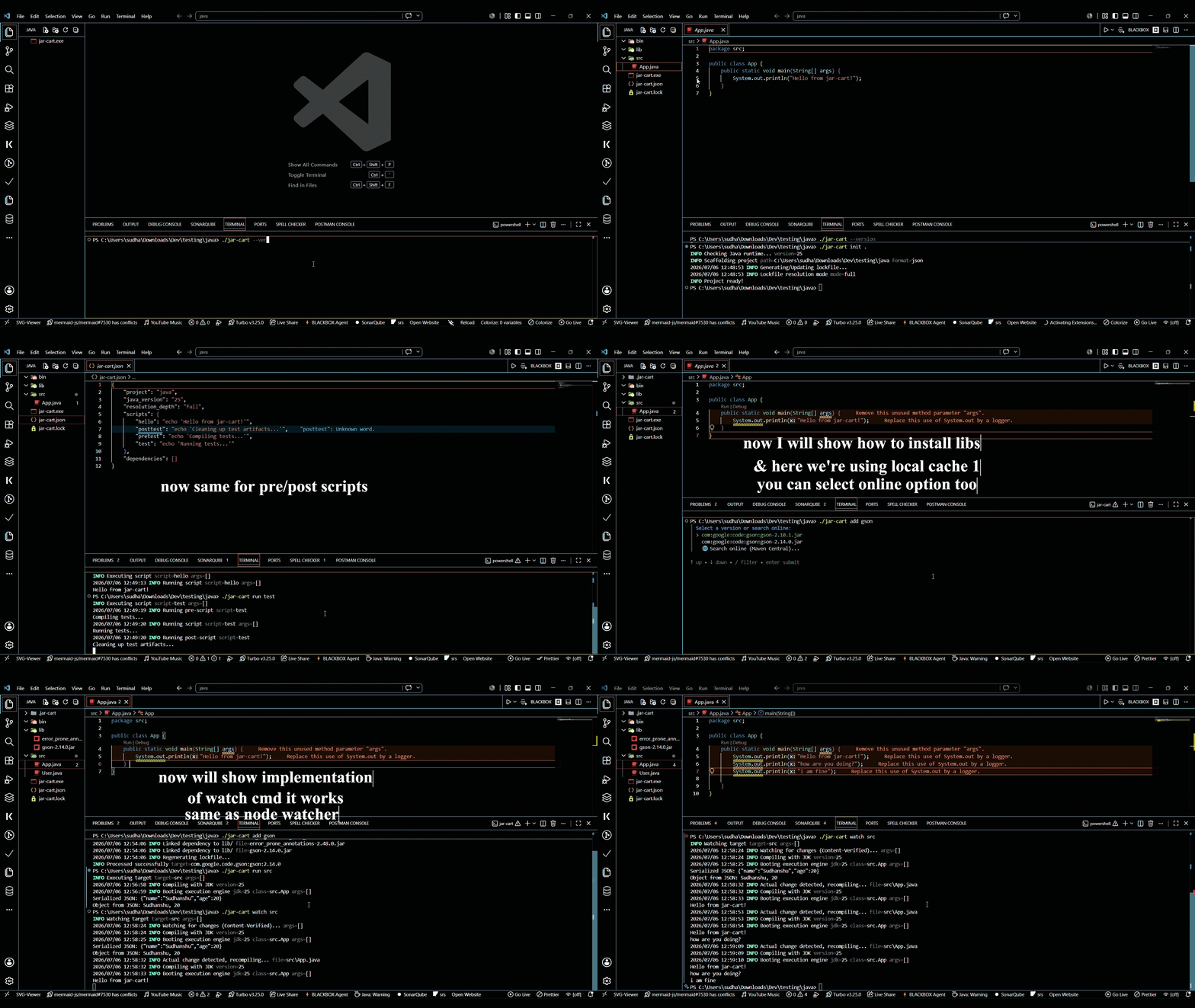
Lifecycle Scripts: Define reusable commands such as build, test, or lint in your manifest. jar-cart automatically executes pre- and post- lifecycle hooks.
Defining Scripts
{
  "project": "my-app",
  "java_version": "25",
  "resolution_depth": "full",
  "scripts": { ... },
  "dependencies": []
}
Executing Scripts
Run your scripts using the run command. jar-cart automatically triggers pre- and post- hooks if defined:
jar-cart run hello
jar-cart run test
🔒 Security & Reliability
- SHA-256 Verification: Verifies release binaries, downloaded artifacts, and cached dependencies for integrity.
- Atomic Operations: Prevents interrupted downloads or updates from corrupting the local registry or project state.
- Safe Self-Updates: Performs checksum validation with rollback protection during updates.
🚀 Developer Experience
- Hot Reloading:
watch monitors source changes, recompiles only when content changes, and restarts while preserving application arguments.
- Smart File Watching: Content verification with debounce minimizes duplicate rebuilds caused by modern editors.
- Unified CLI: Consistent command behavior across
run, run-jar, watch, optimize, and custom scripts.
🧩 Zero Configuration
Works out of the box with either jar-cart.json or jar-cart.xml, automatically detecting and using the appropriate project manifest.
🛠 Quick Start
Installation
Use the official install scripts to get started instantly:
Windows (PowerShell):
iwr https://raw.githubusercontent.com/Sudhanshu-Ambastha/jar-cart/main/scripts/install.ps1 -UseBasicParsing | iex
Linux / macOS:
curl -sSL https://raw.githubusercontent.com/Sudhanshu-Ambastha/jar-cart/main/scripts/install.sh | bash
> Note: By default, these scripts fetch the latest version. If you need to install a specific version, you can override this:
Windows (PowerShell):
iwr https://raw.githubusercontent.com/Sudhanshu-Ambastha/jar-cart/main/scripts/install.ps1 -OutFile install.ps1
.\install.ps1 -Version v0.2.1
Linux / macOS:
VERSION=v0.2.1 curl -sSL https://raw.githubusercontent.com/Sudhanshu-Ambastha/jar-cart/main/scripts/install.sh | bash
Use the official install scripts or package managers to get started instantly:
Windows (WinGet):
winget install Sudhanshu-Ambastha.jar-cart
Linux / macOS (Homebrew):
If you use Homebrew, you can install jar-cart using your personal tap:
Initialize a Project
jar-cart init my-app
cd my-app
📋 Commands
| Command | Description |
|---|
init | Creates an interactive project layout with JDK locking. |
ls-java | Lists all managed JDK runtimes. |
cache list/ls | Displays cached artifacts and storage usage. |
cache remove/rm | Removes cached JARs and JDKs using fuzzy matching. |
cache-clear | Clears all cached artifacts and registry data. |
search | Searches Maven Central for packages. |
sync | Synchronizes dependencies and provisions project runtimes. |
add | Adds a dependency to the project manifest. |
remove | Removes a dependency from the project manifest. |
audit | Checks project dependencies for known vulnerabilities. |
convert | Converts manifests between supported formats (json/xml). |
run [-- args...] | Compiles and runs a project, forwarding application arguments. |
run-jar [-- args...] | Runs a JAR, forwarding application arguments. |
decompile | Decompiles JARs using Vineflower, CFR, or Procyon. |
watch [-- args...] | Watches, recompiles, and restarts while preserving application arguments. |
build | Packages the project into a portable Fat JAR. |
optimize | Creates a custom, manifest-configured standalone runtime. |
self-update [version] | Updates jar-cart or switches to a specific release. |
help | Displays this documentation. |
🏗 Architecture
Isolated Java Runtimes
jar-cart bypasses the system's global PATH and JAVA_HOME. By locking your project to a specific JDK version in your jar-cart.json, the tool manages a local, immutable toolchain for each project, guaranteeing identical behavior across all environments.
Content Addressable Storage (CAS)
Every artifact is stored in ~/.jar-cart/cache, enabling efficient reuse across multiple projects.
Hard-Linking
jar-cart creates hard links from the global cache into the project's lib/ directory, providing near O(1) dependency resolution without duplicating disk usage.
🎯 Philosophy
jar-cart is designed for developers who value:
- Speed: Instant builds and execution.
- Reproducibility: Projects run the same way on every machine.
- Simplicity: No global environment variables required.
- Minimalism: Low disk usage and zero unnecessary complexity.
License
jar-cart is licensed under the  .
.
Built with ⚡ in Go.
Designed for developers who value performance and simplicity. 🏎️💨✨