Use this command to install Stellar TUI with WinGet:
winget install --id=Thornvald.StellarTUI -e
Stellar TUI: A Keyboard-Driven Terminal UI for Unreal Engine Project Management
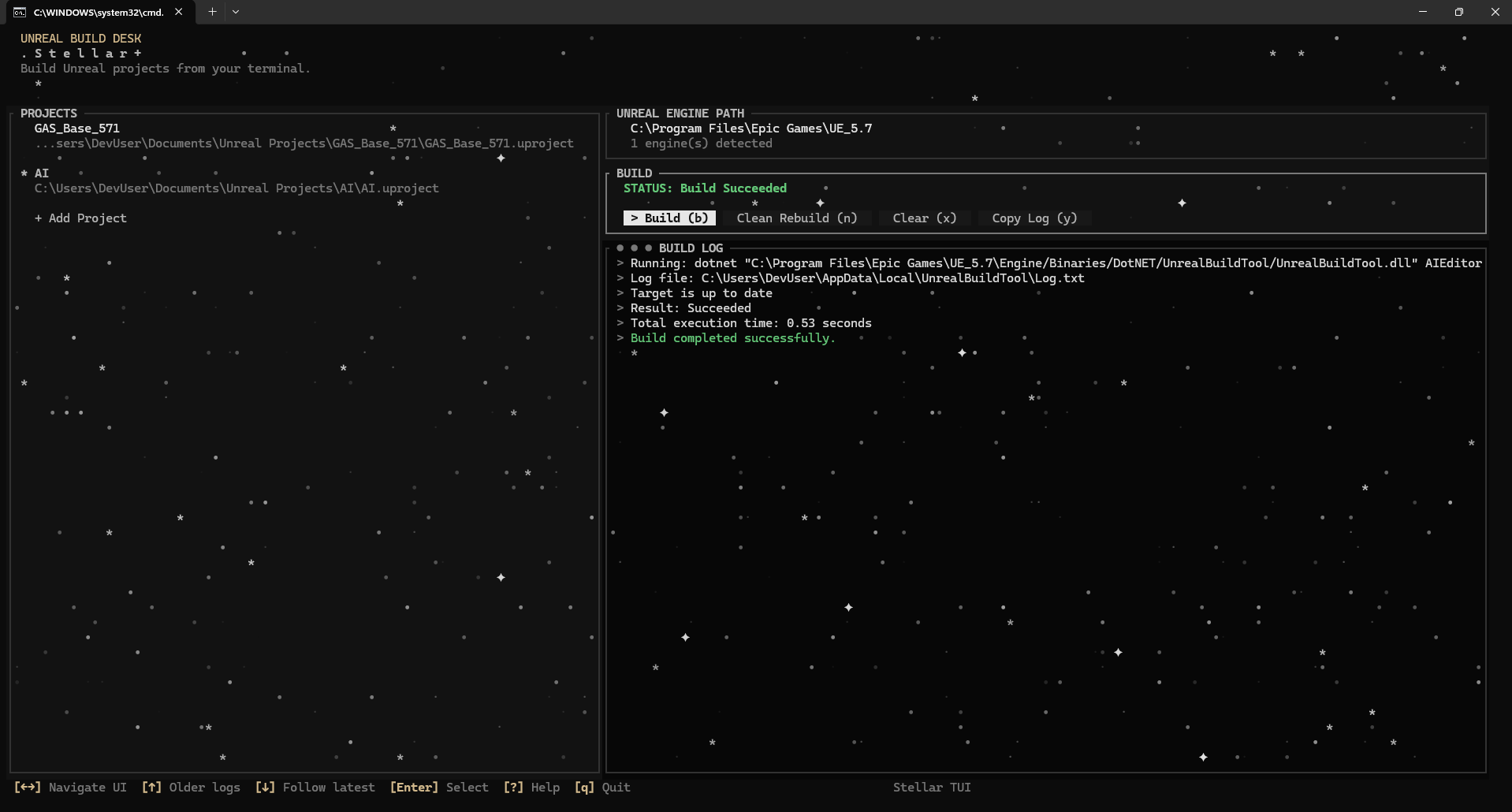
Stellar TUI is a terminal-based user interface tool designed to streamline the process of managing and building Unreal Engine projects. It offers a keyboard-driven experience, allowing users to efficiently navigate through project selection, engine configuration, and build operations.
Key Features:
Project Selection: Easily manage and select Unreal projects with a persistent list for quick access.
Engine Path Configuration: Automatically detect or manually set Unreal Engine paths to ensure smooth integration.
Build Controls: Initiate builds, monitor live output logs, and perform clean rebuilds directly within the interface.
Keyboard Navigation: Navigate seamlessly through UI sections using keyboard shortcuts for projects, engine settings, build processes, and logs.
Notifications: Receive alerts with sound notifications for build completions or failures, enhancing workflow efficiency.
Integration Options: Install via winget for ease of use, making it accessible across different operating systems.
Audience & Benefits:
Ideal for Unreal Engine developers seeking a streamlined and customizable project management solution. Stellar TUI helps reduce manual setup errors through auto-detection features, provides real-time feedback during builds, and enhances overall productivity with its intuitive design.
README
Stellar TUI
Terminal UI for managing and building Unreal Engine projects.