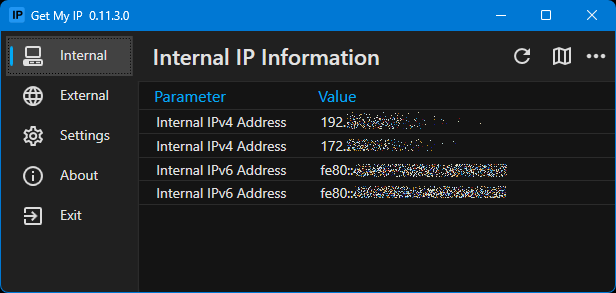
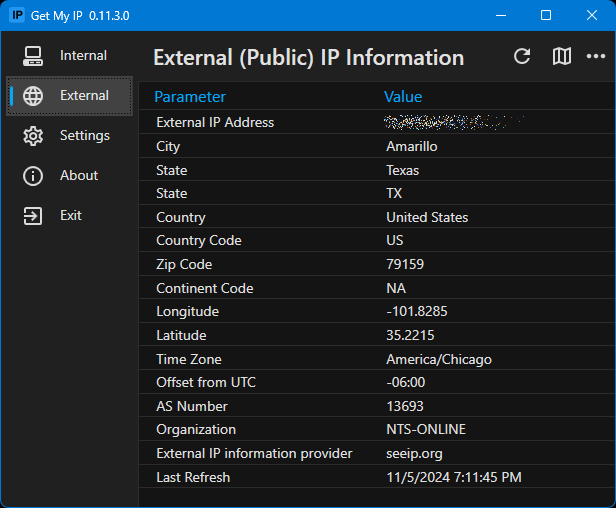
Get My IP is a desktop application designed to display your internal and external IP addresses along with geolocation information from a variety of providers. It provides users with tools to monitor their network connections, troubleshoot connectivity issues, and verify the effectiveness of VPN services.
Key Features:
Shows both internal (private) and external (public) IP addresses.
Displays geolocation data such as country, region, city, and ZIP code for your public IP address.
Allows selection from multiple geolocation data providers to compare results.
Includes options to export IP information to a log file or copy it directly to the clipboard.
Features a system tray icon with customizable tooltips for quick access to IP details.
Supports automatic refresh notifications to alert users of changes in their external IP address.
Target Audience and Benefits:
Ideal for tech-savvy individuals, VPN users, network administrators, and developers who need reliable tools to monitor and verify their IP addresses. Get My IP helps users ensure their online privacy by confirming whether a VPN is correctly masking their public IP address. It also assists in troubleshooting network issues by providing detailed information about internal and external connections.
Available via the Windows Package Manager (WinGet), you can easily install Get My IP with a simple command. Its intuitive interface and extensive features make it a valuable tool for anyone needing to manage or understand their network configuration.
README
Get My IP
What is Get My IP?
Get My IP shows IP address and geolocation information that is freely available from a user-selectable list of providers. Be advised that Get My IP cannot change the IP or Geolocation information returned from the provider.
Get My IP runs on .NET 10 on Windows (64-bit).
Self-contained versions are available if .NET 10 isn't installed. See the releases page.
Features
Shows internal and external IP addresses.
Shows geolocation data for the external IP address.
Choose from multiple geolocation data providers.
Shows all internal IP addresses if there are more than one.
Optionally write external IP information to a log file.
Opens the default browser showing a map with the latitude and longitude found in the geolocation information.
Choose between Google Maps, Bing Maps, Open Street Maps, or LatLong.net to display map.
Optionally shows IPv6 addresses for internal addresses.
Copy data to the clipboard in tab delimited format. Perfect for pasting into Excel.
Copy indivdual values to the clipboard by right-clicking.
Save data to a tab delimited text file.
Select the accent color, font, font size, and any of five themes.
Export and import application settings.
Minimize to tray.
Customize the details shown in the tray icon tooltip.
Optional automatic refresh and notification when external IP address changes. Be aware of unexpected IP address changes.
You can choose to have the tray icon be a flag that corresponds to the country of the IP address.
Use the flag tray icon to quickly check VPN. If you use a VPN to hide your location (e.g., to view content from a specific country), it’s important to know whether your IP has actually changed to the desired server location.
View/Save raw JSON returned from geolocation data providers.
Delay initial request for IP/Geolocation data.
Add the date and time of the last update/refresh to the tray icon tooltip.
Display basic information about network adapters. 🆕
Get My IP is multilingual!
New/updated translations are always welcome. Please see Contribute a Translation topic in the Wiki if you would like to contribute a translation.
Download Get My IP
You can download the latest release from the releases page. Note that a "portable" releases are provided as well as the traditional installers.