parterre




Every branch, worktree and pull request of a git repository in one picture, and the git
operations to act on them.
parterre is a fast, native revision graph for Windows, Linux and macOS (Apple silicon and
Intel), inspired by TortoiseGit's Revision Graph. It leaves out the commits in between and
shows how your branches, tags, remotes, worktrees and open pull requests relate.
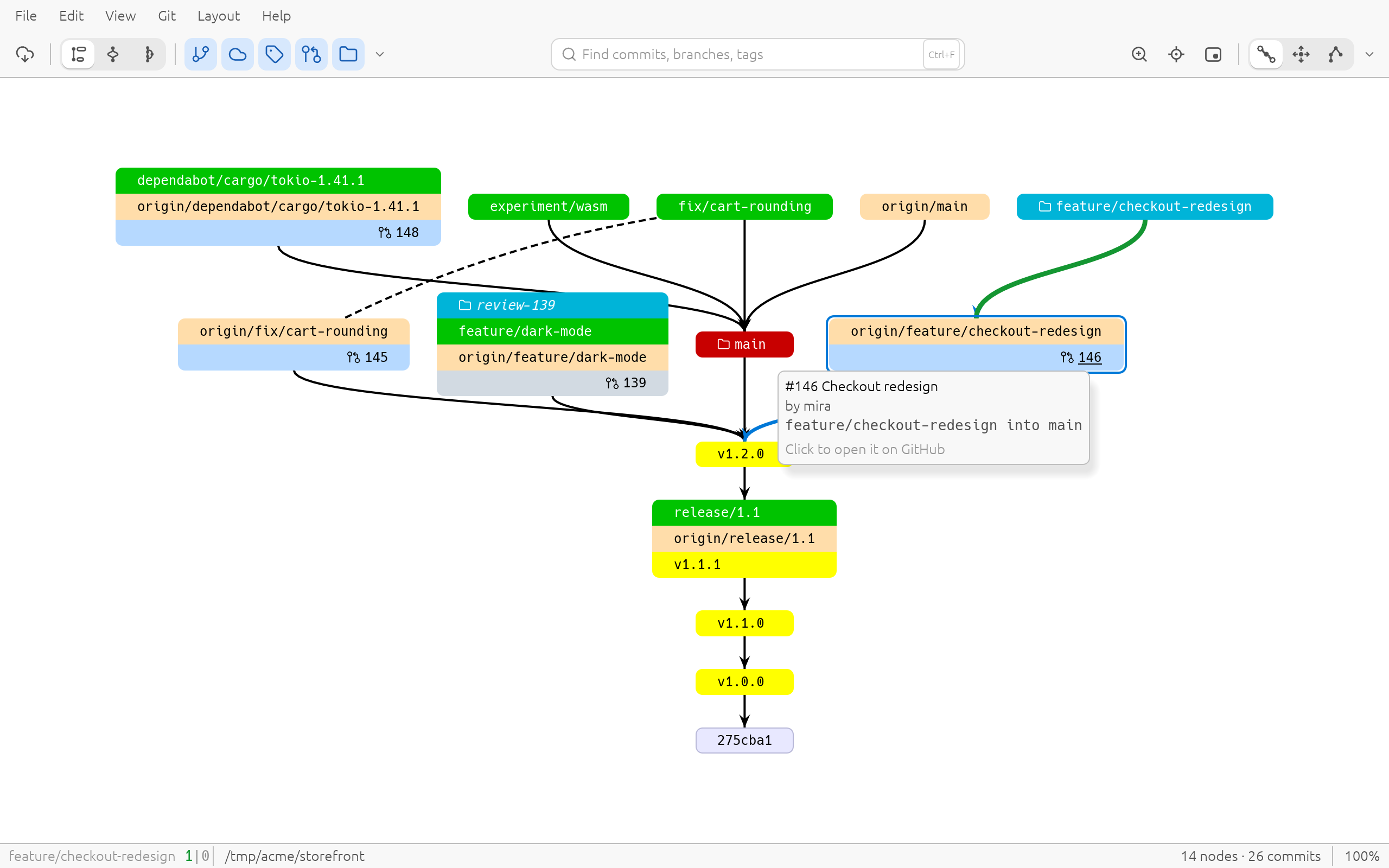
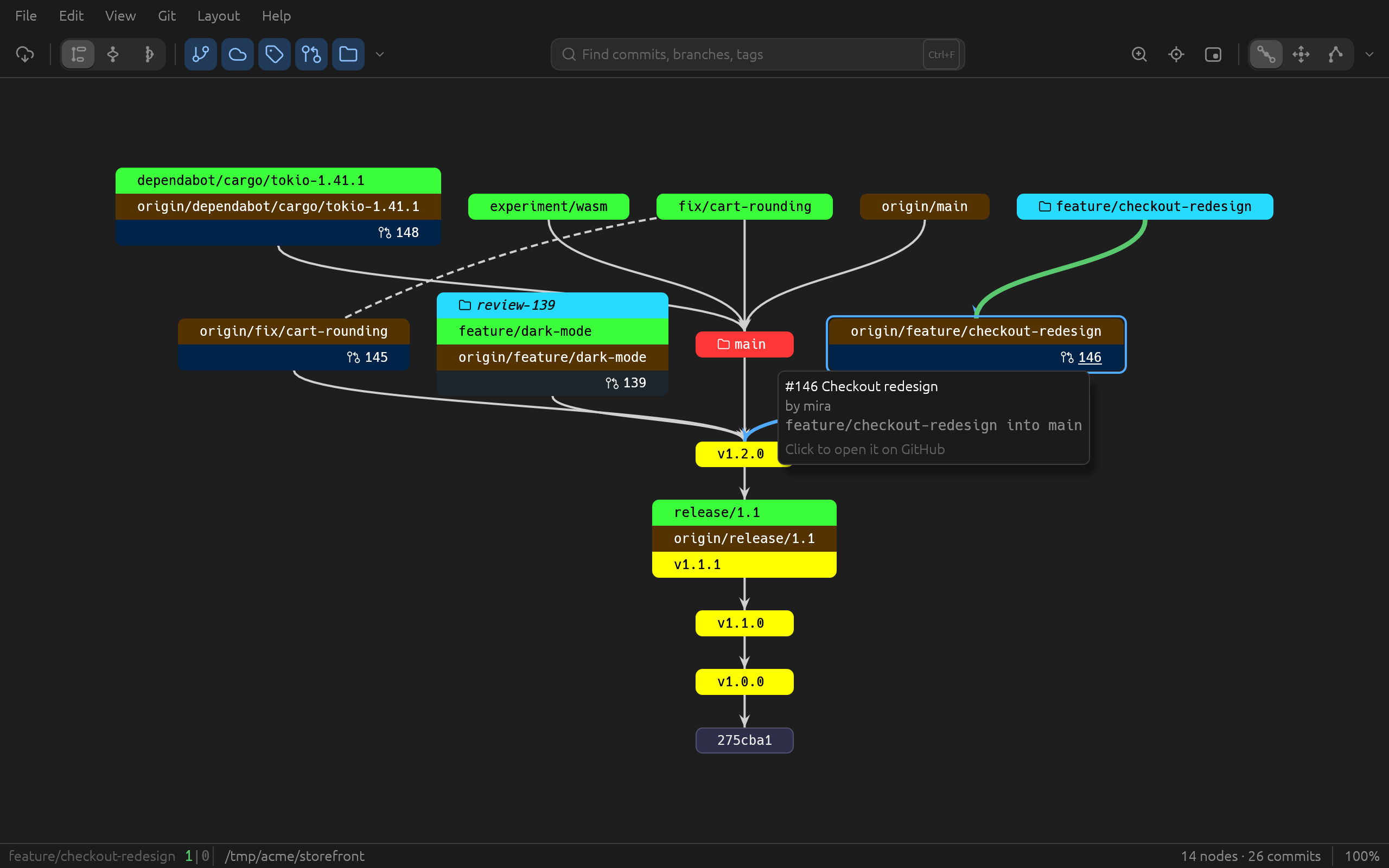
A parterre is a formal garden laid out in patterns, made to be seen from the upper floors of
the house. This one gives you that view of a repository: every branch at once, from above.
Worktrees, all of them, in one window
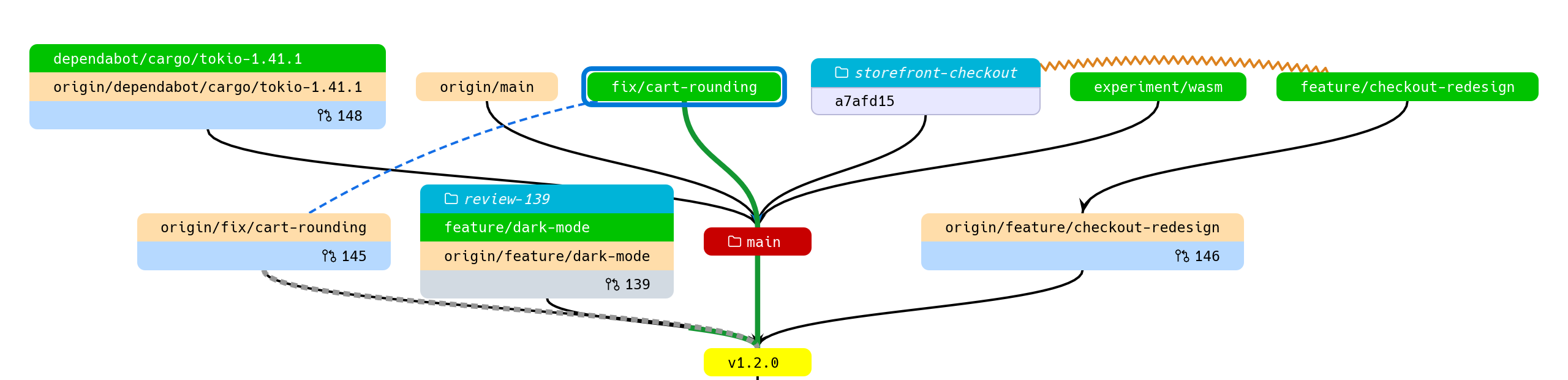
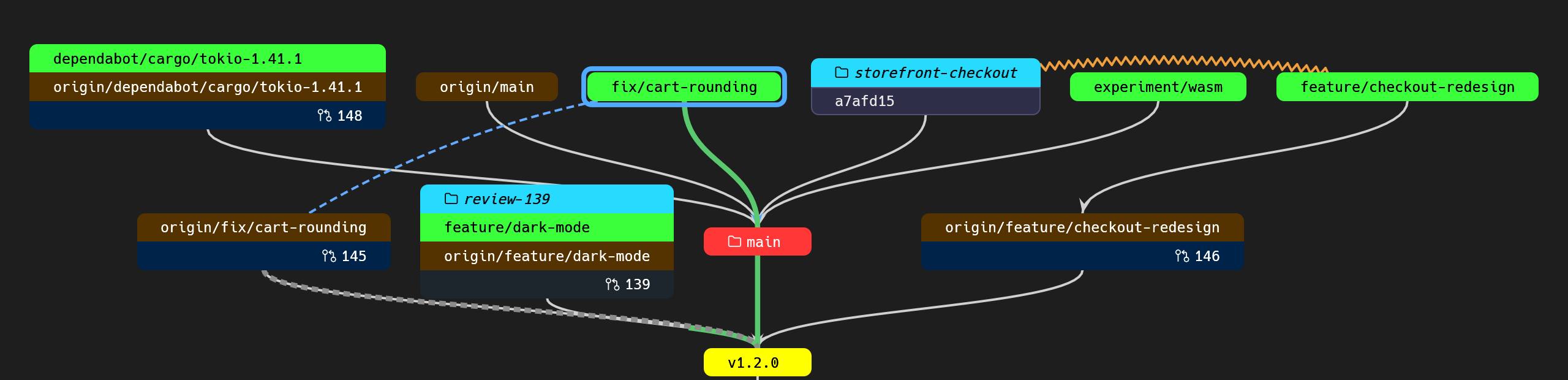
Running several agents or tasks at once, each in a worktree of its own? parterre shows every
worktree of the repository in the same graph, with its folder on the commit it has checked out,
in cyan. A detached worktree, such as one for reviewing a pull request, is named by its folder.
- Go to a worktree to make it the one parterre works in. The layout and your open windows
stay, since it is the same history.
- Add a worktree at any commit, on a new branch that can track a remote one, and
delete one you are done with.
- Open a worktree's folder in your file manager or a terminal, straight from the graph
(Actions in its menu).
- Merge, rebase, cherry-pick, reset and revert the open worktree's branch from the graph
and the log. Each dialog shows what will change and the git command it runs, and can stash
your uncommitted changes first and put them back after. A rebase lets you pick, squash or
drop each commit. To merge your branch into
main as a pull request would, choose
fast-forward, merge commit, rebase and fast-forward, or semi-linear.
- A worktree stopped in a rebase, merge or cherry-pick shows it in the graph, and a banner
says what is stopped there and which files conflict.
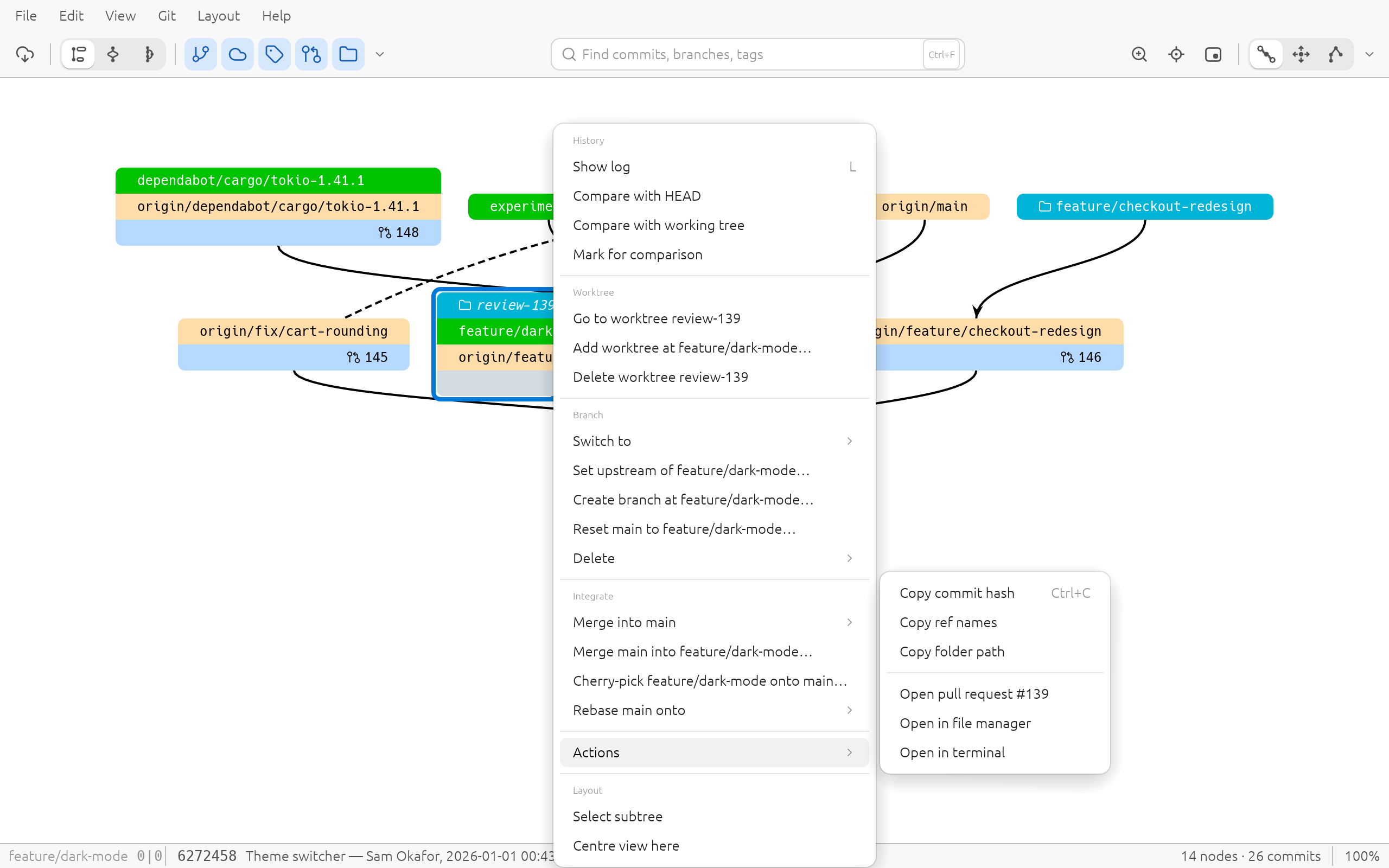
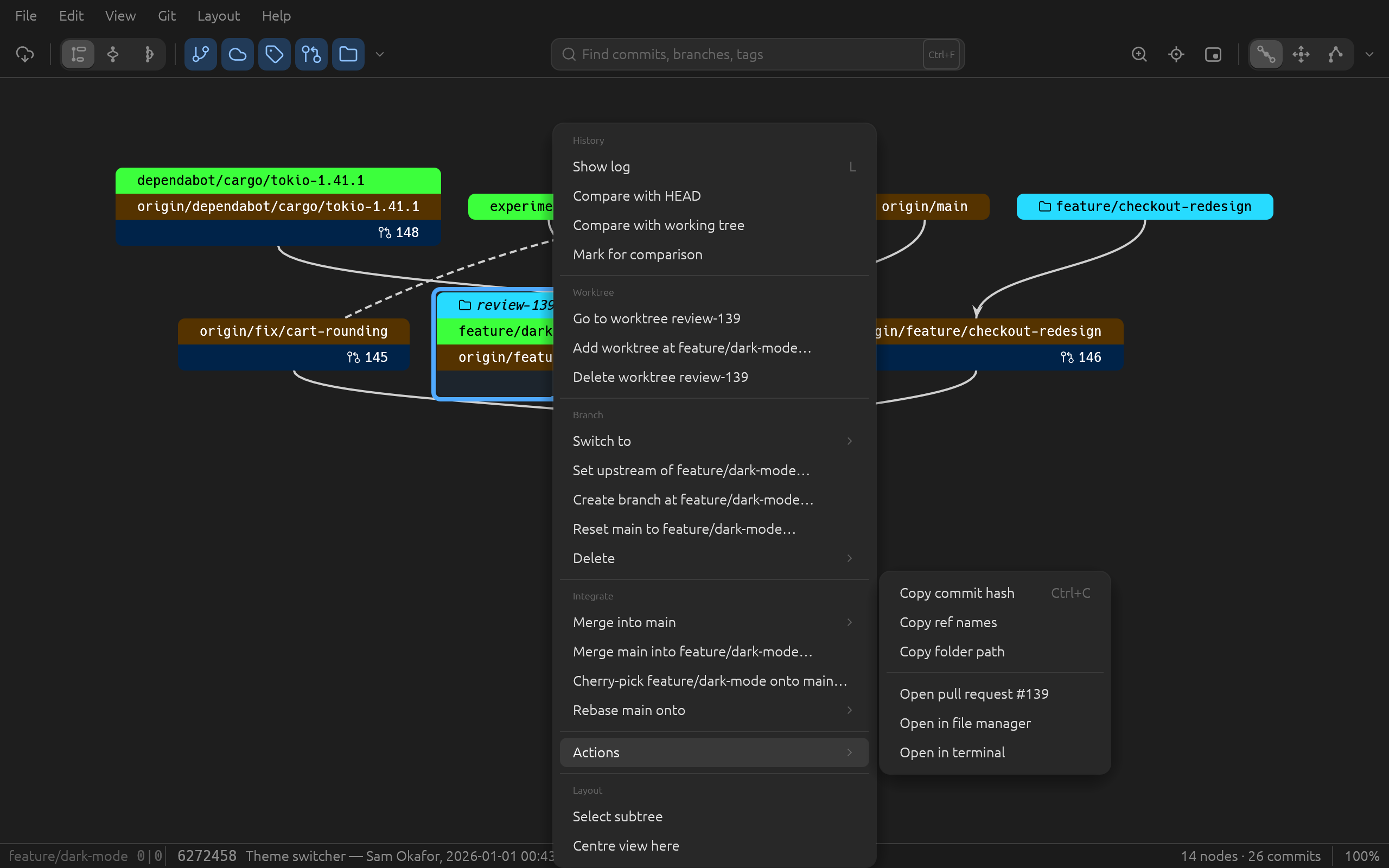
Turn worktrees on with the folder button in the toolbar.
Pull requests on the commits they propose
When origin is on GitHub and the GitHub CLI is signed in
(gh auth login), parterre labels each open pull request on its branch's commit. Drafts are
greyed out. Hover a label for the title, author and branches, and click it to open the pull
request in your browser. The node's menu opens it too.
parterre asks GitHub only about the branches you have fetched, at most once a minute per
repository, and once more before deleting a remote branch, and keeps well inside your hourly
API budget. Nothing is sent without signing in.
When origin is on Azure DevOps, parterre shows its active pull requests the same way. It
signs in as git does, with the sign-in git's credential helper (usually Git Credential Manager)
already has for origin, and never asks for one.
The update check, usage statistics and crash reports are in
What parterre sends.
Upstreams, ahead and behind, and rebases
Hover or select a branch, and the commits between it and its upstream light up: green
ahead, blue behind, red where a force push would lose commits, and grey dashed where a rebase
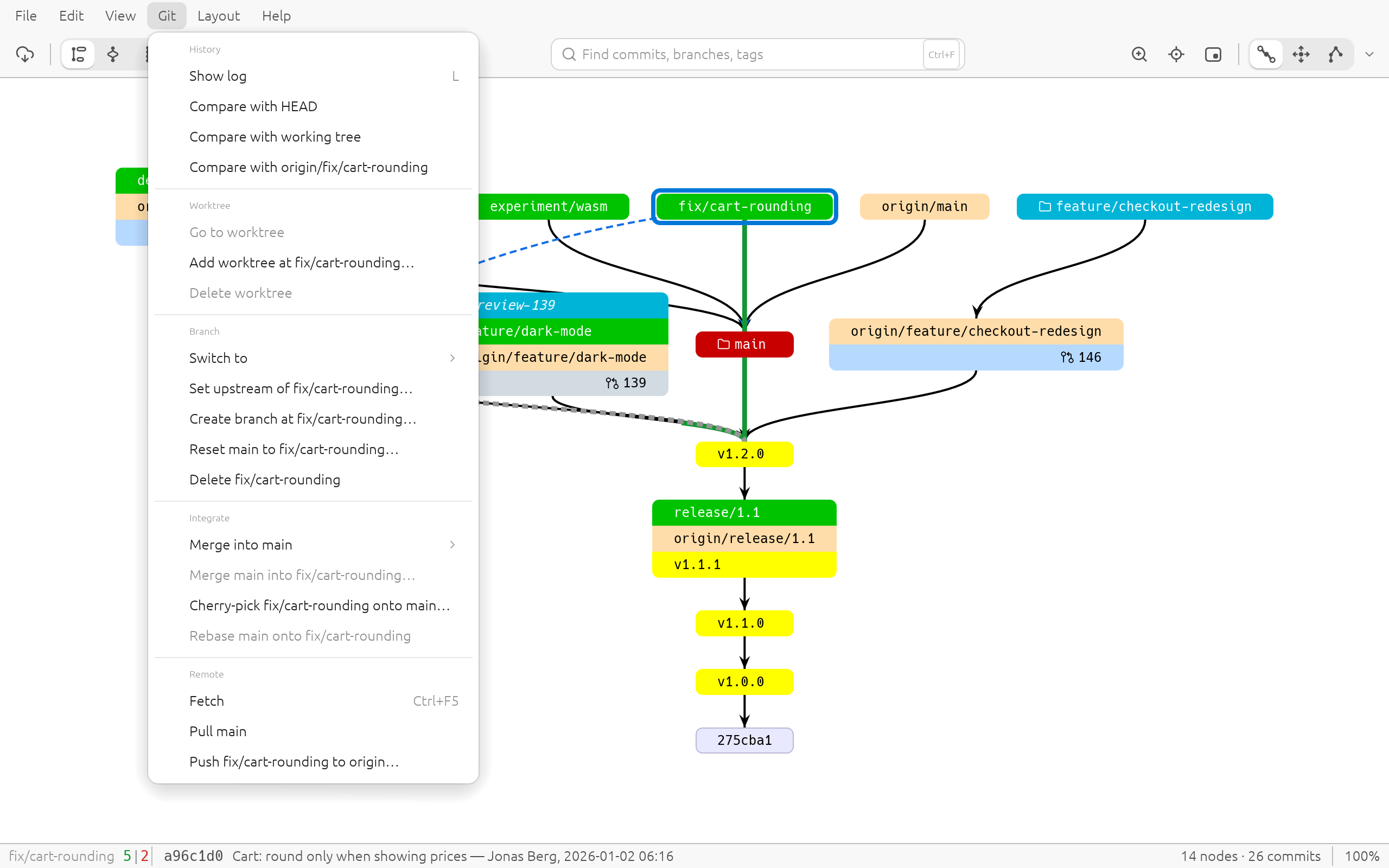
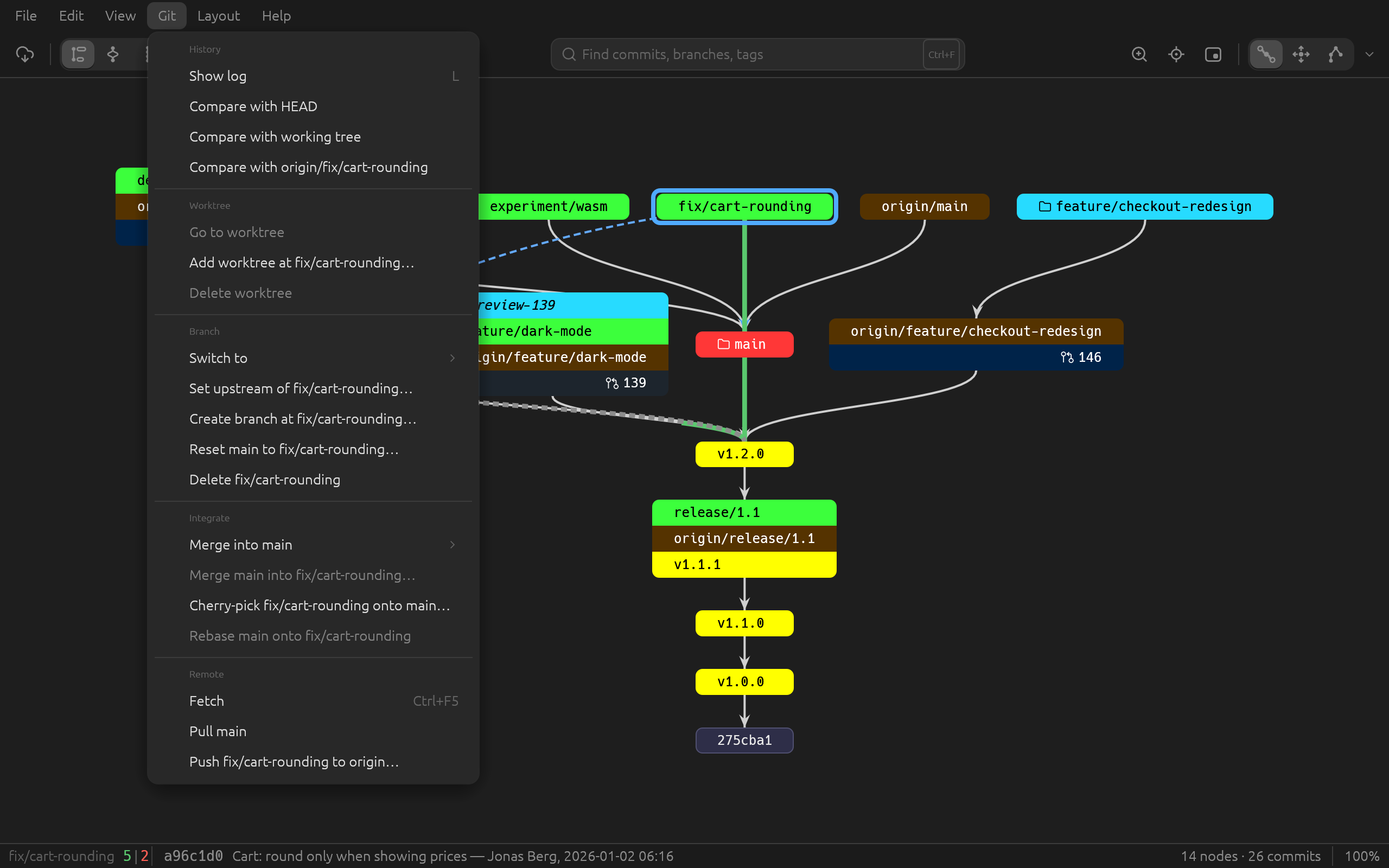
replaced them. The status bar shows fix/cart-rounding 5|2 (ahead|behind), and the log
↑5 ↓2.
A branch that was rebased since it was pushed gets a dashed arrow to its upstream. A
worktree in the middle of a rebase gets an orange zigzag from where it has got to back to
the branch being rebased.
A local branch whose pull request was squash- or rebase-merged is striped once its
upstream is gone, with a green dashed arrow to the commit it landed as. parterre finds it with
git alone, and asks GitHub or Azure DevOps too, which also catch conflicts resolved as the pull
request was completed. Hover the branch to see how and in which pull request. Deleting it
asks plainly, without a warning: its changes are already upstream.
Fetch every remote from the toolbar or with Ctrl+F5 (⇧⌘F on macOS), pull the open worktree's branch,
and push any local branch from its node. A push that would replace the remote's commits
asks first, and says whether the branch has a copy of each; it forces only with a lease
(--force-with-lease --force-if-includes). parterre has no password prompt of its own: use a
credential helper or ssh-agent. Delete a remote branch from its node: parterre asks
first, lists any commits only it has, and won't delete a branch with an open pull request.
Arrange it your way
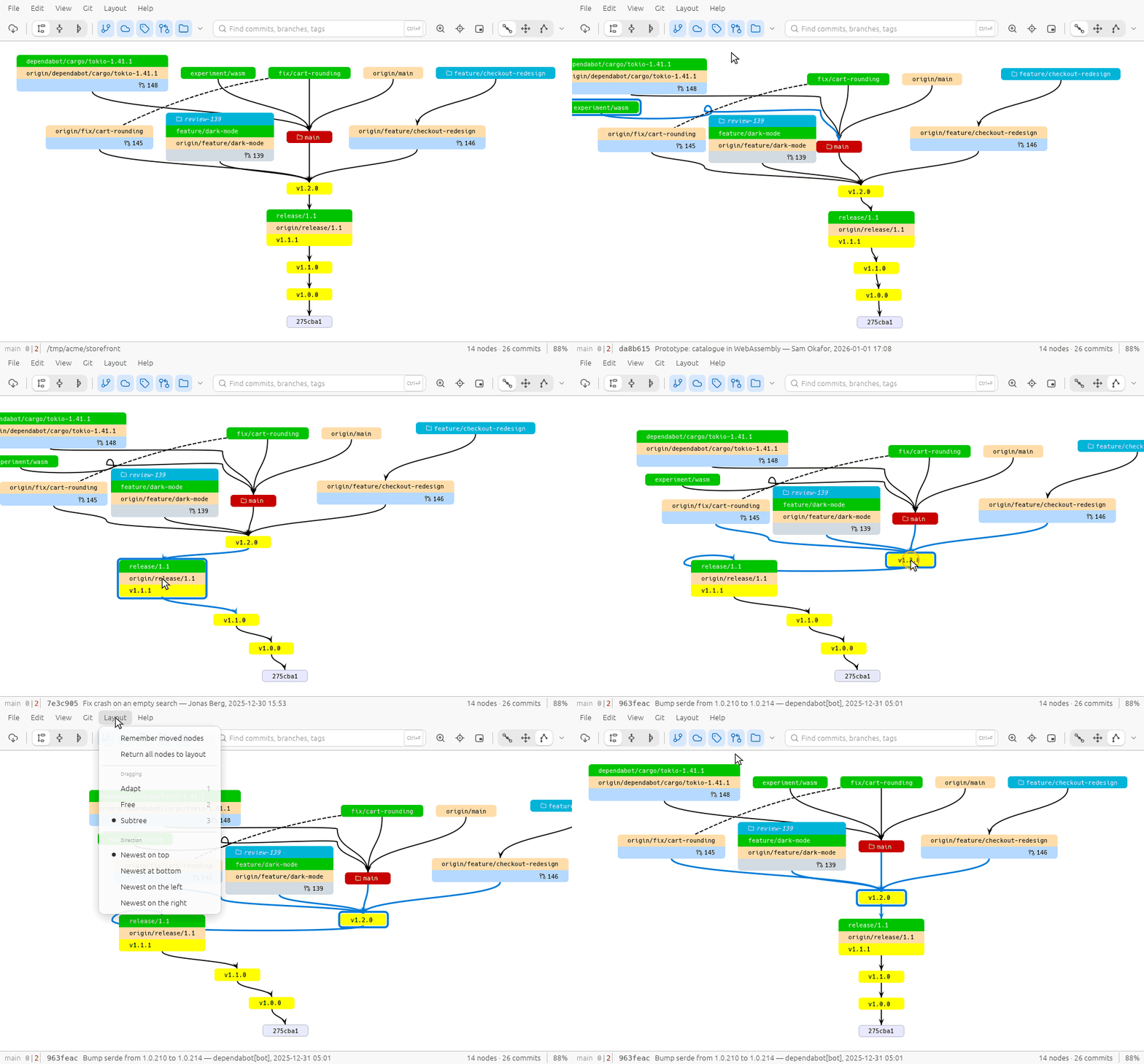
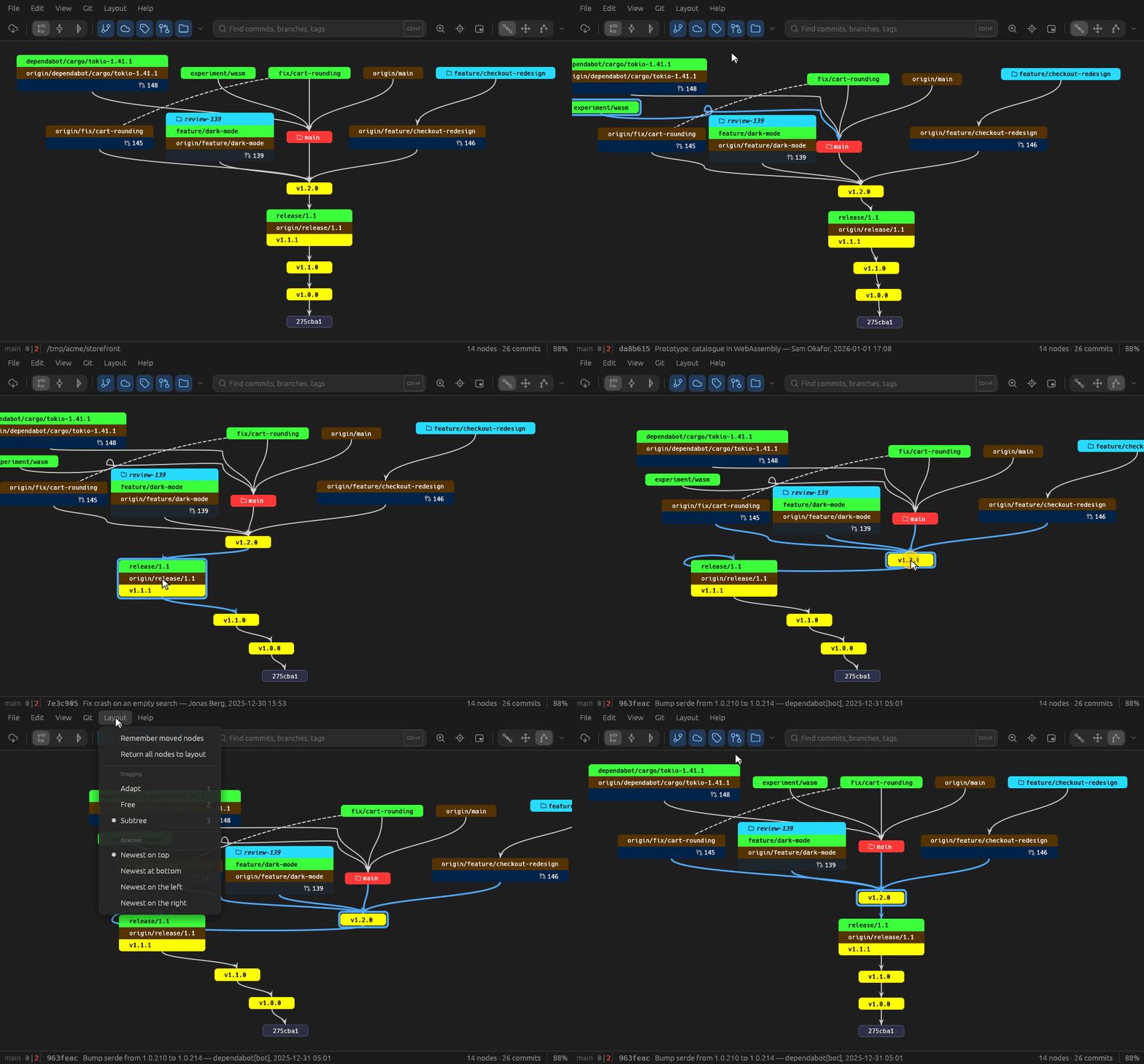
Drag a node and the graph gives way, as if held by weak magnets: neighbours follow along their
edges and nodes in the way move aside. Edges find new routes through the gaps. You can also
move only the selected nodes, or a whole subtree, undo with Ctrl+Z (⌘Z on macOS), and put
everything back with Layout › Return all nodes to layout. Turn on Remember moved nodes (Settings → Dragging) to keep your
arrangement for each repository.
History, diffs and blame
Double-click a node for its log, or select two for the commits between them. From there,
open a file's diff, side by side or unified, with changed words marked and code coloured
by syntax. Or blame it, with the history of the file below and each line shaded by age. You can also compare any
two commits, or a commit with your working tree.
  <img alt="The log window: a branch's history with a graph column, branch labels with ahead and behind counts, the selected commit's details and changed files" src="docs/images/1.0/log-light.png#gh-light-mode-only" />
  <img alt="The log window: a branch's history with a graph column, branch labels with ahead and behind counts, the selected commit's details and changed files" src="docs/images/1.0/log-dark.png#gh-dark-mode-only" />


  <img alt="The diff window, side by side, with the changed words marked" src="docs/images/1.0/diff-light.png#gh-light-mode-only" />
  <img alt="The diff window, side by side, with the changed words marked" src="docs/images/1.0/diff-dark.png#gh-dark-mode-only" />


  <img alt="The blame window: each line's commit, author and date, shaded by age, over the file's history" src="docs/images/1.0/blame-light.png#gh-light-mode-only" />
  <img alt="The blame window: each line's commit, author and date, shaded by age, over the file's history" src="docs/images/1.0/blame-dark.png#gh-dark-mode-only" />
Install
Download parterre for your system from the
releases page:
| System | Package | Adds |
|---|
| Windows | .msi | Start menu entry, Revision Graph in Explorer's folder menu; no admin rights needed |
| Debian, Ubuntu | .deb | menu entry, Revision Graph in Nautilus, Dolphin and Nemo |
| Fedora, openSUSE | .rpm | the same |
| macOS | .dmg (aarch64 for Apple silicon, x86_64 for Intel) | the app, to drag into Applications, and Revision Graph in Finder's Services for folders; not signed by Apple, so allow it once in System Settings › Privacy & Security |
| Linux, macOS, Windows | .tar.gz / .zip | just the program: put parterre on your PATH |
sudo apt install ./parterre_*_amd64.deb # or: sudo dnf install ./parterre-*.x86_64.rpm
On macOS, parterre › Install Command Line Tool… puts parterre on your PATH, as this does:
sudo ln -s /Applications/parterre.app/Contents/MacOS/parterre /usr/local/bin/parterre
With a Rust toolchain:
cargo binstall parterre            # the release binary, with cargo-binstall
cargo install --locked parterre    # or build it from source
parterre runs the git you already have, which must be git 2.31 or newer and on your PATH.
The .deb and .rpm install it if needed; on Windows, install
Git for Windows first. The Linux build needs glibc 2.35 or
newer (Debian 12, Ubuntu 22.04 and later).
Quick start
cd ~/src/my-project
parterre                           # the repository you are in
parterre ~/src/other --worktrees   # another one, with its worktrees shown
In the window, File › Open folder… (or a folder dropped on it, except on Wayland) opens another repository, and
File › Clone repository… clones one from any URL, or from your GitHub repositories when the
GitHub CLI is signed in, and from your Azure DevOps organisations' when git has a sign-in for
them.
| Do | To |
|---|
Double-click a node, or L | Show its log |
| Right-click a node | What the Git menu offers for it, and copy, open, layout |
| The Git menu | The same on the selected node, and fetch |
Drag a node; 1 2 3 | Move it; the graph gives way / only the selection / the whole subtree |
F, H | Zoom to fit the whole graph, go to HEAD |
Ctrl+F (⌘F on macOS) | Find branches, tags, hashes, subjects or authors |
F5, Ctrl+R (⌘R on macOS) | Reload (parterre also reloads by itself when refs change) |
Ctrl+, (⌘, on macOS) | Settings |
A few command-line options:
parterre --mode forks              # also show where labelled histories fork apart
parterre --hide 'pipeline/*'       # leave out build branches
parterre --branch-color 'feature/*=#9b59b6'   # colour branches by name
parterre --export graph.svg        # write the graph as SVG (or .png, .webp), no window
parterre --help                    # all of them
The rest is in the user guide: every key and mouse action, the views and
filters, the log, diff, blame and compare windows, and settings you can share with your team.
More
- docs/usage.md: the user guide.
- docs/automation.md: drive parterre from scripts, for screenshots,
recordings and checks without a human. All the images above were made that way.
- docs/privacy.md: what parterre sends, where it goes and how to turn it
off.
- docs/building.md: build it yourself (
cargo build --release).
- docs/architecture.md: how it works.
crates/parterre-core holds
the git loading, graph reduction, layout and physics, free of any GUI; parterre-forge the
pull requests, parterre-highlight the syntax colour and parterre-telemetry the update
check and usage statistics, each with its own dependencies; parterre-util what they share;
crates/parterre is the egui window.
- docs/research/: how TortoiseGit's revision graph works, with source links.
Ideas, questions and bugs are welcome in GitHub issues.
Read CONTRIBUTING.md before writing code for a pull request.
License
parterre is free software under the GNU General Public License, version 3 only, with
two additional terms in NOTICE: works based on parterre keep its copyright notice and
say that they are based on it, and modified versions are marked as modified. You may use, share
and modify parterre at home and at work.