Immich Folder Watch is a folder watcher and uploader designed to automatically ingest new media files into Immich via its HTTP API. It enables seamless integration between file imports on Windows or Linux systems and your Immich instance, eliminating the need for manual uploads.
Key Features:
Watches one or more local folders for newly created or modified media files.
Waits until files are fully written before uploading to avoid partial transfers.
Configurable batch uploads to optimize performance and reduce API load.
Optional per-source album placement in Immich, with automatic album creation if needed.
Retries failed uploads automatically, with configurable delay and maximum attempts.
Audience & Benefit:
Ideal for users who want automated, real-time media import into Immich without manual intervention. This tool is perfect for photographers, families, or anyone managing large volumes of photos and videos, saving time and ensuring a centralized, organized media repository. It can be installed via winget on Windows systems.
README
Immich Folder Watch
Immich Folder Watch connects local photo and video folders with Immich on Windows and Linux. Automatically upload new or existing media, or keep local folders and Immich albums synchronized with uploads and downloads. Choose the behavior separately for each folder.
This is a community desktop client maintained separately from the Immich project.
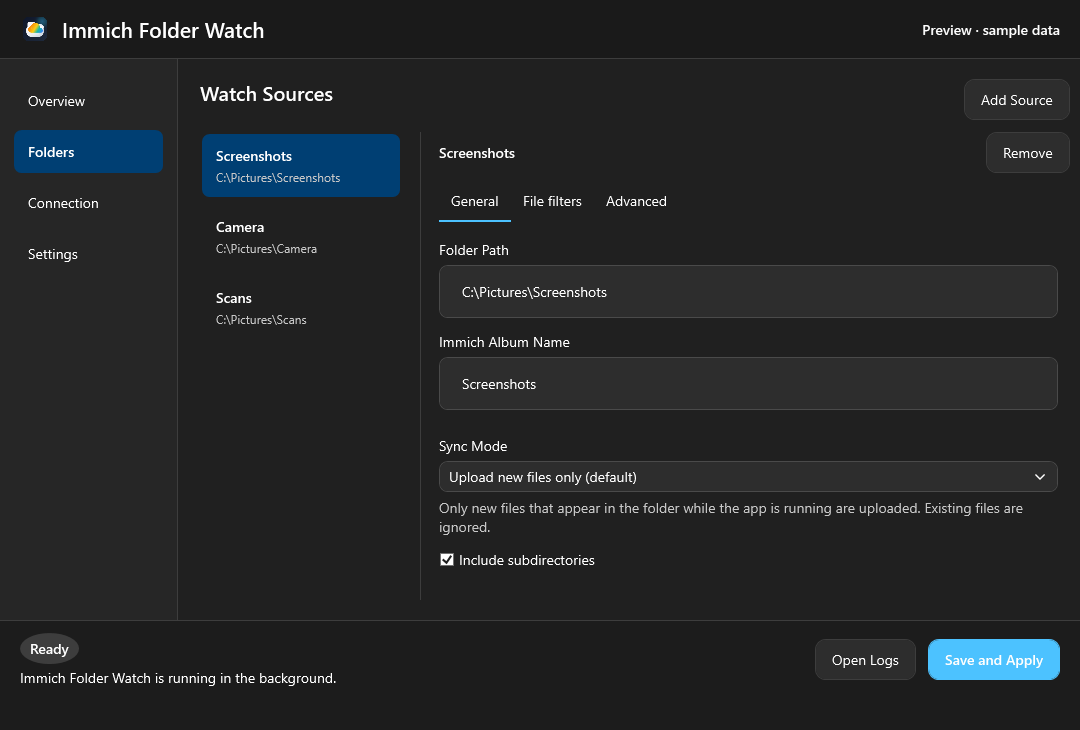
Use it to keep an Immich album available locally, organize albums through local subfolders, import a photo collection, or send new camera imports and screenshots to Immich. It runs in the background as a per-user desktop app and communicates through the Immich API without writing directly into Immich storage.
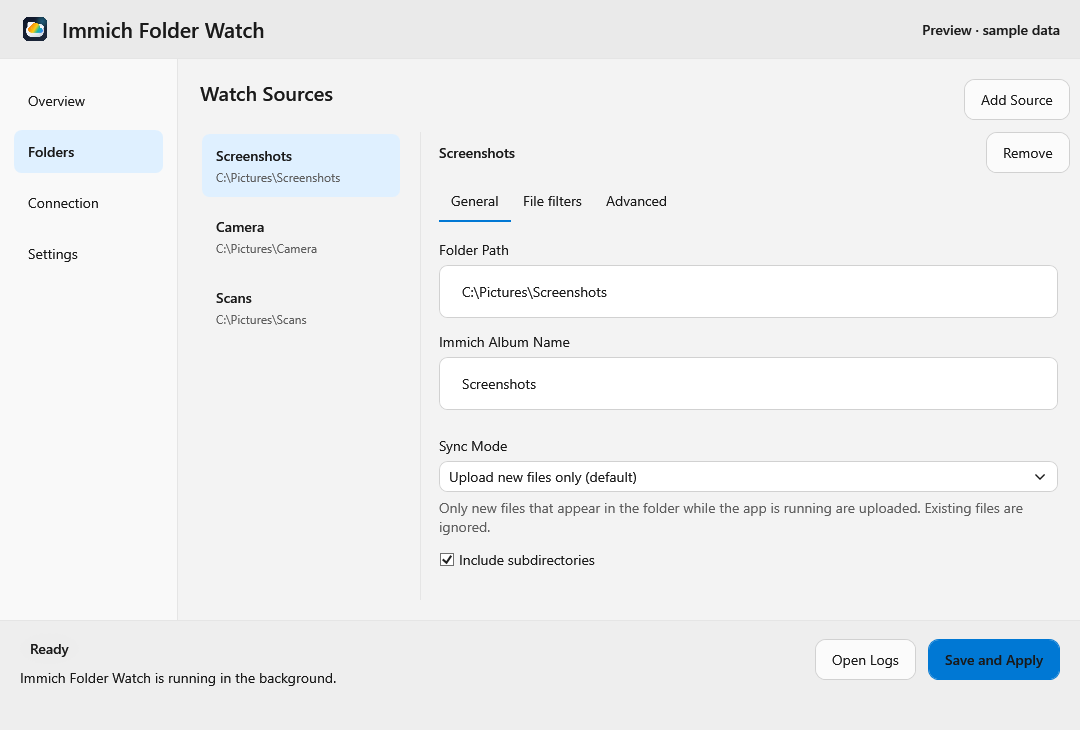
Windows interface with sample data. The preview follows your browser's color
preference; light and
dark versions are also available directly.
See the illustrated desktop guide to connect Immich,
add folders, choose a sync mode, and adjust transfer and logging settings.
Use Cases
Keep a local folder synchronized with an Immich album, including photos added to Immich from other devices
Access synchronized photos and videos locally with desktop tools, even while offline
Map first-level subfolders to Immich albums and keep their names and media placement in sync
Import an existing photo or video collection and continue uploading new additions
Automatically send new screenshots, camera imports, or scans to dedicated Immich albums
Use an upload inbox that optionally removes local files after a confirmed upload and album assignment
Combine workflows: synchronize a Family album while uploading new files from Screenshots or Camera Imports
How it works
Add one or more local folders and choose a sync mode for each:
Mode
Local folder → Immich
Immich → local folder
Upload new files only (default)
Uploads new files that appear while the app is running; existing files are ignored.
No downloads.
Upload everything in the folder
Includes existing media at startup and uploads new additions.
No downloads.
Sync folder with album (bidirectional)
Uploads missing local media and propagates tracked local deletions and moves.
Downloads missing media and removes tracked local files when their media leaves the synchronized remote scope.
In bidirectional mode, set an album name to synchronize one album with a flat
local folder. Leave it empty to map first-level subfolders to Immich albums;
the root folder then corresponds to media outside albums. Changes arrive through
Immich's realtime connection, with polling as a fallback.
Synchronization can change both sides: deleting a tracked local file moves its
Immich asset to trash, and local folder changes can affect albums. Removing media
from the synchronized remote scope can permanently delete its tracked local copy.
Upload modes offer an optional inbox setting that permanently deletes confirmed local
uploads. Review the sync modes and deletion behavior
when choosing a workflow.
Features
Per-folder upload or bidirectional sync, with multiple workflows running together
Local access to media downloaded from Immich, including additions from other devices
Optional album placement for uploads; single-album or subfolders-as-albums synchronization
Automatic album creation and synchronization of album/subfolder renames in bidirectional mode
Per-folder media extensions and exclusion filters
Configurable upload/download order, upload batches, and file readiness checks
Persistent sync state shared by all watched folders, so unchanged files do not generate uploads or downloads after a restart
Retries transient upload failures automatically
Live connection status, upload/download progress, last successful transfer, and sync errors
Background operation with a Windows tray icon; the Flatpak package provides an in-app background notice
Checks GitHub Releases on startup and links to the release page when an update is available
Autostarts on login by default; togglable in the GUI
Verifies Immich URL, API key, and required permissions from the GUI
Localized UI (English, German) with OS auto-detect and live in-app language switching
Cross-platform: Windows MSI and Linux Flatpak built from the same Core; Windows logs to the Event Log by default, Linux to journald
Installation
Windows (MSI)
Download the matching MSI from GitHub Releases:
immich-folder-watch--win-x64.msi for Intel/AMD Windows or
immich-folder-watch--win-arm64.msi for Windows on Arm.
Install it with administrative rights (per-machine binary install).
Open the Immich Folder Watch desktop shortcut.
Open Connection, enter your Immich URL and API key, and review the verification result.
Open Folders, add your sources, and choose each folder's upload or bidirectional sync mode under General. Review its album, file filters, and deletion behavior in the desktop interface guide. Set the global upload/download order under Settings → Transfer; newest files are processed first by default.
Save and Apply — transfers and folder monitoring start with the selected modes.
Each Windows user has their own configuration. The app autostarts at login by default.
winget install VoltKraft.ImmichFolderWatch selects the matching x64 or ARM64
installer automatically once a multi-architecture release is published. Releases
through v2.7.0 remain x64-only and are not backfilled.
Upgrading from an older service-based install: the legacy service is stopped and removed, and the existing C:\ProgramData\Immich Folder Watch\config.yaml is migrated into the installing user's %LOCALAPPDATA%.
Linux (Flatpak)
Download the matching bundle from
GitHub Releases:
immich-folder-watch--linux-x64.flatpak on x86_64 or
immich-folder-watch--linux-arm64.flatpak on aarch64.
Install and launch it for the current user:
flatpak install --user ./immich-folder-watch--linux-.flatpak
flatpak run io.github.voltkraft.immich-folder-watch
Flatpak assets are published by the current release workflow; v2.7.0 and
earlier releases are not backfilled.
GitHub's single-file bundle records Flathub as the source for its Freedesktop
runtime dependency, but it does not configure an application repository.
Download each new application version manually and install it with
flatpak install --user --or-update ./immich-folder-watch--linux-.flatpak.
Flathub release automation is prepared; initial acceptance is still pending. See
the Flathub preparation guide for status and
packaging/flatpak/README.md for local builds.
The Flatpak package runs through X11/XWayland because the current Avalonia
Linux backend initializes X11. Its tray uses the application's own D-Bus
namespace and supports KDE Plasma and GNOME with an AppIndicator extension.
When no tray host is available, the app shows a banner and remains reachable
through the launcher or Background Apps.
Logs: journald (default — journalctl --user -t io.github.voltkraft.immich-folder-watch.desktop) or the directory shown under Settings → Logging when File logging is selected
Autostart: requests desktop approval once during first setup; managed via the Background portal and the GUI toggle
Folder picking goes through the FreeDesktop FileChooser portal so the app only sees the folders you explicitly grant. The watcher resolves the doc-portal handles back to host paths via org.freedesktop.portal.Documents, and inotify-blind FUSE mounts are covered by a 5-second polling sweep.
The app keeps one automatically managed sync-state.db beside config.yaml for
all watched folders. On the first start after this database is introduced, it
performs a mode-appropriate reconciliation and records confirmed transfers.
Later starts reconcile file metadata in the background; files whose size and UTC
modification time are unchanged are not hashed, uploaded, or downloaded.
One configuration can combine different workflows. This example uploads new
screenshots, imports an existing camera folder, and synchronizes a local folder
with the Family album, including media added to that album from other devices.
Deleting tracked local files or removing media from the Family album can also
remove the corresponding copies on the other side.
See Configuration for all settings, defaults, and
the additional API permissions required for bidirectional sync.
Documentation
Start with the illustrated guide to choose a workflow and configure folders.
The configuration reference explains album mapping, file selection, transfer
settings, and deletion behavior for each mode.

-x86--64%20%7C%20ARM64-FCC624?logo=linux&logoColor=black)