Use this command to install Netstat Cat with WinGet:
winget install --id=XueshiQiao.NetstatCat -e
Netstat Cat is a desktop application designed to monitor active TCP and UDP connections in real time, offering advanced filtering capabilities and process identification.
Key Features:
Real-time monitoring of network connections with live refresh functionality.
Advanced filtering system to search by process name, PID, port ranges, or semantic queries.
Process identification that shows which applications own specific network connections.
Efficient handling of large numbers of connections using virtualized table performance.
Modern user interface with dark/light theme toggle and frameless window design.
Audience & Benefit:
Ideal for system administrators, developers, and security professionals who need to monitor network activity and identify application-specific port usage. Netstat Cat provides a user-friendly alternative to command-line tools like netstat, ensuring transparency into network operations while maintaining performance efficiency.
Installable via winget, Netstat Cat is built with Tauri v2 and Rust, combining cross-platform compatibility with lightweight resource usage.
README
Netstat Cat
> A powerful network monitoring tool with real-time connection tracking and advanced filtering capabilities
Netstat Cat is a lightweight desktop application built with Tauri v2 and Rust, providing a user-friendly interface for monitoring network connections on macOS and Windows. It serves as a graphical replacement for the command-line netstat tool, making it easier to monitor network activity and identify which applications are using specific ports.
Key Features
Security & Privacy - Pure local operation with no network connections or data transmission
Real-time Network Monitoring - Live display of active TCP/UDP connections
Process Identification - Shows which processes own each network connection
Advanced Filtering System - Search by process name, PID, port ranges, or semantic queries like process=chrome && lport>1000See filtering guide
Virtualized Table Performance - Efficiently handles large numbers of connections using React Virtuoso
Lazy Process Resolution - Only fetches full executable paths when hovering over processes
LRU Caching - Intelligent caching for process paths to avoid repeated system calls
Modern UI - Frameless window with dark/light theme toggle
Auto-refresh Mode - Configurable live monitoring (2-second intervals)
Screenshots
Light theme on macOS
Dark theme on macOS
Advanced query filtering on macOS
Light theme on Windows
Dark theme on Windows
# Clone the repository
git clone https://github.com/XueshiQiao/netstat-cat.git
cd netstat-cat

# Install dependencies
npm install
Development
# Start Tauri development server (compiles Rust backend + starts Vite)
npm run tauri:dev

# Run type checking
npm run typecheck

# Run linting
npm run lint
Building
# Build for current platform
npm run tauri:build
Usage Guide
Basic Monitoring
Launch the application to see all active network connections
Use the filter buttons to quickly narrow by protocol, IP version, or connection state
Enable auto-refresh for live monitoring
Advanced Filtering
Simple Search: Type process names, PIDs, or ports (e.g., chrome, 8080)
Wildcards: Use * for pattern matching (e.g., *.exe)
Port Ranges: Use ranges like 80-443
Semantic Queries: Use advanced syntax like process=chrome && lport>1000
See filters_en.md for complete filtering documentation.
Technical Architecture
Frontend Stack
React 19 with TypeScript
Tailwind CSS for styling
React Virtuoso for virtualized scrolling
Vite for frontend bundling
Backend (Rust)
Tauri v2 for native desktop integration (uses OS webview, ~5MB binary)
netstat2 crate for cross-platform socket enumeration
sysinfo crate for PID-to-process name resolution
Tauri IPC for communication between frontend and Rust backend
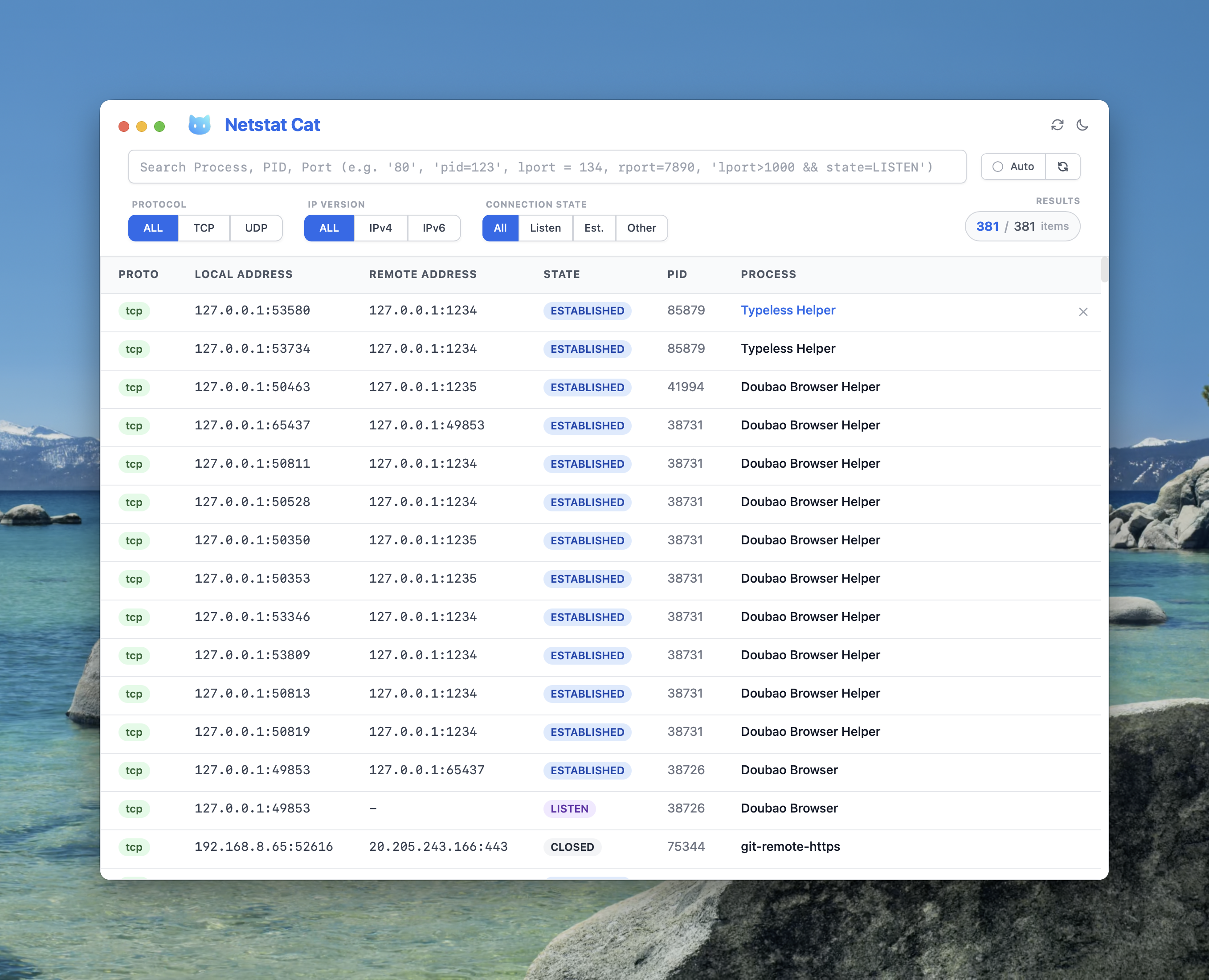 Light theme on macOS
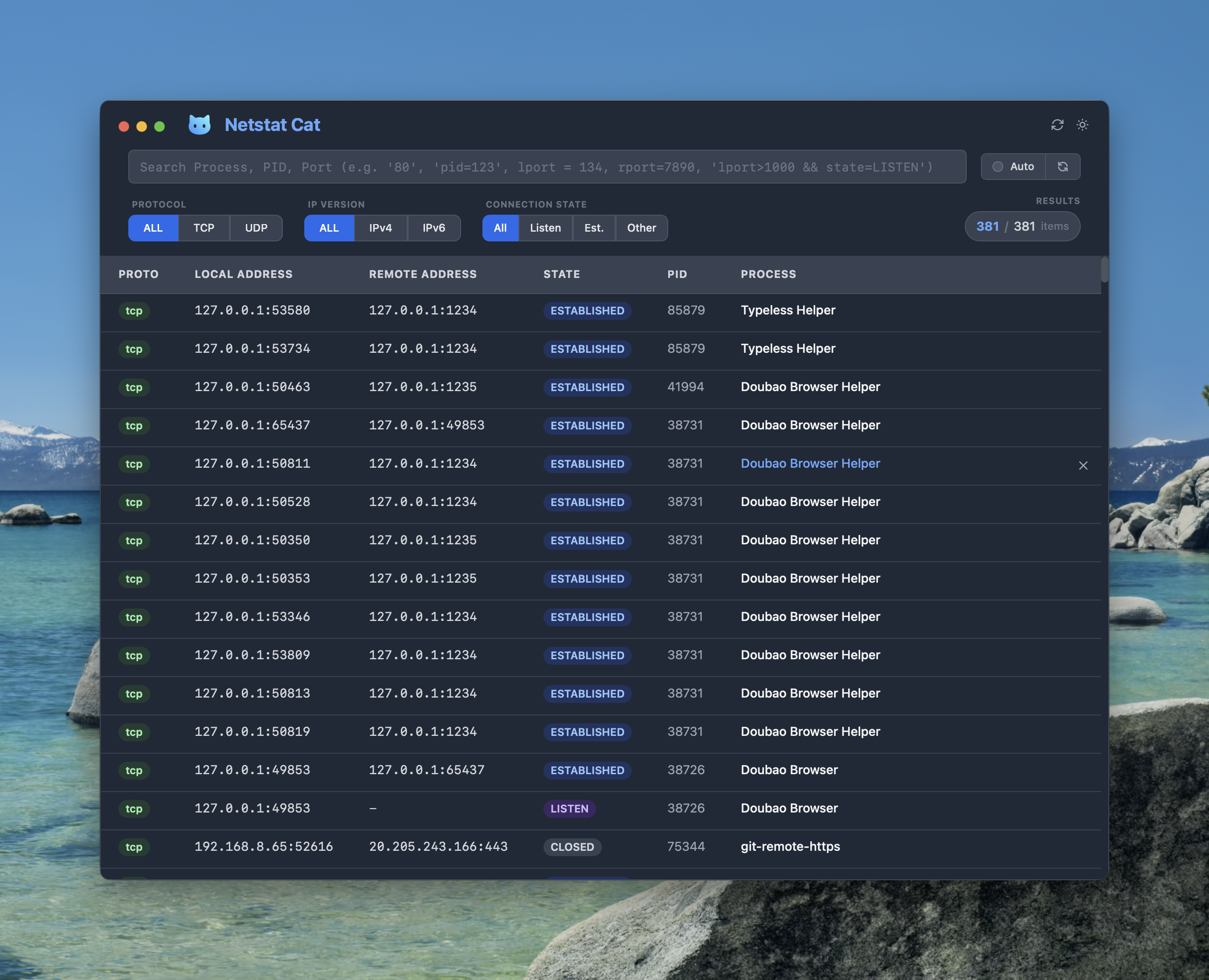 Dark theme on macOS
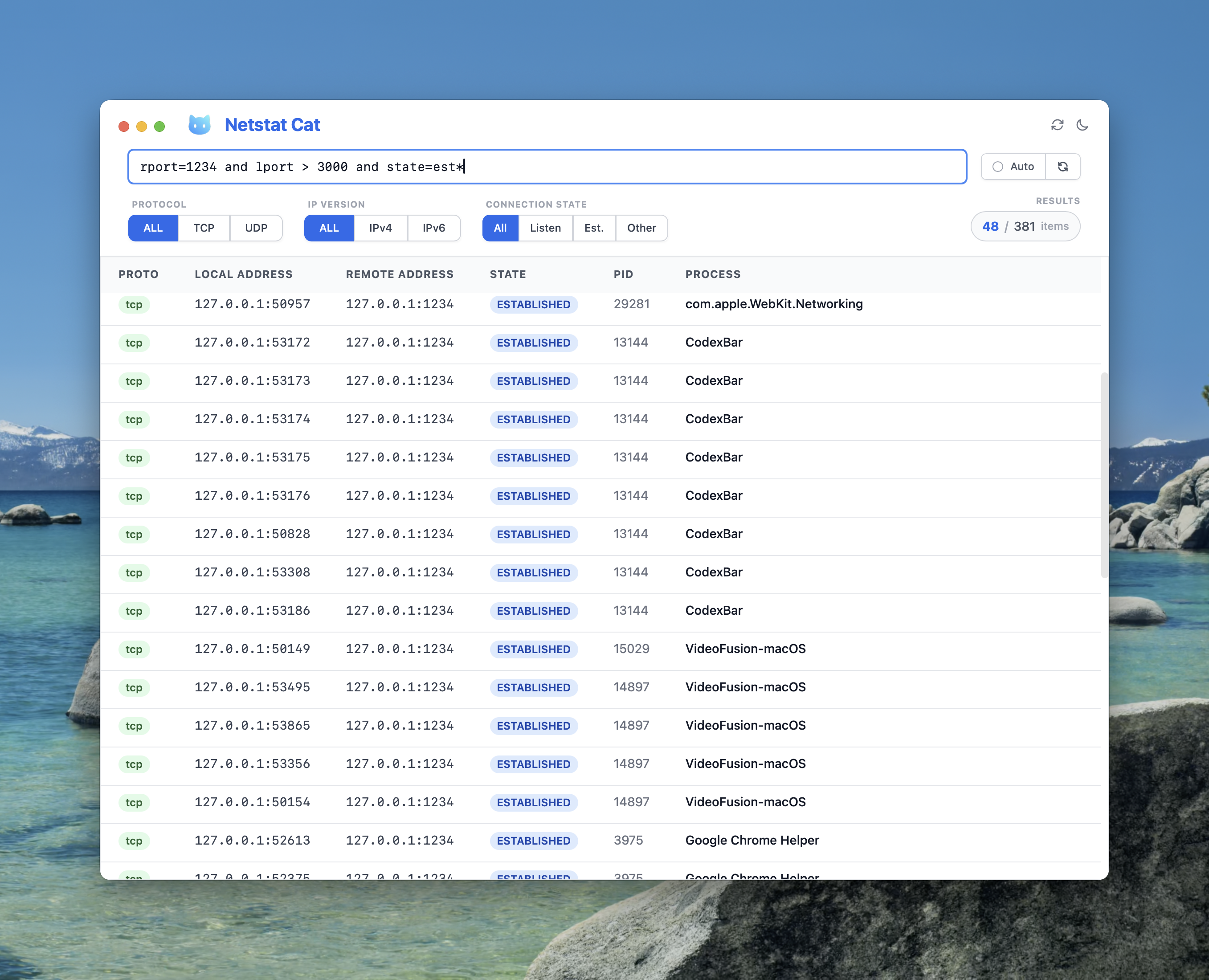 Advanced query filtering on macOS
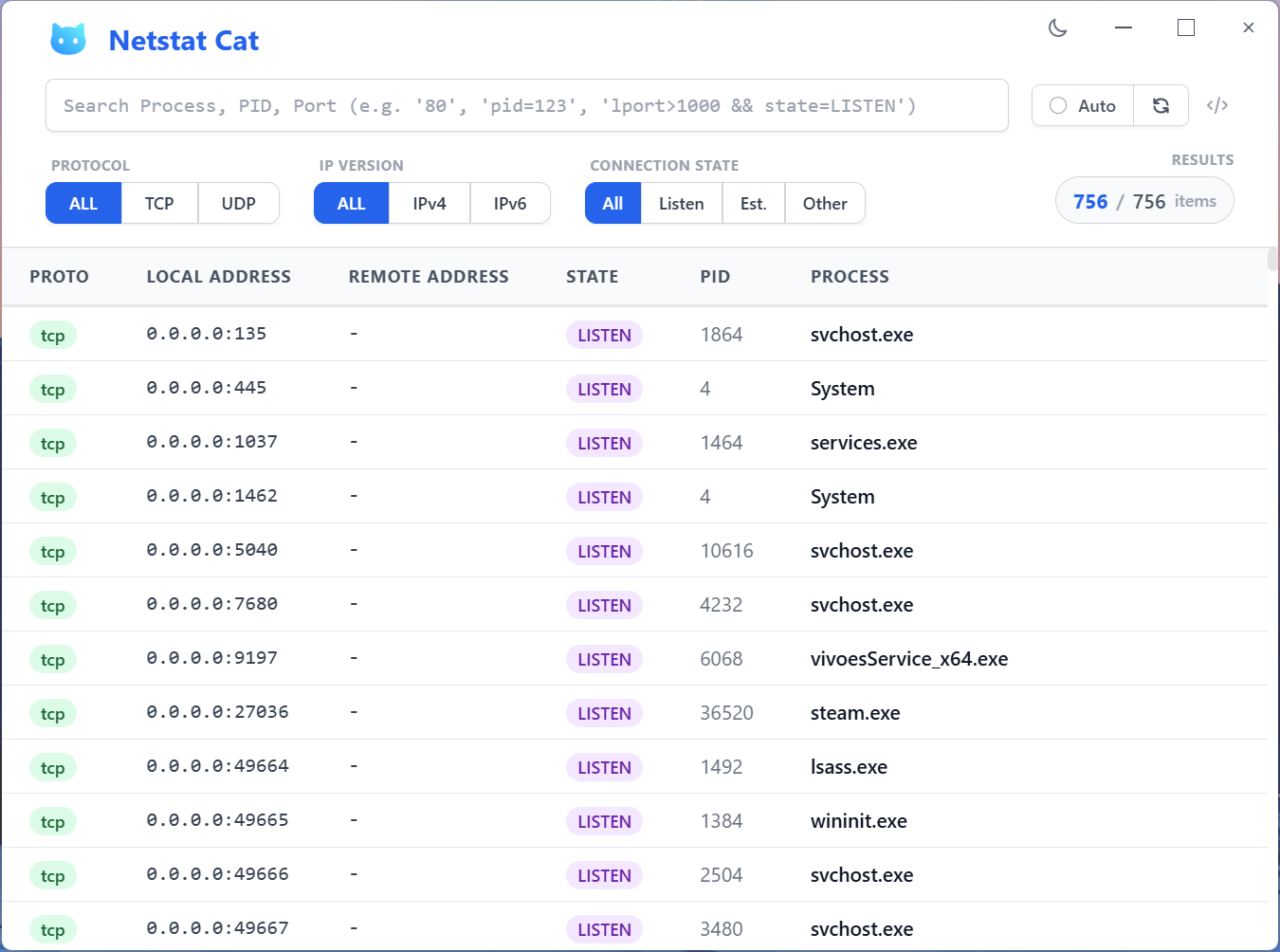 Light theme on Windows
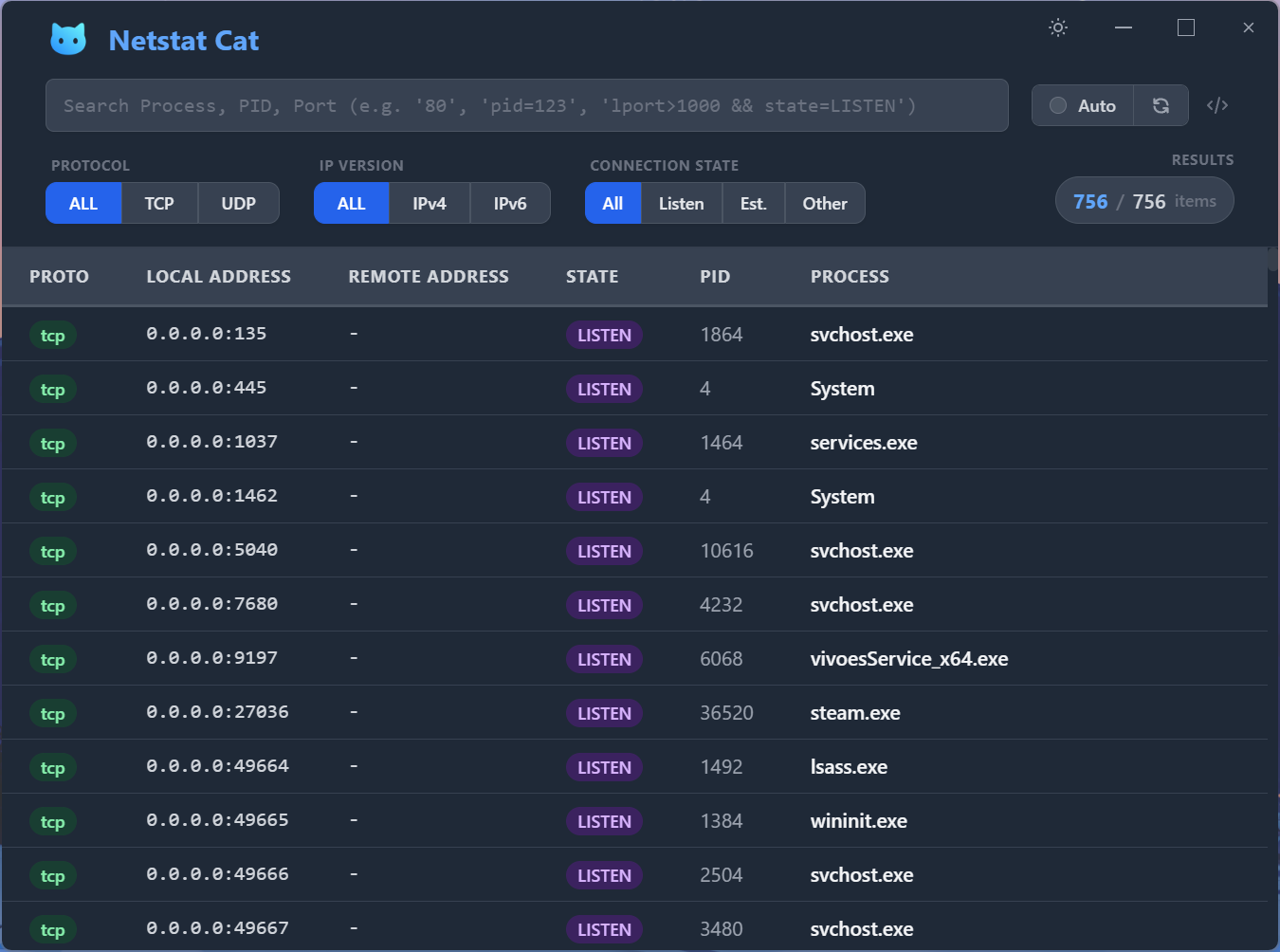 Dark theme on Windows