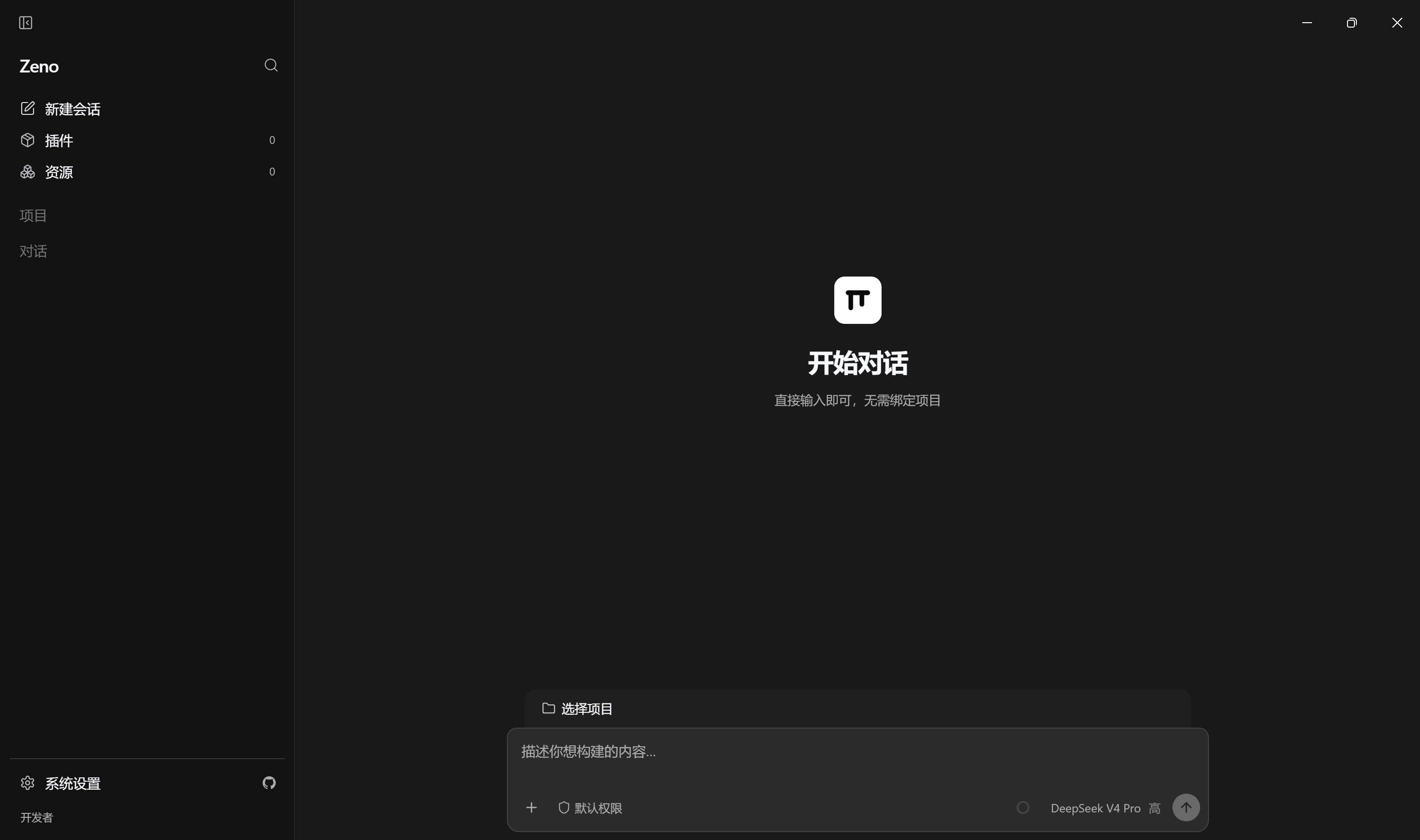
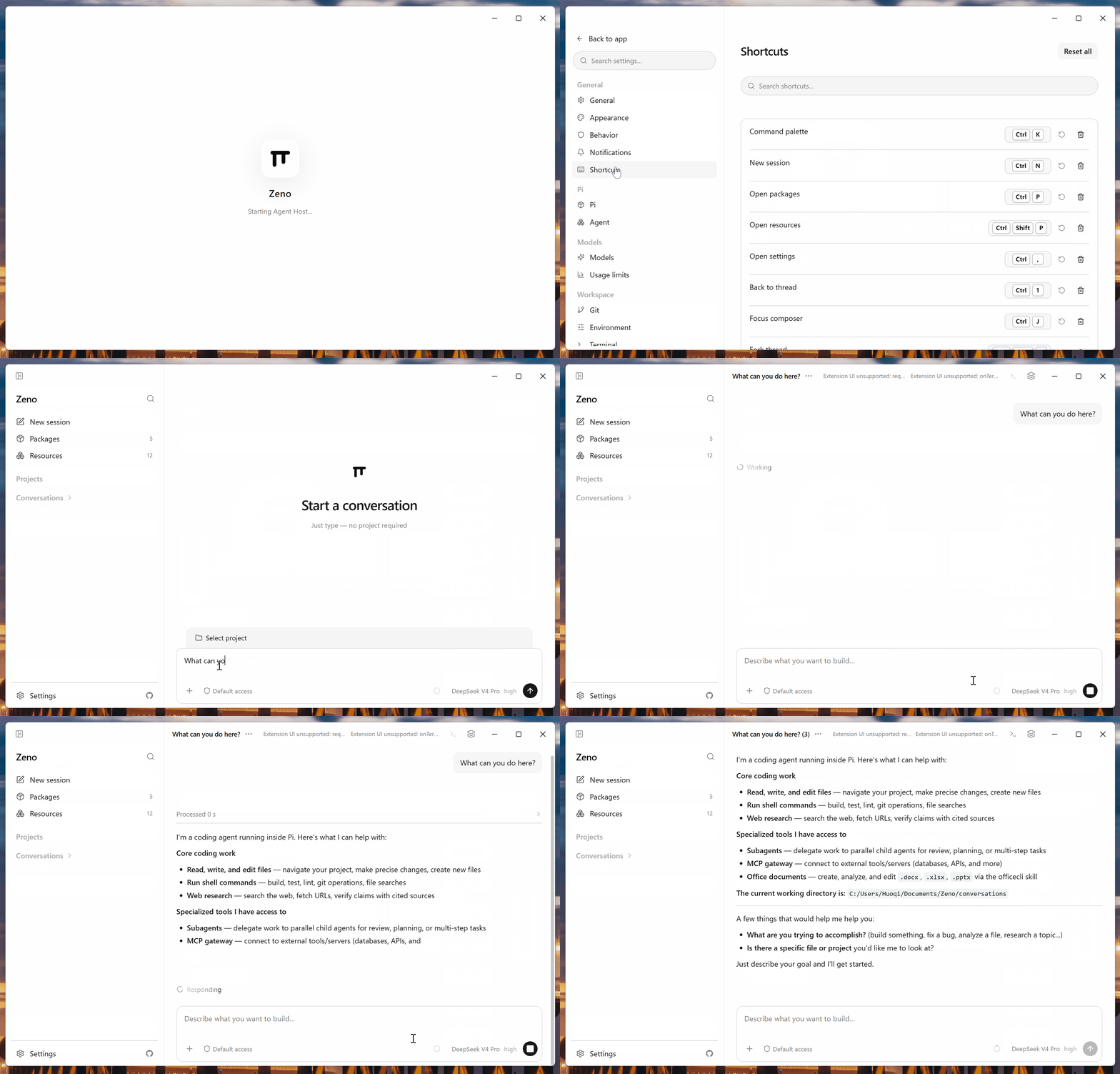
Zeno is a desktop shell designed to provide a smooth interface for the pi coding agent, offering a Codex-style user experience that integrates configuration, packages, sessions, and tools directly into the native pi environment (~/.pi/agent). Zeno is a unified workspace where developers can manage their projects efficiently.
Key Features:
Codex-Style Interface: Includes an intuitive interface optimized for interacting with large language models and coding agents.
Native Integration: Maintains configuration, packages, sessions, and tools on the native pi side, ensuring consistency across projects.
Cross-Platform Availability: Available on Windows, macOS, and Linux. Install using WinGet for easy setup.
Session Persistence: Saves and restores workspaces from previous sessions, enhancing workflow continuity.
Isolated Development Environment: Option to launch with a temporary home directory for testing without affecting real configurations.
Target Audience and Benefits:
Ideal for developers, AI researchers, and coding enthusiasts working with large language models or pi-based projects. Zeno supports developers by providing a unified interface that simplifies access to tools and resources while maintaining compatibility with existing workflows. Its availability via WinGet ensures straightforward installation across environments.
Zeno is a desktop shell for the pi coding agent: a Codex-style UI that keeps configuration, packages, sessions, and tools on the native pi side (~/.pi/agent).
Screenshots
Zeno desktop shell — sidebar, session workspace, and composer:
Animated demo:
Requirements
Node.js 22.19 or newer
pnpm 11.15.1
Setup
pnpm install
pnpm electron:install
electron:install downloads the Electron 43 runtime for your platform.
Develop
Apps have independentdev / build entry points at the repo root:
App
Dev
Build
Notes
Desktop (apps/desktop)
pnpm dev
pnpm build:desktop
Hot reload (HMR + auto-restart). One-shot: pnpm run dev:once
Landing (apps/landing)
pnpm dev:landing
pnpm build:landing
Preview: pnpm preview:landing
All packages
—
pnpm build
Recursive build across the workspace
Desktop
pnpm dev           # hot reload: Vite HMR for renderer + auto-restart for main process
pnpm run dev:once  # one-shot build + launch (no watch)
pnpm build:desktop # compile only (no Electron launch)
pnpm dev starts a Vite dev server on http://localhost:5173 for the renderer (React HMR — component changes appear instantly without restart) and runs build watchers for main / preload / agent-host. When backend source code changes, Electron restarts automatically.
Use dev:once for CI or when you need a single cold launch without file watching.
Product launch uses your real HOME and the same agent dir as the CLI (~/.pi/agent / PI_CODING_AGENT_DIR). Models, API keys, settings, packages, and tools match interactive pi. The last workspace is restored from desktop prefs; no temp workspace is created on every start.
Re-run after renderer changes. Do not open the built HTML via file://.
Landing page
pnpm dev:landing      # http://localhost:5174
pnpm build:landing    # static site → apps/landing/dist
pnpm preview:landing  # serve the production build
Validate
pnpm check        # lint + types + format (same as Ubuntu CI)
pnpm check:types  # lint + types only
pnpm fmt          # auto-fix formatting
pnpm test
pnpm build        # all workspace packages (desktop + landing + libs)
Package (desktop)
pnpm package # platform installers + electron-updater feeds for this OS
Output: apps/desktop/release/app/ (unsigned in CI — no code-signing certs yet).
GitHub Release assets
Each tagged release publishes only what installers and electron-updater need:
Asset
Role
Zeno-*-win-x64.exe
Windows install (NSIS)
latest.yml
Windows update feed
Zeno-*-mac-arm64.dmg / Zeno-*-mac-x64.dmg
macOS manual install
Zeno-*-mac-arm64.zip / Zeno-*-mac-x64.zip
macOS auto-update payload
latest-mac.yml
macOS update feed (lists both zips)
Zeno-*-linux-*.AppImage
Linux run / update
Zeno-*-linux-*.deb
Linux manual install (optional convenience)
latest-linux.yml
Linux update feed
*.blockmap
Differential download maps (when generated)
CI fails if any required feed or mac zip is missing (scripts/release-assets.mjs). Blockmaps are kept when present so updates can download only changed ranges.
The product version is derived from the git tag at build time — the Release
workflow strips the v prefix from the tag and writes it into
apps/desktop/package.json before packaging, so the tag and installer version
can never drift. The checked-in apps/desktop/package.json version is only a
local-dev fallback; do not bump it manually for a release. Root and
packages/* stay at 0.0.0 (private workspace packages).
pnpm version:set 0.1.0 # optional: only for local dev, never for release
Cut a release
git tag v0.1.0
git push origin v0.1.0
Tag must be v + semver (e.g. v0.1.2). CI reads the version from the tag,
builds unsigned installers plus the three electron-updater feeds
(latest.yml / latest-mac.yml / latest-linux.yml) and mac zip archives,
then attaches them to the GitHub Release. Packaged apps check GitHub Releases
once on launch (sidebar shows download / restart when an update is ready).
Manual workflow_dispatch only uploads Actions artifacts (no Release).
Daily CI is Ubuntu-only for lint/types/tests/build; multi-OS packaging stays
on Release. Packaging sets CSC_IDENTITY_AUTO_DISCOVERY=false (unsigned).
> macOS note: first open of an unsigned download may need xattr -cr /Applications/Zeno.app (Gatekeeper quarantine). Auto-update does not require an Apple Developer ID — Zeno verifies the release zip (sha512 via electron-updater) and replaces the .app itself (same model as Tauri updater + minisign). Optional CSC_LINK / CSC_KEY_PASSWORD still improve Gatekeeper UX and notifications when present.
Contributing
Contributions are welcome — bug fixes, docs, and small features are the easiest
to get in. No CLA required.
The full guide lives in CONTRIBUTING.md. In short: open an
issue first, fork and branch off main, keep pnpm check and pnpm test green,
and scope each PR to one concern. Use the issue and PR templates when submitting.
Architecture
React Renderer → Preload → Electron Main → utilityProcess Agent Host → pi SDK
Renderer has no Node.js access.
Main supervises the Agent Host but does not execute pi tools or extensions.
Agent Host uses the public @earendil-works/pi-coding-agent SDK.
Electron userData is only for desktop chrome prefs — never a second agent config layer.
A fresh pi home receives no Zeno packages, resources, or custom settings.
utilityProcess provides crash isolation, not a security sandbox.