
Monolith
A local-first desktop client for coordinating AI agents with your own API keys.
简体中文
·
Security
·
Engineering docs
Thanks to the LINUX DO open-source community for providing a platform for discussion and knowledge sharing.






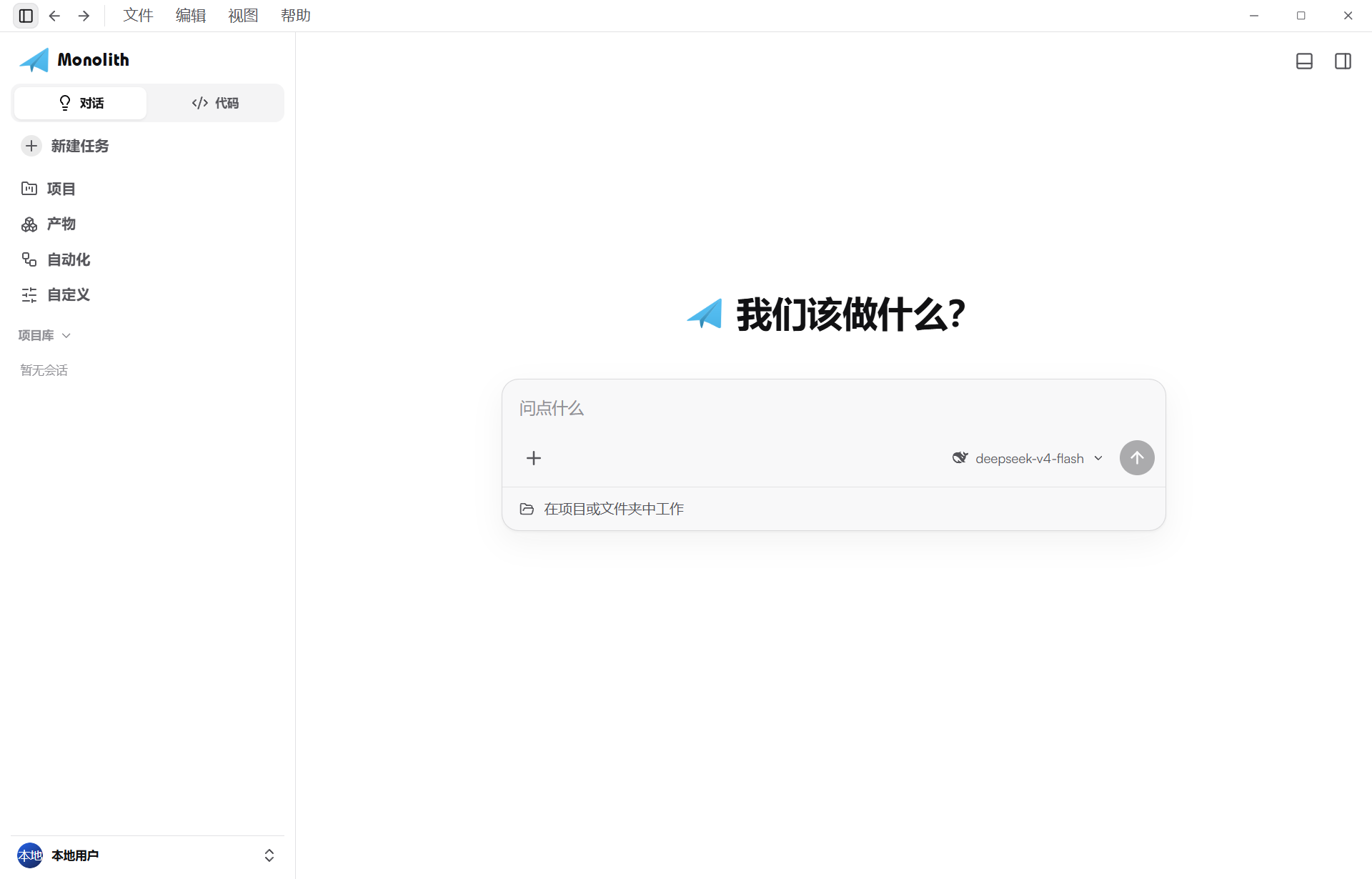
Monolith brings chat, code, terminals, file editing, and multi-agent orchestration into one desktop workspace. You connect your own OpenAI-compatible or Anthropic-compatible endpoints; conversations, usage statistics, and configuration stay in a local SQLite database under ~/.Monolith, and API keys are encrypted with Windows DPAPI before they ever touch the disk.
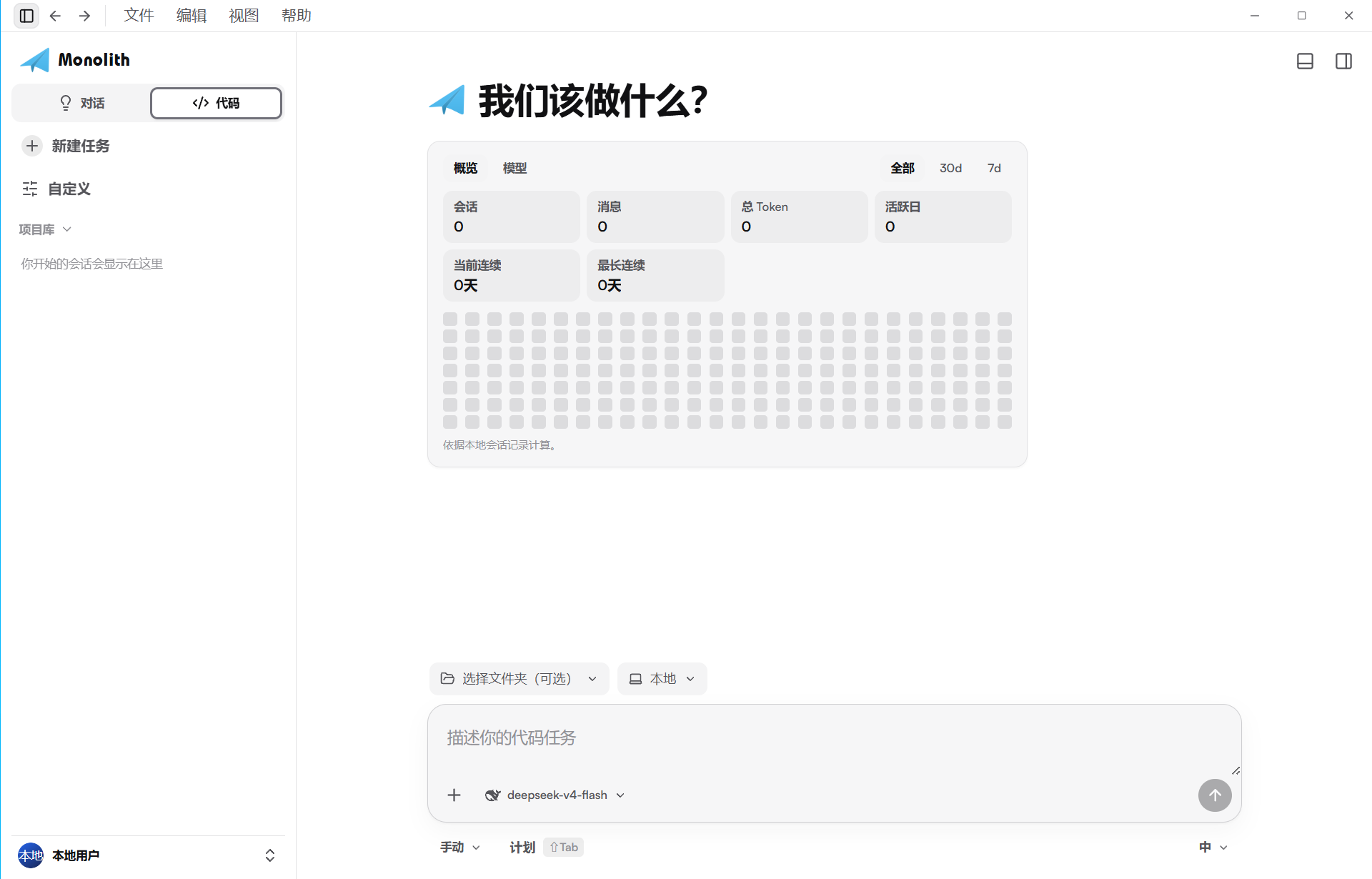
The interface ships with Chat and Code modes, a resizable right-hand work panel (files, side chat, embedded browser), a real bottom terminal, an optional local PIN gate, light and dark themes, and 11 UI languages.
Monolith is distributed as two Windows artifacts built from the same codebase: a single portable executable of roughly 58 MB that embeds the frontend and the llama.cpp local-model runtime, and an NSIS installer that additionally carries the WebView2 offline package for machines without the WebView2 runtime.
Why Monolith
| Capability | What it provides |
|---|
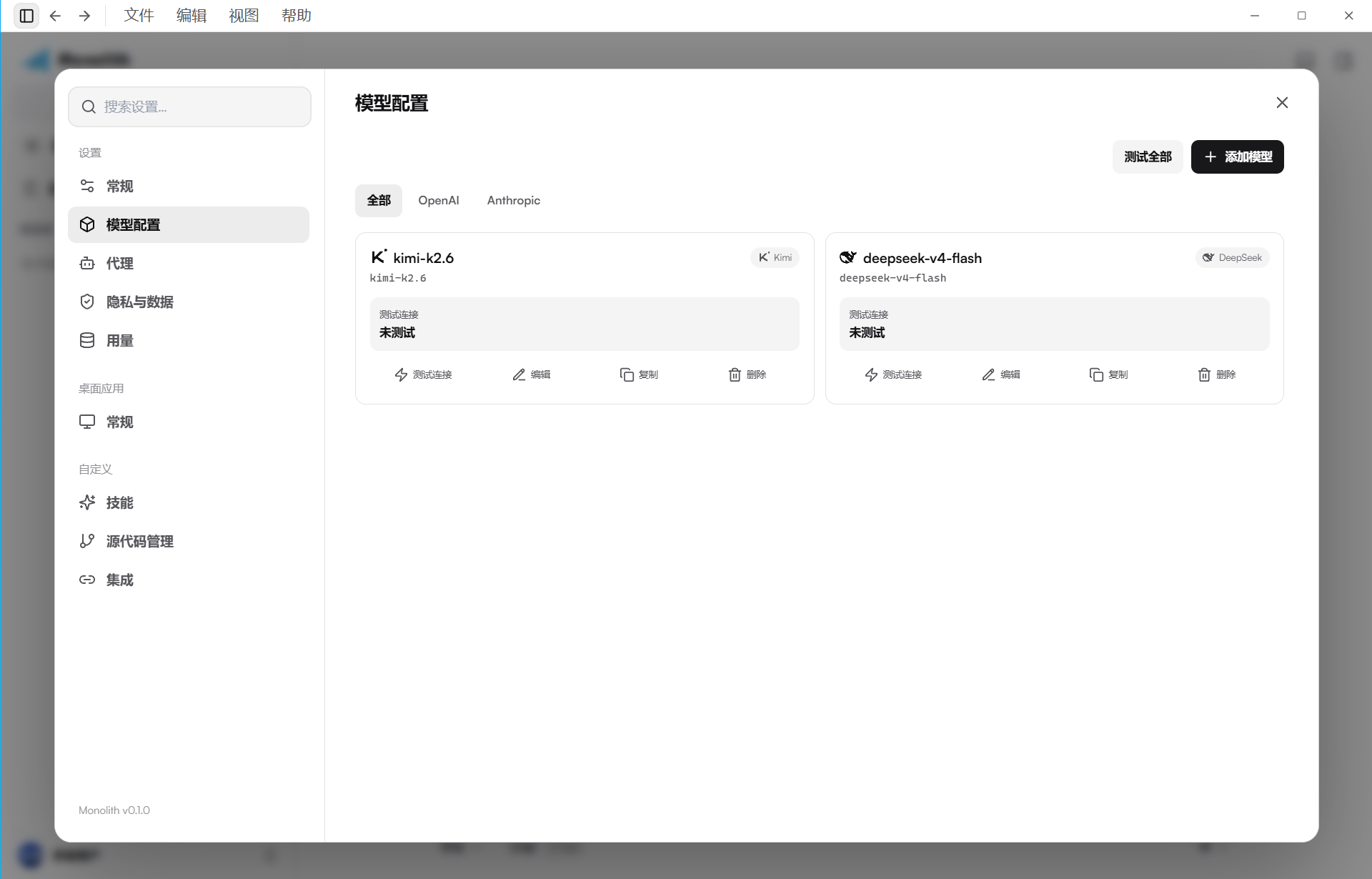
| Bring your own key | Two request protocols — OpenAI-compatible (Responses, Chat Completions, custom path) and Anthropic-compatible (Messages, custom path) — with per-provider and per-model configuration. |
| Encrypted local secrets | API keys are encrypted with Windows DPAPI (user scope) and stored in ~/.Monolith/credentials.json. SQLite keeps only a key reference and the last four characters; logs and test summaries are redacted. |
| Multi-agent collaboration | Agent pools, sub-agents with nested timelines, task events, and model routing across providers. |
| Local models | Install and run local GGUF models alongside cloud providers. The llama.cpp runtime ships inside the executable and is extracted on first use, with hardware-aware setup and an online download as fallback. |
| Durable sessions | sessions → threads → turns → items in SQLite (WAL), cursor pagination for long histories, fork support, and crash recovery with explicit interrupted states. |
| Real event timeline | Streaming answers, collapsible thinking states, tool calls, file diffs, and approvals are rendered from real runtime events — no simulated progress. |
| Integrated workbench | Bundled offline code editor with diff view, xterm terminal, embedded browser panel, and a usage heatmap with per-model statistics. |
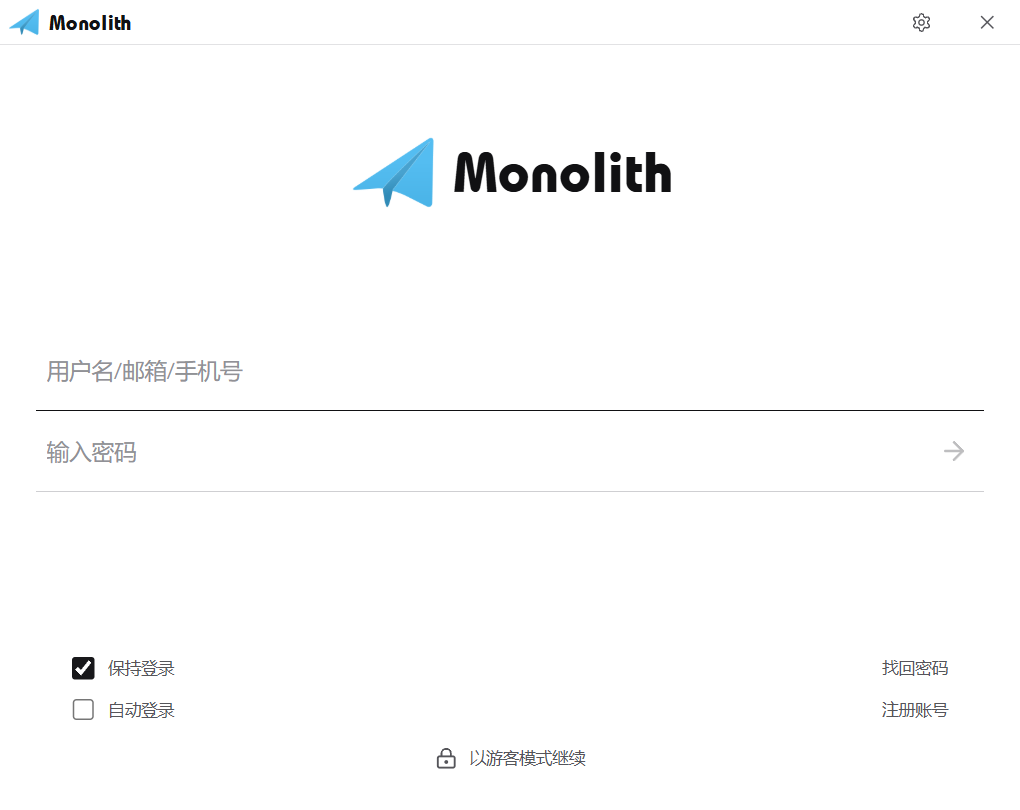
| Local security gate | An optional 4-8 digit PIN verified entirely on the machine; five consecutive failures lock the form for 30 seconds, and a guest mode stays available. |
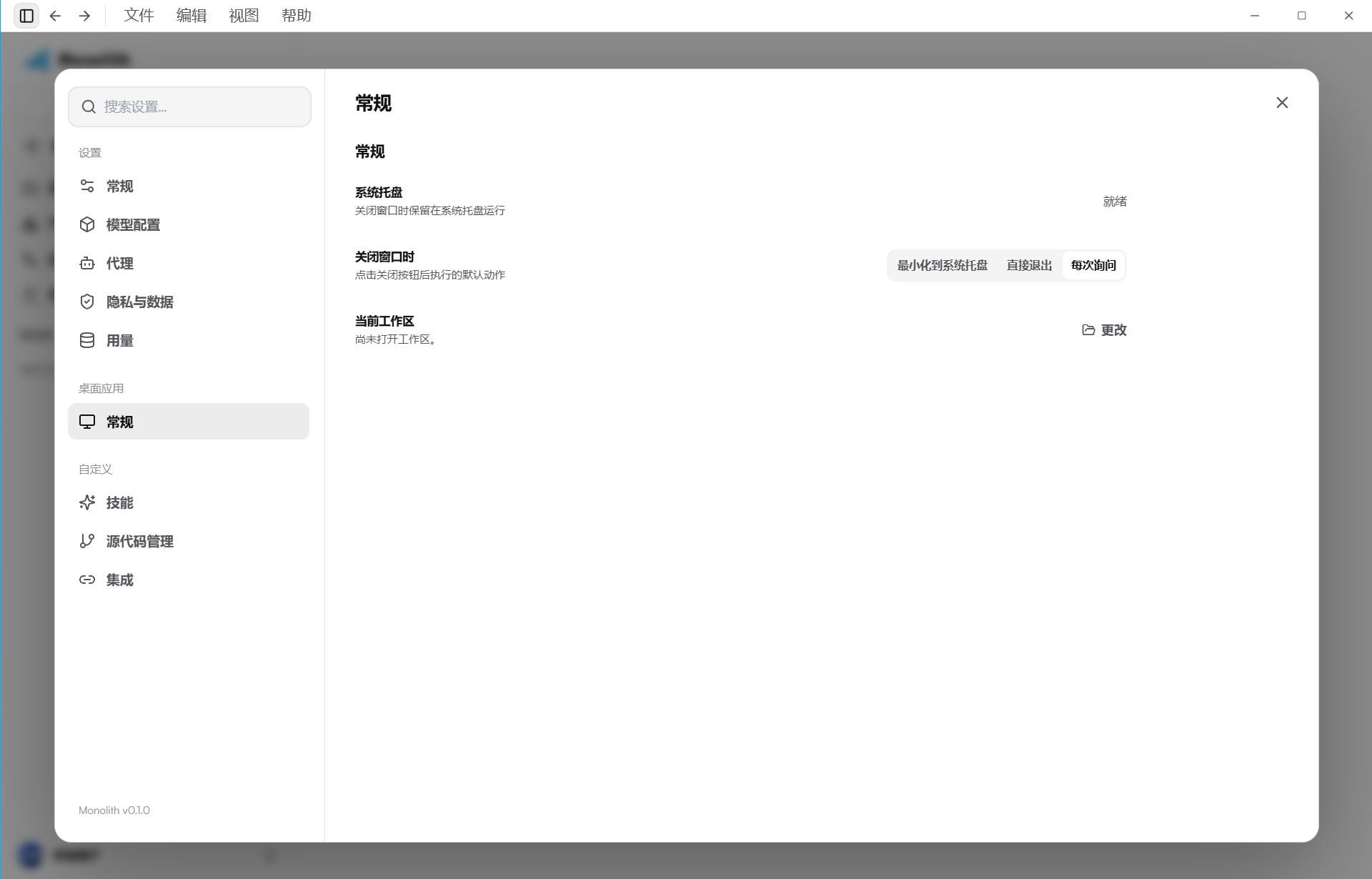
| Desktop-native | Windows system tray (running tasks, recent sessions, new chat, exit), single-instance startup, and a close-to-tray preference. |
Product tour
Screenshots are captured from the running desktop build with local demonstration data. No real API key, token, or conversation content is included.
Sign-in gate
Chat mode
Code mode
Settings — model configuration
Settings — desktop behavior
Architecture
The React 19 frontend renders the whole workspace and talks to the Rust side exclusively through Tauri 2 IPC commands and events. The Rust workspace owns everything behind that boundary: monolith-agent drives sessions and streaming, monolith-router selects the target model, the monolith-provider-openai and monolith-provider-anthropic adapters speak the two wire protocols, monolith-tools executes tool calls under a permission model, and monolith-db persists sessions, usage, and configuration to a local SQLite database (WAL). monolith-security owns credential encryption, log redaction, and SVG sanitization. Streaming text and thinking deltas are buffered in memory and flushed to SQLite in batches, so long answers do not cause write amplification.
The desktop shell also manages the runtime for local models: it first looks for an installed llama.cpp runtime under the data directory, otherwise seeds the copy embedded in the executable, and only then falls back to an online download.
Provider transport
| Concern | Behavior |
|---|
| Protocols | OpenAI-compatible (responses, chat_completions, custom) and Anthropic-compatible (messages, custom) — endpoint options are constrained per protocol |
| Retries | Network errors, 408, 429, and recoverable 5xx retry with backoff on both protocols; auth and protocol errors never retry |
| Headers | Provider-level defaults plus model-level overrides, merged under protocol-forced and authentication headers; Authorization, x-api-key, anthropic-version, Content-Type cannot be overridden |
| Model discovery | Remote model list fetch per protocol; nothing is saved without explicit confirmation |
| Connection testing | Status, first token latency, total time, tokens/s, input/output tokens, HTTP status, and a redacted response summary; batch tests are cancellable and respect concurrency limits |
| Resilience | Per-provider/model concurrency limits, rate limiting, circuit breaker, and health tracking |
Privacy boundaries
- All application data lives under
~/.Monolith: the SQLite database, the credential file, and downloaded local models and runtime.
- API keys are encrypted with Windows DPAPI (user scope) before being written to
credentials.json; they are never stored in SQLite, YAML, or plain-text JSON, and diagnostics exports exclude the credential file.
- Logs, error messages, and connection-test summaries redact
Authorization, x-api-key, and cookie values.
- Provider brand SVGs are sanitized against a strict element allowlist before they are stored or rendered.
- Chat traffic goes directly to the endpoints you configure; there is no intermediary relay service.
Quick start
Install a release build
| Asset | What it is |
|---|
Monolith-portable.exe | Single-file portable build (about 58 MB) with the frontend and the llama.cpp local-model runtime embedded. Run it directly — no installation. Requires the WebView2 runtime, which current Windows 10/11 systems ship by default. |
Monolith_0.1.0_x64-setup.exe | NSIS installer (about 219 MB) that bundles the same application plus the WebView2 offline installer, so it also installs on machines without WebView2 or without a network connection. |
Both artifacts create and use ~/.Monolith on first run for sessions, settings, credentials, and local models.
Local data & configuration
On first launch the app generates a user config file at ~/.Monolith/config.json (the same default template for every user; edit it by hand or via Settings → General → Config file):
storage.*: redirect the data root, session artifacts, and local-model directories (applies after restart; data is not migrated automatically)defaults.permission_mode: startup default for the permission mode (ask / auto accept / plan / auto / bypass)defaults.workspace_fallback: where sessions without a chosen folder belong (home = the Home workspace; none = keep them standalone)
The file carries a version field and preserves unknown keys, so upgrades are safe; if the JSON is corrupted the app runs on defaults and never overwrites your file. See docs/用户配置文件.md for the full contract.
Requirements (development)
- Rust 1.96+ with the MSVC toolchain
- Node.js 24+ and npm 11+
- Windows 10/11 (primary target)
git clone https://github.com/amine123max/Monolith.git
cd Monolith/apps/monolith-desktop
npm install
npm run tauri dev
Release build
cd Monolith/apps/monolith-desktop
powershell -ExecutionPolicy Bypass -File scripts/fetch-llama-runtime.ps1   # stage the local-model runtime once
npm run tauri build
npm run release:stage
release:stage verifies that the portable executable really embeds the frontend assets and the local-model runtime, then stages both artifacts under target/release/release-assets/.
Verification
cargo test --workspace          # Rust workspace tests
cd apps/monolith-desktop
npx tsc --noEmit                # TypeScript type check
npm test                        # frontend unit tests
npm run build:gate              # production build + startup JS budget gate
The regression suite covers thinking-state persistence and recovery, cursor pagination across 1200-item sessions, streaming flush behavior, protocol boundary validation, header merge and redaction rules, SVG sanitization, IPC contract parity between the frontend and the command registry, and i18n key completeness across all 11 languages.
Project structure
Monolith/
├── apps/monolith-desktop/          React UI (src/), Tauri 2 shell (src-tauri/), release scripts (scripts/)
├── crates/
│   ├── monolith-agent/             Agent runtime, streaming, recovery
│   ├── monolith-db/                SQLite repositories and migrations (WAL)
│   ├── monolith-domain/            Session and provider domain model
│   ├── monolith-protocol/          Model and IPC event contracts
│   ├── monolith-provider/          Shared provider abstractions
│   ├── monolith-provider-openai/   OpenAI-compatible adapter
│   ├── monolith-provider-anthropic/ Anthropic-compatible adapter
│   ├── monolith-router/            Model routing
│   ├── monolith-security/          Credential encryption, redaction, sanitization
│   └── monolith-tools/             Tool execution and permissions
└── assest/                         Brand assets and README screenshots
Security
See SECURITY.md for the security policy and how to report issues. Never include API keys, tokens, or logs containing secrets in a public issue.
Thanks to the LINUX DO open-source community for providing a platform for discussion and knowledge sharing.
License
Monolith is released under the MIT License. The bundled llama.cpp runtime is MIT-licensed as well; its license text ships with the runtime package.