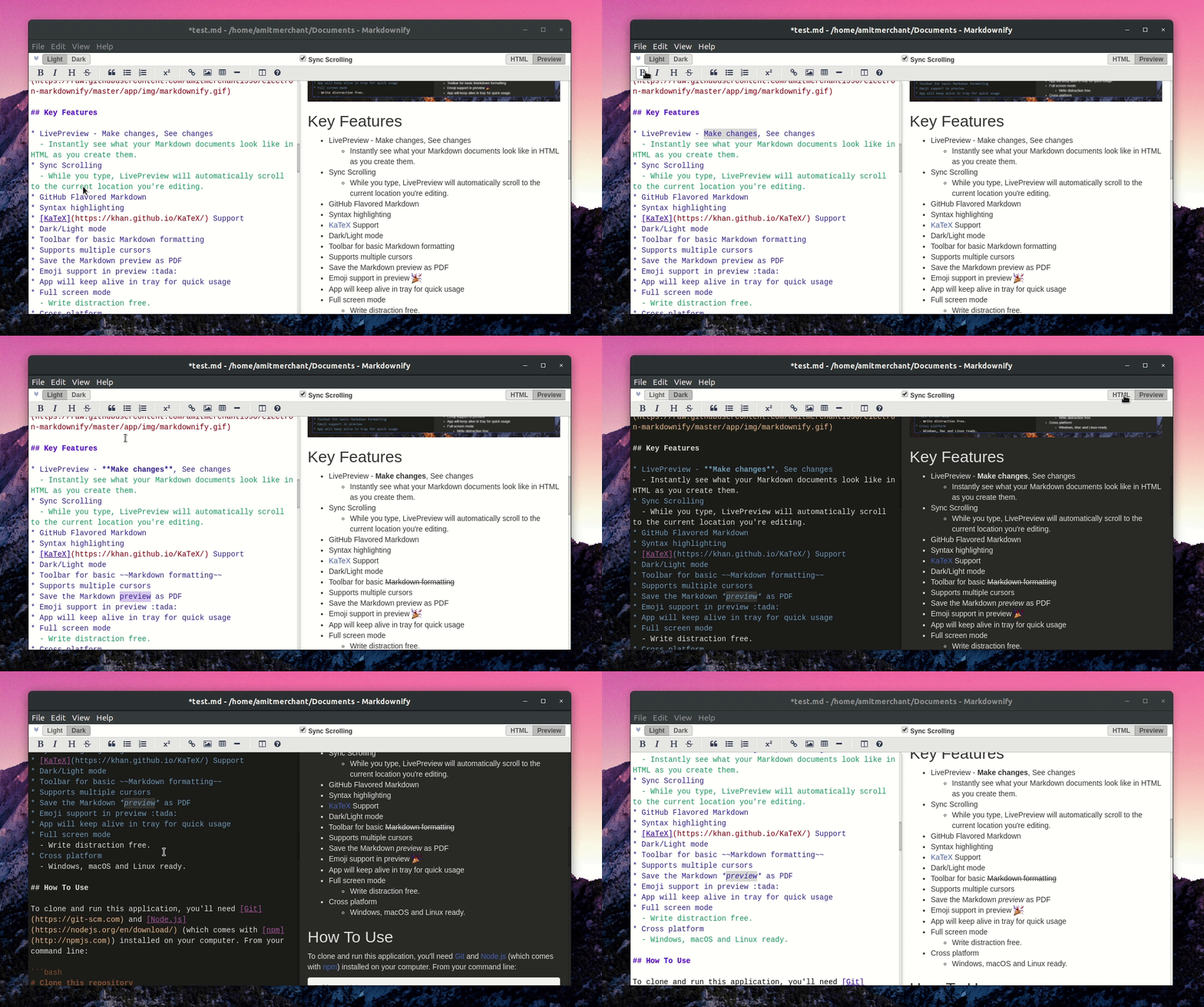
Markdownify is a minimal Markdown editor desktop app designed for creating and editing Markdown content in a distraction-free environment. It leverages live preview to display formatted text in real-time, allowing users to see how their documents will look as they write.
Key Features:
Live Preview: Instantly view changes in formatted HTML as you type.
Sync Scrolling: The preview automatically scrolls to match your current editing position.
GitHub Flavored Markdown Support: Includes syntax highlighting and KaTeX for mathematical expressions.
Dark/Light Mode: Customize the interface to suit your preferences.
Toolbar: Access basic formatting options with a simple, intuitive toolbar.
Save as PDF: Export your Markdown content directly as a PDF document.
Audience & Benefit:
Ideal for writers, bloggers, developers, and anyone who needs a clean, focused environment for creating Markdown content. Markdownify helps users concentrate on writing while providing immediate visual feedback and the ability to export formatted documents seamlessly.
The app can be installed via winget, ensuring easy setup across supported platforms.
README
Markdownify
A minimal Markdown Editor desktop app built on top of Electron.
To clone and run this application, you'll need Git and Node.js (which comes with npm) installed on your computer. From your command line:
# Clone this repository
$ git clone https://github.com/amitmerchant1990/electron-markdownify

# Go into the repository
$ cd electron-markdownify

# Install dependencies
$ npm install

# Run the app
$ npm start
> Note
> If you're using Linux Bash for Windows, see this guide or use node from the command prompt.
Download
You can download the latest installable version of Markdownify for Windows, macOS and Linux.
Emailware
Markdownify is an emailware. Meaning, if you liked using this app or it has helped you in any way, I'd like you send me an email at about anything you'd want to say about this software. I'd really appreciate it!
Credits
This software uses the following open source packages: