bomexpo antaresrvish
Install bomexpo with WinGet
winget install --id=antaresrvish.bomexpo -e KiCad fabrication tool: assign LCSC parts and export a JLCPCB order from a .kicad_pcb
winget install --id=antaresrvish.bomexpo -e KiCad fabrication tool: assign LCSC parts and export a JLCPCB order from a .kicad_pcb




Pick parts and place an order without leaving the terminal. Point bomexpo at a
.kicad_pcb and it reads the components, values, placements, nets and board outline
straight out of the file — then you assign an LCSC or JLCPCB part to each one and export
the BOM, CPL and Gerbers as a single order-ready zip.
It also works without a board: hand it a BOM csv and you get the same table, and the Parts tab searches and compares parts whether or not a design is open.
Homebrew:
brew tap antaresrvish/tap
brew trust antaresrvish/tap
brew install bomexpo
Homebrew 6 won't load a formula from a third-party tap until you trust it — that's the
brew trust line, and it's a one-time step.
Arch (AUR):
yay -S bomexpo-bin
Otherwise grab a binary from the releases page. A winget package is in review.
bomexpo path/to/board.kicad_pcb
# a project folder or .kicad_pro works too
bomexpo ~/designs/drone
# a plain BOM csv, with the placement csv if you have one
bomexpo bom.csv positions.csv
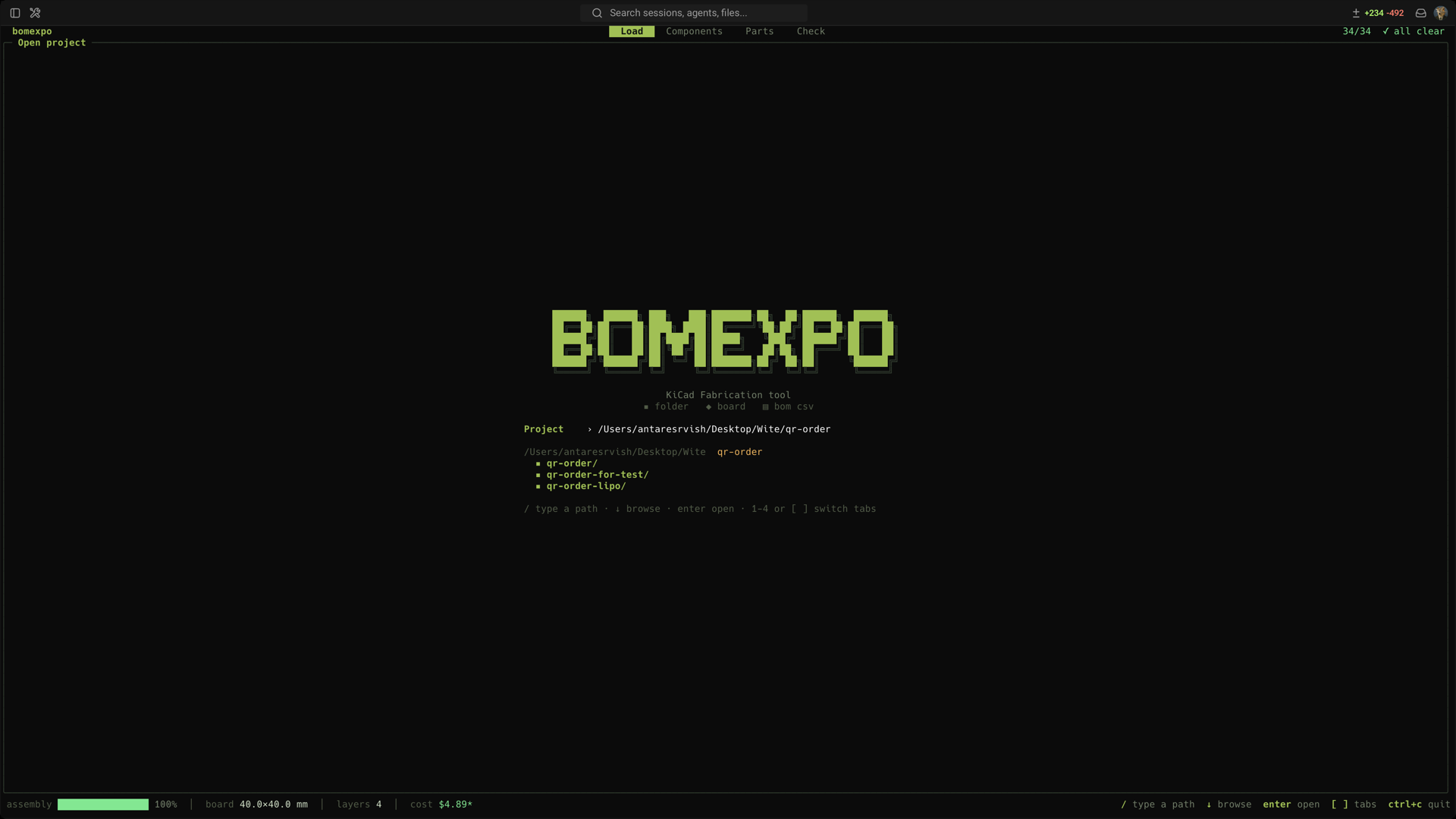
The tabs are the job in order: Load opens a design, Components is where you assign parts, Export writes the zip. Parts sits between them as a research tool — browse and compare parts with or without a design open. When a stage has nothing left to do the status line names the next one.
Two things hang off a tab rather than taking a number of their own: c in Parts compares
pinned parts, and v in Export verifies a BOM against the design.
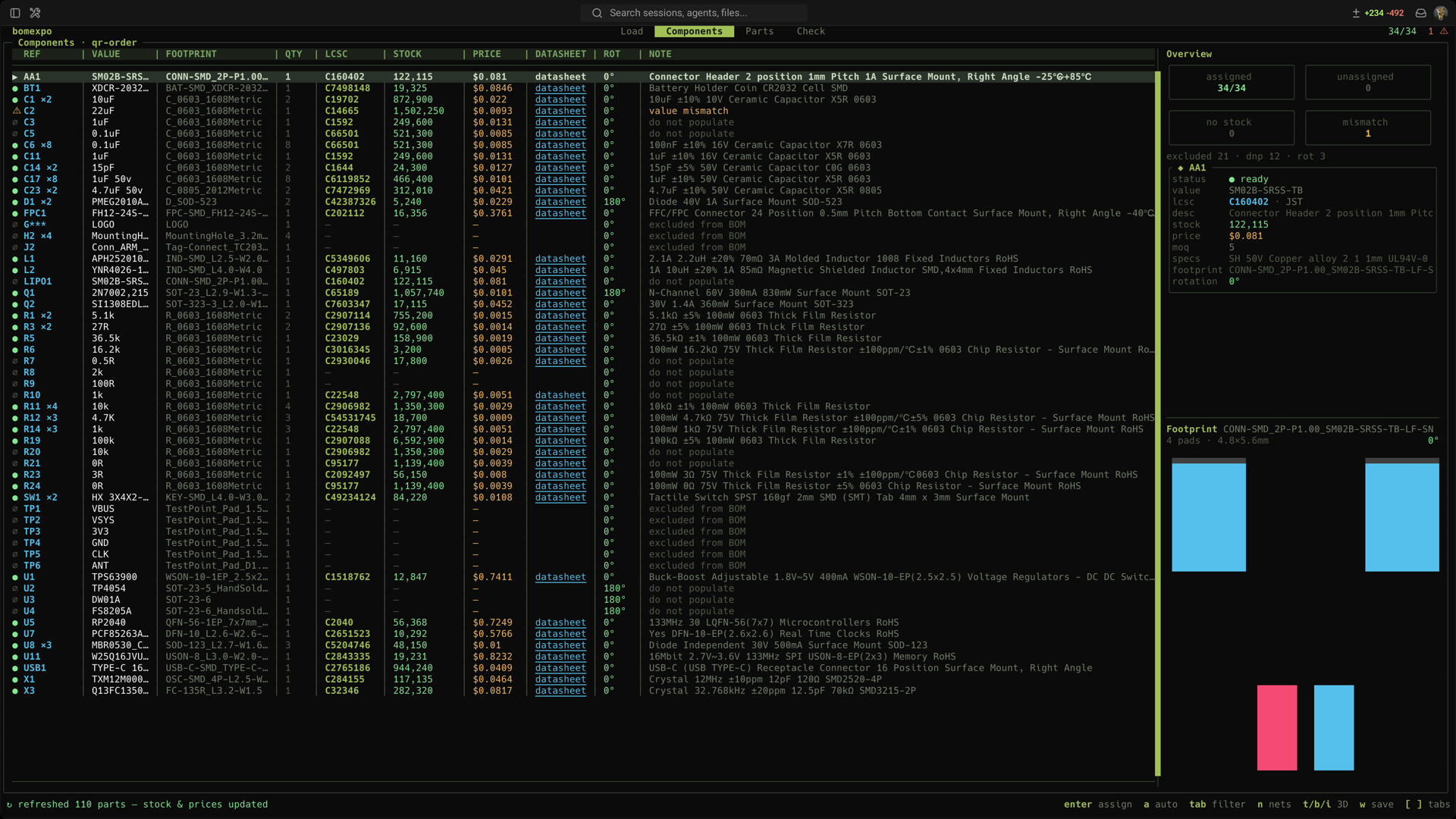
Components start unassigned. Search for a part, or press a to auto-assign by value,
package and type. As you move through the table the side panel shows the selected part's
stock, price and specs next to its footprint. Once everything is assigned and in stock, Export
writes the zip you upload.
Exporting a board with open issues asks first, and the question lists them — a part with nothing assigned will simply be missing from the BOM, and that is worth reading before you agree to it. A clean board exports without the interruption.
In Export, the parts-cost table is computed rather than fixed: it lists the board counts
where the price per board actually changes, and says which part changes there — a part used
four times per board crosses its 100-piece break at 25 boards, not 100. q sets the number
you're really ordering and the table marks it. enter on an issue opens that part in
Components.
Those are part costs only. The bare board, the stencil, SMT setup, extended-part fees, panel rails and shipping are the assembler's to quote, so their invoice will be higher — on a recent 350-board run, $4.94 a board in parts against $5.90 quoted.
Common keys: enter assign · a auto-assign · o cycle rotation override · x exclude
· w write LCSC codes back to the pcb · t/b/i open a 3D render · r refresh stock
· n filter by net · tab filter the table.
LCSC and JLCPCB both work with no API key. o switches between them, -source jlcpcb
picks one at startup, and default_source in config.json makes it stick — under
~/.config/bomexpo on Linux, ~/Library/Application Support/bomexpo on macOS.
They answer different questions. LCSC is the shop: stock and price for buying parts yourself. JLCPCB is the assembler: it says whether a part is in their basic library or costs a per-part setup fee, and Check totals that up before you commit.
tab opens the query and it completes itself — type nothing and it offers the keys, type
net: and it offers the board's own nets with how many line items each would show.
net:GND          on that net
ref:C1  val:100nF  fp:0402  lcsc:C1525
lib:basic        assembly library standing
st:unassigned    line-item state
0402             bare text: reference, value or footprint
-st:excluded     leading minus inverts the term
Terms are ANDed. Whatever survives lights up on the board next to the table, so a net filter is also a way to see where that net actually goes.
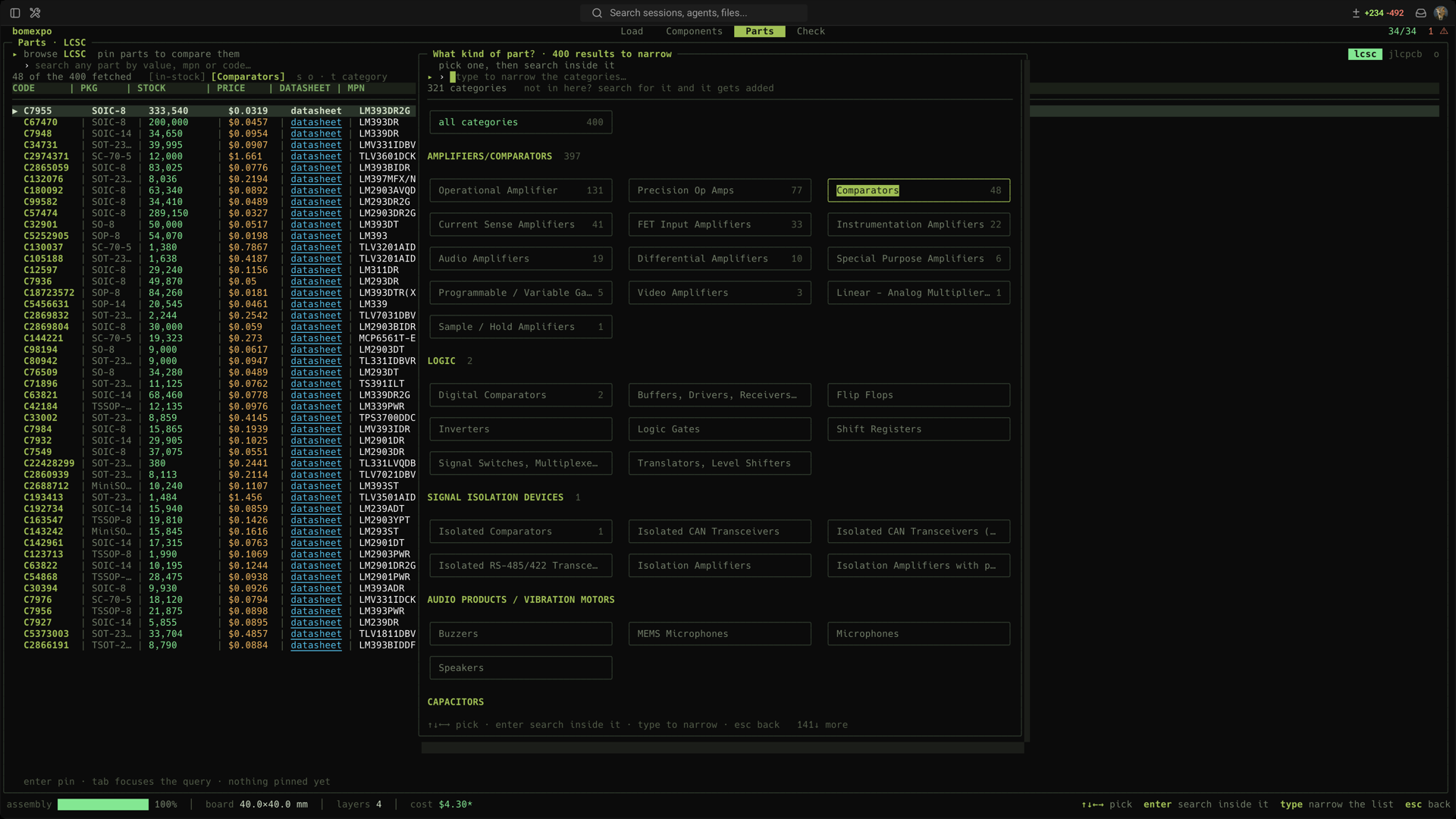
Reaching for the search in Parts opens a popup first: what kind of part? Every category
the source knows, boxed and grouped, with its own input for narrowing the list. Pick one
and you're searching inside it from then on — t reopens it to change your mind. The
category list is crawled from the source and cached for a week, because neither vendor
publishes the taxonomy it labels parts with, nor will search by category. A category it
missed joins the list the first time you search into one.
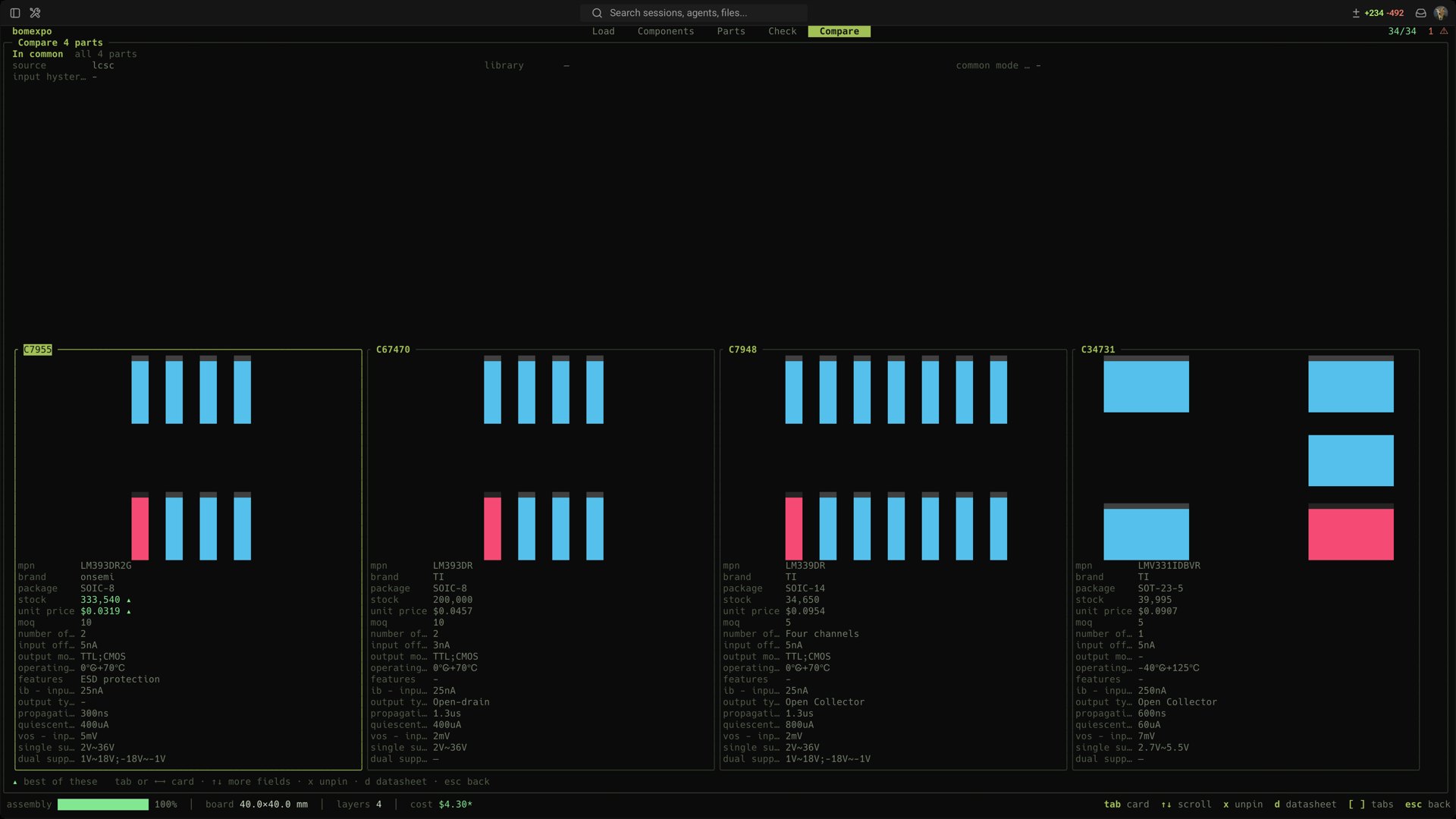
p pins a part, up to four. Pinned parts stay put whatever you search next, and with two of
them c opens the comparison: a card each with its footprint on top and every field they
differ on below, the better value brighter.
Whatever has the keyboard is marked with ▸. A text field keeps every key while it has
focus and tab is how you take it back, so a search box never swallows a command. Once a
list has focus the letters are the commands, and [ ] or 1–5 switch tabs. Arrows
always drive the list either way.
Landing on a tab never takes the keyboard, so the tab keys keep working — press / or
tab when you want to type. On Load, ↓ walks into the directory listing. On Check the
issue list and the board both want the arrows, so tab walks the three panes and ↑↓
goes to whichever has them.
JLCPCB references 0° differently from KiCad's own footprints for a handful of IC families, and Export corrects the exported angle for those. Two things decide it:
easyeda2kicad and friends — is already drawn to their 0°, so correcting it turns a
right angle into a wrong one. bomexpo now keeps the library name and leaves those alone.Export lists every angle it changed, and o on a row sets a per-designator override when
you know better than the table. A design loaded from a BOM csv carries no library names, so
family offsets apply there as they always did.
bomexpo assigns from LCSC's catalogue, which is a superset of what JLCPCB will place, so a part can sit in stock at the shop and be absent from the assembly library. That is what "No Part Selected" means on their side, and it happened on a real order: a diode with 5,240 at LCSC and no assembly record at all. Opening Export now asks the assembly library about every assigned code and says which ones will come back unmatched.
The two stocks are different numbers and disagree in both directions — one resistor read 0 at the shop and 3.6 million for assembly — so stock is measured against the assembler's shelf when they have one, and the note says whose number it is.
q in Export sets how many boards you are really ordering, and stock is then measured
against that rather than against zero. A part with ten pieces in stock passed the old
"in stock" check while a run of 350 boards needed 350 of them.
Quantity per board multiplies — four capacitors a board over 350 boards is 1,400 pieces —
and the vendor's minimum order counts too, since that is the number that has to be on the
shelf. Parts that cover the run but not comfortably are named separately: stock moves
between quoting a board and ordering it, so 1.3× coverage is worth knowing about.
st:short filters the table down to them.
Opening Export asks the vendor for each assigned part's own land pattern and compares it against the footprint on your board. Two things are faults:
This catches what nothing else can see. A four-resistor array sold as "27R" passes the value check, sits in stock, and carries the same part code in the schematic, the board and the BOM, so Verify calls it agreement — but it has eight pins and an 0402 land offers two. An 0402 capacitor on an 0603 land has two pads either way and the right value. A WLCSP-9 on a WQFN-14 land has fewer pads than the land, so nothing about the count looks wrong.
In Components the side panel shows both: the land from the board, and under it the pads of the part meant to sit on it, turned into the same orientation. Vendors publish a footprint in their own frame — EasyEDA's differs from KiCad's by 90° on eight of this project's packages and 180° on four — so without that turn a correct assignment reads as the wrong part.
Parts the vendor has no geometry for are counted separately and named, so an incomplete check
never reads as a clean one. st:footprint filters the table down to the faults.
A part's land pattern doesn't change the way its stock and price do, so it is cached for a month rather than a day, and the geometry is fetched a few parts at a time rather than all at once — asking for a whole board in one go earns a 403. If the vendor turns us away anyway, bomexpo says so and waits it out instead of retrying, which only lengthens the block.
v in Export lines the same designator up across all three descriptions of the board — the
schematic, the .kicad_pcb and a BOM — and reports value, footprint, part code, and
anything present on one side but not another. m picks which of the three the other two are
measured against; the board is the default, since that is what gets built.
It answers two questions. Before ordering: does this BOM match the design? After an order
came back wrong: which lines of what I sent were wrong? For the second one you don't need
the old file — every zip bomexpo exports carries its bom.csv, so o reaches for the last
order beside the project and O steps back through older ones.
enter on a finding opens that part in Components with the cursor on it, so the thing you
just found is the thing you're about to fix. r runs the comparison again.
.kicad_pcb, so they persist and travel with the
design in git.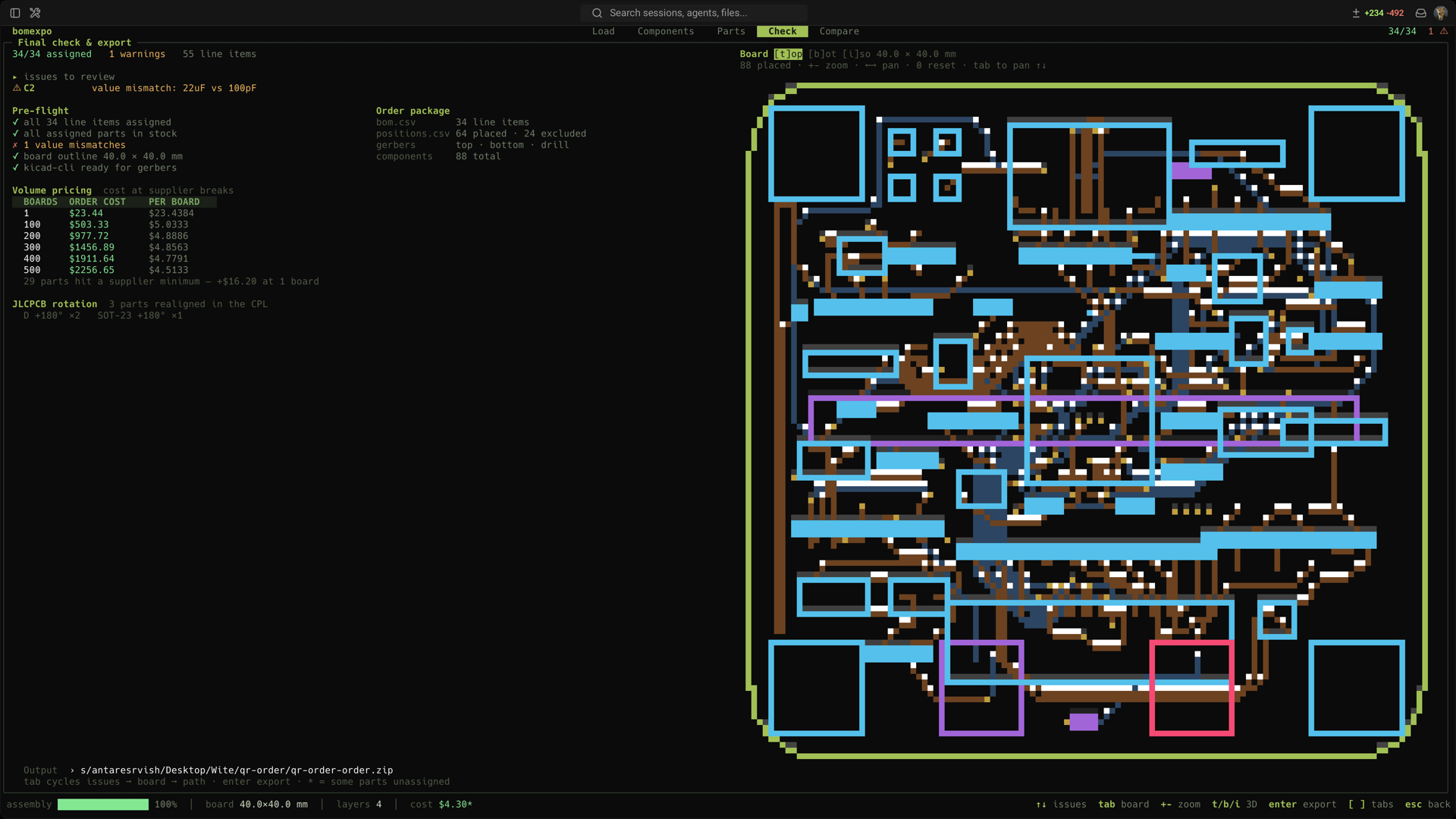
Gerber/CPL export and the 3D render use kicad-cli, which ships with KiCad. Everything
else needs nothing but the binary.
go build -o bomexpo .
MIT — see LICENSE.
