
ExaTerm





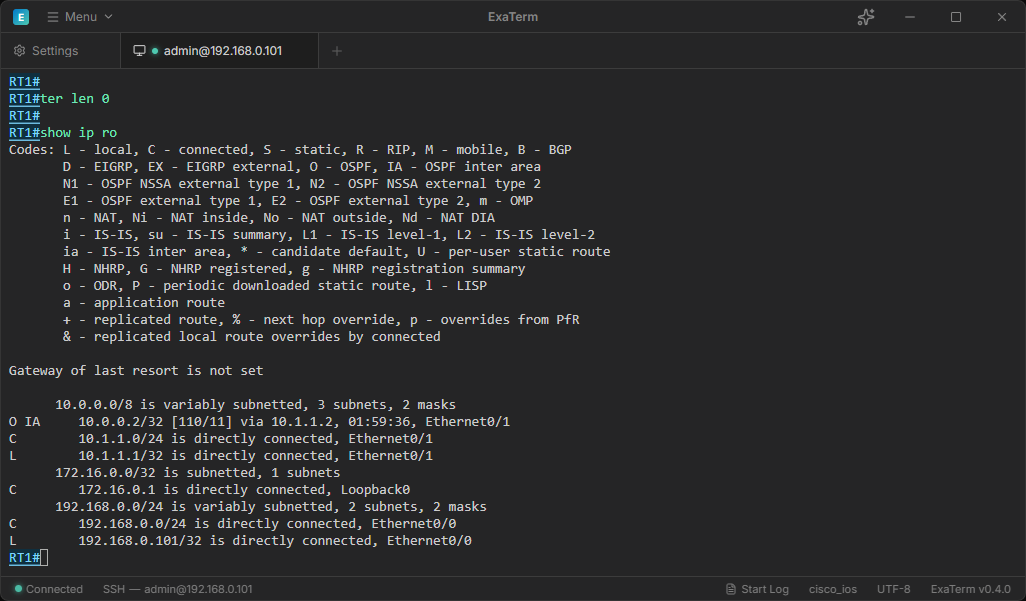
ExaTerm is a terminal app for SSH, Telnet, and serial communication with AI agent integration and built-in AI chat.
日本語版 README
Features
- SSH, Telnet, and serial communication
- A CLI tool and Agent Skill for AI agents
- Built-in terminal AI chat
- Session logging with manual and automatic modes
- Network-device color highlighting with Cisco IOS, Arista EOS, Juniper Junos, VyOS, Fujitsu Si-R, Allied Telesis AW+, and Furukawa FITELnet support
Supported OS
ExaTerm currently supports Windows only.
macOS and Linux are not supported release targets at this time.
Installation
Install ExaTerm with winget:
winget install caribouhy.ExaTerm
Alternatively, download an installer from this repository's Releases page.
Command-Line Startup
Pass arguments to exaterm.exe to start ExaTerm and open an SSH or Telnet connection. The target can be a hostname, an IP address, or a saved profile name.
exaterm.exe ssh
exaterm.exe telnet
exaterm.exe help
AI Agent Integration
The bundled exaterm-cli tool and dedicated Agent Skill let AI agents such as Claude and Codex control ExaTerm. To use exaterm-cli, enable Enable External Control and Enable Terminal CLI in Settings. See the Terminal CLI guide for usage.
To connect through an approved saved profile, enable Allow External New Connections. To connect directly to a hostname or IP address, also enable Allow Direct Target Connections.
Agent Skill
Install the exaterm-cli Skill from this repository for use with supported AI agents:
npx skills add caribouHY/exaterm --skill exaterm-cli
Use the -a option to target a specific agent:
npx skills add caribouHY/exaterm --skill exaterm-cli -a codex
npx skills add caribouHY/exaterm --skill exaterm-cli -a claude-code
npx skills add caribouHY/exaterm --skill exaterm-cli -a github-copilot
The Skill does not include ExaTerm itself. Install ExaTerm separately, then enable Enable External Control and Enable Terminal CLI in Settings.
MCP Integration
ExaTerm supports a stdio MCP compatibility adapter through exaterm-mcp.exe. To use it, enable Enable External Control and Enable MCP Compatibility Adapter in Settings.
To connect through an approved saved profile, enable Allow External New Connections. To connect directly to a hostname or IP address, also enable Allow Direct Target Connections.
External control can read terminal output and send input or commands. Terminal content may contain sensitive information, so enable it only for trusted local clients.
AI Assistant
The AI assistant can use terminal context from the active tab to help explain output and suggest commands. Review any suggested command before running it in a terminal session.
OpenAI, Azure OpenAI, Anthropic, Gemini, and OpenRouter require provider API keys or endpoint settings. Save or clear provider credentials from Settings.
Ollama usually does not require an API key, but it does require a running Ollama server that ExaTerm can reach.
Data Storage Locations
Configuration files, logs, and related data are stored in the following locations:
| Data | Location |
|---|
| Settings | %AppData%\ExaTerm\config.json |
| Optional session logs | %AppData%\ExaTerm\logs |
| SSH known hosts | %AppData%\ExaTerm\known_hosts |
| AI service API keys | Operating system credential store |
Developer Setup
Developer setup requires Rust and Node.js.
- Clone the repository.
- Install pnpm:
npm install -g pnpm@10.33.2
- Install dependencies:
pnpm install
- Start the Tauri development app:
pnpm run tauri dev
- Build the frontend:
pnpm run build
- Build the Windows exe package:
pnpm run tauri build
License
ExaTerm is released under the MIT License. See LICENSE.