Use this command to install Dev Janitor with WinGet:
winget install --id=cocojojo5213.DevJanitor -e
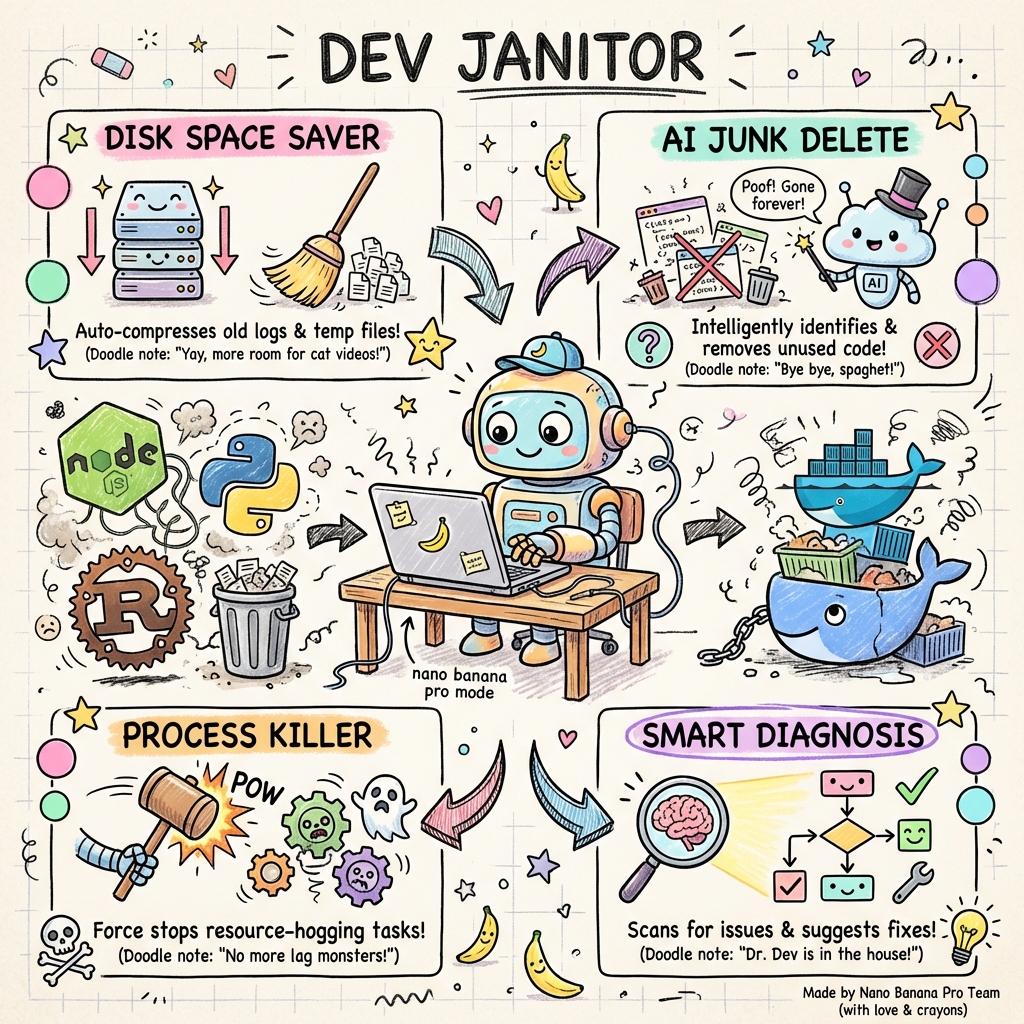
Dev Janitor is a cross-platform desktop application designed to streamline the management of development tools, AI coding assistants, and dependencies. It serves as an all-in-one solution for developers to maintain their local environments efficiently.
Key Features:
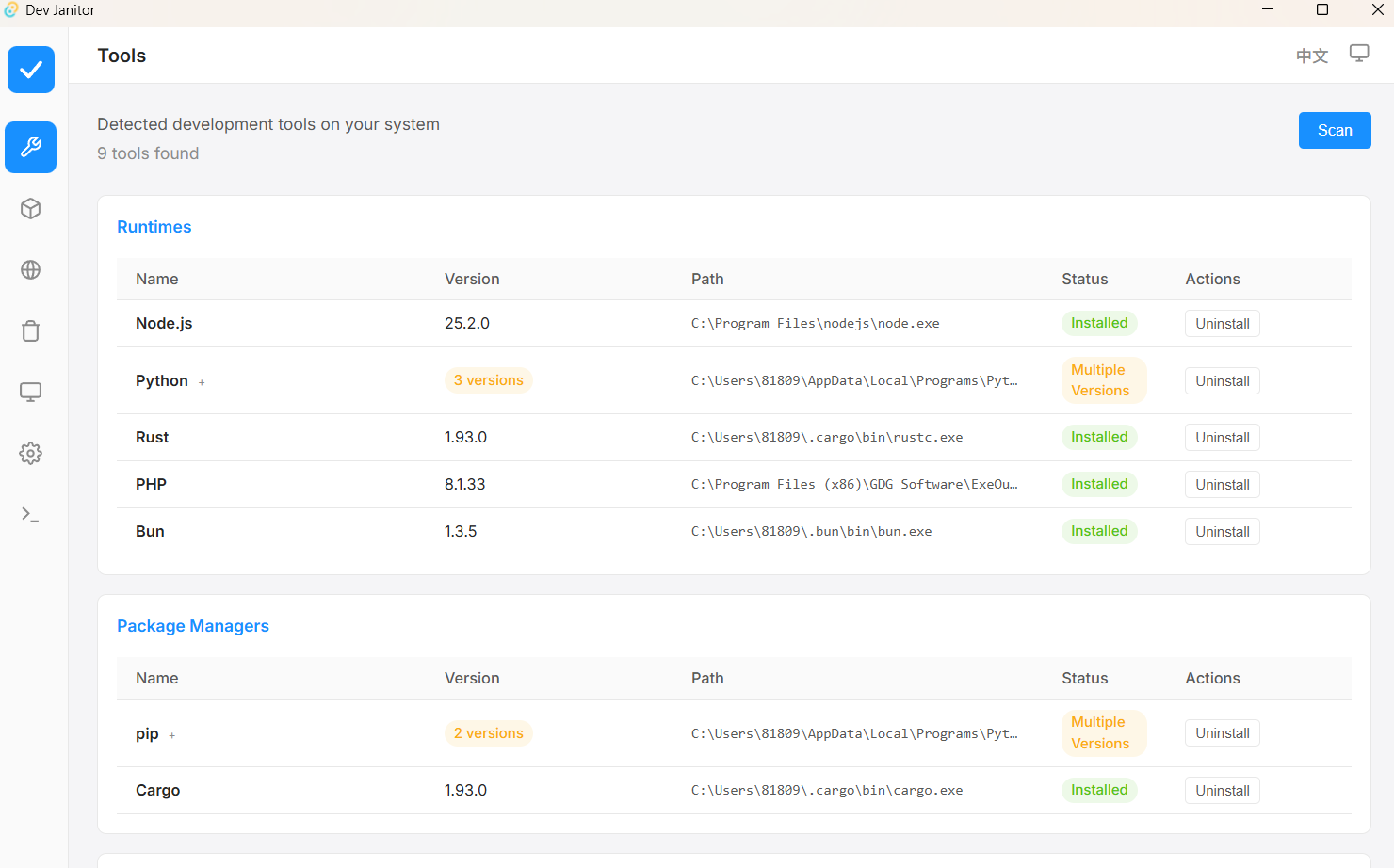
Tool Detection: Automatically detects over 39+ common development tools such as Node.js, Python, Docker, and Git.
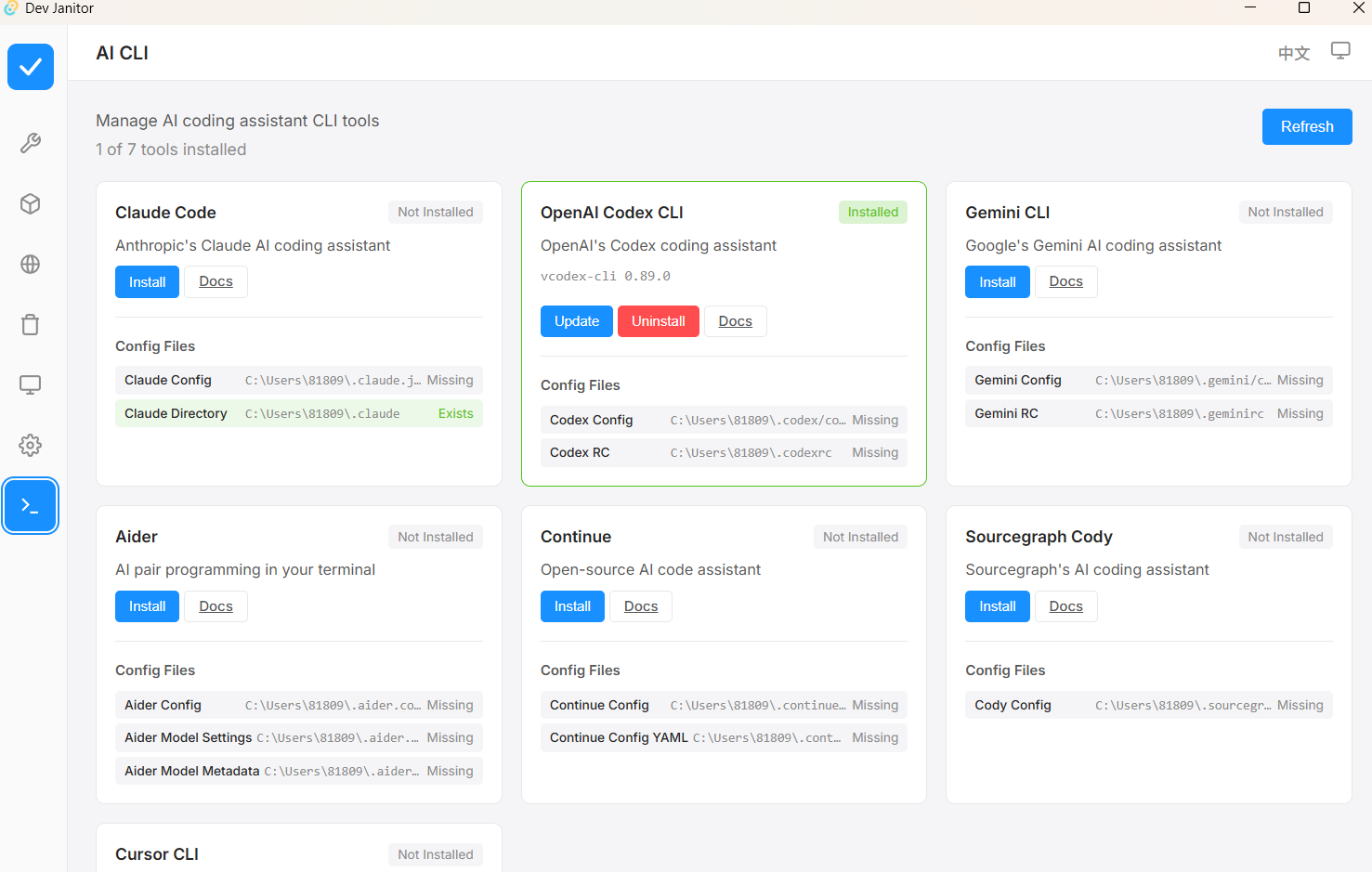
AI CLI Management: Simplifies the installation, update, and uninstallation of AI coding assistants like Codex, Claude Code, and Gemini CLI with a single click.
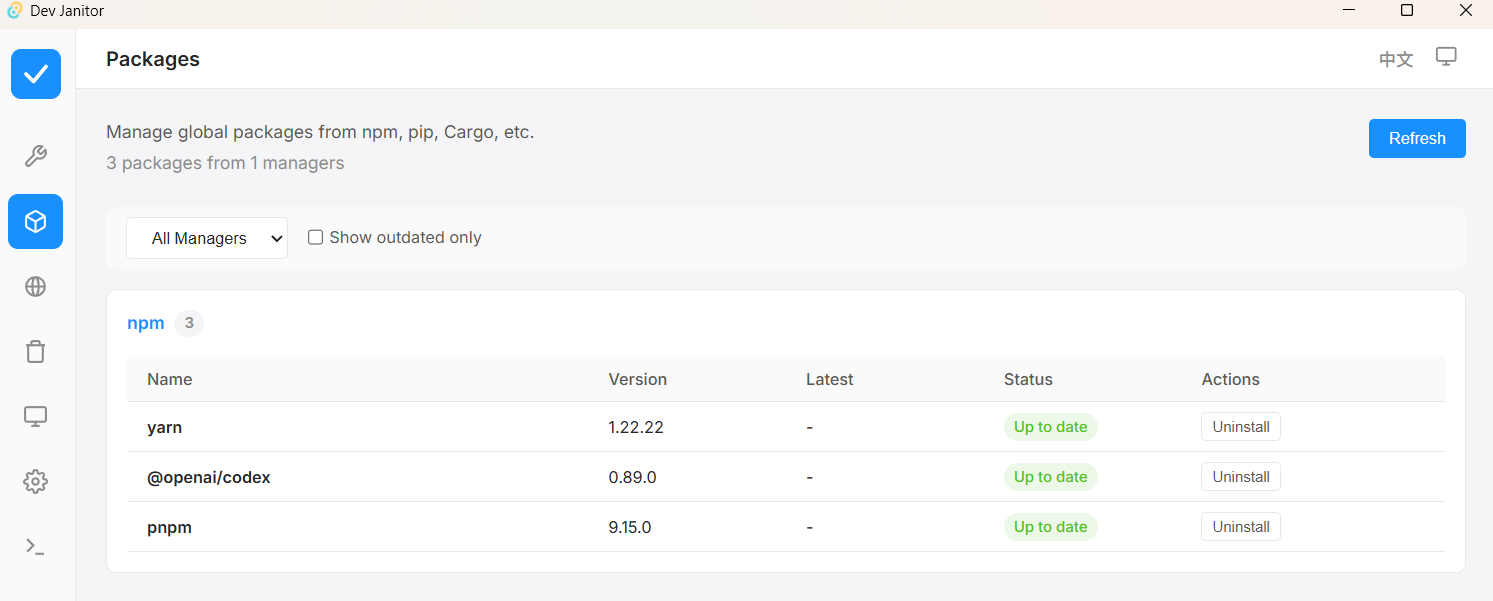
Package Management: Manages global packages for npm, pip, and Composer, enabling one-click updates to keep tools up-to-date.
Service Monitoring: Monitors development processes and allows users to kill services occupying specific ports.
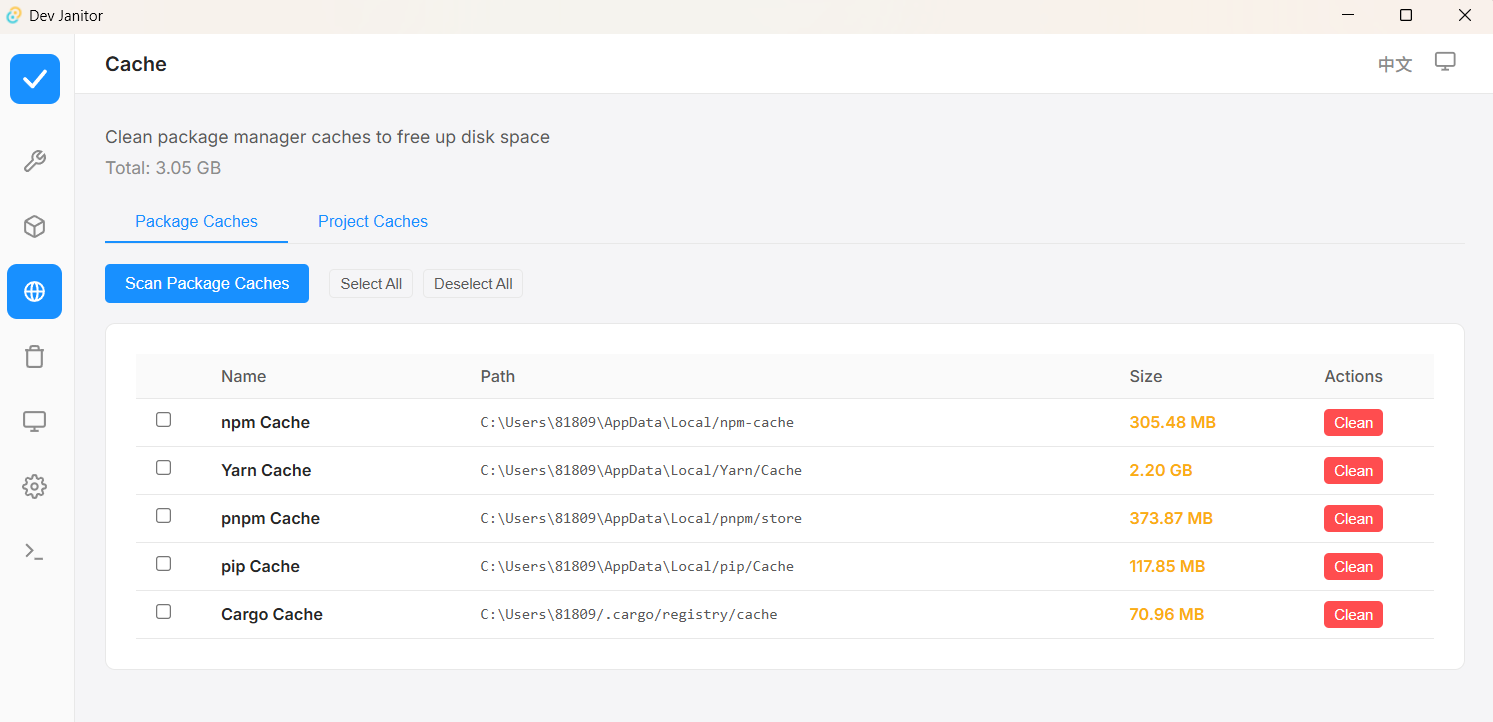
Cache Cleaner: Cleans caches for 11 package managers, freeing up disk space efficiently.
Multi-language Support: Offers a user interface in both English and Chinese.
Themes: Supports light, dark, and system-themed interfaces.
Audience & Benefit:
Ideal for developers and development teams managing complex local environments. Dev Janitor helps reduce manual effort, improve efficiency, and maintain consistent setups across projects. It is particularly beneficial for those working with multiple tools, AI coding assistants, or global packages.
Installation:
Dev Janitor can be installed via winget on Windows, making it easy to integrate into existing workflows.
This professional tool empowers developers to manage their environments effectively, ensuring smooth and efficient development processes.
README
Dev Janitor
Cross-platform desktop application for cleaning development artifacts, managing local developer tools, and checking common environment issues.
Dev Janitor helps keep a local development machine under control. It focuses on the files, caches, services, and configuration drift that accumulate during everyday work.
Features
Cleanup
Scan project directories for common development artifacts such as node_modules, target, logs, caches, and temporary files.
Detect ephemeral leftovers from AI coding tools without flagging active project config files such as .codex/config.toml, .claude/settings.json, .goosehints, or .junie/AGENTS.md as junk.
Review and remove AI chat history, cache, session state, and debug files on a per-project basis.
Clean official GitHub Copilot CLI session targets without deleting the whole .copilot configuration directory.
Tool Management
Inspect installed tools across Node, Python, Rust, Go, and related ecosystems.
Manage 25 AI CLI tools from one interface, including Codex, Claude Code, Kiro, Factory Droid, Mistral Vibe, Qoder CLI, Pi, OpenCode, Gemini CLI, and GitHub Copilot CLI.
Follow official native install and self-update flows where available; legacy Amazon Q installations are guided through migration to Kiro CLI.
Security Scan
Check for risky local tool configurations and known vulnerable setups.
Flag ports that should usually listen on localhost only.
Detect API keys, GitHub tokens, and provider credentials stored in common configuration files.
Inspect MCP server configurations for patterns that can lead to credential exposure or SSRF.
System Utilities
Inspect long-running development processes.
Find which process is using a specific port.
Review PATH and shell configuration issues, including persisted Windows system/user PATH entries.
Screenshots
Manage development tools in one place
Review and clean AI tool leftovers per project
Reclaim space from package manager caches
Inspect development processes and port usage
Installation
The latest stable version is published from the v* tag release workflow after a preflight validation pass.
Installed production builds check signed GitHub releases and can download, install, and relaunch into an update from inside the app.
pnpm test runs the Rust core tests without compiling the Tauri desktop shell.
Use pnpm test:rust:full when changing Tauri command wiring. Default Cargo and
Tauri builds still enable the full desktop feature.
The AI CLI catalog is checked for local metadata drift on every CI run. A
separate weekly workflow verifies official documentation and package registry
endpoints without slowing down pull requests.