Qube

Your AI Model. Your Intelligence. Your Hardware.
Complete Privacy & Sovereignty.
Grounded answers from your Library, memory, and trusted sources — with citations you can inspect.
Quick Start ·
Landing page ·
Website ·
Features ·
See it in action ·
Docs ·
Help ·
Support
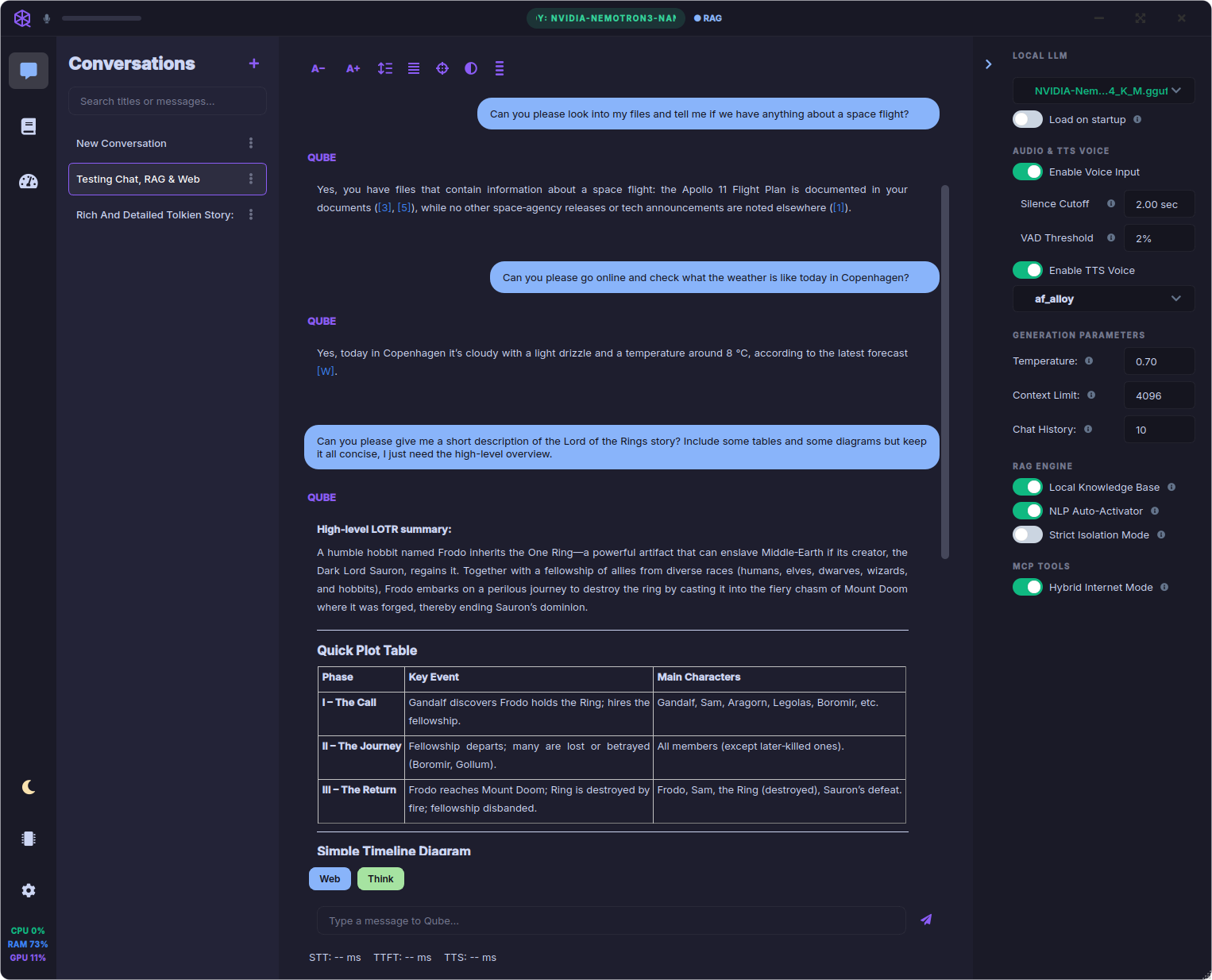
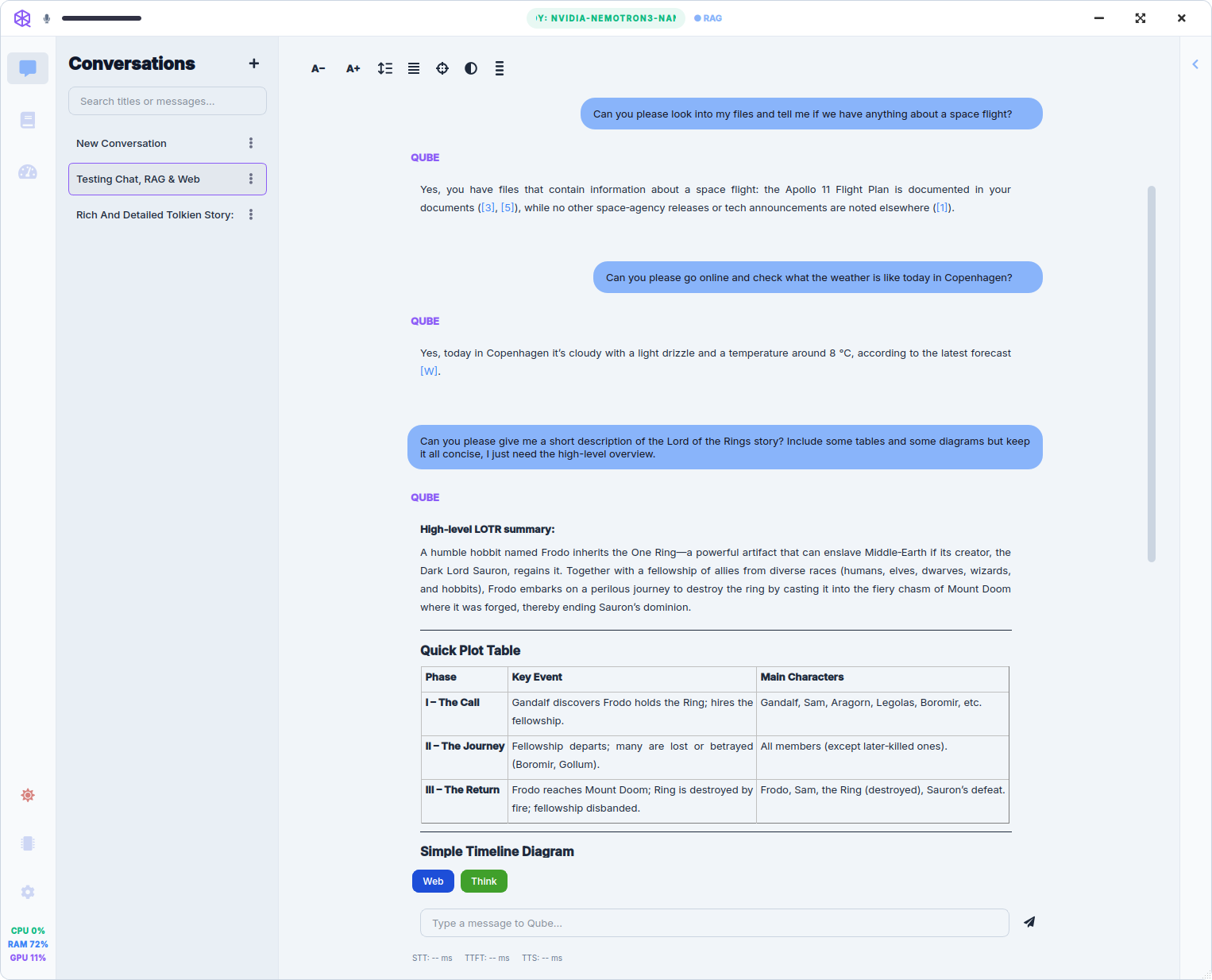
| Dark theme | Light theme |
|---|
 |  |
What is Qube?
Qube is a native desktop AI assistant for privacy-sensitive work on your own hardware. Chat in text, ingest documents into a Library, let Qube distill long-term memory you can edit in Memory Manager, and pull Live Sources — scientific literature, filings, case law, and more — with numbered citations and per-turn INSPECT RETRIEVAL.
Inference stays local. Web and research tools run only when you ask. Help, settings tours, and troubleshooting live inside the app — Library → Qube, @[tool:help], and ? guided tours — not on a separate wiki.
Optional voice input, text-to-speech, and a Desktop Companion orb are available when you want hands-free turns; precision routing with @ composer tools and skills is richest from the main window with keyboard and mouse.
Why Qube?
- Private by default — chat, Library, and long-term memory stay on your device; no cloud chat API required
- Grounded answers — cognitive router plus
@ tools; weak retrieval is dropped instead of faked citations
- Memory you control — automatic fact extraction, Memory Manager edit/flag/delete, and a negative list so deleted facts stay gone
- Research built in — 58+ Live Source adapters, private web discovery by default, async
@research reports
- Transparent — local Telemetry, INSPECT RETRIEVAL, and opt-in diagnostic logs (on-device only — not vendor analytics)
- Ready after install — Recommended bootstrap bundles sidecar, search embeddings, and an optional main model — not a blank shell
- Help inside the app —
@help and ? tours on every major screen
- Your hardware — built-in GGUF engine with CPU / Vulkan / CUDA release builds on Windows and Linux, Metal on macOS, or plug in LM Studio / Ollama
- Voice & accessibility (optional) — push-to-talk, wake word, streaming TTS, barge-in, and Desktop Companion for hands-free when your setup allows
Features
Composer & @ routing — Per-message control: @library, @file, @evidence, @finance, @legal, @research, @internet, @memory, @help, custom @[tool:user:…] presets, and @[skill:…] reasoning frameworks. The cognitive router handles everyday phrasing; attach @ when you want a specific pathway.
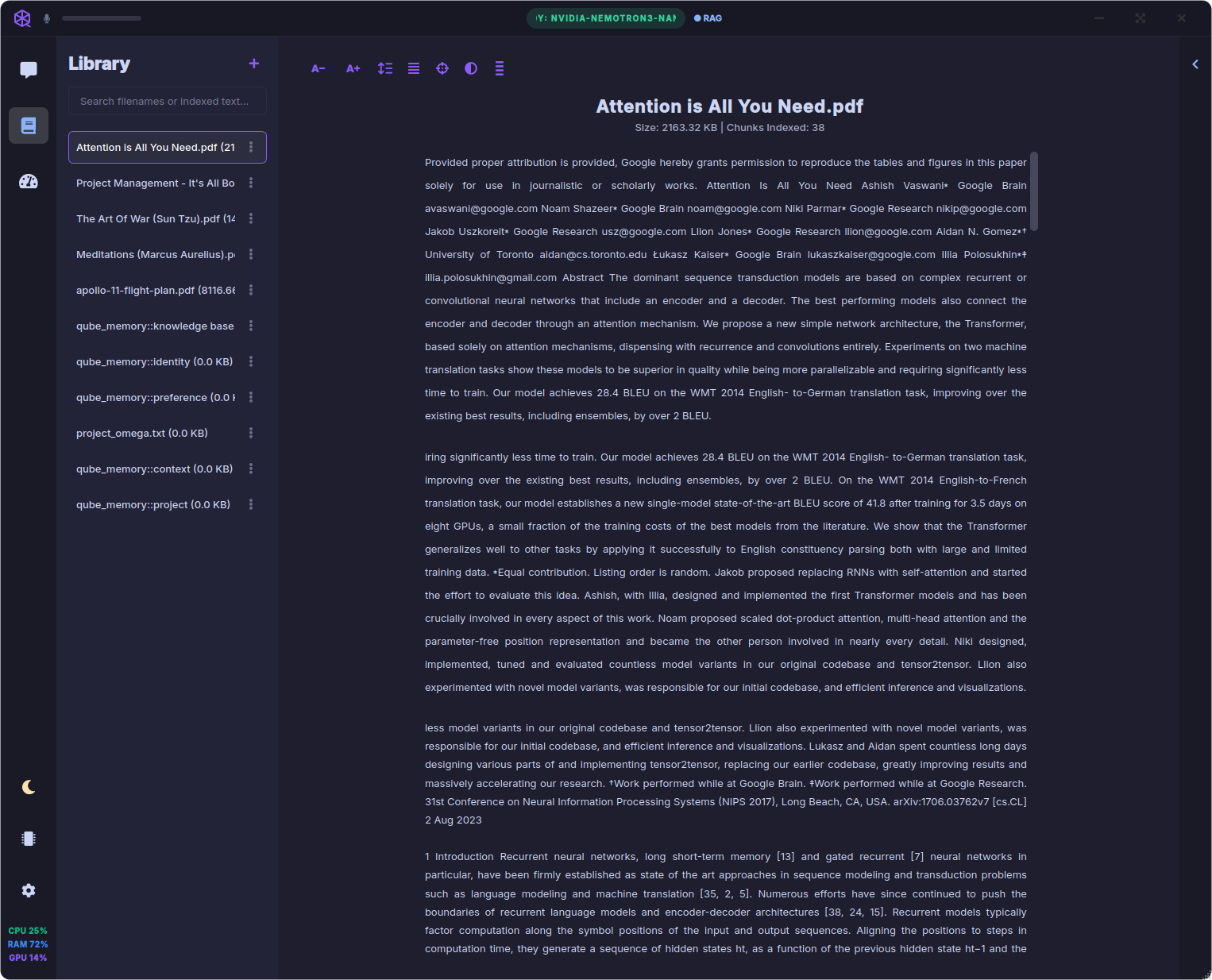
Library — A persistent document corpus: ingest PDFs, EPUBs, and text; search titles and indexed body text; preview from the vector index; Chat with document prefills @file. Shipped help lives in Library → Qube and is reachable via @help without mixing into your uploads.
Memory Manager — Long-term facts distilled from chat — preferences, projects, knowledge — with tier filters, edit/flag/delete, export, and a negative list so deleted memories stay gone.
Live Sources — Institutional adapters beyond generic web search: trusted/Wikipedia, scientific literature, SEC EDGAR, U.S. case law, page fetch, and multi-step @research reports (async, non-blocking). 58+ adapters with per-source toggles; build your own via My knowledge presets and Custom sources (REST, GraphQL, MCP, …).
Transparency — Advanced Telemetry (local hardware + routing stats), per-reply INSPECT RETRIEVAL, and Settings → Diagnostics / Settings → Privacy & data diagnostic logs with redaction options. Web discovery defaults to private search (DuckDuckGo + Wikipedia); point at your SearXNG when you want self-hosted SERP.
Model Manager — Search Hugging Face, browse curated picks, read model READMEs in-app, and download .gguf quantizations with disk-space guardrails. Run natively or point at an external server.
Built-in help — Full guides in Library → Qube, searchable with @[tool:help] from chat (same retrieval pipeline as your docs, separate scope). ? guided tours on every major screen.
Voice & Desktop Companion (optional) — Speech-to-text and TTS when voice models are installed; interrupt mid-sentence with barge-in. Optional floating orb for quick voice turns and glanceable status. Uncheck voice downloads at bootstrap if RAM is tight — chat and routing work fully without them.
| Library | Model Manager | Telemetry |
|---|
 | 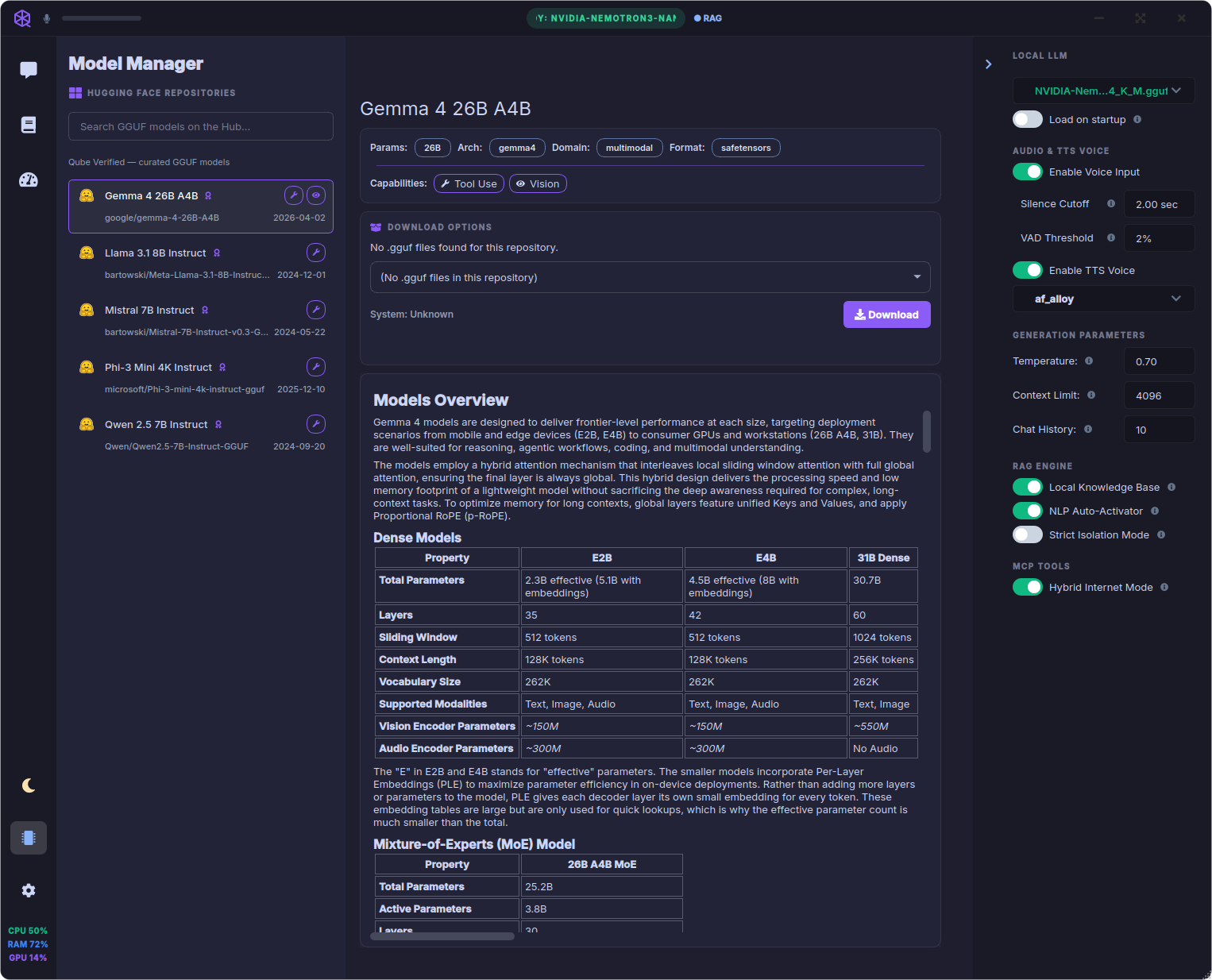 | 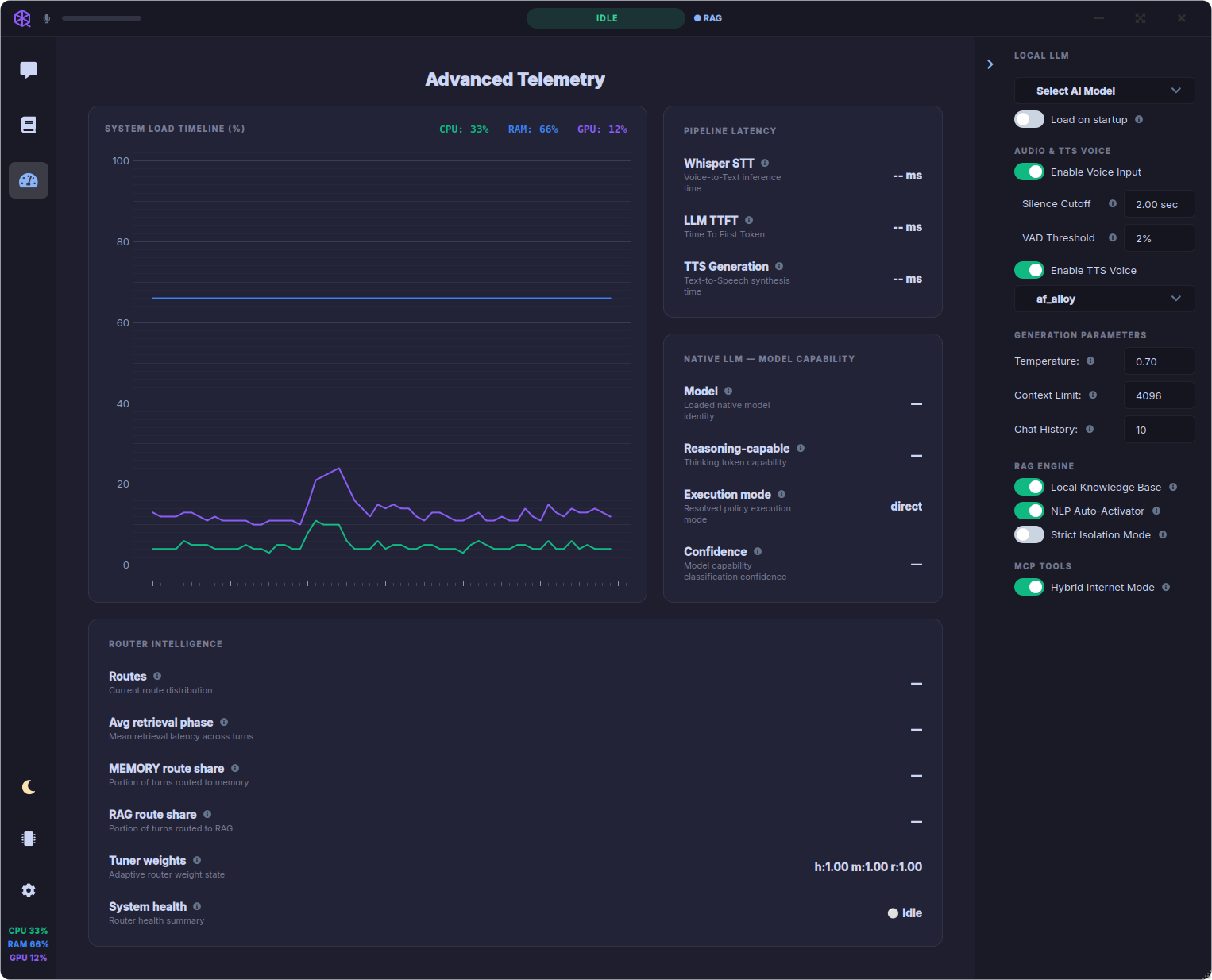 |
> Before launch: capture a Desktop Companion orb screenshot for this section — see launch documentation guidelines Phase 4.
Quick Start
Download (recommended)
Get builds from GitHub Releases. For GPU acceleration with the built-in engine, pick the installer that matches your hardware (see below). Homebrew uses the CPU build by default; WinGet and Chocolatey also offer GPU packages.
| Platform | Install |
|---|
| Windows | CPU: winget install -e --id dagaza.Qube or choco install qube · GPU: winget install -e --id dagaza.Qube.Vulkan / choco install qube-vulkan (AMD/Intel) or dagaza.Qube.CUDA / qube-cuda (NVIDIA) · or download from Releases |
| macOS | brew tap dagaza/qube then brew install --cask qube · or download the .dmg (Apple Silicon or Intel) from GitHub Releases |
| Linux | AppImage, .deb, .rpm, or .tar.gz (amd64) — Install on Linux |
GPU build variants (Windows & Linux) — install one variant; all share user data in ~/.qube/ or %LOCALAPPDATA%\Qube:
| Variant | Best for |
|---|
| cpu | Any PC; slowest chat inference |
| vulkan | AMD / Intel GPU |
| cuda | NVIDIA GPU (recent driver) |
Windows package managers — same three variants on WinGet and Chocolatey:
| Variant | WinGet | Chocolatey | GitHub Releases installer |
|---|
| cpu | dagaza.Qube | qube | Qube--Setup.exe |
| vulkan | dagaza.Qube.Vulkan | qube-vulkan | Qube--vulkan-Setup.exe |
| cuda | dagaza.Qube.CUDA | qube-cuda | Qube--cuda-Setup.exe |
# CPU (works on any PC)
winget install -e --id dagaza.Qube
choco install qube -y

# Vulkan (AMD / Intel GPU)
winget install -e --id dagaza.Qube.Vulkan
choco install qube-vulkan -y

# CUDA (NVIDIA GPU — recent driver required)
winget install -e --id dagaza.Qube.CUDA
choco install qube-cuda -y
To upgrade, use the same ID as your installed variant (winget upgrade -e --id … or choco upgrade qube-vulkan -y, etc.). Switching GPU builds means installing the other package or running the matching .exe from Releases — see Update Qube.
macOS (Homebrew custom tap) — one cask, Metal GPU when available (no separate Vulkan/CUDA packages):
| |
|---|
| Tap | dagaza/qube |
| Cask | qube |
| Releases | Qube--arm64.dmg (Apple Silicon) · Qube--x86_64.dmg (Intel) |
# One-time: add the custom tap
brew tap dagaza/qube

# Install (Homebrew picks arm64 or x86_64 automatically)
brew install --cask qube

# Or install without adding the tap permanently:
brew install --cask dagaza/qube/qube
To upgrade: brew upgrade --cask qube. Or download the matching .dmg from GitHub Releases and replace Qube.app in /Applications.
> Gatekeeper (unsigned DMG): On first launch, use System Settings → Privacy & Security → Open Anyway, or run:
>
> bash > xattr -dr com.apple.quarantine "/Applications/Qube.app" >
>
> See homebrew-qube.
Linux artifact examples: Qube--x86_64-vulkan.AppImage, qube-vulkan__amd64.deb, qube-vulkan--1.x86_64.rpm. Windows direct download: Qube--vulkan-Setup.exe, Qube--cuda-Setup.exe.
Maintainers: winget/README.md · chocolatey/README.md · homebrew/README.md
First launch
- Complete setup — On first run, Qube shows a Recommended preset: required sidecar + search embeddings, optional Whisper / Kokoro TTS, and (by default) a main chat model sized for ~16 GB RAM — with disk/memory feasibility checks. Uncheck voice models if RAM is tight; uncheck the main LLM if you will use LM Studio or Ollama instead.
- Or use an external backend — Point Qube at LM Studio or Ollama under Settings → AI & Models; add more weights anytime in Model Manager.
- Start in Conversations — Type a question, attach
@library or @evidence when you want grounding, or press ? for a guided tour. Enable voice under Settings → Voice & Audio when you want hands-free input.
> Tip: At 16 GB RAM, start with a small model (for example Nemotron 3 Nano 4B). See Settings → General → Discovery to enable hardware-fit suggestions in Model Manager.
From source (developers)
See Install from source for clone, venv, GPU builds, and developer flags.
Quick start:
git clone https://github.com/dagaza/Qube.git && cd Qube
python3 -m venv venv && source venv/bin/activate
pip install -r requirements.txt && python main.py
See it in action
- Ground on your files — Drop a PDF into Library, then ask naturally or attach
@[tool:library] / @[file:…]. Citations link back to source chunks.
- Route with
@ — Try @[tool:evidence] for papers, @[tool:finance] for SEC filings, or @[tool:research] for an async evidence report — or let the router infer from your wording.
- Inspect a reply — Open Sources, then INSPECT RETRIEVAL to see adapters, discovery tier, and phase detail for that turn.
- Curate memory — Open Memory Manager to see what Qube filed away; edit or delete anything you do not want kept.
- Optional: voice or Companion — Enable push-to-talk or the Desktop Companion orb when you want hands-free turns alongside other apps.
Built-in help
Qube ships with a full help library — no browser required.
- Open Library → Qube to browse guides, workflows, and troubleshooting.
- Type
@[tool:help] in chat and ask how to do something ("How do I set GPU layers?", "Memory vs Library?").
Guided tours (? buttons) on each screen walk you through the layout step by step.
More workflows: How to use Qube.
System requirements
| Minimum | Recommended |
|---|
| RAM | 16 GB | 20 GB |
| OS | Windows 10+ (x64), macOS 12+ (Apple Silicon or Intel), Linux amd64 (AppImage / .deb / .rpm / .tar.gz, or source) | Same |
| Storage | ~2 GB for app + optional voice models; plan extra for each chat model; CUDA/Linux GPU builds are larger | SSD strongly recommended |
| Audio | Optional — microphone and speakers for voice features | Same |
| GPU | Optional — pick vulkan or cuda release builds on Windows/Linux, or Metal on macOS; CPU builds work everywhere | Discrete GPU or Apple Silicon with enough VRAM for your chosen model |
Full hardware guidance (models, GPU paths, storage): System requirements.
Qube uses a native PyQt6 desktop shell — not Electron and not a browser tab — so more of your 16 GB budget stays available for models and context. See System requirements for hardware guidance.
Documentation
The pre–launch rewrite README (453 lines of technical detail) is preserved at docs/archive/readme-pre-launch-rewrite.md.
What's new: v1.0.1 — first-run bootstrap, phased model downloads, WinGet first-launch fixes.
How Qube compares
LM Studio excels at running and serving models; SillyTavern at prompt craft and character workflows; Odysseus at a broad self-hosted workspace. Qube targets a different job: a native desktop assistant with automatic routing to Library, memory, or live sources; @ composer control; an editable Memory Manager; and in-app help — with optional voice and a lean PyQt shell on tight RAM. Qube can use LM Studio or Ollama as its inference backend.
Support the project
Qube is free, open-source software built with care. If it saves you time or helps you learn, consider supporting continued development:
Acknowledgements
Qube stands on the shoulders of excellent open-source projects:
Kokoro-82M · Faster-Whisper · Nomic Embed · LanceDB · PyMuPDF · OpenWakeWord · Hugging Face Hub · LM Studio · Ollama · PyQt6 · llama.cpp
Thank you to everyone who encouraged this project along the way.
License
This project is licensed under the MIT License. You may use, modify, and distribute it freely — including in commercial projects — as long as you include the original copyright notice. See LICENSE for details.
Developers
Clone, test, and contribute: CONTRIBUTING.md · Install from source · Architecture