vpngate davegallant
Install vpngate with WinGet
winget install --id=davegallant.vpngate -e a client for vpngate.net
winget install --id=davegallant.vpngate -e a client for vpngate.net
This is a client for vpngate.net.
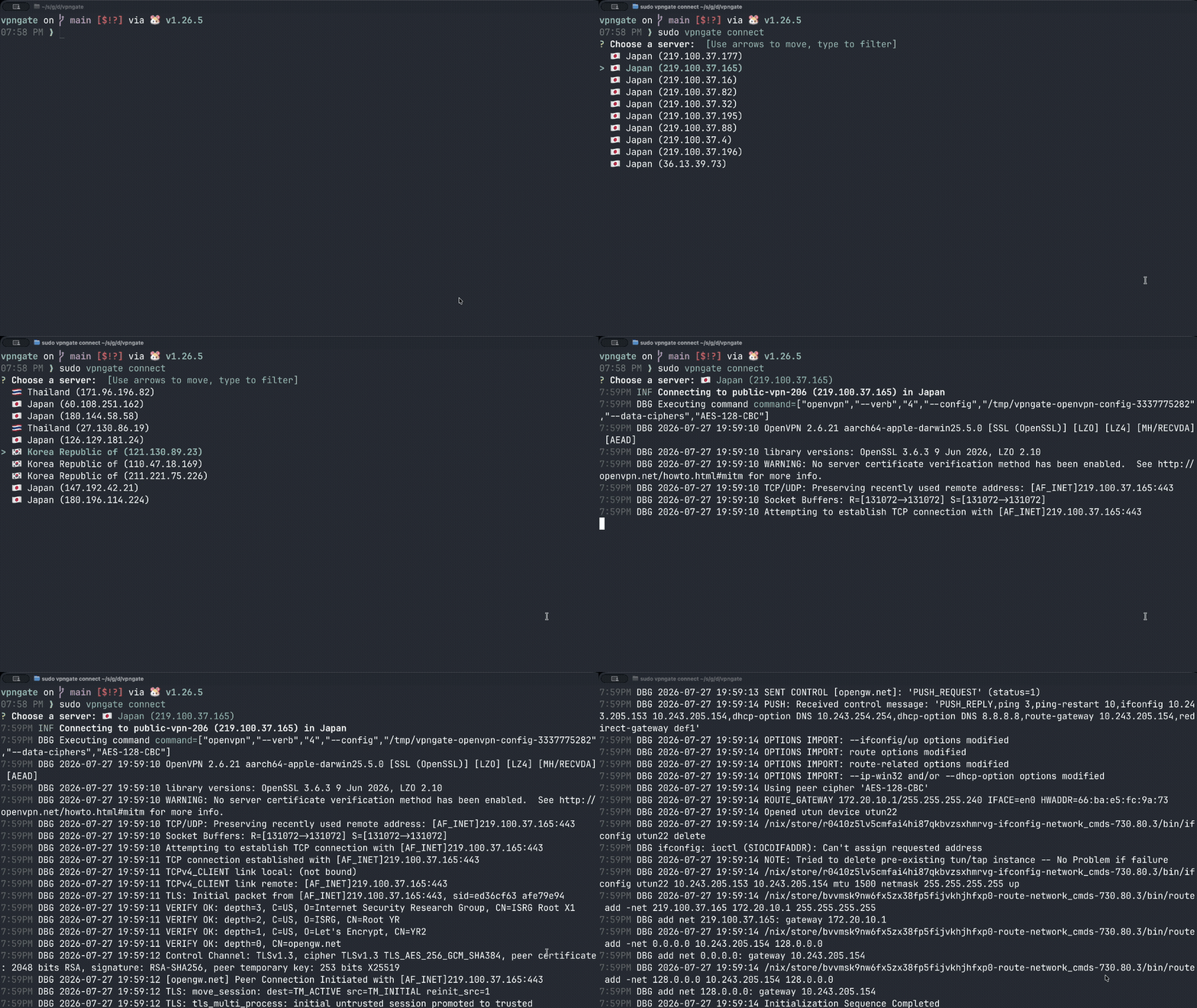
This client fetches the list of available relay servers provided by vpngate.net, and allows you to filter and connect to a server of your liking.
You can check out your current IP address and region at , or run the following:
curl ipinfo.io
> Check out vpngate-mac for a native macOS Client
You can install vpngate in a few different ways, and it will differ slightly depending on your OS.
vpngate can be installed with homebrew (if on macOS, ensure that xcode is installed before installing homebrew by running xcode-select --install).
brew install openvpn davegallant/public/vpngate
vpngate can be installed with winget, which also installs OpenVPN as a dependency:
winget install davegallant.vpngate --source winget
> The --source winget flag skips the Microsoft Store source, which can fail with a certificate error (0x8a15005e).
>
> After installing, open a fresh terminal — the vpngate command won't be found in shells that were already open when the install modified PATH.
Alternatively, install OpenVPN from the official website, then manually download and extract the Windows release from the relevant Github release.
Once the release is extracted, open Command Prompt as Administrator, and run vpngate.exe from the location where it was extracted.
Ensure that go is installed.
CGO_ENABLED=0 go install github.com/davegallant/vpngate@latest
Ensure that the go bin path is discoverable:
echo 'export PATH=$PATH:$HOME/go/bin' >> ~/.profile
source ~/.profile
For full usage instructions, see the cli docs.
> If on macOS, you may need to add openvpn to your PATH (if you installed it with brew): export PATH=$(brew --prefix openvpn)/sbin:$PATH
Run in the background, then check on it, tail its log, or disconnect later.
status, logs, and disconnect need sudo too, since the daemon's state
is only readable by the user that ran connect -d (root):
sudo vpngate connect -d --country Japan
sudo vpngate status
sudo vpngate logs -f
sudo vpngate disconnect
List Japanese servers sorted by lowest ping:
vpngate list --country Japan --sort ping
List high-scoring US servers as JSON:
vpngate list --country us --min-score 1000000 --output json
Connect to a random server with quality filters:
sudo vpngate connect --random --country Japan --max-ping 100 --min-score 500000
Refresh the cached server list before listing:
vpngate list --refresh
Bypass the cache entirely:
vpngate list --no-cache
Inspect or clear the cache:
vpngate cache path
vpngate cache clear