datui derekwisong
Use this command to install datui:
winget install --id=derekwisong.datui -e Datui is a high-performance terminal UI for exploring and analyzing datasets.
winget install --id=derekwisong.datui -e Datui is a high-performance terminal UI for exploring and analyzing datasets.





Datui is a high-performance terminal UI for exploring and analyzing tabular datasets.
📖 Documentation: Full User Guide.
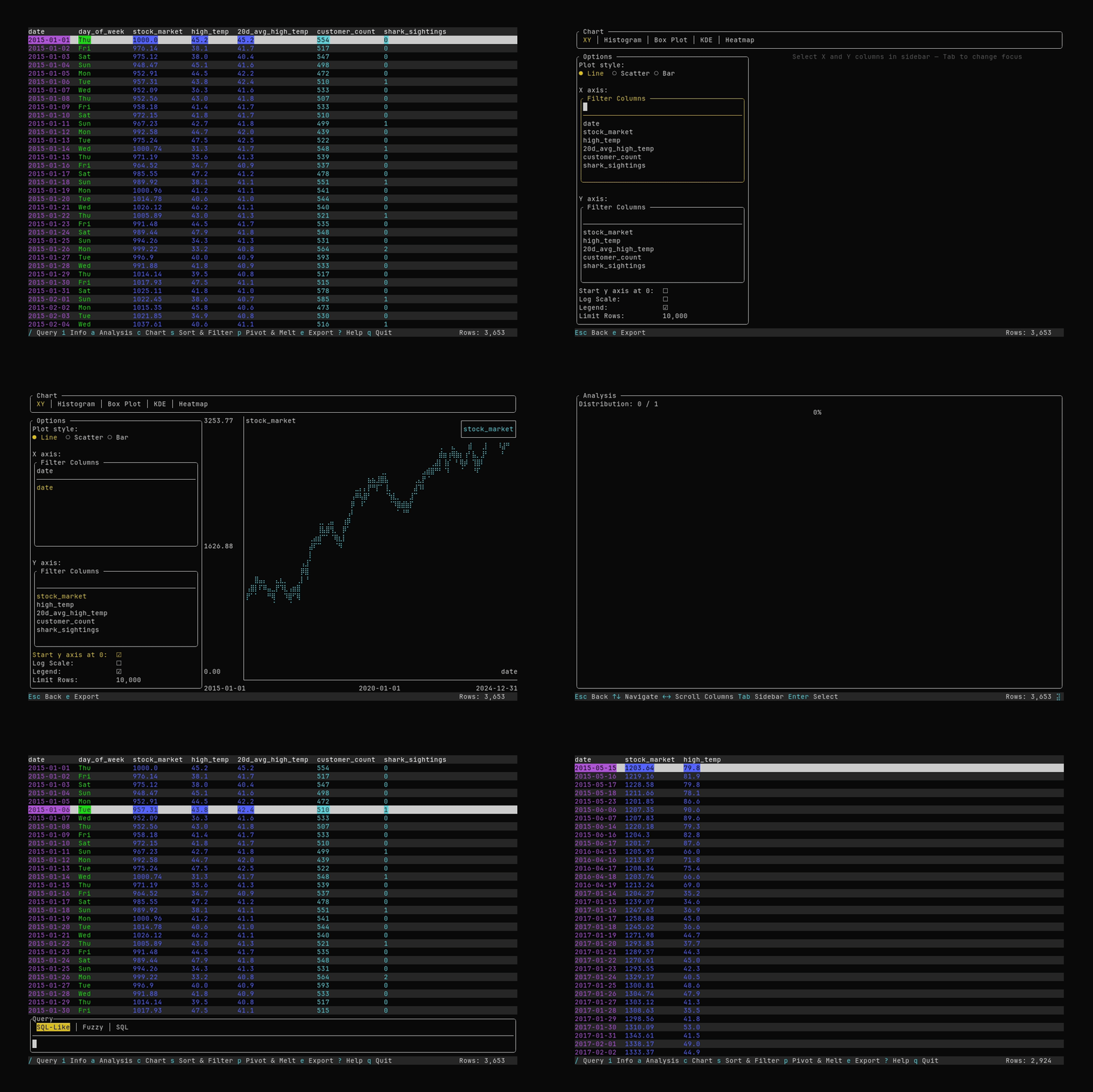
h/j/k/l)> Visit the Install Guide for additional installation details
curl -fsSL https://raw.githubusercontent.com/derekwisong/datui/main/scripts/install/install.sh | sh
Don't like piping to shell? See the alternative methods below.
Get the pre-built binary for your platform from the Latest Release.
> See Package Managers
paru -S datui-bin
brew tap derekwisong/datui
brew install datui
winget install derekwisong.datui
pip install datui
> See Compiling
git clone https://github.com/derekwisong/datui.git
cd datui
cargo build --release --locked
The binary will be available at target/release/datui.
> See the Quick Start Guide
datui /path/to/data.parquet
datui --hive /path/to/directory
datui --hive "/path/to/directory/**/*.parquet"
datui s3://some-bucket/file.parquet
datui gs://some-bucket/file.parquet
datui https://www.domain.com/file.csv
import polars as pl
import datui

lf = pl.scan_parquet("/path/to/data.parquet")
datui.view(lf)
h/j/k/l) to navigateq to exit> 💡 Use ? or F1 to show help
> See the Configuration Guide
Generate a default TOML config file:
datui --generate-config
See the Setup Script guide to quickly get configured.
Contributions are welcome! Please see Contributing for more.
This project is licensed under the MIT License - see the LICENSE file for details.
> If you encounter any issues or have feature requests, please > open an issue on GitHub.
