harness-picker devnull03
Install harness-picker with WinGet
winget install --id=devnull03.HarnessPicker -e One fzf pick to start or resume a Claude Code, Codex or pi chat in the current folder
winget install --id=devnull03.HarnessPicker -e One fzf pick to start or resume a Claude Code, Codex or pi chat in the current folder
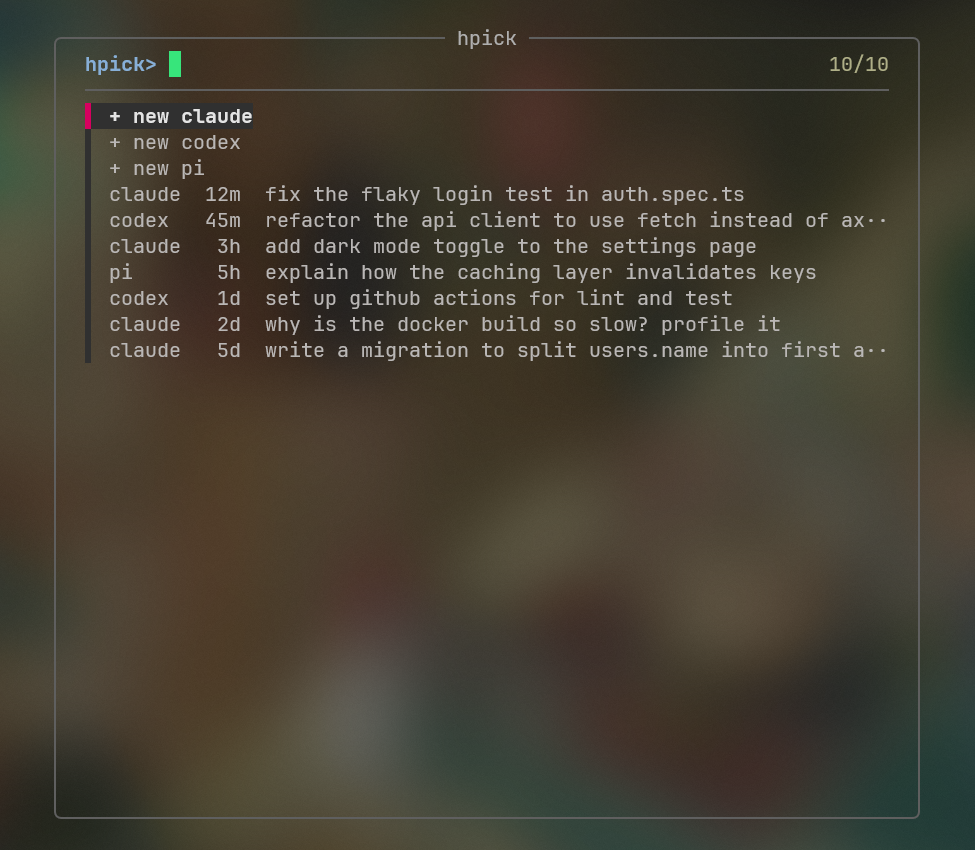
hpick — one fzf pick to start a new Claude Code, Codex or pi chat, or resume one you started in the current folder.
Made to be run from Zed's terminal as a quick agent picker, but it works in any terminal.
brew install devnull03/tap/harness-picker
scoop bucket add devnull03 https://github.com/devnull03/scoop-bucket
scoop install harness-picker
winget install devnull03.HarnessPicker
Grab a binary from Releases, or build it:
cargo install --git https://github.com/devnull03/harness-picker
The package managers pull in fzf; install it yourself (0.42+) for a manual install. You also need whichever of claude, codex, pi you use.
Run hpick in a project folder. Type to filter, Enter to open, Esc to cancel.
Chats are read from ~/.claude/history.jsonl, ~/.codex/history.jsonl + ~/.codex/sessions, and ~/.pi/agent/sessions, and are listed only if they were started in the current folder.