MDK VDC Process Lab
Install MDK with WinGet
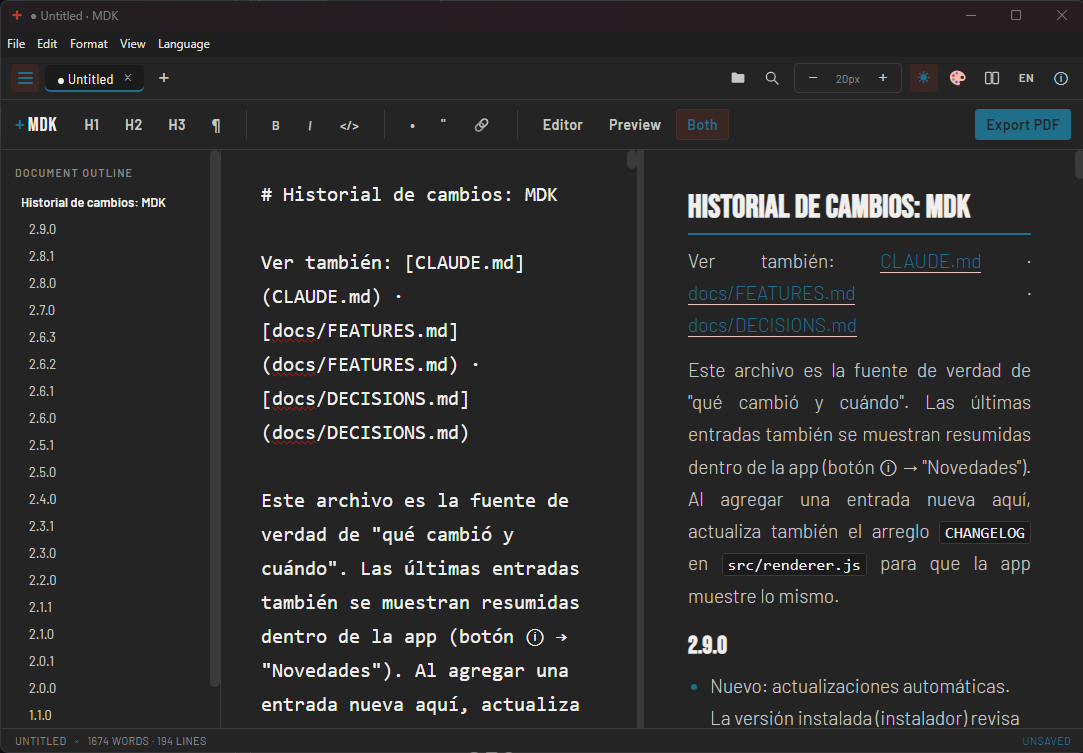
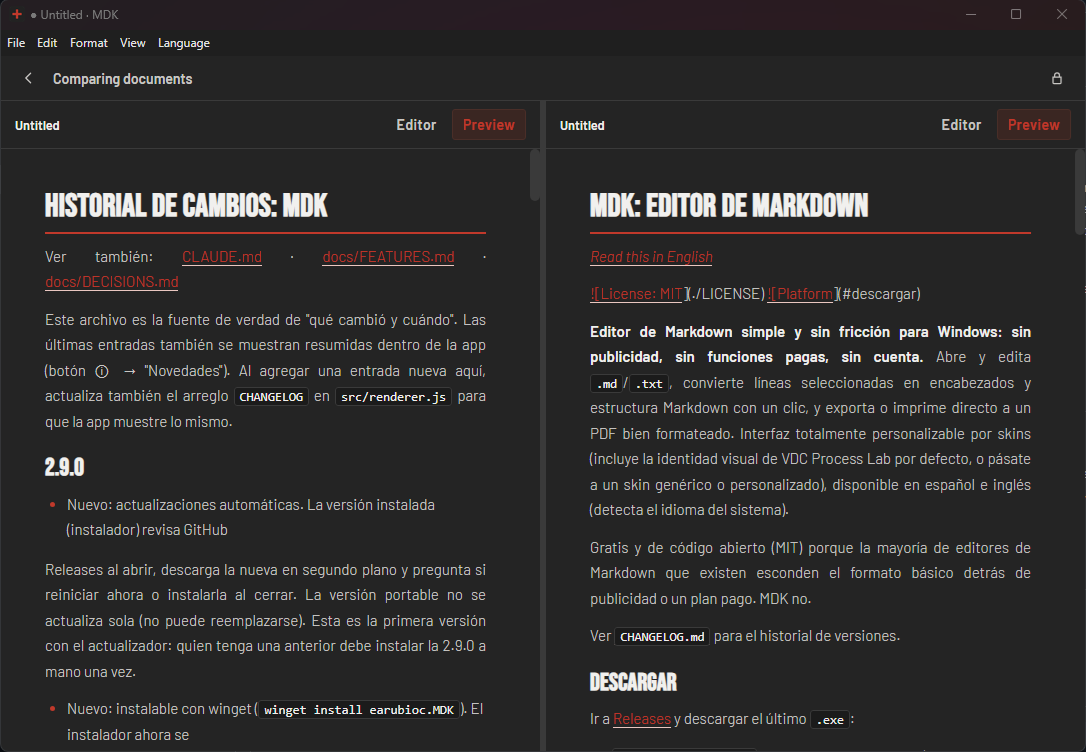
winget install --id=earubioc.MDK -e A clean Markdown editor with live preview, PDF export, themes and document comparison. No ads, no account.
winget install --id=earubioc.MDK -e A clean Markdown editor with live preview, PDF export, themes and document comparison. No ads, no account.


A clean, no-nonsense Markdown editor for Windows: no ads, no paywalled features, no
account required. Open and edit .md/.txt, turn selected lines into headings and
Markdown structure with one click, and export or print straight to a properly formatted
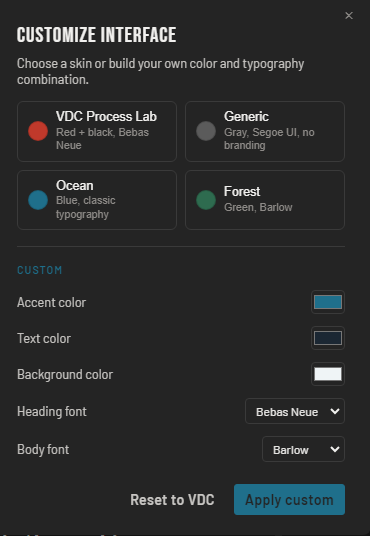
PDF. Fully skinnable interface (ships with the VDC Process Lab identity as the default,
or go fully generic/custom), available in Spanish and English.
Free and open source (MIT) because most Markdown editors out there bury basic formatting behind ads or a paid tier. MDK doesn't.
Website: https://earubioc.github.io/mdk/
See CHANGELOG.md for the version history.
Go to Releases and download the latest .exe:
MDK-Setup-X.X.X.exe: wizard-based installer (Desktop/Start Menu shortcuts).
Recommended for most users; it updates itself automatically.winget install earubioc.MDK (once the package is approved in the winget catalog)MDK-portable.exe: runs directly, nothing to install.npm install
npm start
This opens the app in an Electron window over the code in src/.
npm run dist              # builds portable + NSIS installer
npm run dist:portable     # portable .exe only (no install needed)
npm run dist:installer    # NSIS installer only (Desktop/Start Menu shortcut)
The artifacts land in release/. To install on another machine you only need to share
the final .exe (MDK-Setup-X.X.X.exe or MDK-portable.exe); everything else release/
leaves behind (win-unpacked/, .yml, .blockmap) is internal build support. See
manual_para_dummies.md for a no-jargon walkthrough (Spanish).
If electron-builder fails with a winCodeSign "symbolic link" error, enable Windows
"Developer Mode" (Settings → Privacy & Security → For developers) or run the terminal as
Administrator — this step signs the .exe and stamps MDK's own name/icon onto it, and
needs one of those two permissions on Windows.
Every push to main runs an automatic validation (GitHub Actions,
.github/workflows/ci.yml). Every vX.Y.Z tag builds the installer and the portable
executable and publishes them as a GitHub Release (.github/workflows/release.yml).
MDK/
├── main.js               # Electron main process: window, menu, file dialogs, PDF export, language
├── preload.js             # secure bridge (contextBridge) between main and renderer
├── src/
│   ├── index.html          # tabbar, search bar, formatting toolbar, sidebar, panes, modals
│   ├── style.css           # app styles + skin variables
│   ├── renderer.js         # documents/tabs, formatting, skins, language, search, zoom, PDF
│   ├── markdown.js         # dependency-free Markdown → HTML converter
│   └── i18n/strings.js     # Spanish/English dictionary shared between main and renderer
├── .github/workflows/      # CI (validation) and Release (build + publish to GitHub)
├── package.json           # scripts and electron-builder configuration
├── LICENSE                 # MIT
├── CHANGELOG.md            # version history
└── manual_para_dummies.md  # no-jargon guide (build, install, associate .md), Spanish
#, ##, ###); Ctrl+0 reverts to plain text.
Bold (Ctrl+B), italic (Ctrl+I), inline code (Ctrl+E), list (Ctrl+L), quote (Ctrl+Shift+Q)| col | col |) render in the preview and
the exported PDF, including column alignment (:---, ---:, :---:); in the preview
you can also drag column borders to resize them for easier reading (visual only, it
doesn't change the file).md/.markdown file (MDK registers the association on
install), drag a file onto the window, or use File → Open recent for your last files− 16px + buttons in the toolbar (Ctrl+= / Ctrl+-).pdf with the active skin$E=mc^2$) and as blocks ($$ ... $$), rendered as equations in the preview, comparison and PDF (built-in converter; covers fractions, roots, sums, integrals, matrices and more)MIT, see LICENSE. Free to use, copy, modify, and redistribute, including
commercially, with the sole condition of keeping the copyright notice.
