tizen-app-installer
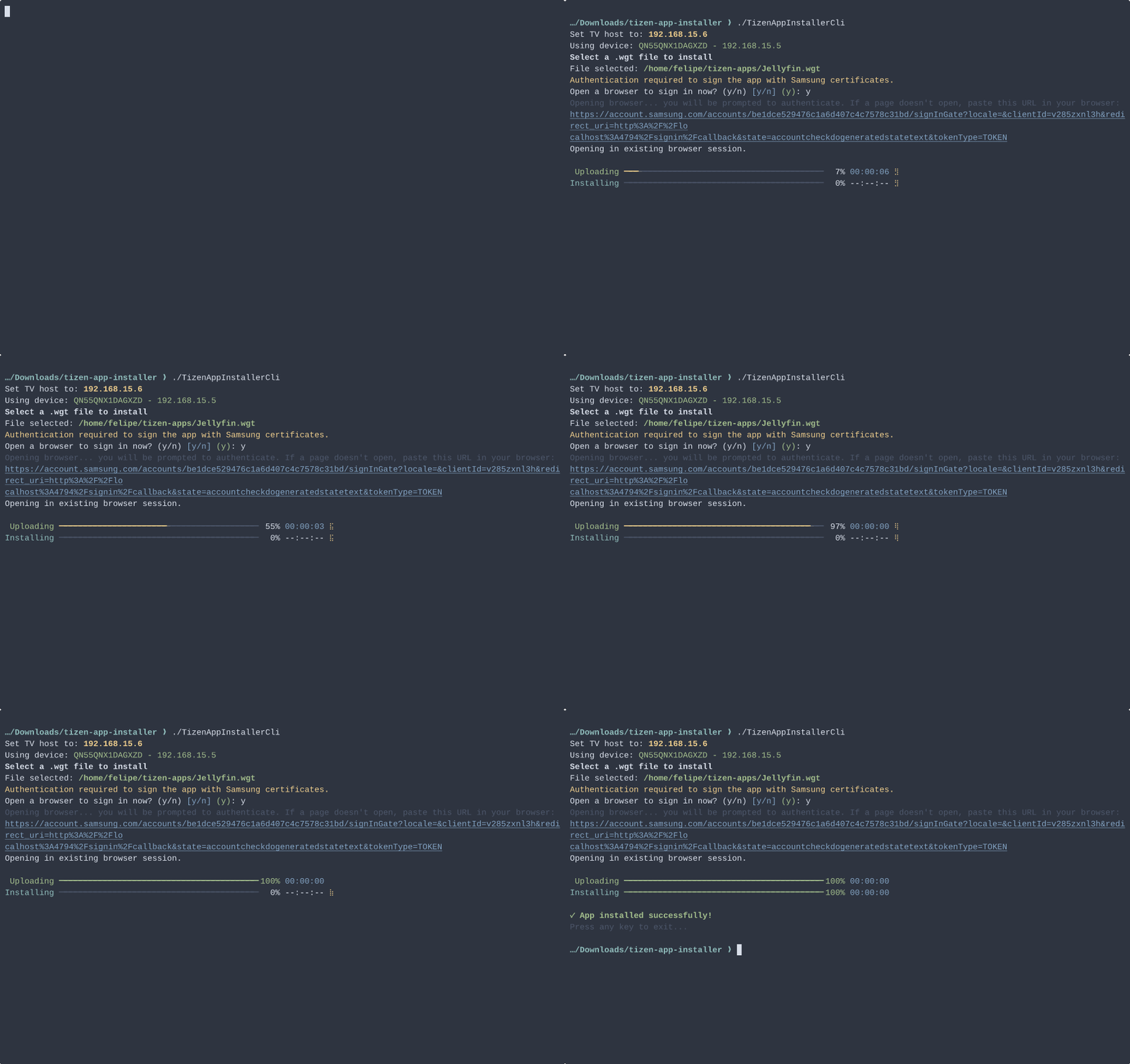
Tizen App Installer (binary: TizenAppInstaller) — a zero-config, interactive CLI to install .wgt apps directly to Samsung Tizen TVs. No Tizen Studio or SDK required.
Quick demo
Run the binary and follow the prompts:
./TizenAppInstaller
# on Windows
TizenAppInstaller.exe
> Note: Before running: enable Developer Mode on your TV and set the Developer Mode host IP to the IP of the machine running this tool. The CLI prints your machine IP at startup to help with this.
What happens (automatically):
- The tool scans your local network and lists discovered TVs.
- You pick the target TV from the presented list.
- You select a
.wgt file using the interactive prompt / file chooser.
- If the TV requires signing (Tizen ≥ 7) the CLI opens your browser for Samsung account login, obtains the token in the background, generates the required certificates, signs the package, and continues without extra steps.
- The app is installed on the TV — finished.
(Check the animated demo at the top of this README.)
Features
- Auto-discovery of Tizen TVs on the LAN
- Interactive file picker for
.wgt packages
- Automatic Samsung account flow and certificate generation for Tizen ≥ 7
- Native AOT single-file binaries for fast, dependency-free runs
- Extremely simple UX: run and follow prompts (no flags required)
Installation
Download the latest prebuilt binary from the Releases page
Usage
No commands or flags are required — just run the binary and follow on-screen instructions:
./TizenAppInstaller
Notes:
- The CLI is interactive and will guide you through discovery, file selection and (if needed) the Samsung sign-in flow.
- When the browser opens for login, complete the flow; the CLI will catch the token and continue automatically.
Requirements
- Samsung TV running Tizen OS (any supported version)
- A
.wgt package to install
- Network access to the TV (same local network)
- For Tizen ≥ 7: a Samsung account (the CLI handles the rest)
Developer mode / Host IP
To allow remote installs the TV must have Developer Mode enabled and the TV's Developer Mode host IP must be set to the IP address of the machine running Tizen App Installer. The CLI prints your machine's IP address at startup to make this easier. Follow Samsung's guide to enable developer mode and set the host IP:
https://developer.samsung.com/smarttv/develop/getting-started/using-sdk/tv-device.html
Contributing
PRs and issues welcome. Useful contribution areas:
- Discovery reliability and heuristics
- Cross-platform build targets and RIDs
- Better logging and user-facing error messages