
APKSignerGUI
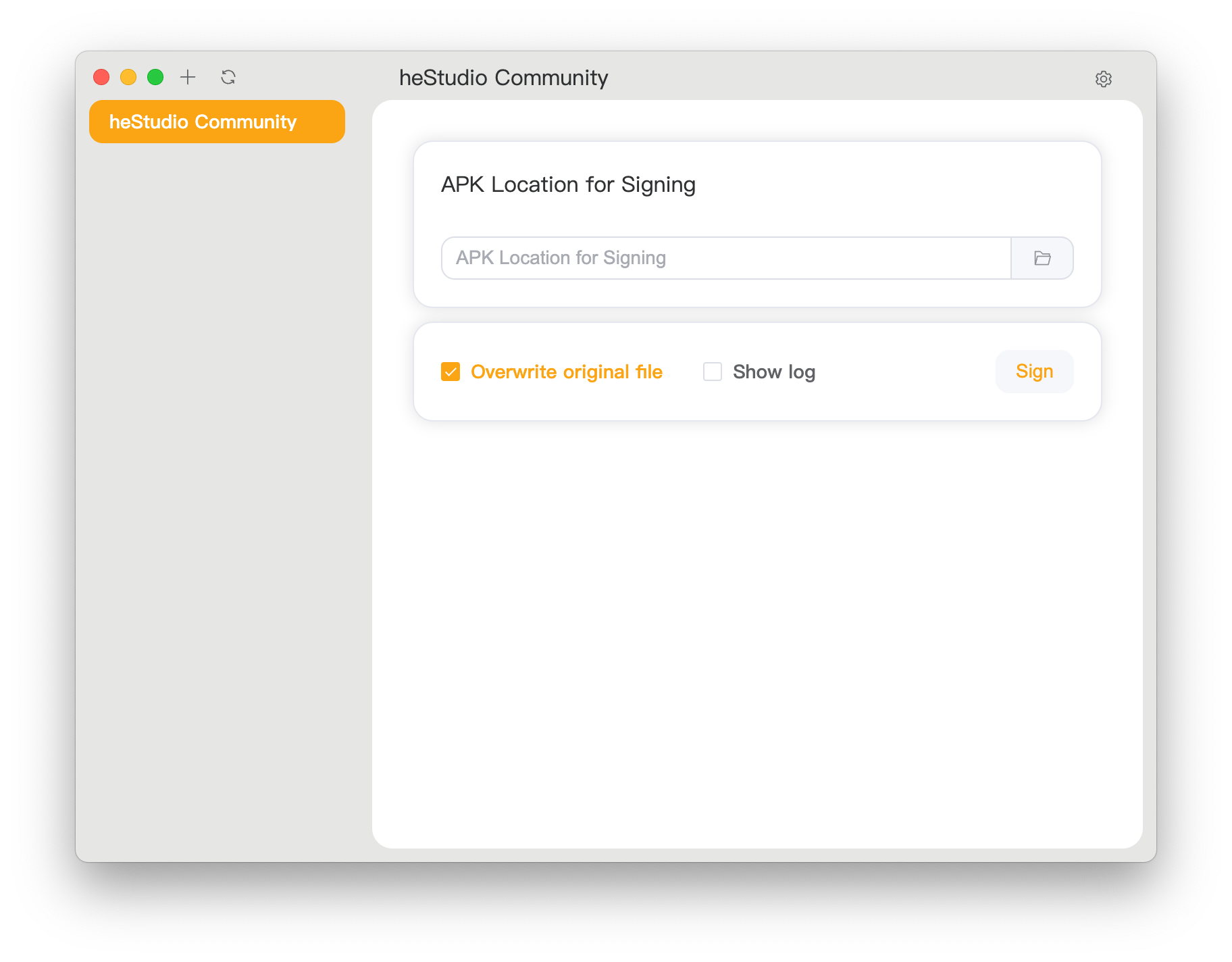
Simple and complete graphical tool for APK signing
Features
- Beginner-Friendly: Designed for novice users. Just import an APK to sign it directly.
- Fully Featured: Supports all signing parameters provided by Google for advanced users.
- High Compatibility: Works on multiple operating systems and architectures, including Windows, Linux, and macOS.
- Room for Growth: As an early-stage project, it's not perfect—leaving plenty of room for contribution and extension.
How to Install
-
Go to the Release page to download the latest version.
-
Windows users can install it using WinGet:
winget install heStudioCommunity.APKSignerGUI
Alternatively, download it from the Microsoft Store:

> [!IMPORTANT]
> We have removed the "(Machine - MSI)" related markers from the MSI build package. These markers were provided by the electron packager, and we have now removed them.
- Or build it yourself as described below.
macOS Installation Issues
When installing on macOS, you may encounter the error “APKSignerGUI.app” is damaged and can't be opened. You should move it to the Trash. This is usually not because the file is actually damaged. To completely avoid this issue, we'd need to pay Apple $99 annually for a trusted certificate, which we cannot afford. To use the software, you'll need to perform some additional steps:
- Download and move the app to your Applications folder.
- Open Terminal and run:
xattr -d com.apple.quarantine /Applications/APKSignerGUI.app
- Open the application and start using it.
Compatibility
Officially supported platforms (prebuilt and tested):
- Windows: Windows 10/11 x86_64 (latest version), Windows 10/11 ARM64 (latest version)
- Linux: Debian 12 and derivatives, x86_64 and ARM64
- macOS: Apple Silicon devices running macOS 10.11 or later
Other platforms may require manual compilation.
Why no 32-bit support?
We believe 32-bit systems are obsolete and often incapable of basic operations. Most vendors no longer support them. It's highly unlikely you can do modern software development on such systems. If you're still using one, we trust you're capable of compiling this tool yourself.
How to Use?
- Open the application. You should see a screen like this. Click the top-right gear icon to configure settings.
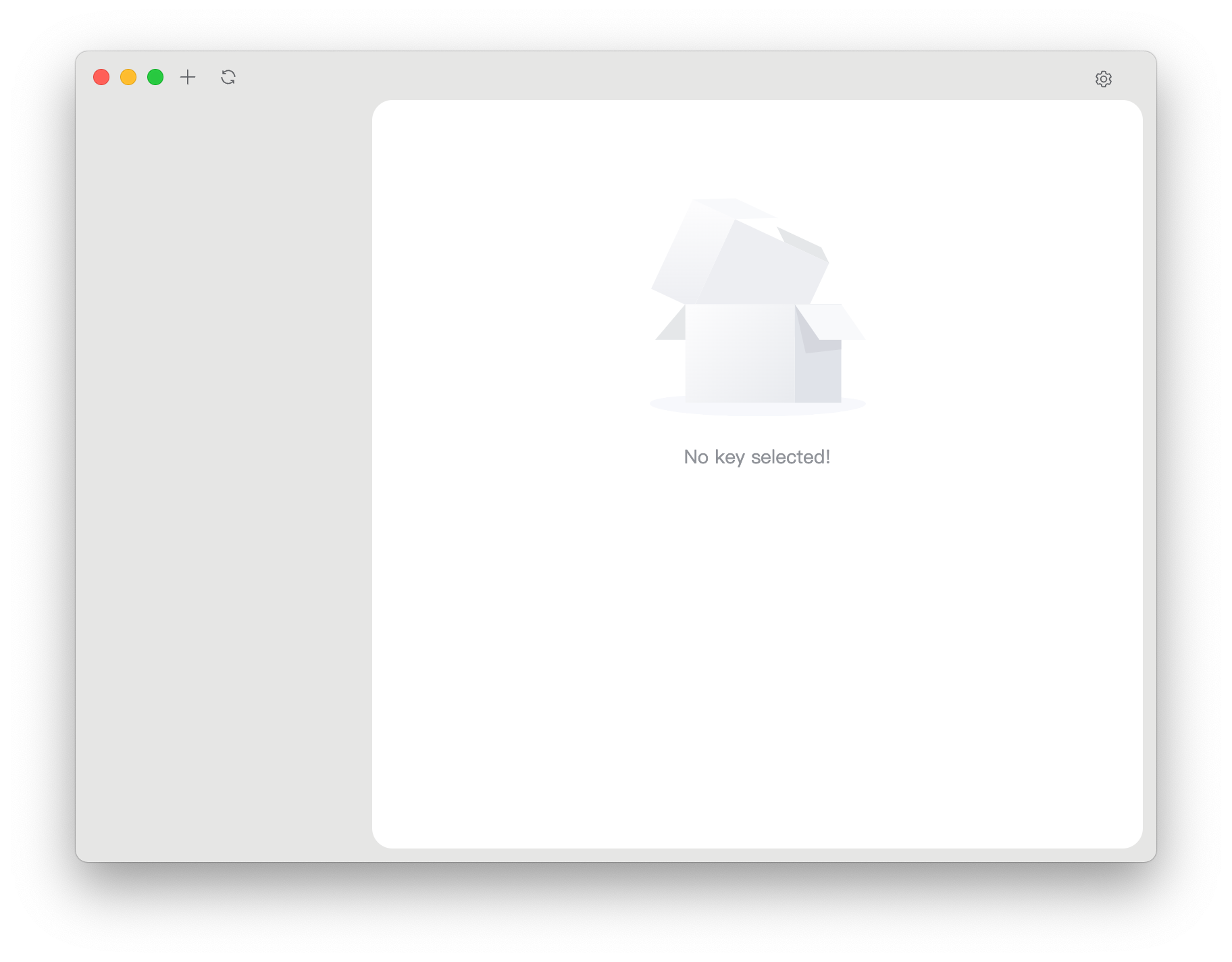
- Locate
apksigner and zipalign in your sdk/build-tools/ directory and click save.
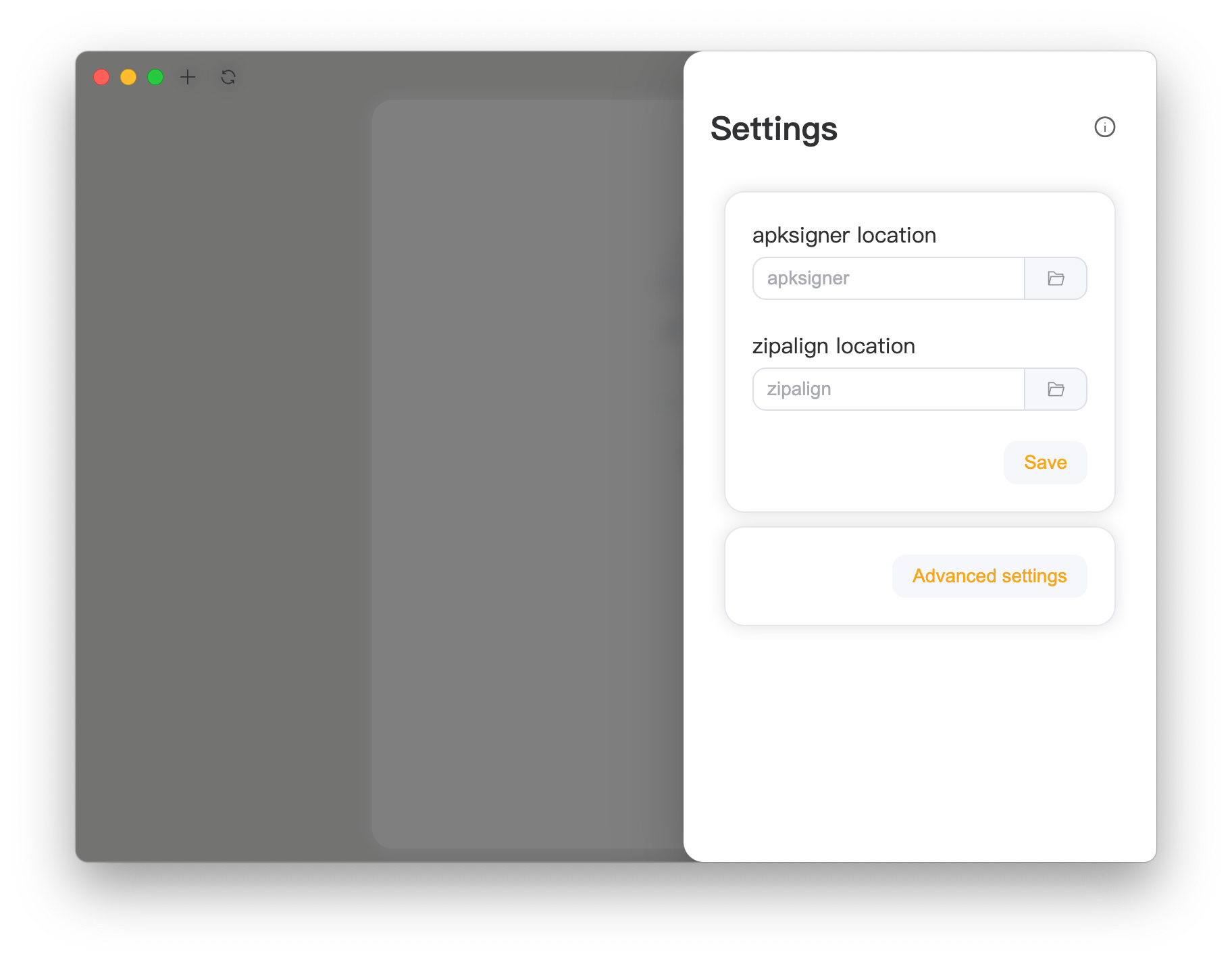
- Click the left blank area to close settings. Then click the top-left
+ to add a key.
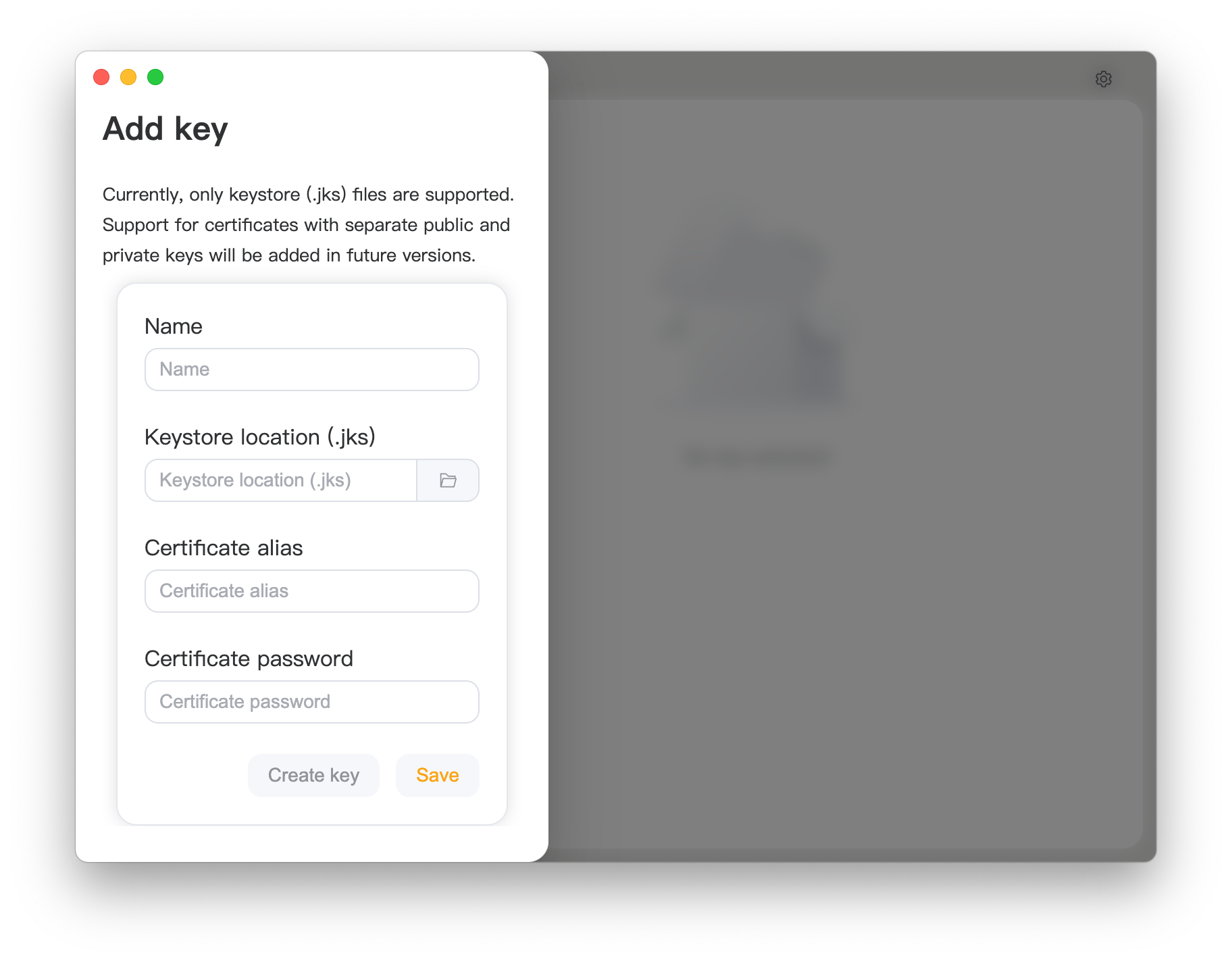
- Click the right blank area to close the page, select the key from the left, and start signing your APK.
Find Your Language

We're committed to providing a consistent experience for users worldwide. If you'd like to help with translation, we truly appreciate it.
You can contribute in two ways:
- Submit translations via the Crowdin platform.
- Submit translated language files under the
i18n directory of the source code.
Didn't find your language? Add it using either method:
- Submit an issue and we’ll add the language to Crowdin for you.
- Copy an existing language file under
i18n, translate it, and submit it—we’ll handle the rest.
Use ISO 639-1 for language codes and ISO 3166-1 for region codes.
Thanks to Crowdin for providing an open-source license.
How to Build?
Without Packaging
- Install NodeJS 22 LTS
- Run
npm install to install dependencies.
- Run
npm run package to build.
- Find the output in
./out/.
macOS
- Install NodeJS 22 LTS
- Run
npm install to install dependencies.
- Run
npm run make to build.
- Find the output in
./out/make.
Windows
ZIP Packaging (Recommended)
-
Install NodeJS 22 LTS
-
Run npm install to install dependencies.
-
Edit forge.config.js:
Replace:
{
   name: "@electron-forge/maker-wix",
   config: {
     // ...
   },
   platform: ["win32"],
},
With:
{
  name: "@electron-forge/maker-zip",
  platform: ["win32"],
}
-
Run npm run make to build.
-
Find the output in ./out/make.
MSI Packaging
- Install NodeJS 22 LTS
- Run
npm install to install dependencies.
- Install WiX Toolset v3.
- Add WiX binaries to your
PATH environment variable.
- Run
npm run make to build.
- Find the output in
./out/make.
Linux (Debian and Derivatives)
- Install NodeJS 22 LTS
- Run
npm install to install dependencies.
- Run
npm run make to build.
- Find the output in
./out/make.