iPAGet is a desktop app for downloading, saving and managing iPhone and iPad apps on Windows, macOS and Linux.
Download App Store apps as IPA files, choose an older release from the version history, or connect a device to download the same build it has installed. Keep the packages locally for later reinstallation.
The app also includes device app management, an IPA editor, certificate management and re-signing.
Downloads and versions:
- Search by App Store region and view charts, app details and release notes.
- Download the latest release or select a specific version from the version history.
- Use multiple Apple Accounts, track download progress and speed, and manage downloaded or imported IPAs in the local library.
Device app management:
- View device information, installed apps and their storage use.
- Install IPAs, uninstall apps and transfer files through the app containers that iOS makes accessible.
IPA inspection and editing:
- Inspect bundle identifiers, versions and build numbers, minimum OS requirements, provisioning profiles, entitlements, frameworks and encryption status.
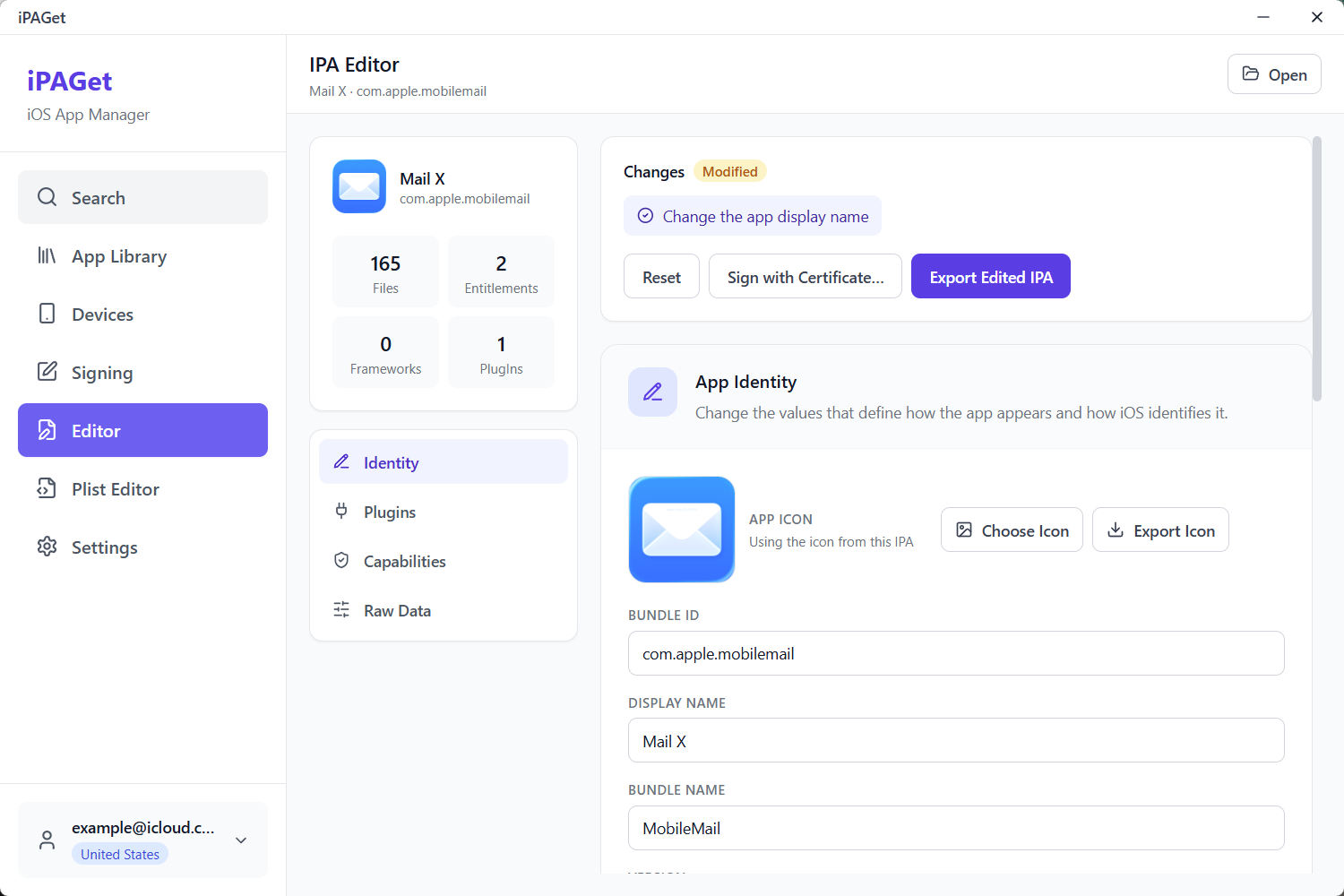
- Change an app's display name, icon and Info.plist, then export the modified IPA.
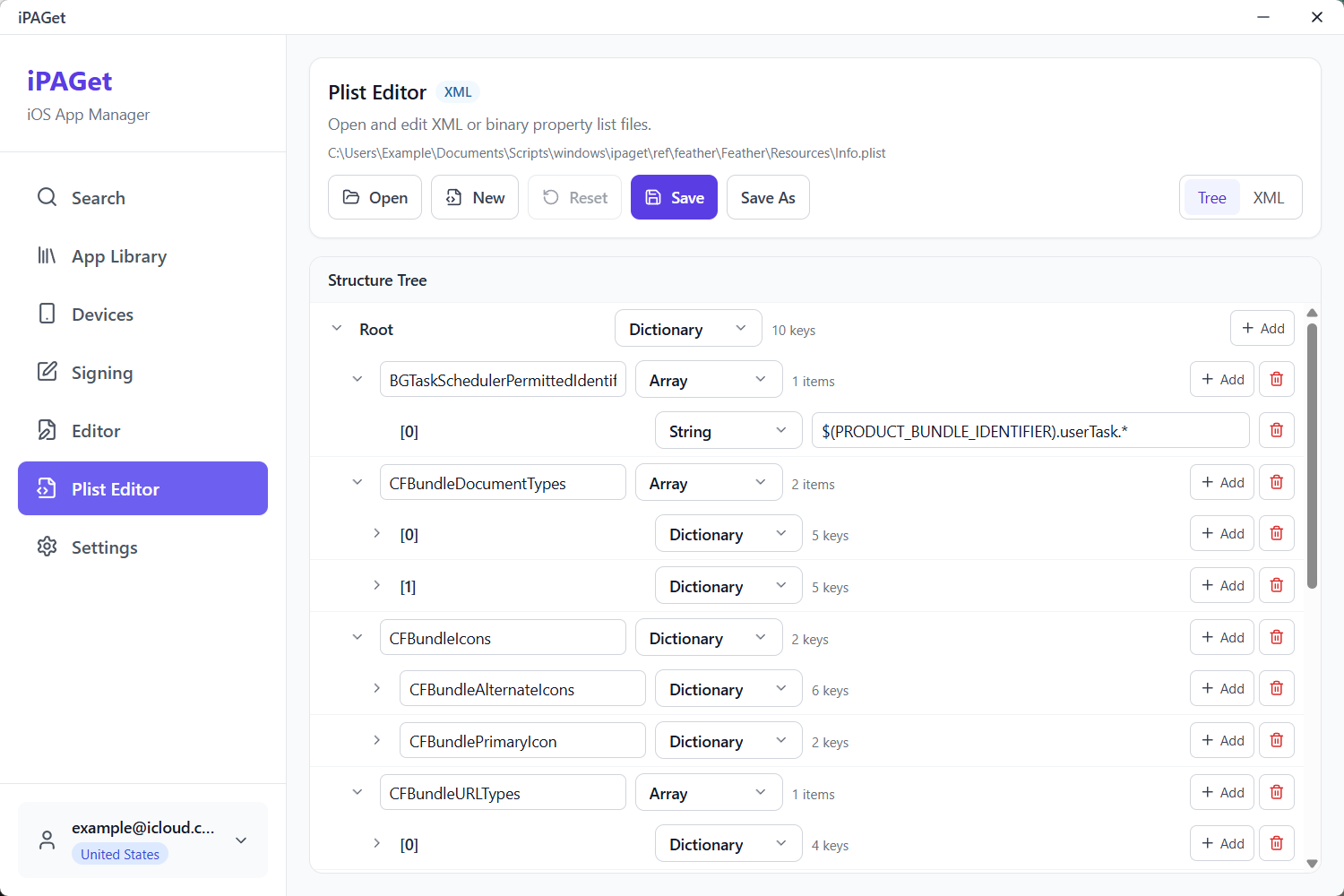
- Edit property lists as a tree or as XML, with support for XML and binary Plist formats.
Certificates and signing:
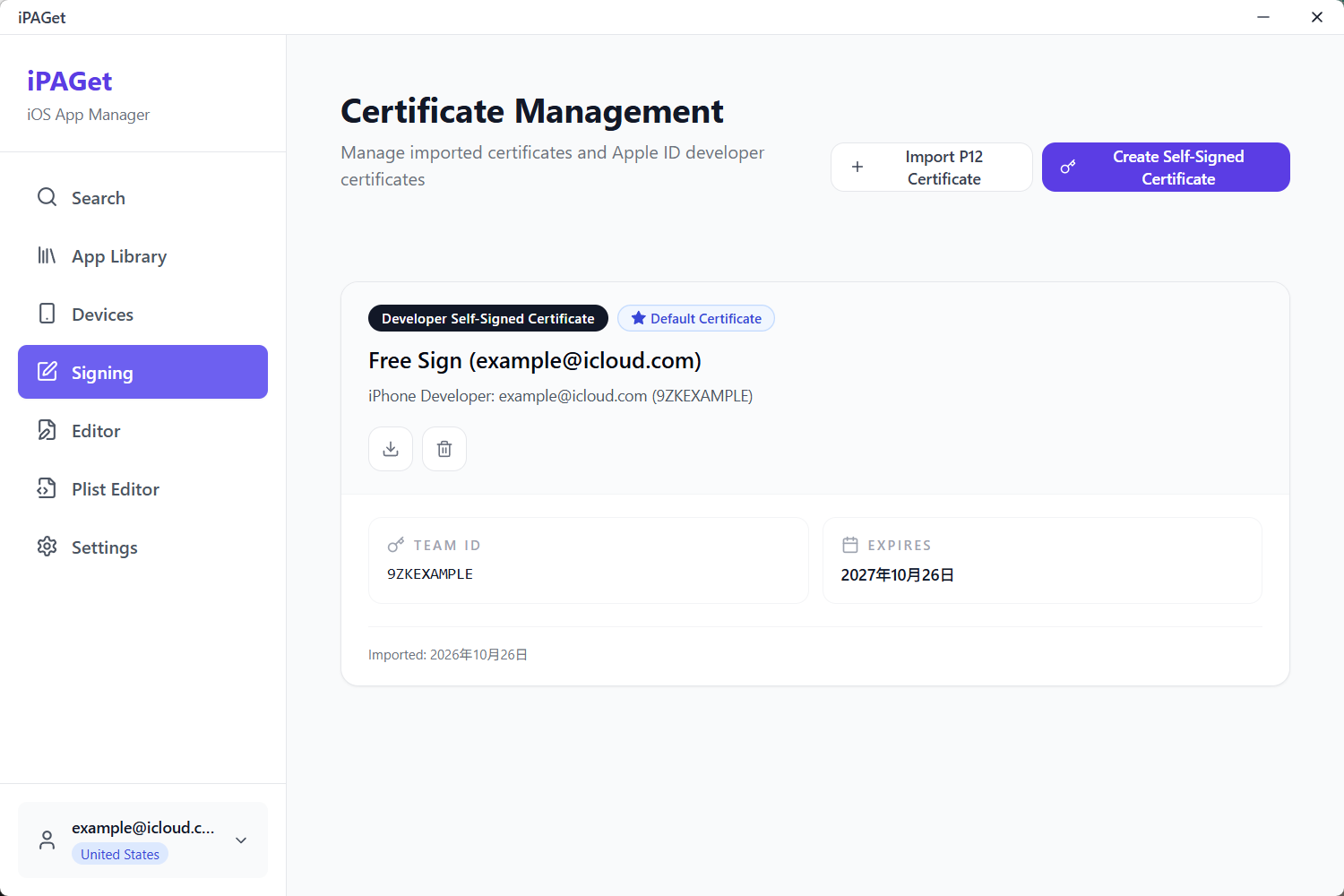
- Import an existing certificate or request a signing certificate through an Apple developer account.
- Sign or re-sign an IPA with a certificate and provisioning profile.
iPAGet is a desktop app for downloading, saving and managing iPhone and iPad apps on Windows,
macOS and Linux.
Download App Store apps as IPA files, choose an older release from the version history, or connect
a device to download the same build it has installed. Keep the packages locally for later
reinstallation.
The app also includes device app management, an IPA editor, certificate management and re-signing.
Download
Download a build for your system from Releases.
The formats listed for each system are alternative ways to install or run the app; choose one.
iPAGet__macos-universal.app.zip (only when the DMG is missing)
Linux, x86_64
iPAGet__linux-amd64.AppImage
iPAGet__linux-amd64-portable
On Windows, .msi and -setup.exe are installers; -portable.exe runs without installation.
The macOS Universal build supports both Apple Silicon and Intel.
Installation notes:
macOS builds are not signed or notarized. On first launch use right-click → Open, or run
xattr -dr com.apple.quarantine /Applications/iPAGet.app.
Windows builds are unsigned and may trigger SmartScreen. After checking that the file came
from this repository's Release, choose More info → Run anyway.
Linux AppImage: chmod +x iPAGet__linux-amd64.AppImage and run it. It is built on
Ubuntu 24.04, so it needs glibc 2.39 or newer (Ubuntu 24.04+, Debian 13+, Fedora 40+).
Features
Downloads and versions
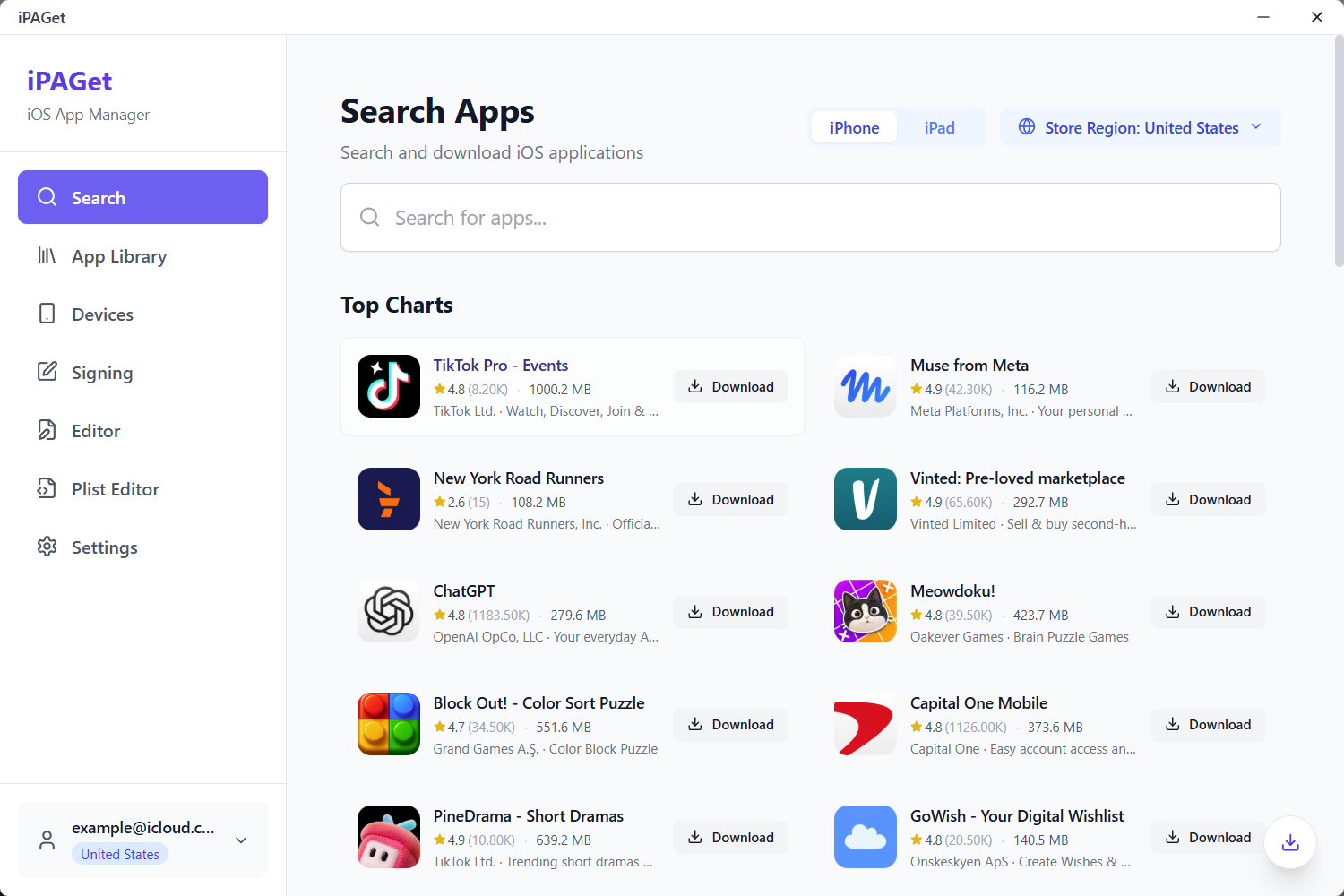
Search by App Store region and view charts, app details and release notes.
Download the latest release or select a specific version from the version history.
Read an installed app's App Store build identifier and download that same build. This downloads
a copy from Apple; it does not extract the installed package from the device.
Use multiple Apple Accounts, track download progress and speed, and manage downloaded or imported
IPAs in the local library.
Device app management
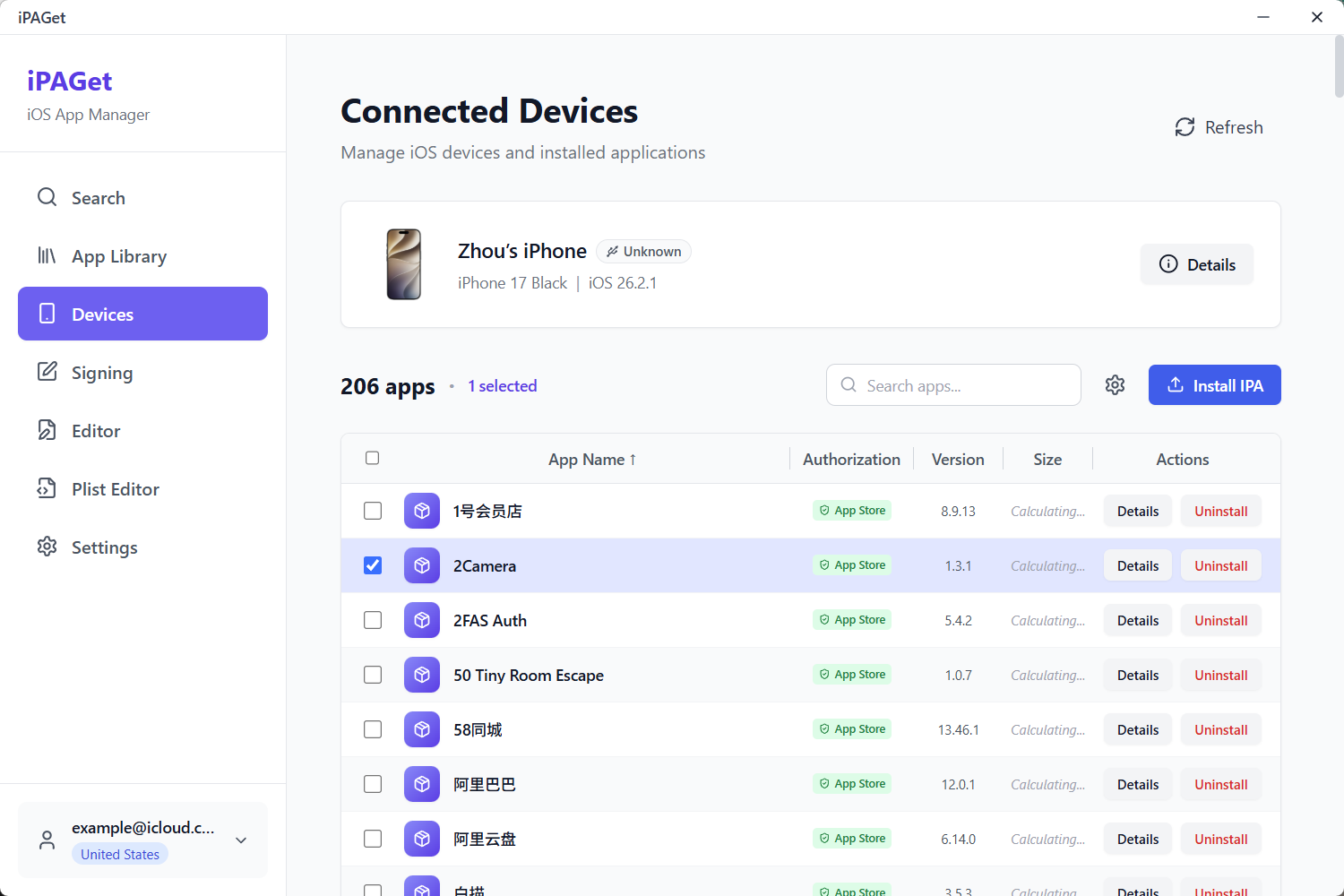
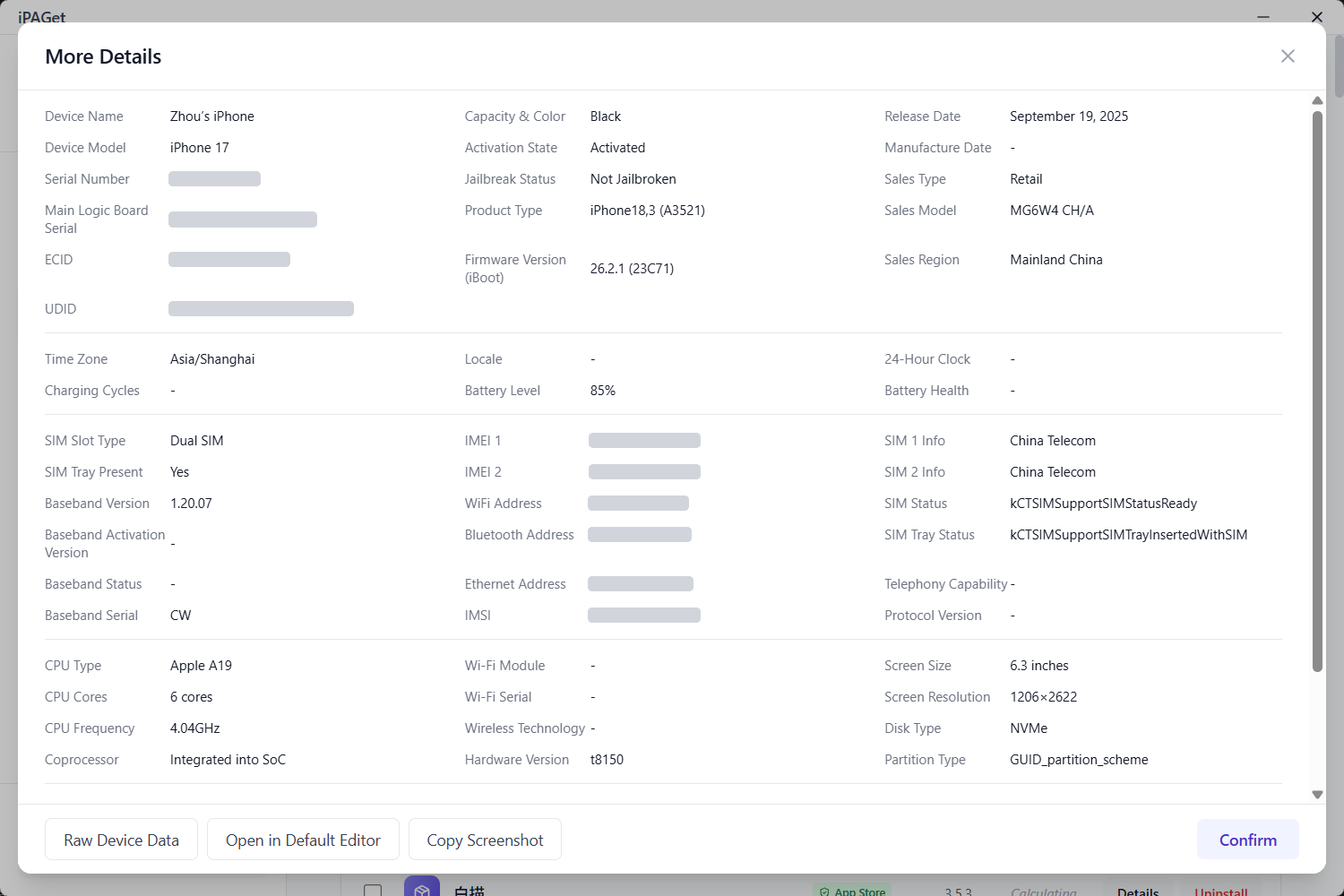
View device information, installed apps and their storage use.
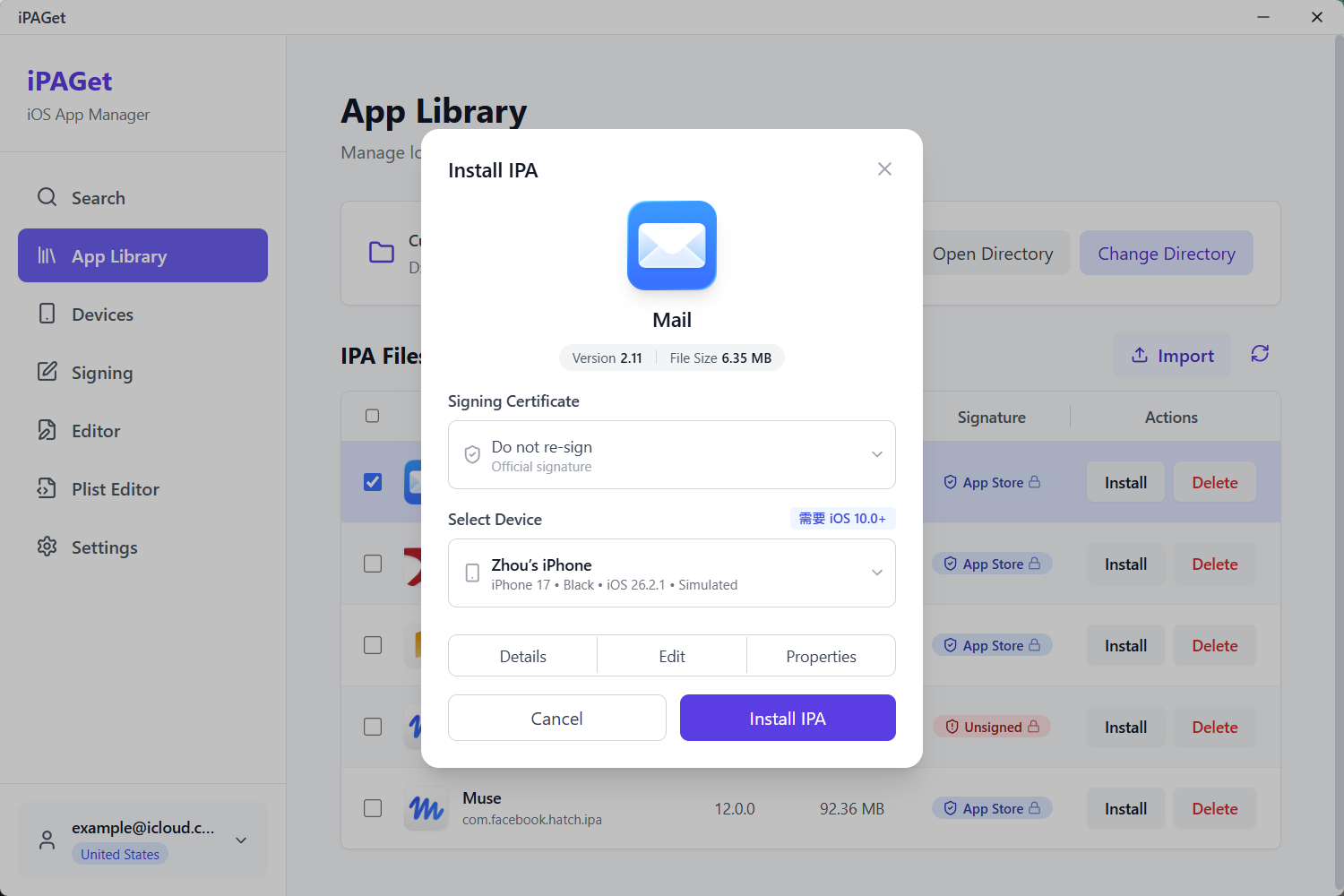
Install IPAs, uninstall apps and transfer files through the app containers that iOS makes accessible.
IPA inspection and editing
Inspect bundle identifiers, versions and build numbers, minimum OS requirements, provisioning
profiles, entitlements, frameworks and encryption status.
Change an app's display name, icon and Info.plist, then export the modified IPA.
Edit property lists as a tree or as XML, with support for XML and binary Plist formats.
Certificates and signing
Import an existing certificate or request a signing certificate through an Apple developer account.
Sign or re-sign an IPA with a certificate and provisioning profile.
Screenshots
App Store search
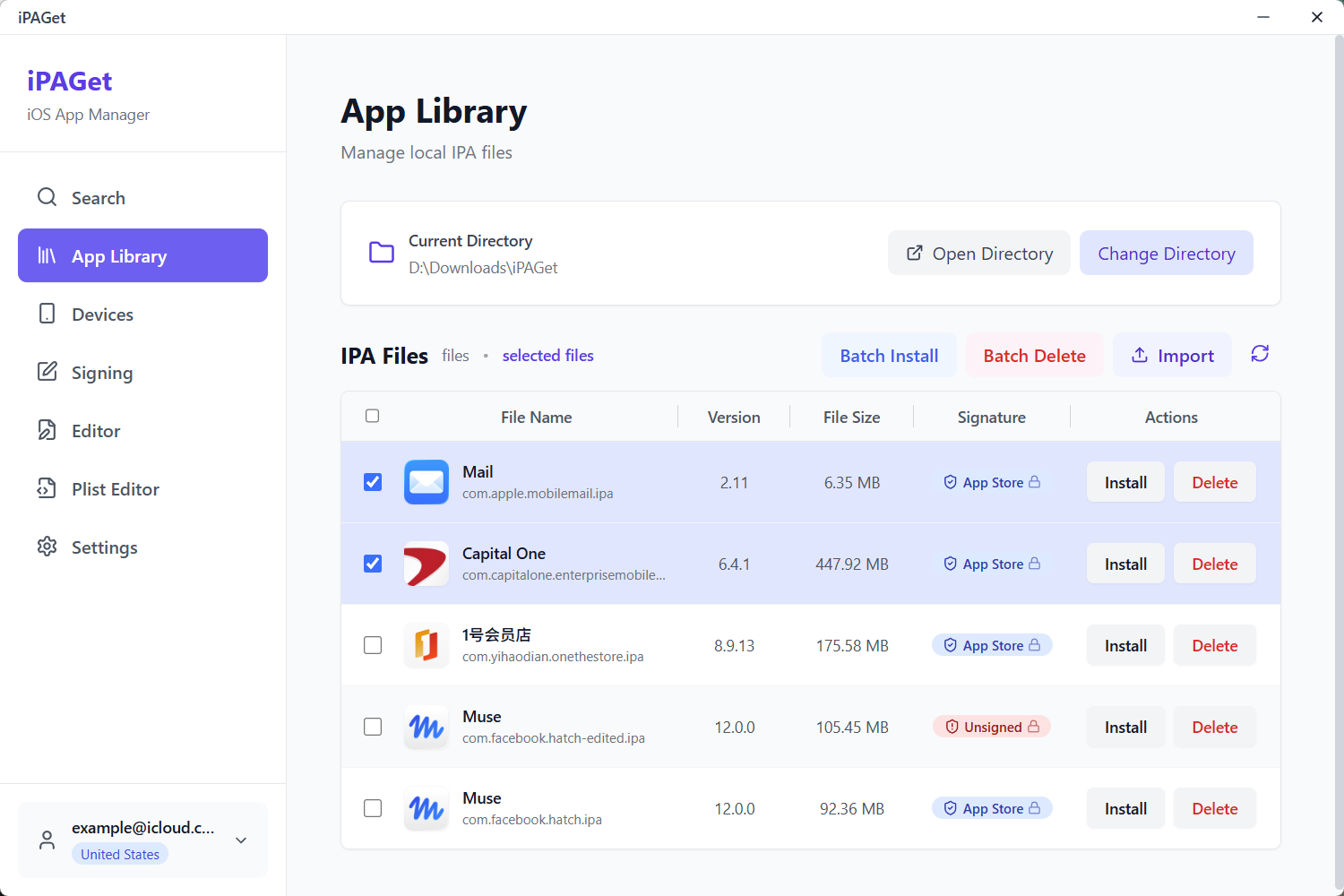
Local library
Search by region and browse charts
Manage local IPAs and install or delete them in bulk
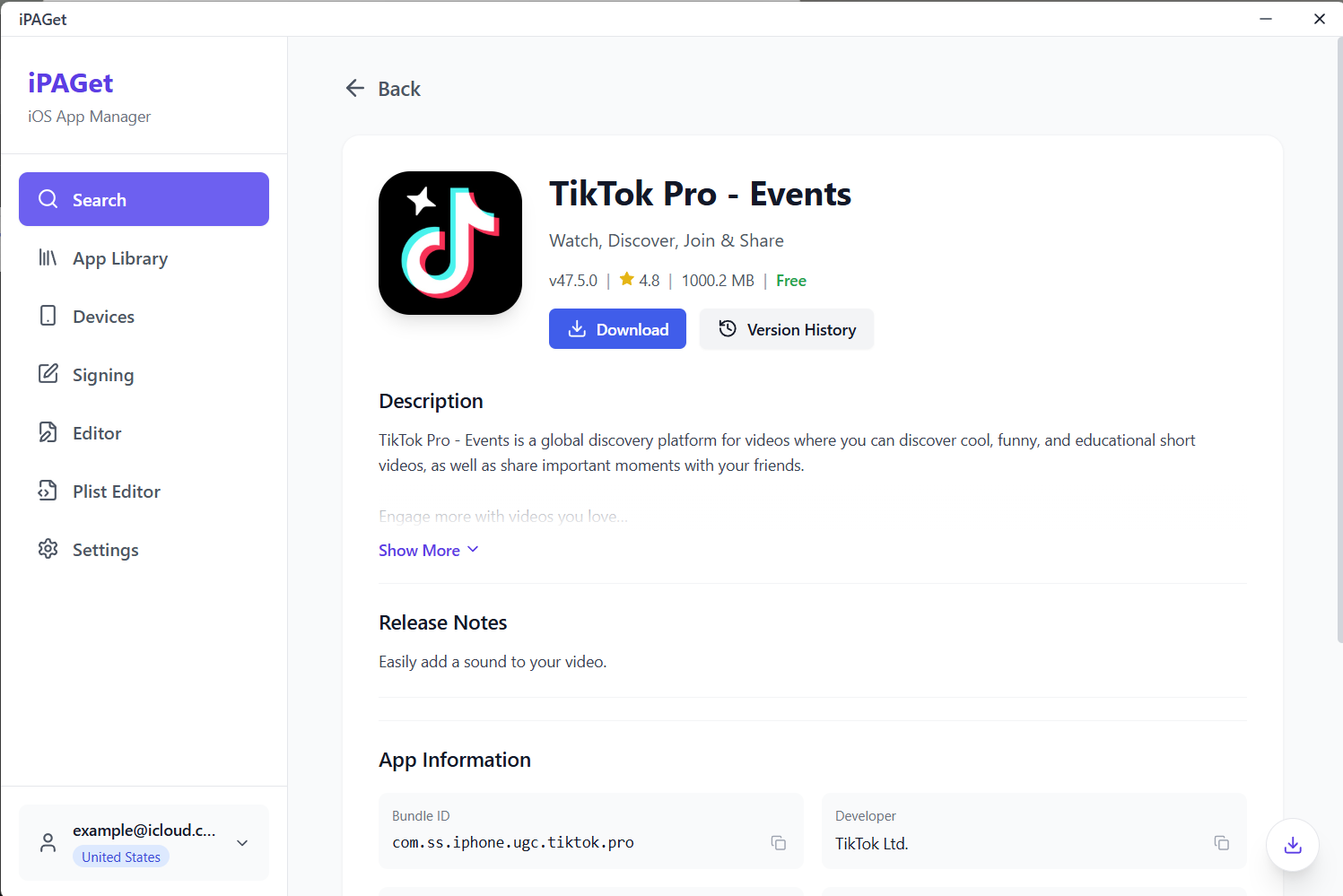
App details
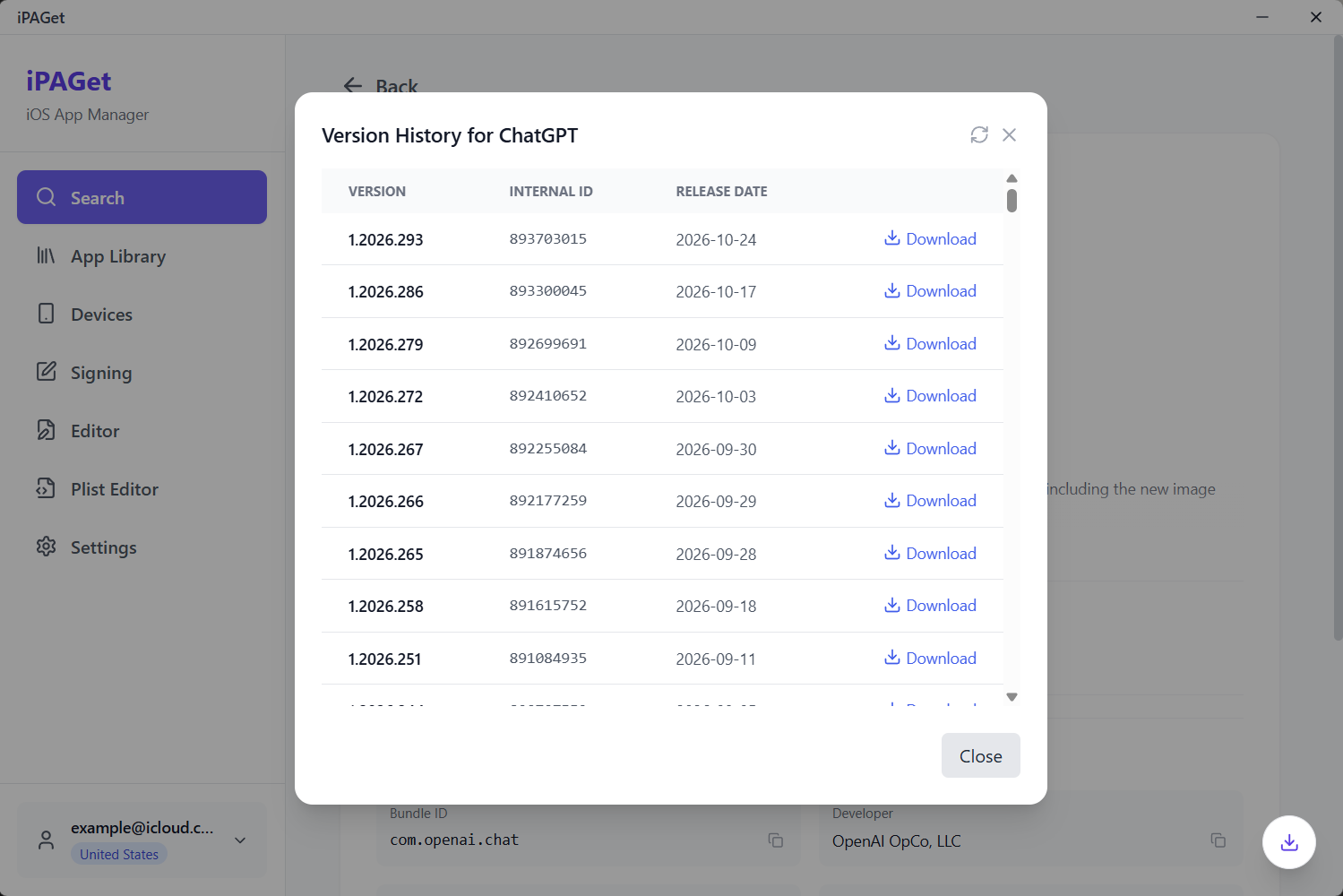
Version history
View app information and release notes
Choose an older version to download
Installed apps
Device information
View, install and uninstall apps
View OS and hardware details
Certificates
IPA installation
Manage developer and self-signed certificates
Select a device and signing options
IPA editor
Plist editor
Change the app name, icon and configuration
Inspect and edit property lists
Getting started
Download an app: Sign in with an Apple Account and complete two-factor authentication.
Search for an app, then download the latest release or choose a version from its history.
Manage IPAs: Open the library to view downloaded packages, or import an existing IPA to
inspect or edit it.
Connect a device: Attach an iPhone or iPad over USB, unlock it and accept Trust This Computer.
Open the device page to manage apps or install an IPA.
Downloading an IPA does not require a connected device. Inspecting local IPAs and using basic
device features does not require an Apple Account. Configure a proxy in Settings if needed.
Limitations
Older builds are not guaranteed to remain available. Version lists and downloads depend on
what Apple still serves and what your account is authorized to download. Matching an installed
version also requires usable version metadata from the app.
An IPA is not a universally installable package. App Store downloads remain subject to
account authorization and DRM; re-signing does not remove DRM. Installation and execution also
depend on OS compatibility, certificates and provisioning profiles.
No jailbreak is required, but iOS access restrictions still apply. File browsing is limited
to the containers exposed by iOS and the app, not every app's complete data.
App Store downloads are requested directly from Apple. Developer account authentication may
use the Anisette service selected in Settings. Use a service you trust.
Build from source
Prerequisites: Node 20+ with pnpm 9, Rust (stable), Go 1.25+, and the
Tauri system dependencies for your platform
(WebKitGTK 4.1 and libwebkit2gtk-4.1-dev on Linux, Xcode command line tools on macOS,
MSVC build tools on Windows).
git clone https://github.com/ipaget/ipaget.git
cd ipaget
git submodule update --init go-service/vendors/go-ios   # required: replace target of go.mod
pnpm install
pnpm tauri:dev                                          # Vite + Tauri, Go service hot-reloads
pnpm tauri:dev runs the desktop app against the Vite dev server and lets the Rust shell start the
Go service (through air, so Go changes reload without restarting the window). A dev supervisor
keeps the Vite server alive when the app restarts from the in-app debug tools.
Build installers locally:
pnpm tauri build # runs scripts/prebuild.mjs: frontend + Go service, then bundles
Checks:
cd go-service && go test ./internal/... && go build ./...
npx tsc --noEmit
node --experimental-strip-types --test scripts/subtitle-scheduler.test.mjs
React UI: pages, components, stores and zh / en locales
src-tauri/
Tauri shell: window and startup handling, file system and desktop commands, bundling
go-service/
Go service: App Store access, device communication, IPA parsing, signing, log streaming
The UI and the service talk over a local HTTP API plus a WebSocket for logs; the service is bundled
inside the app, so there is nothing else to install.
License
iPAGet is released under CC BY-NC-SA 4.0 — see LICENSE. You may use, modify and share
it for non-commercial purposes, provided you give attribution and keep derivative works under the
same license. Commercial use is not permitted by this license.
Acknowledgements
iPAGet builds on the work of others:
ipatool — App Store authentication and download protocol
go-ios — device communication over usbmux and lockdown