:zap: LFK - Lightning Fast Kubernetes navigator




LFK is a keyboard-focused, yazi-inspired terminal user interface for navigating and managing Kubernetes clusters. It brings a three-column Miller columns layout with an owner-based resource hierarchy to your terminal.
Screenshots
Demo

Themes

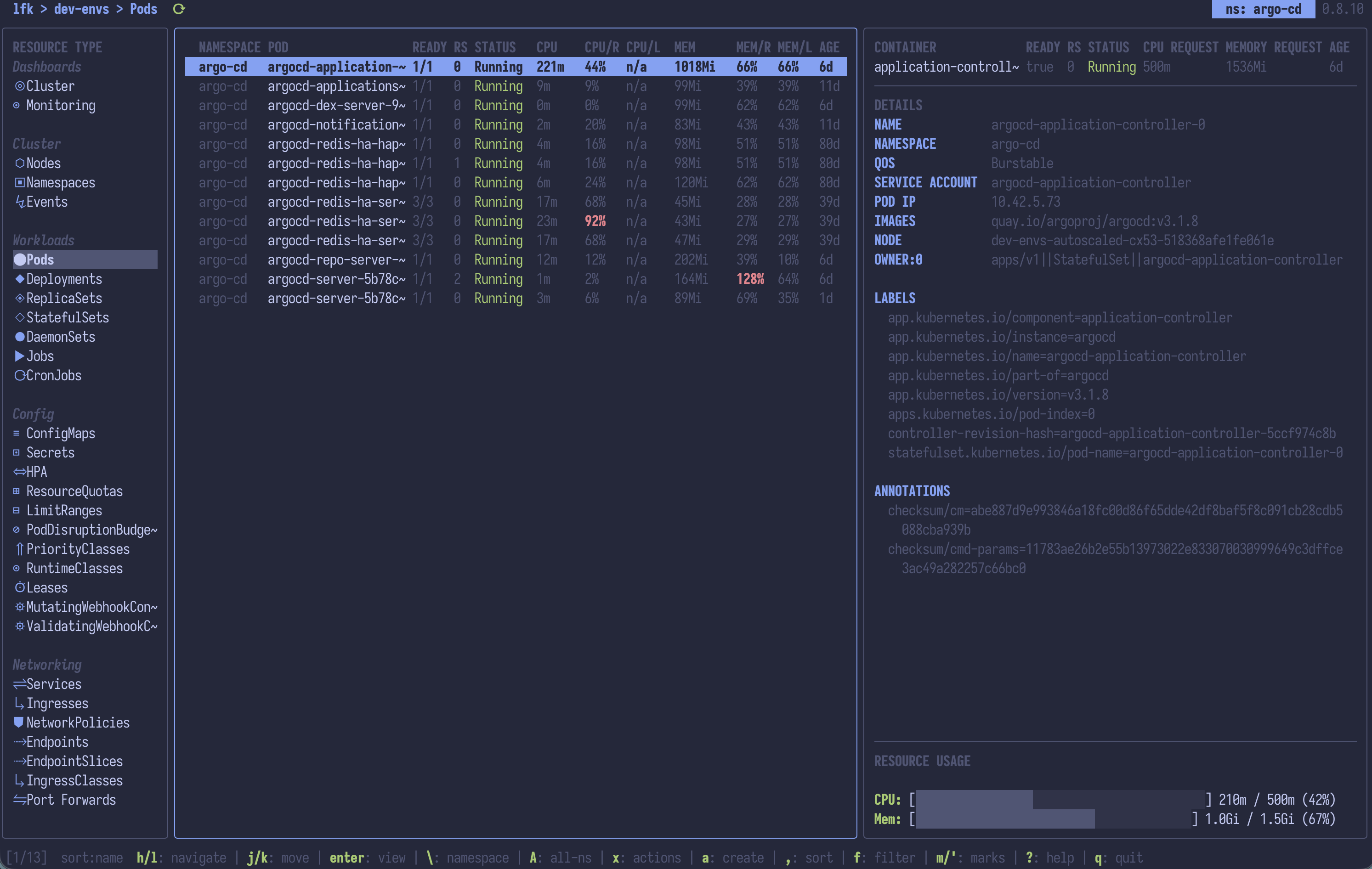
Pods
Pods fullscreen
Helm integration
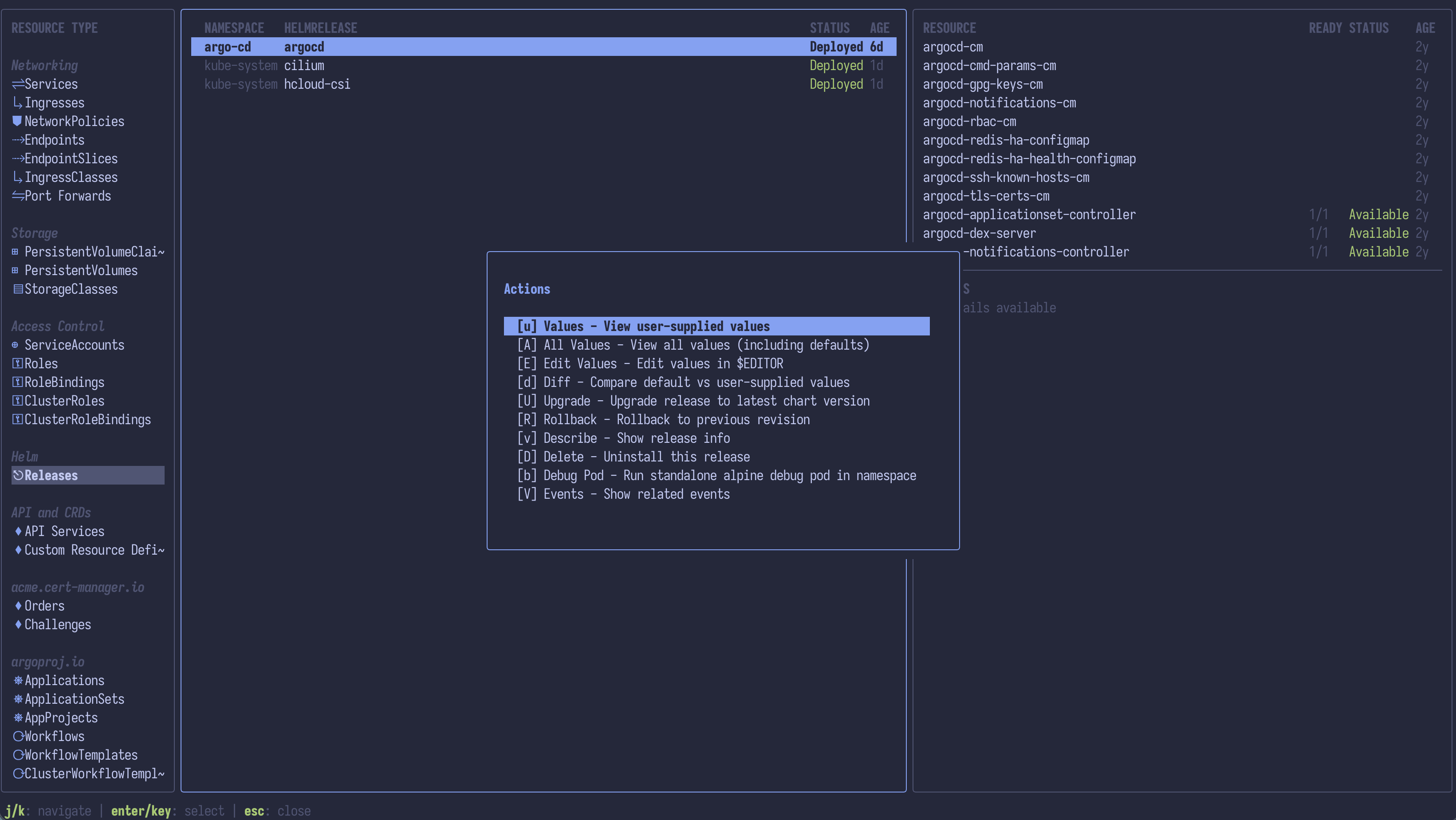
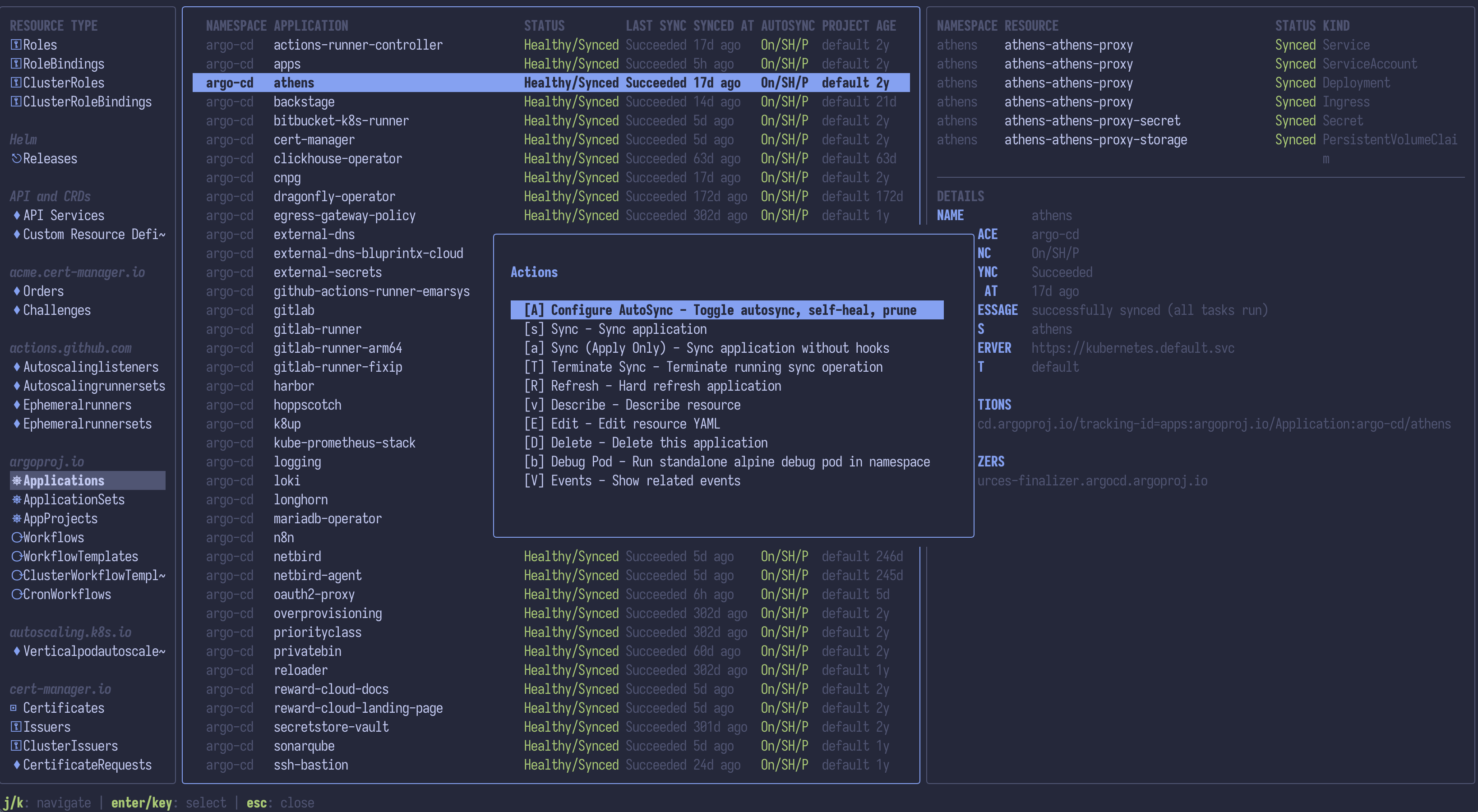
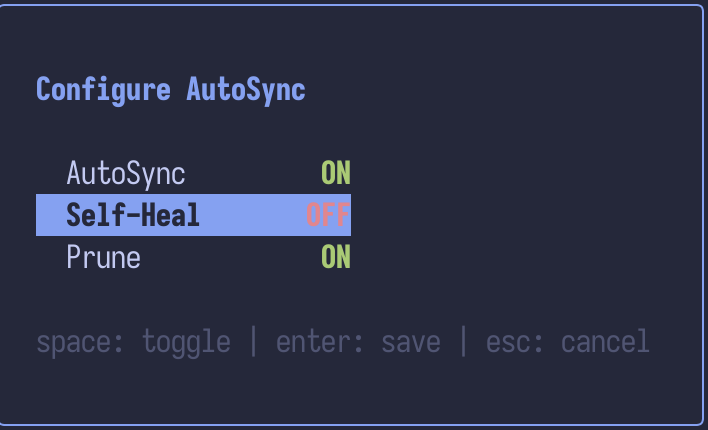
ArgoCD integration
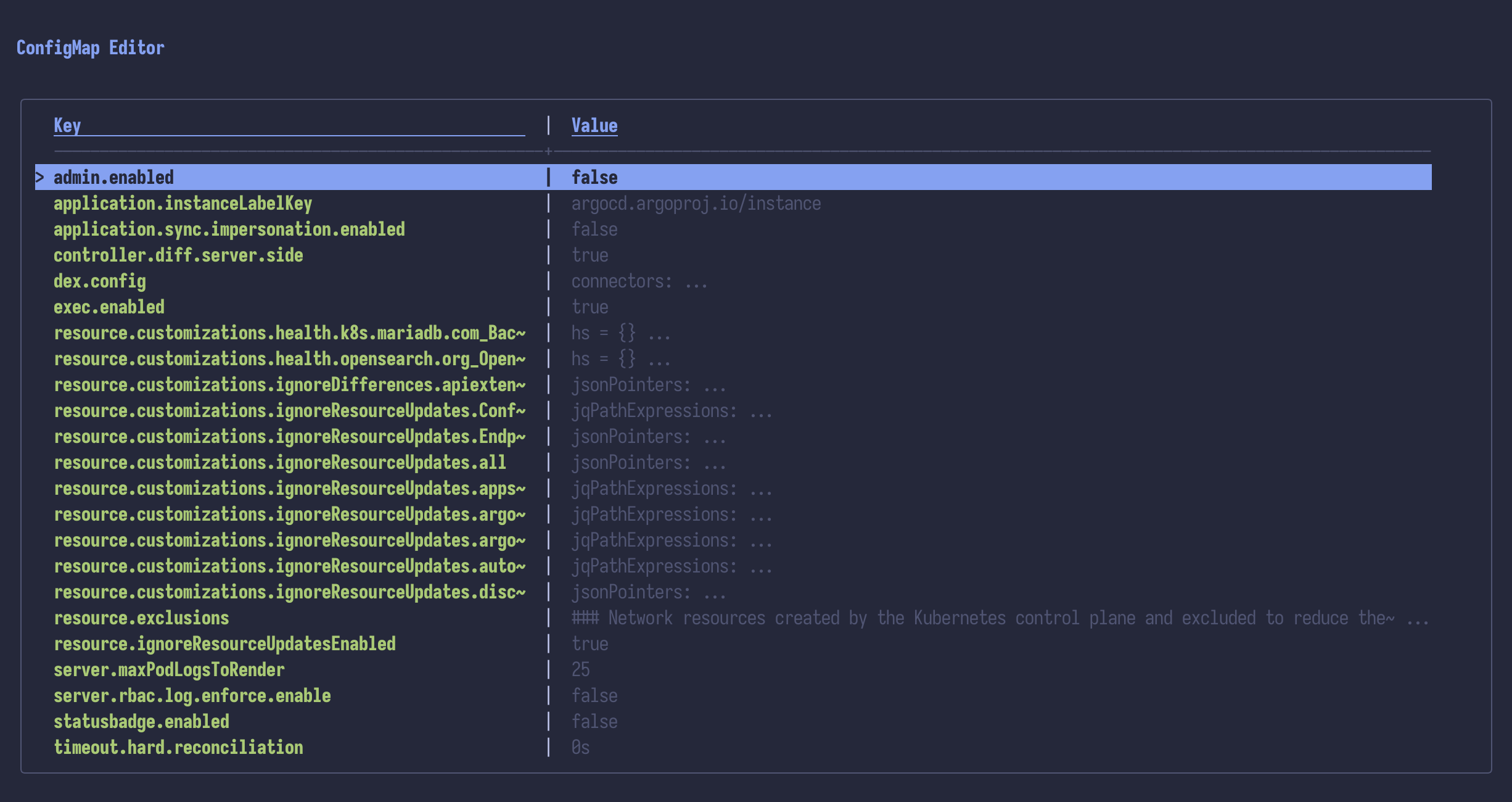
ConfigMap and Secret editors
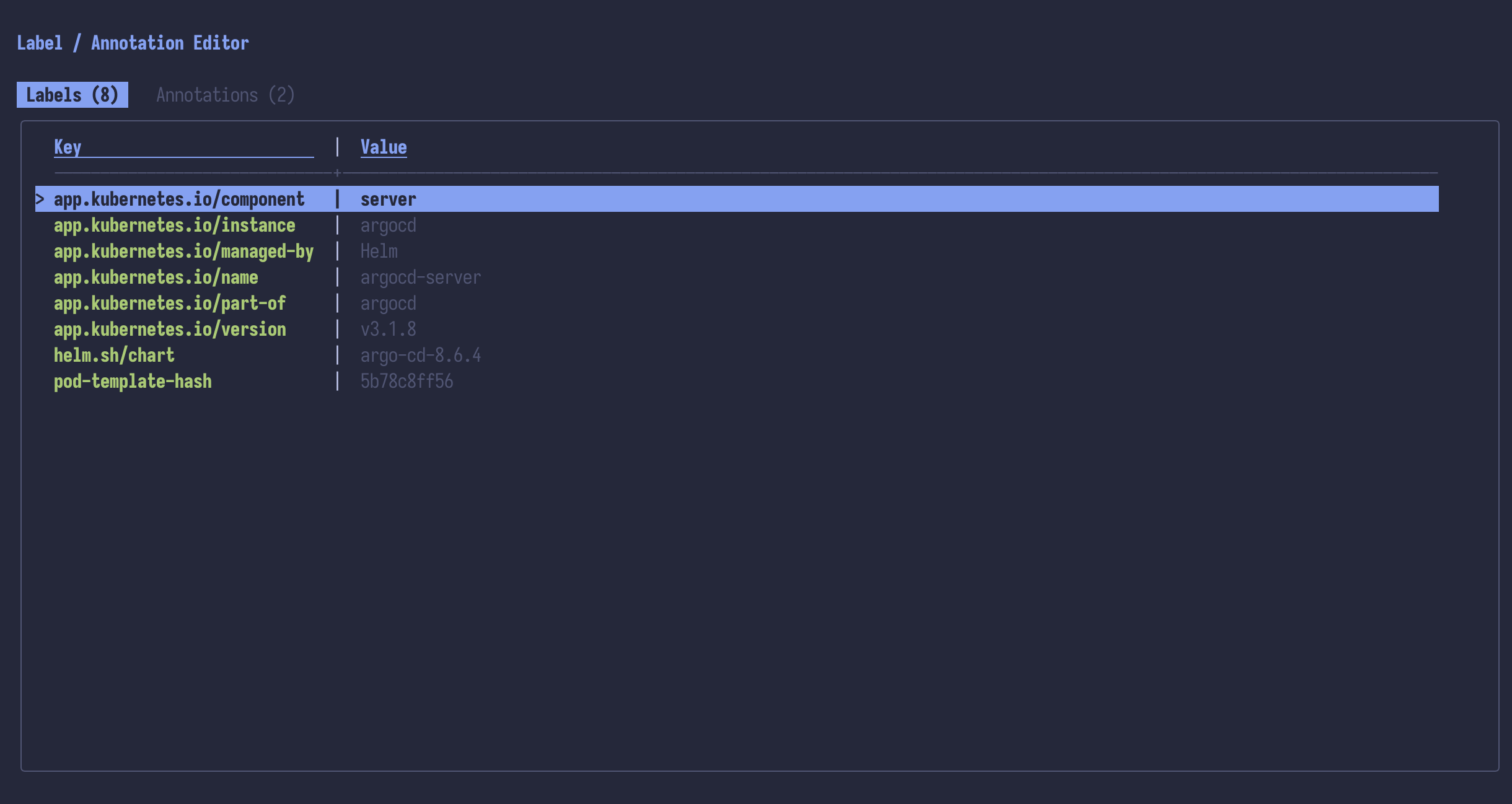
Label and annotation editor
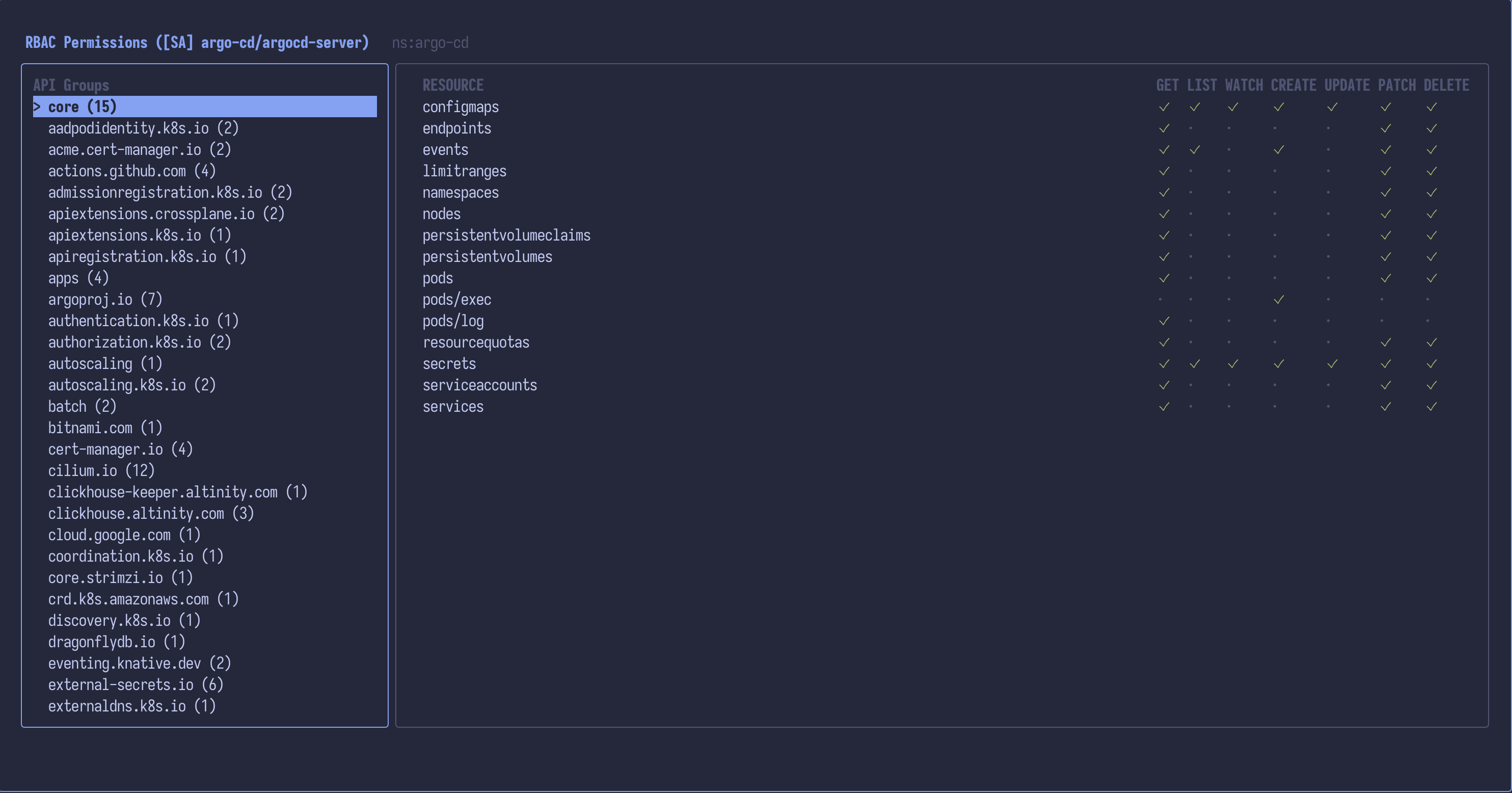
Can-I RBAC permissions browser
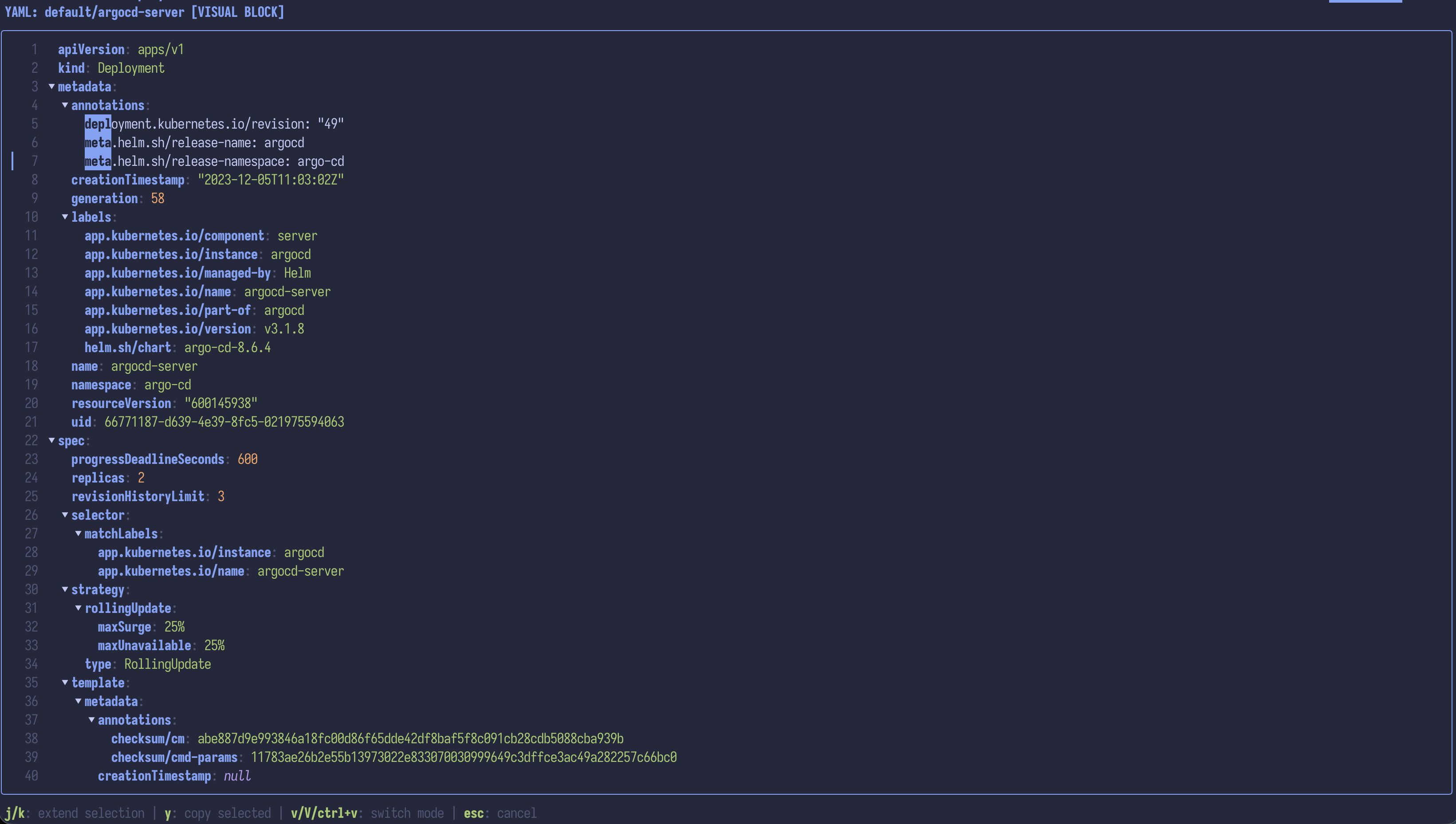
YAML preview
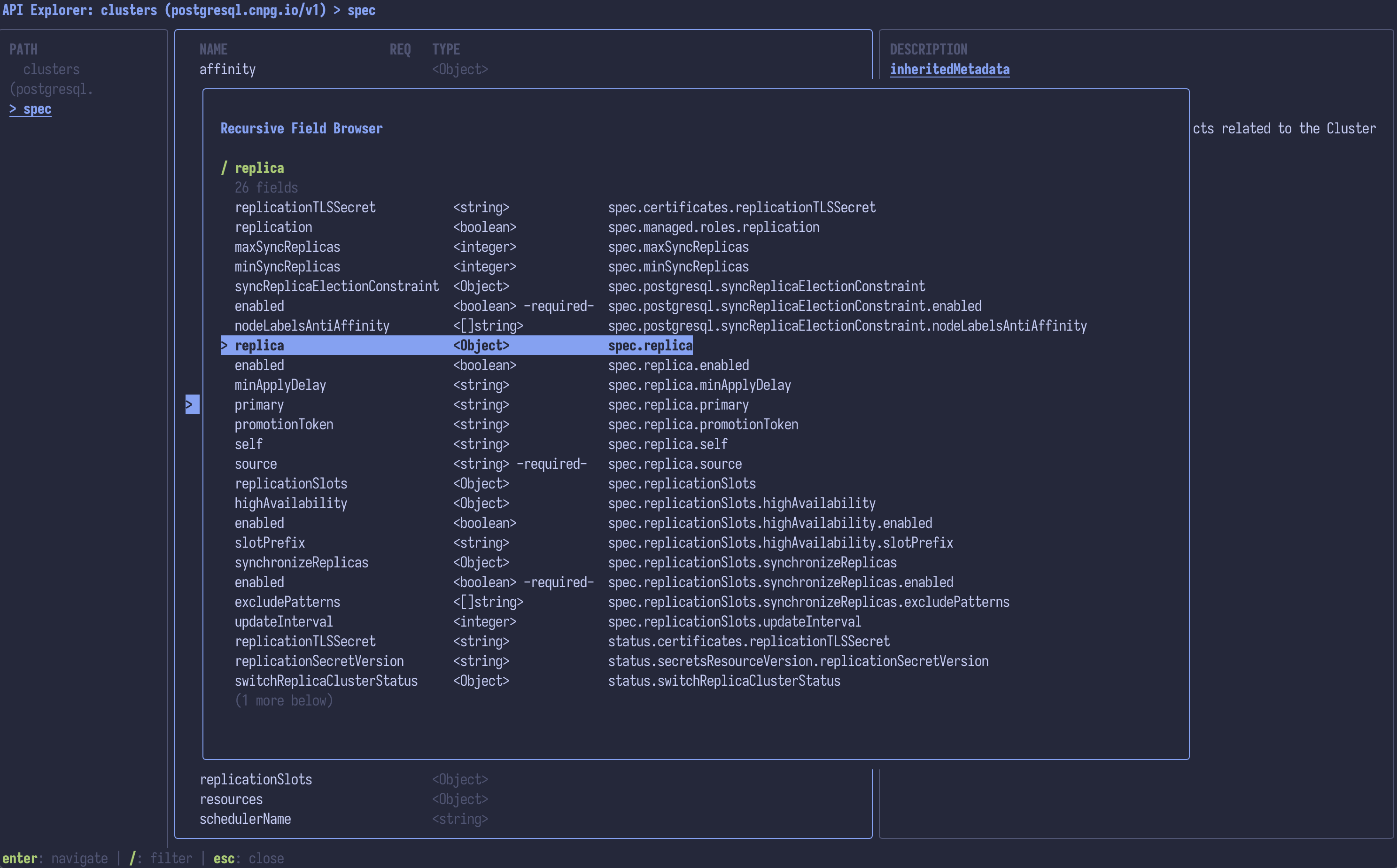
API Explorer
Features
Navigation and Layout
- Three-column Miller columns interface (parent / current / preview)
- Owner-based navigation: Clusters -> Resource Types -> Resources -> Owned Resources -> Containers
- Resource groups: Dashboards, Workloads, Networking, Config, Storage, ArgoCD, Helm, Access Control, Cluster, Custom Resources
- Pinned CRD groups: Pin frequently used CRD API groups so they appear after built-in categories. Configurable via
pinned_groups in config or interactively with p key (stored per-context)
- CRD categories: Discovered CRDs are grouped by API group name (e.g.,
argoproj.io, longhorn.io, networking.istio.io)
- Hide rarely used resources: CSI internals, admission webhooks, APF, leases, runtime classes, and uncategorized core resources are hidden by default. Press
H to surface them under their categories and an "Advanced" group (resets each launch)
- Expandable/collapsible resource groups with
z
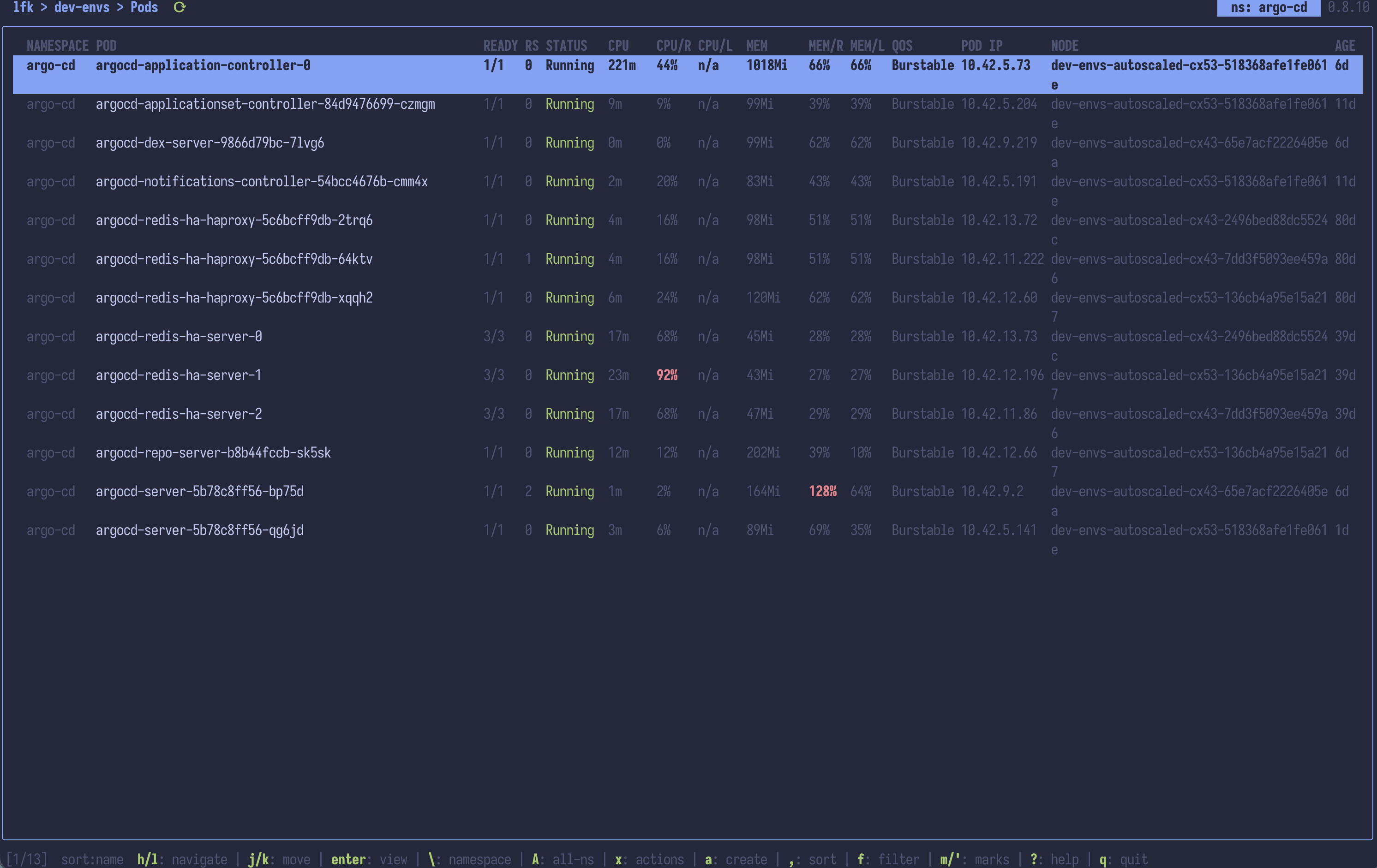
- Fullscreen middle column toggle with
Shift+F
- Vim-style keybindings throughout (fully customizable via config)
- Mouse support: Click to navigate, scroll wheel to move, Shift+Drag for native terminal text selection
Cluster Management
- Multi-tab support: Open multiple views side by side
- Multi-cluster/multi-context support via merged kubeconfig loading
- Merged kubeconfig loading:
~/.kube/config, ~/.kube/config.d/* (recursive, symlinks followed), KUBECONFIG env var, and KUBECONFIG_DIR env var.
- Cluster dashboard when entering a context (configurable)
- Monitoring dashboard with active Prometheus/Alertmanager alerts (
@ key), configurable endpoints per cluster
- API Explorer for interactively browsing resource structure (
I key) with recursive field browser
- Namespace selector overlay with type-to-filter
- All-namespaces mode (enabled by default)
- Local cluster management — create, list, and delete
kind clusters; create, list, start, stop, and delete k3d and minikube clusters (kind has no native start/stop) from inside lfk via the Ctrl+N manager overlay.
Resource Operations
- Read-only mode: Lock a session against destructive actions (delete, edit, scale, restart, exec, port-forward, drain, etc.). Enable with
--read-only, the read_only: true config field, per-context clusters..read_only, or the in-app Ctrl+R toggle (toggles the highlighted row's [RO] marker at the cluster picker; toggles the current tab inside a context). A [RO] badge in the title bar marks active sessions. See Read-Only Mode.
- Context-aware action menus: logs, exec, attach, debug, scale, restart, delete, describe, edit, events, port-forward, vuln scan, PVC resize
- Custom user-defined actions: Define custom shell commands per resource type in config
- Multi-select with bulk actions: Select multiple resources with Space, range-select with Ctrl+Space, perform bulk delete, scale, restart, and ArgoCD bulk sync/refresh
- Resource sorting by name, age, or status
- Filter and search: Filter with
f, search with / -- supports substring, regex (auto-detected), and fuzzy (~ prefix) modes
- Abbreviated search: Type
pvc, hpa, deploy etc. to jump to resource types
- Command bar (
:) with vertical dropdown autocomplete: resource jumps (:pod, :dep), built-in commands (:ns, :ctx, :set, :sort, :export), kubectl with :k/:kubectl prefix and flag/namespace completion, shell commands (:!). Value positions (namespace, context, resource name, option, column, format) accept fuzzy matches; command names stay on prefix.
- Watch mode: Auto-refresh resources every 2 seconds (enabled by default)
- Owner/controller navigation: Jump to the owner of any resource with
o
- Events view with warnings-only filter toggle and duplicate-event grouping (
z)
- Crash Investigator — per-Pod tabbed view combining restart history, pod-scoped events, previous/current container logs, and container-scoped
describe — accessible from the Pod action menu (x → I). Refresh with .
Preview and Editing
- YAML preview in the right column with syntax highlighting
- Full-screen YAML viewer with scrollable output, search, section folding (
Tab/z), and in-place editing
- Resource details summary in split preview (toggle with
Shift+P)
- Inline log viewer with streaming, search, line numbers, word wrap, follow mode, timestamps toggle, previous container logs, container filter, tail-first loading, line jump, structured preview pane (
P: parses the selected line as JSON or logfmt, falls back to plain text), and automatic reconnect across init-container transitions (stays attached as each init container finishes and the next one starts)
- Inline describe view with scrollable output
- Secret viewing/editing with decode toggle (
Ctrl+S) and dedicated editor (e)
- Embedded terminal (PTY mode) for exec and shell with tab switching — PTY keeps running in background when switching tabs
Resource Management
- Resource templates: Create resources from 25+ built-in templates (
a, / to search); includes a Custom Resource template as a starting point
- Port forwarding from the action menu (with local port setting and browser open); manage active forwards via the Networking group
- Clipboard support: Copy resource name (
y), open copy-as picker (Y: YAML / JSON / Table), paste/apply from clipboard (Ctrl+P), paste into search/filter boxes (Cmd+V / Ctrl+Shift+V)
- Bookmarks: Save favorite resource paths for quick navigation
- Orphan detection: Press
Shift+O (or run bare :orphans) to open the cluster-wide orphan overview across 11 kinds — Pods, Secrets, ConfigMaps, Services, PVCs, HPAs, PDBs, NetworkPolicies, Roles, ClusterRoles, RoleBindings, ClusterRoleBindings. Per-list filters are still available via the filter-preset overlay (.) on each kind, or jump straight to a filtered view with :orphans (e.g., :orphans secrets). A strict / lenient toggle (s) flips between "truly unused" and "currently idle but referenced by workload templates" (e.g. CronJob between firings). Auto-excludes Helm release Secrets, ServiceAccount tokens, owner-managed resources, and kube-root-ca.crt.
- Session persistence: Remembers last context/namespace/resource across restarts
Integrations
- ArgoCD integration: Browse Applications, sync, terminate sync, refresh, view managed resources
- Argo Workflows integration: Suspend/resume, stop/terminate, resubmit Workflows; submit from WorkflowTemplates; suspend/resume CronWorkflows
- Helm integration: Browse releases, view managed resources, uninstall
- KEDA integration: Pause/unpause ScaledObjects and ScaledJobs
- External Secrets integration: Force refresh ExternalSecrets, ClusterExternalSecrets, and PushSecrets
- CRD discovery: Automatically discovers installed CRDs and groups them by API group
Customization
- 460+ built-in color schemes from ghostty themes: Tokyonight, Catppuccin, Dracula, Nord, Rose Pine, Gruvbox, and many more. Transparent background support.
- Runtime theme switching: Press
T to preview and switch themes without restarting
- Auto dark/light mode: configure a dark and a light scheme; lfk switches automatically when the OS appearance changes (requires CSI 996/2031 terminal support: Ghostty, kitty, Contour, …)
- Custom color themes via config file (Tokyonight theme by default)
- Configurable keybindings for direct actions
- Configurable search abbreviations
- Configurable filter presets per resource type (extend built-in quick filters with
.)
- Configurable icon modes:
auto (default, detects Nerd Font-capable terminals like Ghostty/Kitty/WezTerm), unicode, nerdfont (Material Design Icons), simple (ASCII labels), emoji, or none. Override at runtime with the LFK_ICONS environment variable.
- Configurable table columns (global, per-resource-type, and per-cluster)
- Column visibility toggle overlay to show/hide and reorder columns at runtime (
, key)
- Startup tips: Random tips on startup to help discover features (configurable via
tips: false)
- Status-aware coloring: Running=green, Pending=yellow, Failed=red
- Resource usage metrics: CPU/MEM with color-coded bars in dashboard
Installation
# Homebrew (macOS / Linux)
brew install janosmiko/tap/lfk

# Windows: Scoop
scoop bucket add janosmiko https://github.com/janosmiko/scoop-bucket && scoop install lfk
# or: winget install janosmiko.lfk
# or: choco install lfk

# Linux: Arch / AUR
yay -S lfk-bin

# Linux: Debian / Ubuntu (Cloudsmith APT)
curl -1sLf 'https://dl.cloudsmith.io/public/janosmiko/lfk/setup.deb.sh' | sudo -E bash && sudo apt update && sudo apt install lfk

# Linux: Fedora / RHEL (Cloudsmith DNF)
curl -1sLf 'https://dl.cloudsmith.io/public/janosmiko/lfk/setup.rpm.sh' | sudo -E bash && sudo dnf install lfk

# Go
go install github.com/janosmiko/lfk@latest

# Nix
nix run github:janosmiko/lfk
kubectl is required and must be configured. helm and trivy are optional (Helm management, image vulnerability scanning).
> See docs/installation.md for Windows, Docker, NixOS/home-manager flake input, building from source, and the full list of optional CLI dependencies.
Usage
# Use default kubeconfig (~/.kube/config + ~/.kube/config.d/*)
lfk

# Start in a specific context / namespace
lfk --context my-cluster -n kube-system

# Use a specific kubeconfig
lfk --kubeconfig /path/to/kubeconfig
KUBECONFIG=/path/to/config1:/path/to/config2 lfk

# Use a custom directory for kubeconfigs (repeat the flag for multiple)
lfk --kubeconfig-dir /path/to/configs/
lfk --kubeconfig-dir /team-a/configs --kubeconfig-dir /team-b/configs
KUBECONFIG_DIR=/path/to/configs/ lfk
KUBECONFIG_DIR=/team-a/configs:/team-b/configs lfk
> See docs/usage.md for the full CLI reference and runtime tuning options: mouse capture, no-color mode, read-only mode, watch-mode interval, discovery cache (KUBECACHEDIR), and Secret lazy loading.
Navigation Hierarchy
Clusters (kubeconfig contexts)
  +-- Resource Types (grouped: Workloads, Networking, Config, Storage, ArgoCD, Helm, ...)
        +-- Resources (e.g., individual Deployments)
              +-- Owned Resources (Pods via ownerReferences, Jobs for CronJobs, etc.)
                    +-- Containers (for Pods)
Namespaces are not a navigation level. The current namespace is shown in the top-right corner and can be changed by pressing \. All-namespaces mode is enabled by default (toggle with A).
Owner Resolution
- Deployments show their Pods (resolved through ReplicaSets, flattened)
- StatefulSets / DaemonSets / Jobs show their Pods directly
- CronJobs show their Jobs
- Services show Pods matching the service selector
- ArgoCD Applications show managed resources (from status or label discovery)
- Helm Releases show managed resources (via
app.kubernetes.io/instance label)
- Pods show their Containers
- ConfigMaps / Secrets / Ingresses / PVCs show details preview (no children)
Keybindings
> For the complete keybinding reference (YAML view, log viewer, describe, diff, exec mode, and all sub-modes), see docs/keybindings.md. Press ? or F1 in-app for the built-in help screen.
Navigation
| Key | Action |
|---|
h / Left | Navigate to parent level |
l / Right | Navigate into selected item |
j / Down | Move cursor down |
k / Up | Move cursor up |
gg / Home | Jump to top of list |
G / End | Jump to bottom of list |
Ctrl+D / Ctrl+U | Half-page scroll down/up |
Ctrl+F / Ctrl+B / PgDn / PgUp | Full-page scroll down/up |
Enter | Open full-screen YAML view / navigate into |
z | Toggle expand/collapse all resource groups / toggle event grouping (Events view) |
p | Pin/unpin CRD group (at resource types level) |
H | Toggle rarely used resource types (CSI internals, webhooks, APF, leases, advanced core) in the sidebar |
0 / 1 / 2 | Jump to clusters / types / resources level |
J / K | Scroll preview pane down/up |
o | Jump to owner/controller of selected resource |
Views and Modes
| Key | Action |
|---|
? | Toggle help screen |
f | Filter items in current view |
/ | Search and jump to match |
n / N | Next / previous search match |
P | Toggle between details and YAML preview |
M | Toggle resource relationship map |
F | Toggle fullscreen (middle column or dashboard) |
. | Quick filter presets |
! | Error log (V/v select, y copy, f fullscreen) |
Ctrl+S | Toggle secret value visibility |
Ctrl+G | Finalizer search and remove |
I | API Explorer (browse resource structure interactively) |
U | RBAC permissions browser (can-i) |
T | Open theme selector |
: | Command bar: resource jumps (:pod, :dep), built-ins (:ns, :ctx, :set, :sort, :export), kubectl (:k get pod), shell (:! cmd) |
w | Toggle watch mode (auto-refresh) |
, | Column visibility toggle (show/hide and reorder columns) |
> / < | Sort by next / previous column |
= | Toggle sort direction (ascending/descending) |
- | Reset sort to default (Name ascending) |
W | Save resource to file / toggle warnings-only (Events) |
Ctrl+T | Cycle terminal mode (pty / exec / mux — mux skipped without tmux/zellij) |
@ | Monitoring overview (active Prometheus alerts) |
Actions
| Key | Action |
|---|
x | Action menu (logs, exec, describe, edit, delete, scale, port-forward, etc.) |
\ / A | Namespace selector / toggle all-namespaces |
L | View logs |
v | Describe resource |
D / X | Delete / force delete |
y / Y | Copy name / open copy-as picker (YAML / JSON / Table) |
Space | Toggle multi-selection (bulk actions via x) |
m / ' | Set / jump to bookmark (lowercase = context-aware, uppercase = context-free) |
t / ] / [ | New tab / next / previous |
All views (YAML, logs, describe, diff, exec) use vim-style navigation (j/k, gg/G, Ctrl+D/Ctrl+U, / search, v/V visual selection). See docs/keybindings.md for the full reference.
> For the complete command bar reference (built-in commands, shell/kubectl execution, resource jumps), see docs/commands.md.
Configuration
Create ~/.config/lfk/config.yaml to customize the application. All fields are optional; only the values you specify will override the defaults.
> For the complete configuration reference, see docs/config-reference.md and docs/config-example.yaml.
Quick Start
# Color scheme (press T in-app to browse 460+ themes with live preview)
# Auto dark/light mode — Ghostty-style "dark:X,light:Y" syntax switches the
# scheme when the OS appearance changes (CSI 996/2031; Ghostty, kitty >= 0.27, …)
colorscheme: "dark:catppuccin-mocha,light:catppuccin-latte"

# Use terminal's own background
transparent_background: true

# Icon mode: "auto" (default, detects Nerd Font terminals like Ghostty/Kitty/WezTerm),
# "unicode", "nerdfont" (requires Nerd Font in terminal), "simple" (ASCII labels),
# "emoji", or "none". The LFK_ICONS env var overrides this setting.
icons: auto

# Disable mouse capture (allows native terminal text selection)
mouse: false

# Custom keybinding overrides (only specify what you want to change)
keybindings:
  logs: "L"
  describe: "v"
  delete: "D"

# Search abbreviations (extend built-in abbreviations for :pod, :dep, etc.)
abbreviations:
  myapp: myapplications
Search Modes
All search and filter inputs support three modes, auto-detected from the query string:
| Mode | Syntax | Example |
|---|
| Substring | plain text | nginx |
| Regex | auto-detected | err[0-9]+ |
| Fuzzy | ~ prefix | ~deplymnt |
| Literal | \ prefix | \err.* |
Clipboard paste: All search, filter, and command bar inputs accept pasted text (Cmd+V on macOS, Ctrl+Shift+V on Linux). Multiline paste shows a confirmation dialog.
Recall previous queries: While the f filter or / search input is open, press Up / Down to cycle through previous queries. / and f share one history (the matcher and matched fields are identical between them), kept separate from the : command bar. The log viewer's / search has its own history because it matches raw log lines (substring/regex over arbitrary text) rather than resource names — pooling it would surface irrelevant entries. All three persist across sessions under $XDG_STATE_HOME/lfk/ (default ~/.local/state/lfk/) — query-history for explorer / and f, log-search-history for the log viewer's /, and history for the command bar.
Contributing
Contributions are welcome — see CONTRIBUTING.md for prerequisites, development setup, build/test commands, project layout, and the PR submission flow.
Support
If you find lfk useful and want to support its development:
License
Apache License 2.0 - see LICENSE for details.
Star History