
Snaptium
English · 简体中文
Markdown note-taking App with AI Agent

Website ·
Documentation ·
Download







Snaptium is a cross-platform AI Markdown note-taking and knowledge management app. It combines a CodeMirror 6 editor, AI-assisted writing, a local vector knowledge index, RAG knowledge-base Q&A, quick capture, and end-to-end encrypted WebDAV/S3 sync.
Notes are stored locally by default, the storage path is configurable, and Markdown import and export are supported. Snaptium runs on Windows, macOS, and Linux and works with both cloud AI services and local Ollama models.
> If Snaptium helps you, please give the project a Star so more people can discover it.
> For NoteWizard users: NoteWizard has evolved into Snaptium. The legacy release remains available from the NoteWizard v1.2.1 release page.
Contents
Why Snaptium
Snaptium is more than a Markdown note-taking tool. It is an intelligent writing space built around long-term writing, knowledge accumulation, and local AI workflows.
The project emphasizes:
- Local-first design
- Data sovereignty
- Sustainable long-term storage
- AI assistance without AI lock-in
- Offline usability
- A consistent cross-platform experience
Core features
| Capability | What it provides |
|---|
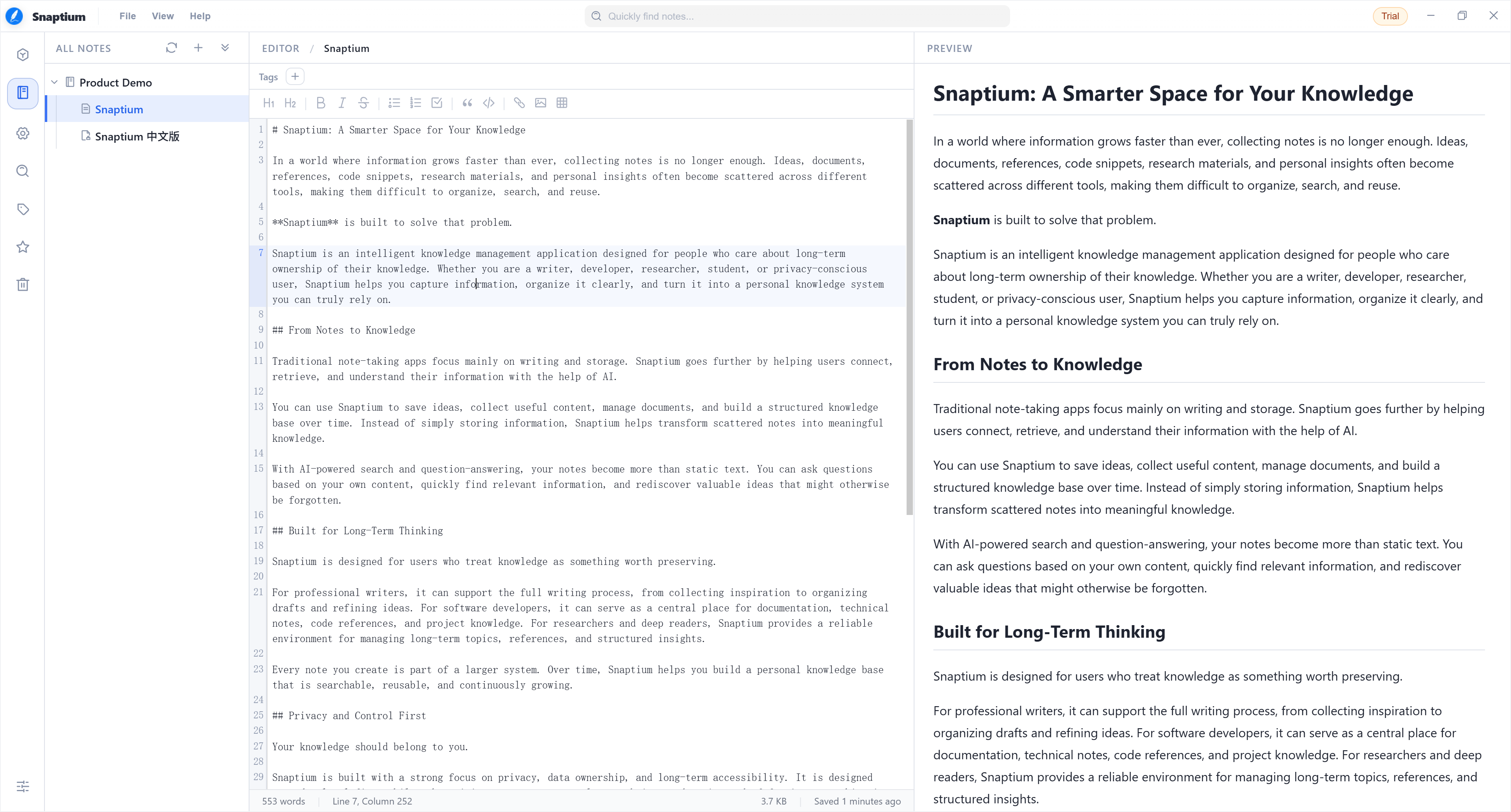
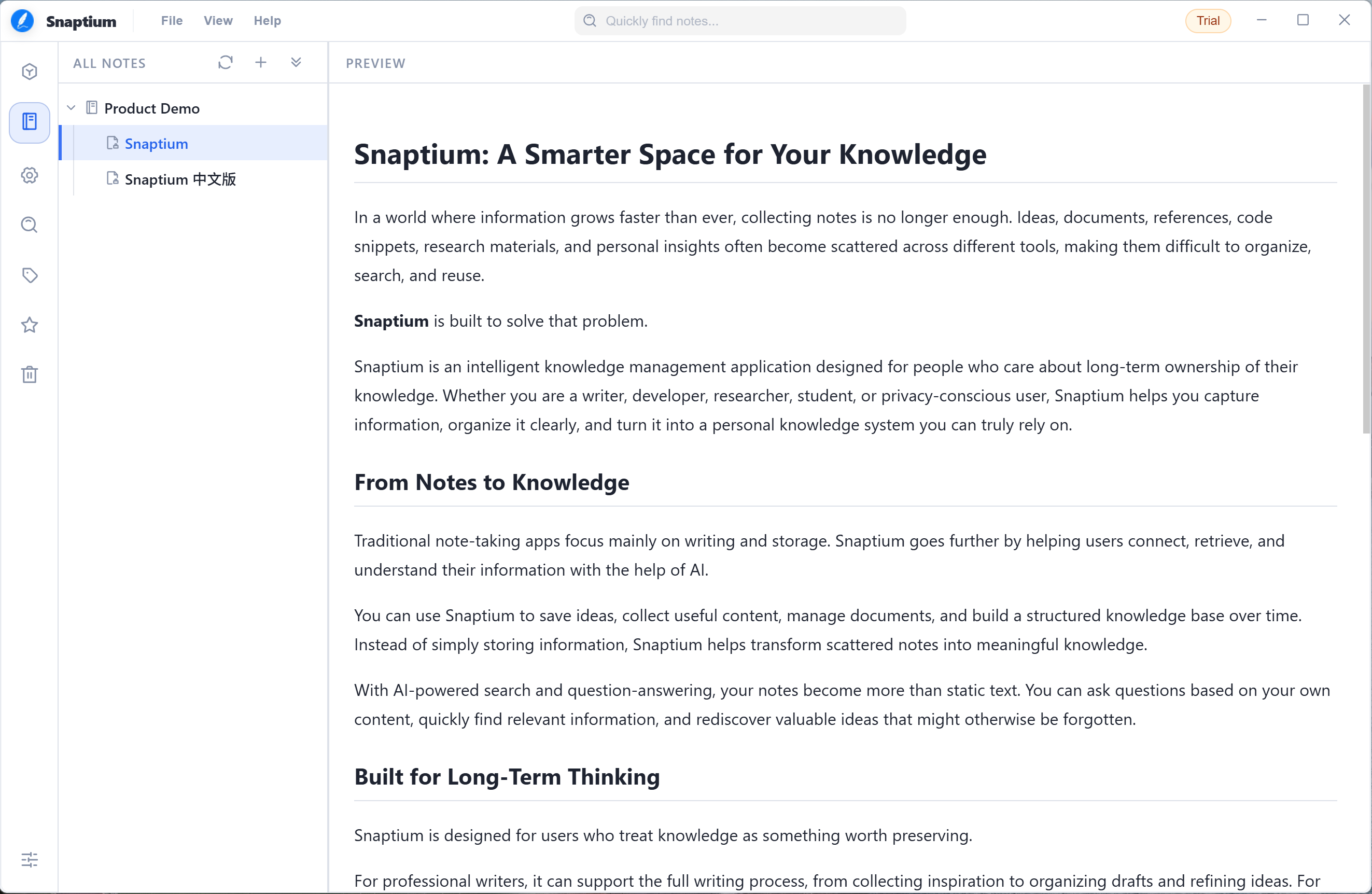
| ✍️ Immersive Markdown editing | A high-performance CodeMirror 6 editor with live preview, synchronized scrolling, task lists, tables, enhanced code blocks, custom shortcuts, and a standard Markdown workflow |
| 📐 Powerful math support | Fast KaTeX rendering for inline and display math, including fractions, roots, superscripts, subscripts, sums, integrals, matrices, and other common LaTeX expressions |
| 💻 Professional code presentation | Syntax highlighting for 24+ languages and automatic recognition of 40+ common aliases, covering JavaScript, TypeScript, Python, Java, Go, Rust, C/C++, SQL, Shell, and more |
| 📊 Diagrams and visualization | Built-in Mermaid rendering for flowcharts, sequence diagrams, class diagrams, state diagrams, Gantt charts, and other technical-document visuals |
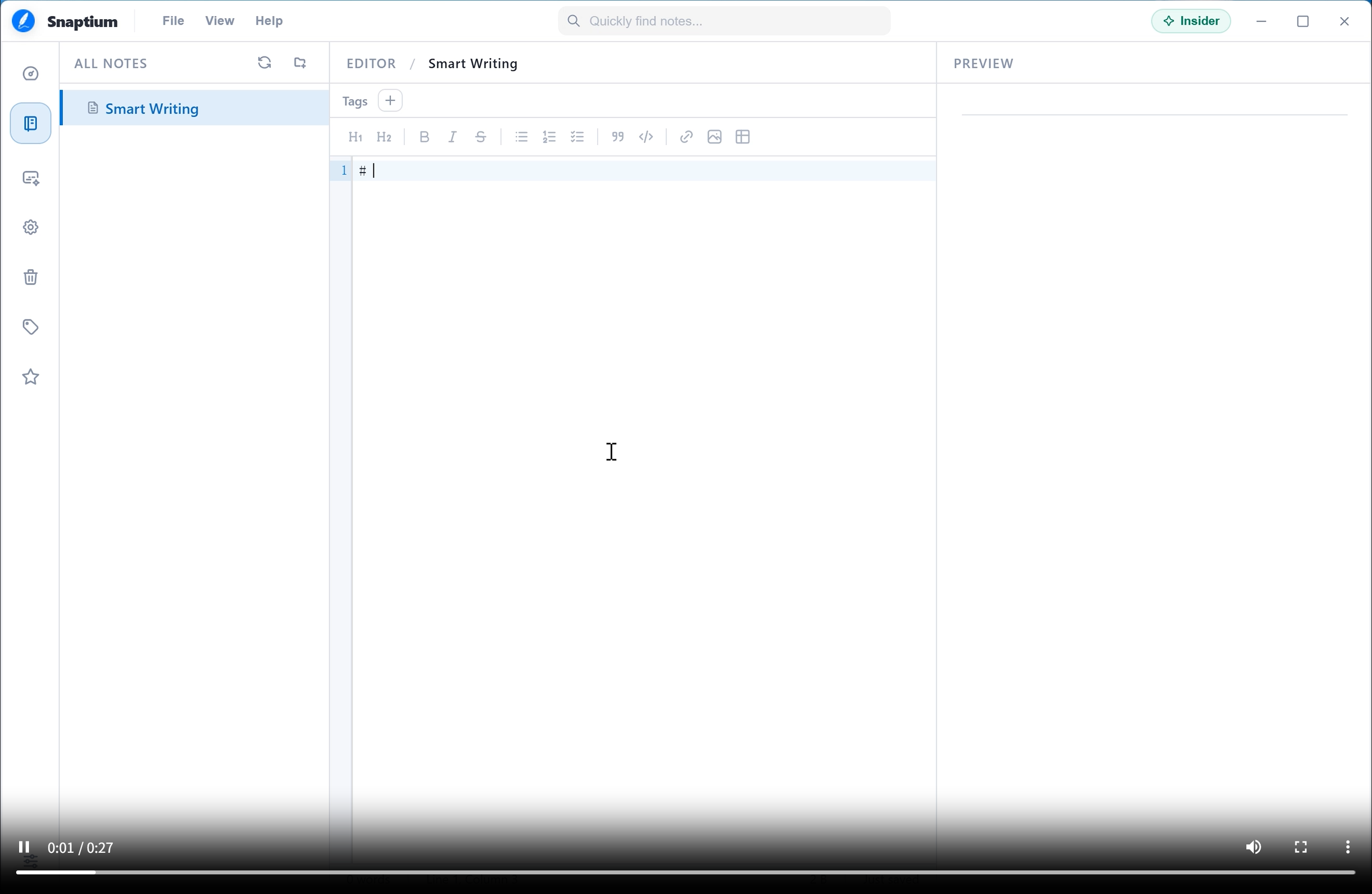
| 🤖 AI writing assistant | Three assistance intensities, five writing styles, and seven scenarios for technical documents, product proposals, meeting summaries, content creation, and knowledge organization |
| 🌐 Multi-model AI ecosystem | Free quota through the official AI service plus BYOK support for 12+ providers, including OpenAI, Gemini, DeepSeek, OpenRouter, SiliconFlow, Qwen, Doubao, Kimi, Zhipu AI, Grok, Ollama, and OpenAI-compatible APIs |
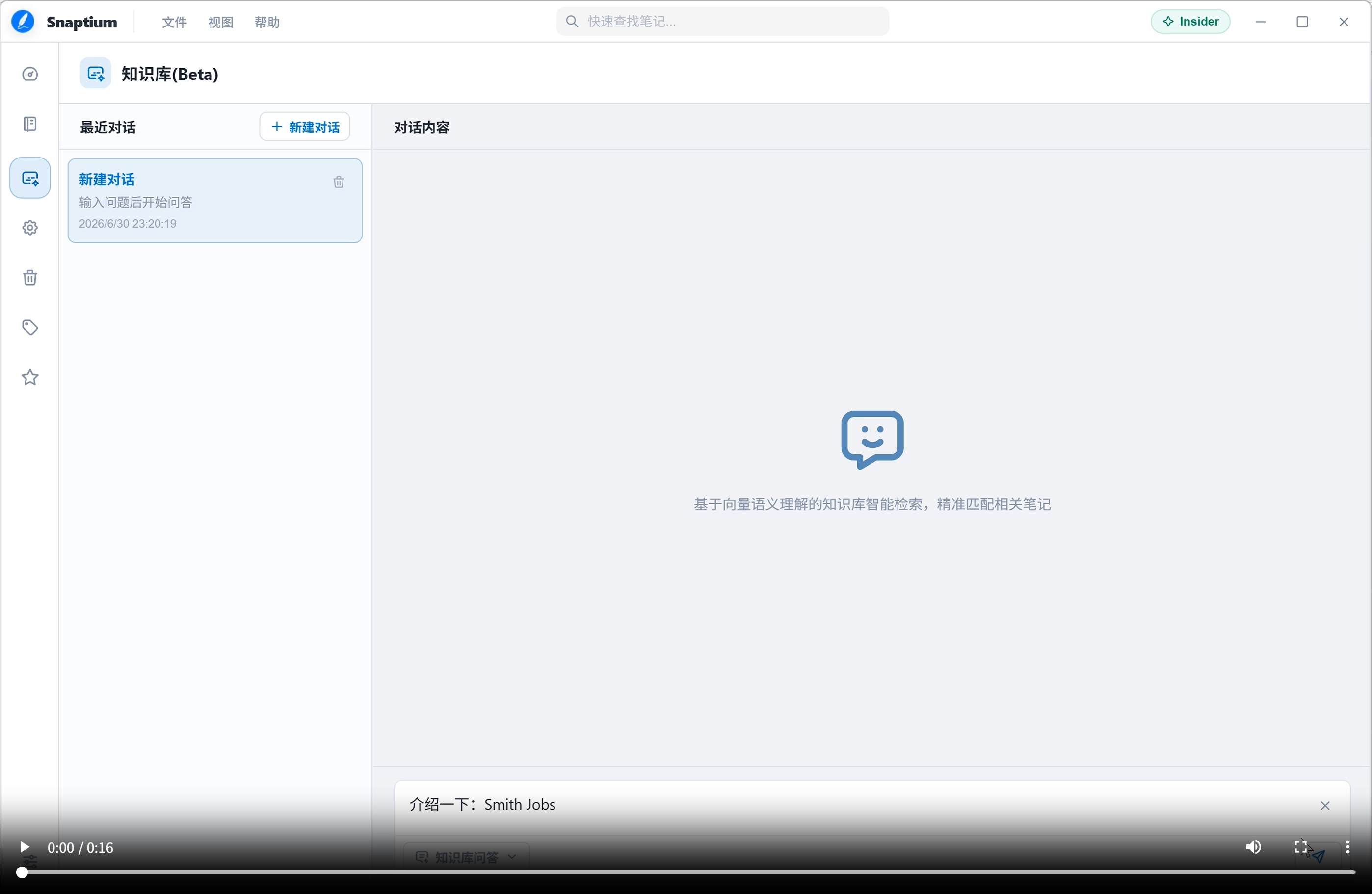
| 🧠 Local knowledge base and AI agent | A LangChain-based knowledge system with local note indexing, vector retrieval, semantic search, optional reranking, and Ask / Agent modes for personal knowledge Q&A and tasks |
| 🔍 Hybrid intelligent search | Combines full-text and AI semantic search to locate exact keywords, understand intent, and uncover related knowledge across a long-term note collection |
| 🔐 Local-first data security | Notes stay on your device by default and no account is required; AES-256-GCM encryption, workspace passwords, and recovery keys keep your knowledge under your control |
| ☁️ End-to-end encrypted sync | Cross-device E2EE sync through WebDAV, Amazon S3, Cloudflare R2, MinIO, NAS, or self-hosted private storage |
| 🗂️ Flexible knowledge organization | Notebooks, tags, favorites, and six templates: blank note, daily note, meeting notes, reading notes, project plan, and task list |
| ⚡ Fast capture and productivity | Keep Snaptium in the system tray and use a global shortcut to create a note immediately for ideas, meetings, or temporary thoughts |
| 🕒 Version history and recovery | Review previous note revisions and restore deleted content through version history and the trash |
| 🔄 Open data portability | Import and export Markdown and Snaptium packages, import Evernote ENEX, and export individual notes as PDF |
| 🎨 Deep personalization | System, light, and dark appearances; five accent colors; 14 font choices; and independent font settings for the editor, preview, and application UI |
| 🌍 Cross-platform and international | A consistent desktop experience across Windows, macOS, and Linux with 13 languages and regional settings |
| 🛠️ Diagnostics and maintenance | Export diagnostic reports containing runtime logs, system information, app version, and license status for faster troubleshooting |
> AI features are disabled by default. Models and API access are configured explicitly by the user.
Screenshots and demos
Markdown edit mode
Markdown preview
AI smart writing demo
Knowledge base demo
Technology stack
Frontend
- Vue 3.5.38
- TypeScript 6.0.3
- Vite 8.0.16
- Pinia 3.0.4
- Vue I18n 11.4.5
- CodeMirror 6
Desktop
- Electron 43.2.0
- Electron Builder 26.15.3
- Electron Updater 6.8.9
Markdown ecosystem
- markdown-it
- KaTeX
- highlight.js
AI and data
- LanceDB
- Apache Arrow
- AWS SDK S3
- WebDAV
- LangChain
- Ollama
| Operating system | Supported version | Architecture | Package formats |
|---|
| Windows | Windows 10 and later | x64 | .exe |
| macOS | macOS 11+ | arm64 | .dmg |
| Linux | Mainstream distributions including Ubuntu, Debian, and Fedora | x64 | .deb .rpm .AppImage |
> Download the package that matches your platform.
Download
Windows

macOS
Apple Silicon

Linux
Debian / Ubuntu

Fedora / RHEL

AppImage

> View all releases
Local development
Install dependencies
npm install
Start the development environment
npm run dev
Build the application
npm run dist
Platform-specific builds:
npm run dist:win
npm run dist:mac
npm run dist:linux
Verify changes
npm run typecheck
npm run lint
npm run test:unit
Documentation
Frequently asked questions
Is Snaptium a local-first Markdown note-taking app?
Yes. Notes are stored locally by default, the storage path is configurable, and core editing does not require an account.
Can Snaptium use local AI models?
Yes. Snaptium supports local models through Ollama as well as OpenAI, Gemini, DeepSeek, OpenRouter, SiliconFlow, and compatible APIs. AI features remain disabled until configured by the user.
Snaptium imports and exports Markdown and native .sppx packages, imports Evernote .enex, and exports individual notes as PDF.
Does Snaptium support encrypted sync?
Yes. Snaptium provides end-to-end encrypted sync through WebDAV and S3-compatible object storage, including Cloudflare R2, MinIO, and private NAS storage.
Is Snaptium open source?
Yes. Snaptium is released under the Apache License 2.0.
Roadmap
Future plans include:
- Collaborative editing
- A plugin system
- Mobile support
- More complete offline knowledge-base capabilities
License
Snaptium is licensed under the Apache License 2.0. See LICENSE for details.
Acknowledgments
Thanks to Electron, Vue, CodeMirror, markdown-it, KaTeX, LanceDB, Apache Arrow, and everyone who contributes issues, pull requests, and suggestions.

Special thanks to SiliconFlow for supporting Snaptium with AI model services.