latui
A terminal UI for Atlassian Cloud, in the spirit of lazygit and
lazdo: read your Jira and Confluence
notifications, open the issue, move it along, comment, relabel and reassign
it without leaving the keyboard.
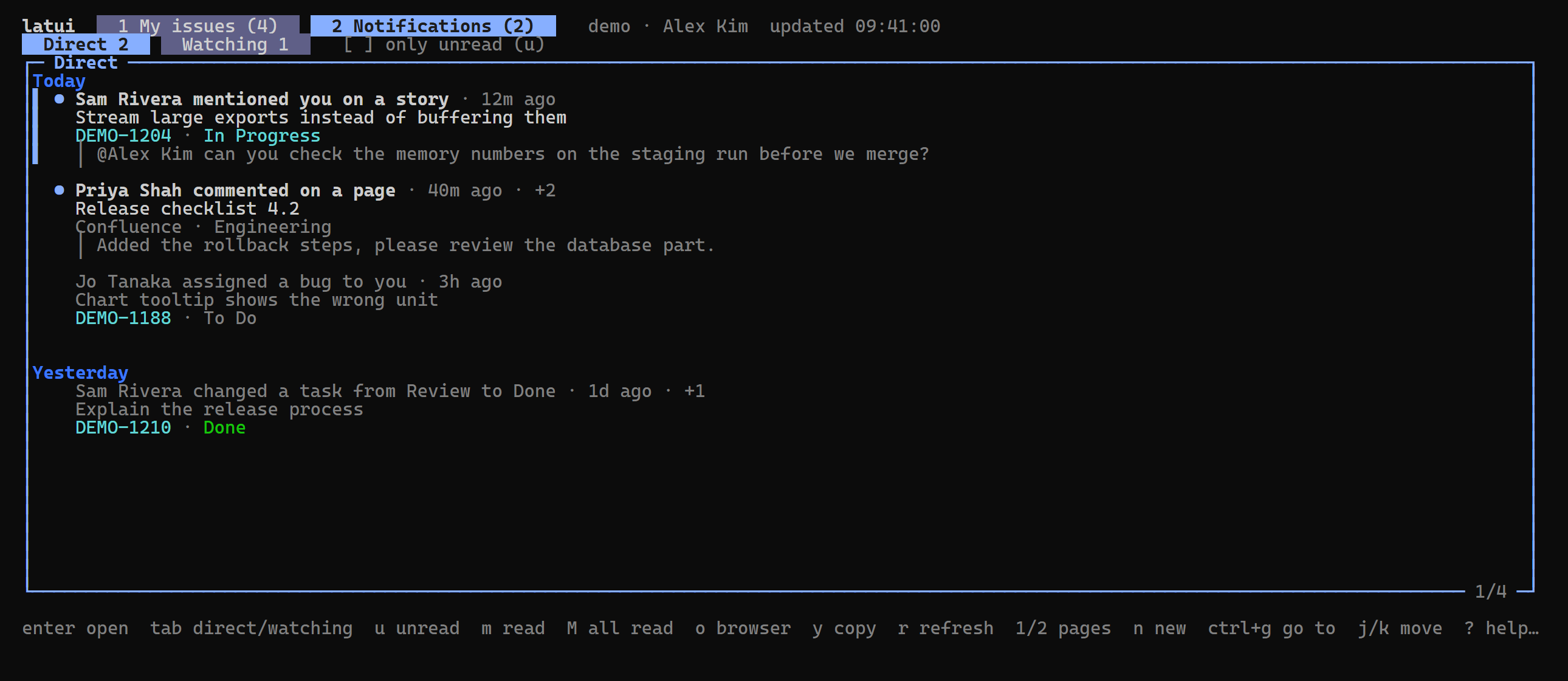
- Notifications like the bell panel: the Direct and Watching tabs, an
Unread filter, mark one read or unread, mark all as read. Notifications
about the same issue or page are grouped, with what was said under them.
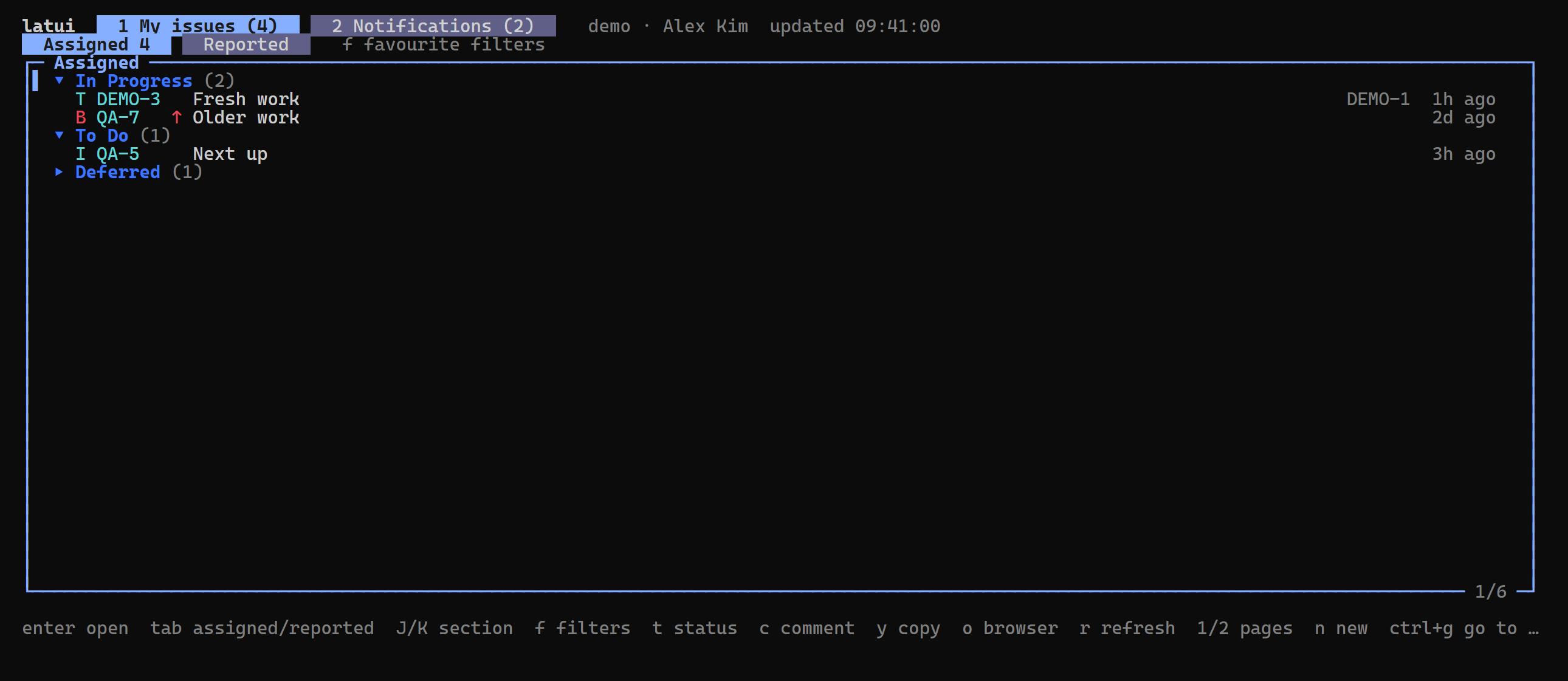
- My issues: what's assigned to you or reported by you and not Done, in
Sections by status (In Progress, To Do, …; Fixed and Deferred start
closed), or the issues of one of your favourite filters. Transition,
comment, relabel and reassign right from the list.
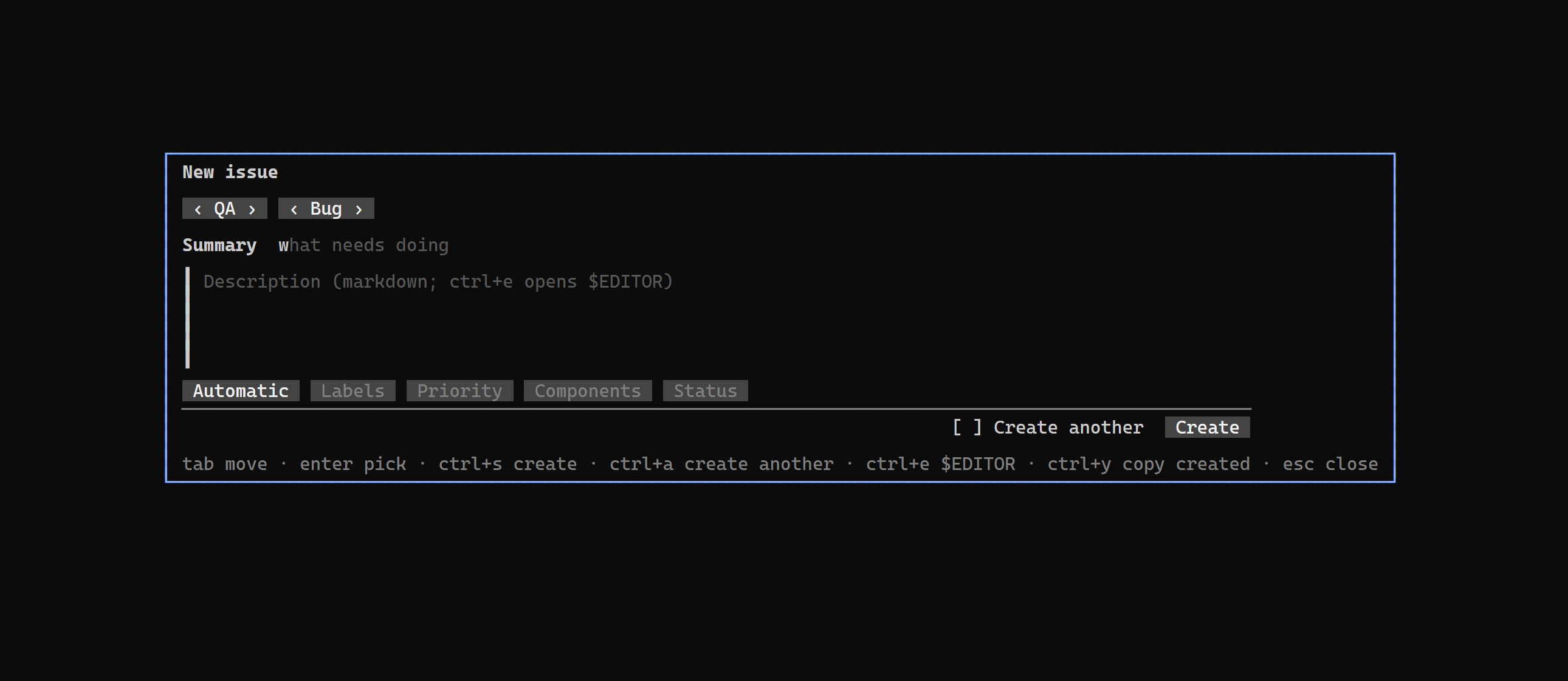
- Create issues in a form shaped like Jira's: project, type, summary,
markdown description, assignee (Automatic by default), labels, priority,
components, parent, due date, Tester and a starting status. Create
another keeps the form open with everything but summary and description.
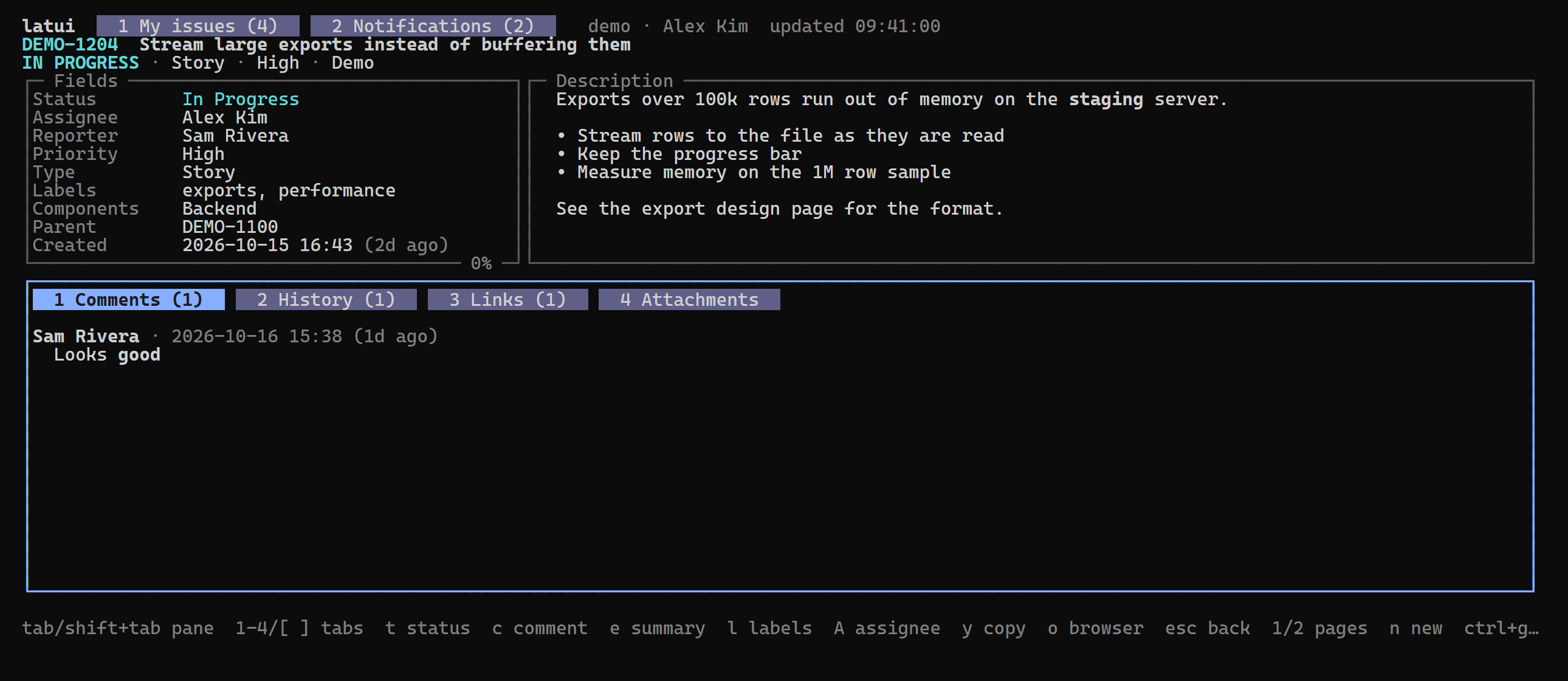
- Issue detail: every field (custom fields with a value included), the
description, comments (newest first), history, links and attachments.
- Edits: transition (with Resolution), comment in markdown (or in
$EDITOR), summary, labels, components and assignee.
- Go to any issue with
ctrl+g: a key, a number in the last project,
or a pasted link. Copy keys, links and git branch names with y and b.
Install
Windows (winget):
winget install khanhtd36.latui
Windows PowerShell script (installs to %LOCALAPPDATA%\Programs\latui and
adds it to your User PATH, saving the previous PATH to %LOCALAPPDATA%\latui
first):
irm https://latui.khanhtd36.dev/install.ps1 | iex
Linux and macOS (installs to ~/.local/bin):
curl -fsSL https://latui.khanhtd36.dev/install.sh | sh
Homebrew (macOS and Linux):
brew install khanhtd36/tap/latui
With Go: go install github.com/khanhtd36/latui@latest. Binaries and
checksums: releases. The
scripts verify the download against the release's checksums.txt.
Updating: latui checks for a newer release at most once a day and
shows update v0.2.0 (U) in the title when there is one; U lists what
changed and installs it. latui update does the same from a shell. Copies
installed with winget, Homebrew or go install show their own update
command instead.
Sign in
latui reuses the login of Atlassian's own CLI,
acli. Sign in once:
acli jira auth login --web
latui reads the token acli keeps in the OS secure store (Windows Credential
Manager, macOS Keychain, Linux Secret Service) for the site and user acli
is signed in to, and asks acli to renew it when it expires. Windows is
tested; macOS and Linux are expected to work but are untested.
Without acli, use an API token:
export LATUI_SITE=example.atlassian.net
export LATUI_EMAIL=you@example.com
export LATUI_API_TOKEN=...
Usage
latui [--interval 1m] [--symbols | --ascii]
latui update
latui --version
--interval is how often notifications refresh (default one minute).
Keys
The same keys mean the same thing everywhere, as in lazdo: j/k move,
ctrl+d/ctrl+u half a page, g/G top and bottom, enter opens, esc
goes back, y copy menu, o browser, r refresh, ? help (type to search
it, enter runs the key), q quit.
| Notifications | |
|---|
enter | open: a Jira issue in Issue detail, anything else (Confluence) in the browser; marks it read |
tab | Direct ⇄ Watching |
u | Unread filter |
m | mark read, or unread again |
M | mark all as read (asks first) |
J / K | next / previous day |
ctrl+g | go to an issue |
| My issues | |
|---|
enter | open the issue; on a Section header, open or close it |
tab | Assigned ⇄ Reported |
J / K | next / previous Section |
f | show a favourite filter's issues (esc back) |
t c e l C A b | as in Issue detail, on the selected issue |
| Anywhere | |
|---|
1 / 2, [ / ] | My issues / Notifications page |
n | new issue (in Issue detail: or a subtask of it) |
ctrl+g | go to an issue |
In the create form tab moves, enter opens a field's picker, ctrl+s
creates, ctrl+a toggles Create another, ctrl+e writes the description in
$EDITOR and ctrl+y copies what was created. latui remembers Create
another, the last project and type, and which Sections you closed.
| Issue detail | |
|---|
tab | next pane: fields, description, activity |
1-4 / [ ] | Comments, History, Links, Attachments |
t | transition (asks for a Resolution when the workflow needs one; other required fields open the browser) |
c | comment (markdown; ctrl+e opens $EDITOR, ctrl+s posts) |
e | edit the summary |
l / C | labels / components |
A | assignee (Me and Unassigned first, type to search) |
b | copy a git branch name (KEY-summary-words) |
enter | on Links: open the linked issue (esc comes back) |
The description is shown, not edited: rich content markdown can't hold
(panels, media, tables with merged cells) would be lost. Press o to edit it
in the browser.
Mouse
The wheel scrolls; a click selects a notification and a second click opens
it; a click on the tabs switches Direct and Watching.
Development
go build ./...
go test ./...
LATUI_LIVE=1 go test ./internal/ui -run TestLive -v   # read-only, against your site
Design notes: CONTEXT.md is the glossary, docs/adr
the decisions (ADF as the text model, the notifications GraphQL API,
reusing acli's login).
License
MIT