ZSAPConnect Manager is a lightweight, native Windows tool for SAP consultants who juggle many systems across many customers — each with its own client, user, password, and VPN. Import your SAP Logon landscape (SAPUILandscape.xml) with support for direct application servers, load-balanced systems, and SAProuter routes; keep per-system credentials in the Windows Credential Manager (never in files); and log on with one click via SAP GUI Scripting or auto-type. Find systems from the keyboard in a card view with pinned and recent systems, or in a SAP Logon-like list; organize them in groups with color and label tags, generate SAP-compliant passwords, copy credentials through a history-excluded auto-clearing clipboard, and move everything to another PC with AES-256-GCM encrypted transfer bundles. No telemetry; besides the SAP systems you connect to, the app makes one anonymous request a day to GitHub to check for a new version (can be turned off), and never downloads or installs updates itself. Installs per-user, no admin rights required. ZSAPConnect is an independent tool, not affiliated with, endorsed by, or supported by SAP SE. SAP, SAP GUI and SAP Logon are registered trademarks of SAP SE.
README
ZSAPConnect Manager — Releases
Official download channel for ZSAPConnect Manager, a lightweight, native
Windows tool for SAP consultants who juggle many systems across many customers
— each with its own client, user, password, and VPN. Import your SAP Logon
landscape, keep per-system credentials in the Windows Credential Manager, and
log on with one click.
This repository hosts the release binaries only; the source code is currently
in a private repository (open-sourcing is under consideration).
All screenshots show synthetic demo data.
Install
Requirements: Windows 10 version 1809 (build 17763) or later, x64.
Recommended — via winget (built into Windows 10/11):
winget install kts982.ZSAPConnect
Upgrades arrive through the same channel: winget upgrade kts982.ZSAPConnect.
The app checks once a day whether winget offers a newer version and, if so,
shows the command to copy (Options → Updates).
ZSAPConnect-Setup-X.Y.Z.exe (~45 MB) — per-user installer,
no admin rights required; adds a Start-menu shortcut and an uninstaller.
Uninstalling keeps your entries and stored passwords, so upgrades are safe.
This is the same installer winget uses.
ZSAPConnect-vX.Y.Z-win-x64.zip (~68 MB) — portable: unzip anywhere and
run ZSAPConnect.App.exe.
Both are self-contained — no .NET or Windows App SDK installation needed.
The binaries are currently unsigned, so Windows SmartScreen may show an
"unknown publisher" prompt the first time you run a manually downloaded
installer (More info → Run anyway).
Features
Two views.Cards: pinned systems and your recent logons first, then
your systems grouped by SAP Logon folder or by system ID — the same SID at
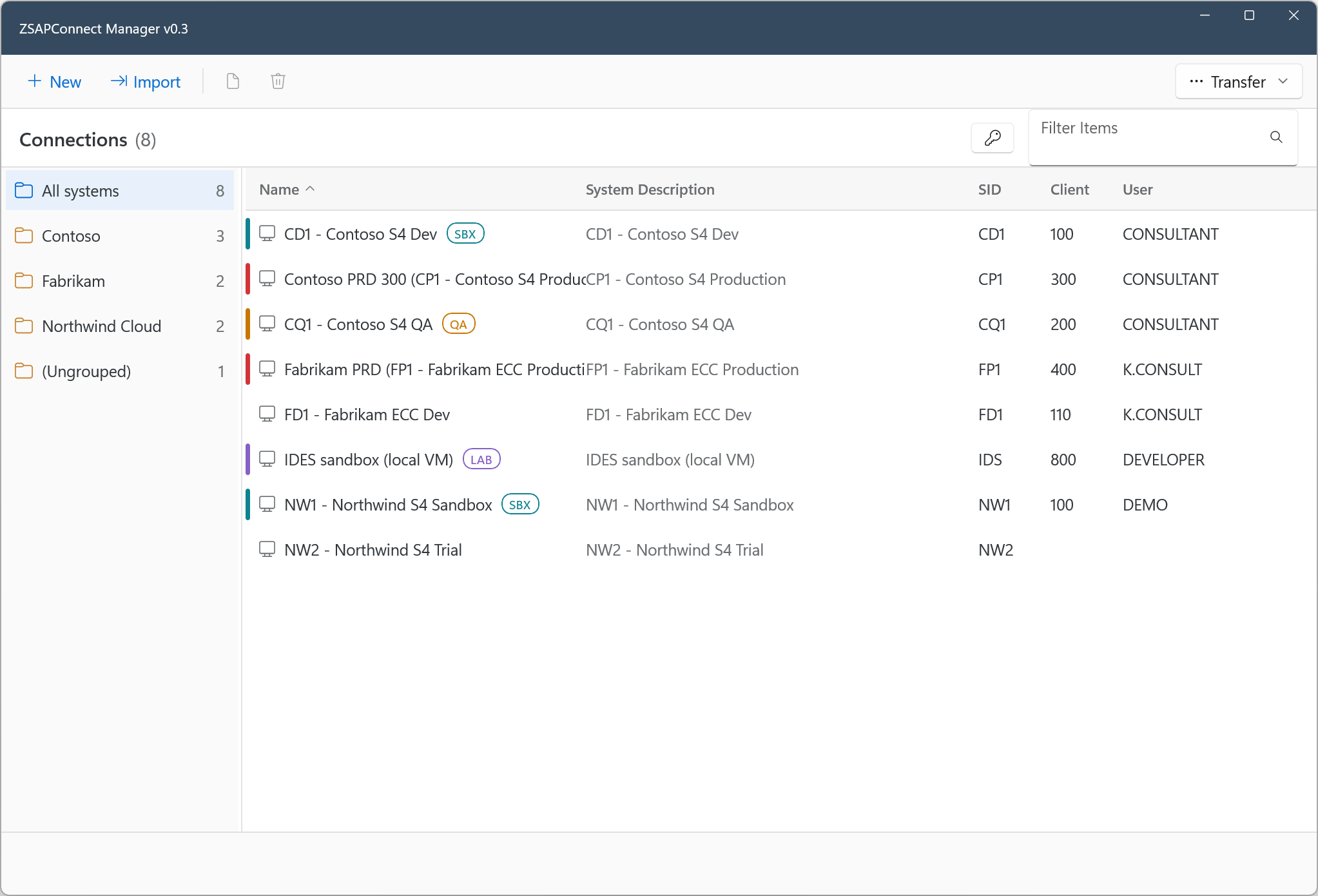
different customers side by side. List: folders, table and details, like
SAP Logon. Switch with List | Cards in the toolbar.
Find and log on from the keyboard: type to search by name, SID, client,
user or folder, then pick a system with the arrow keys and press Enter.
Import from SAP Logon (SAPUILandscape.xml) — direct application
servers, load-balanced systems (message server + logon group), SAProuter
routes, and folders. Importing again updates changed connections, also in
the entries you duplicated from them, and keeps your clients, users,
passwords, tags and pins.
One-click logon via SAP GUI Scripting (COM) when available, otherwise
launch + auto-type into the new login window only.
Several logons per system: duplicate an entry for another client or
user.
Two styles: SAP (Horizon) and Windows, each light, dark or automatic.
SAP-compliant password generator; encrypted transfer bundles
(AES-256-GCM) for moving entries and passwords to another PC.
Screenshots
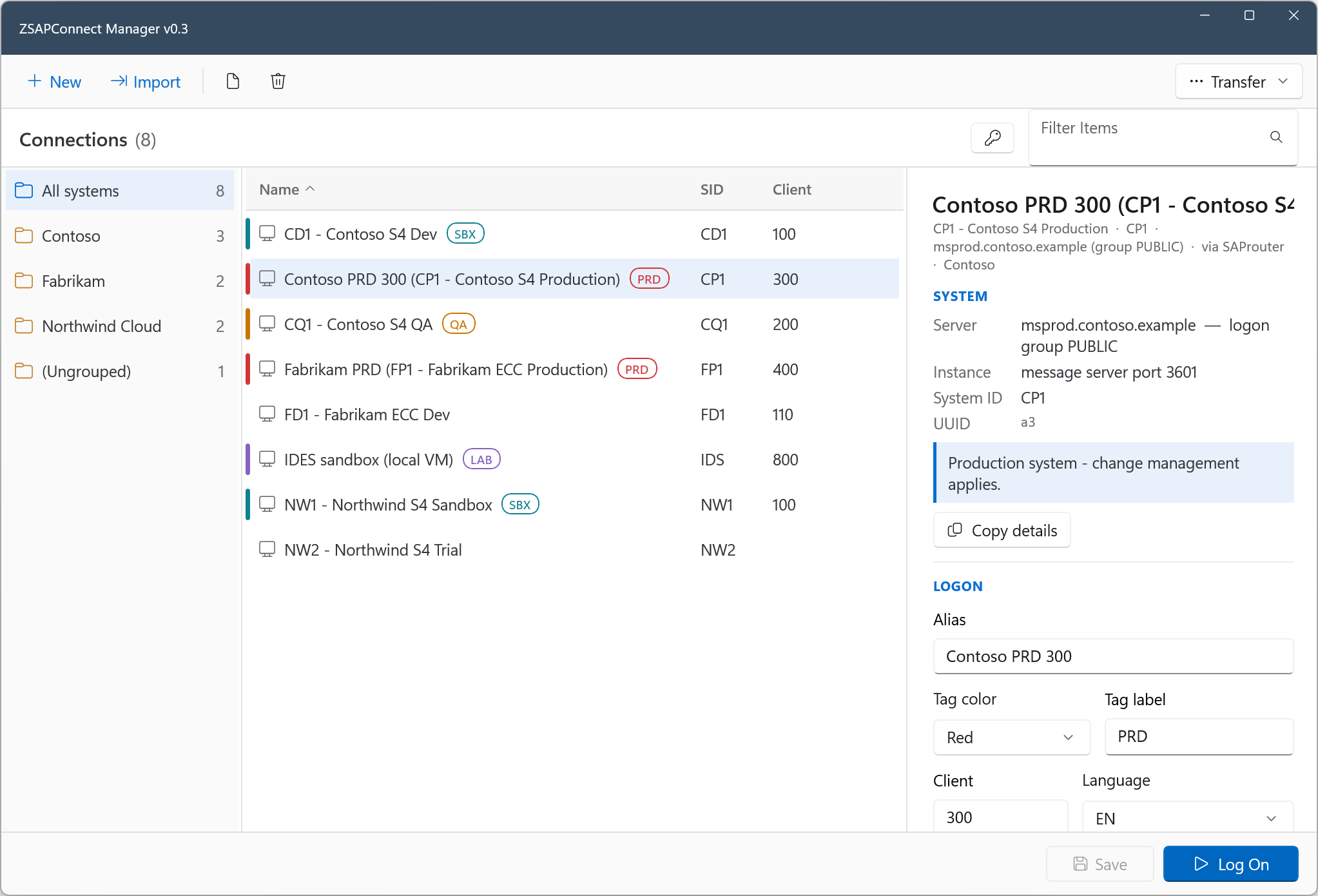
List view — folders, table and details: tag, production-notes callout,
one-click Log On:
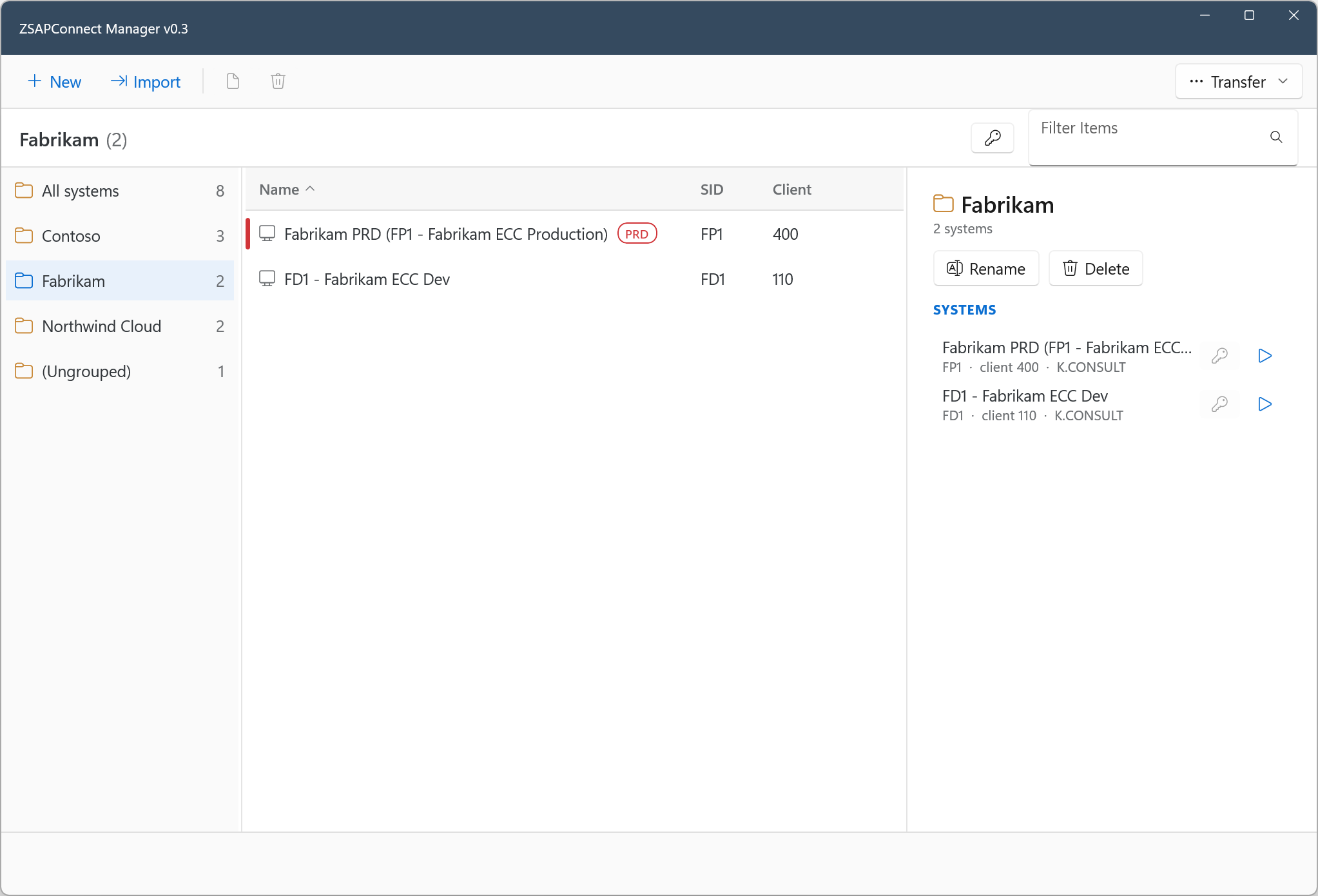
Group page — member overview with quick connect/copy, rename and delete:
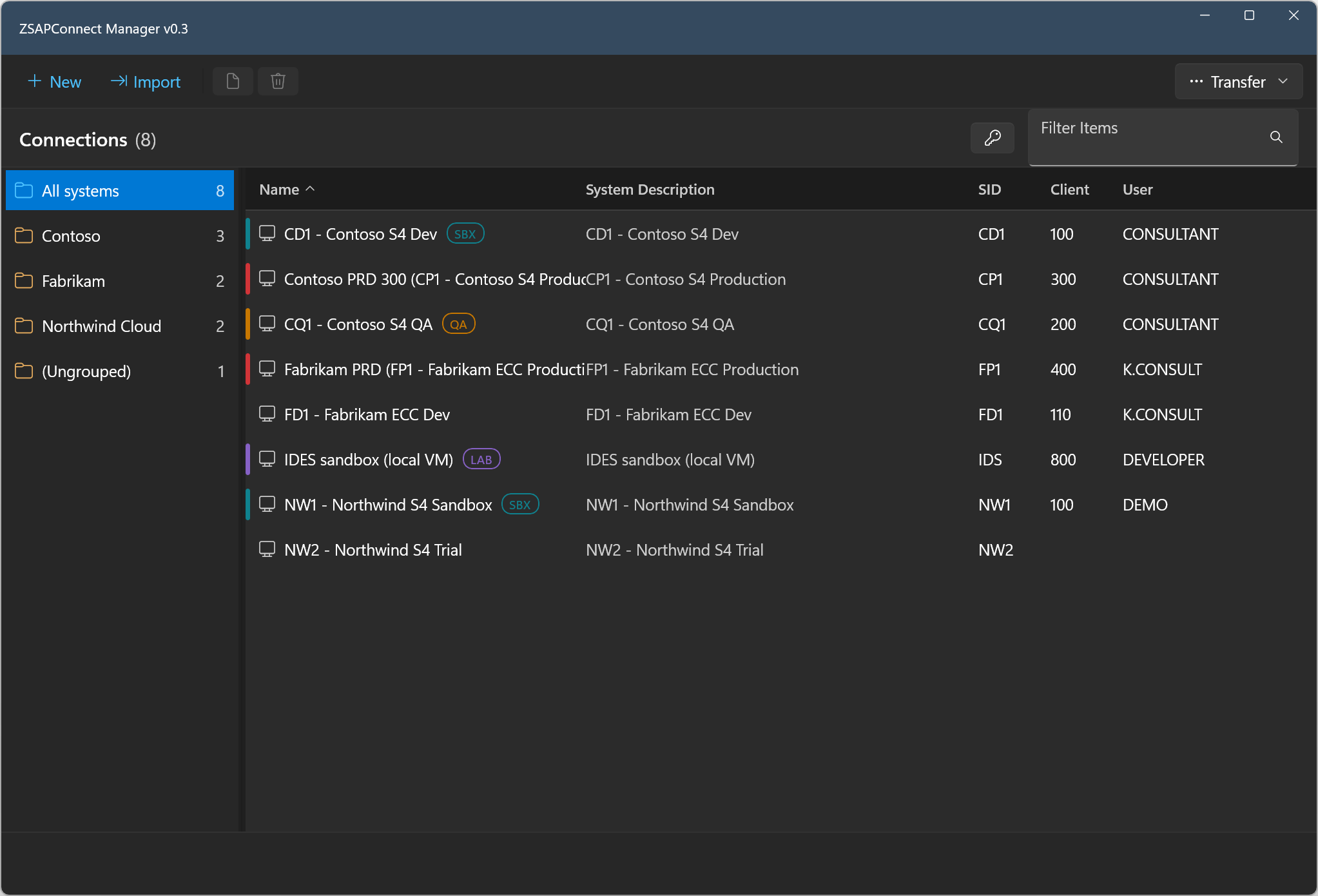
Windows style, dark — a search grouped by system ID: the DEV systems of
two customers side by side:
Security & privacy
Passwords are stored only in the Windows Credential Manager — never in
files.
All other data stays local in %LOCALAPPDATA%\ZSAPConnect\.
Clipboard copies of credentials are excluded from clipboard history and
cloud roaming, and auto-clear after 30 seconds.
No telemetry. Besides the SAP systems you connect to, the app makes one
anonymous request a day to GitHub to see whether a new version is out;
nothing about you or your systems is sent. Turn it off in
Options → Updates.
The app never downloads or installs updates itself: it shows the
winget upgrade command, and winget checks the installer against its
published hash before running it.
Feedback
Bug reports and suggestions are welcome in
Issues.
ZSAPConnect is an independent tool, not affiliated with, endorsed by, or
supported by SAP SE. SAP, SAP GUI and SAP Logon are registered trademarks of
SAP SE.