Use this command to install kubescape with WinGet:
winget install --id=kubescape.kubescape -e
Kubescape is an open-source Kubernetes security platform designed to enhance security posture management across development, deployment, and runtime environments. It provides comprehensive risk analysis, compliance checks, and misconfiguration scanning for Kubernetes clusters, YAML files, and Helm charts.
Key Features:
Comprehensive Scanning: Detects misconfigurations based on industry-leading frameworks such as NSA-CISA, MITRE ATT&CK®, and the CIS Benchmark.
Multi-Faceted Support: Scans Kubernetes clusters, YAML configurations, and Helm charts to ensure robust security across all stages of development and deployment.
Flexible Output: Supports multiple output formats (JSON, JUnit XML, SARIF) for seamless integration into CI/CD pipelines and reporting requirements.
DevSecOps Integration: Offers an easy-to-use CLI interface for developers and operators, enabling automated scans that save time and resources.
In-Cluster Capabilities: Available as a Helm chart, Kubescape provides continuous scanning, runtime analysis, network policy generation, and image vulnerability detection when deployed in-cluster.
Audience & Benefit:
Ideal for DevSecOps practitioners, platform engineers, and Kubernetes administrators seeking to streamline security processes. Kubescape empowers users to identify and remediate vulnerabilities quickly, ensuring compliance with best practices while reducing operational overhead. By automating security scans and providing actionable insights, it helps teams maintain a secure and resilient Kubernetes environment.
Kubescape can be installed via winget for easy setup on Windows systems.
README
Kubescape
Comprehensive Kubernetes Security from Development to Runtime
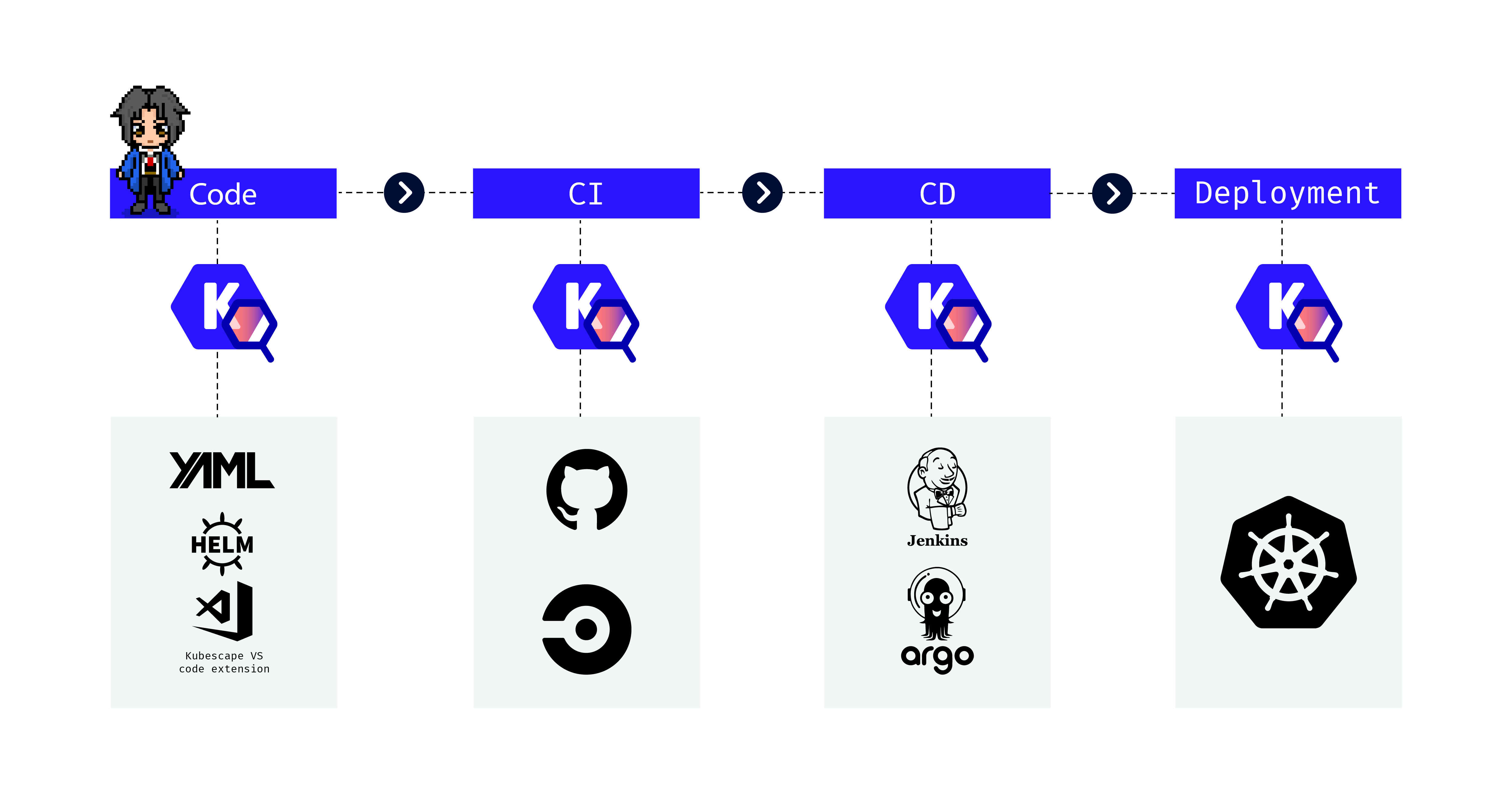
Kubescape is an open-source Kubernetes security platform that provides comprehensive security coverage, from left to right across the entire development and deployment lifecycle. It offers hardening, posture management, and runtime security capabilities to ensure robust protection for Kubernetes environments.
> 💡 See Installation for more options (Homebrew, Krew, Windows, etc.)
2. Run Your First Scan
# Scan your current cluster
kubescape scan

# Scan a specific YAML file or directory
kubescape scan /path/to/manifests/

# Scan a container image for vulnerabilities
kubescape scan image nginx:latest
3. Explore the Results
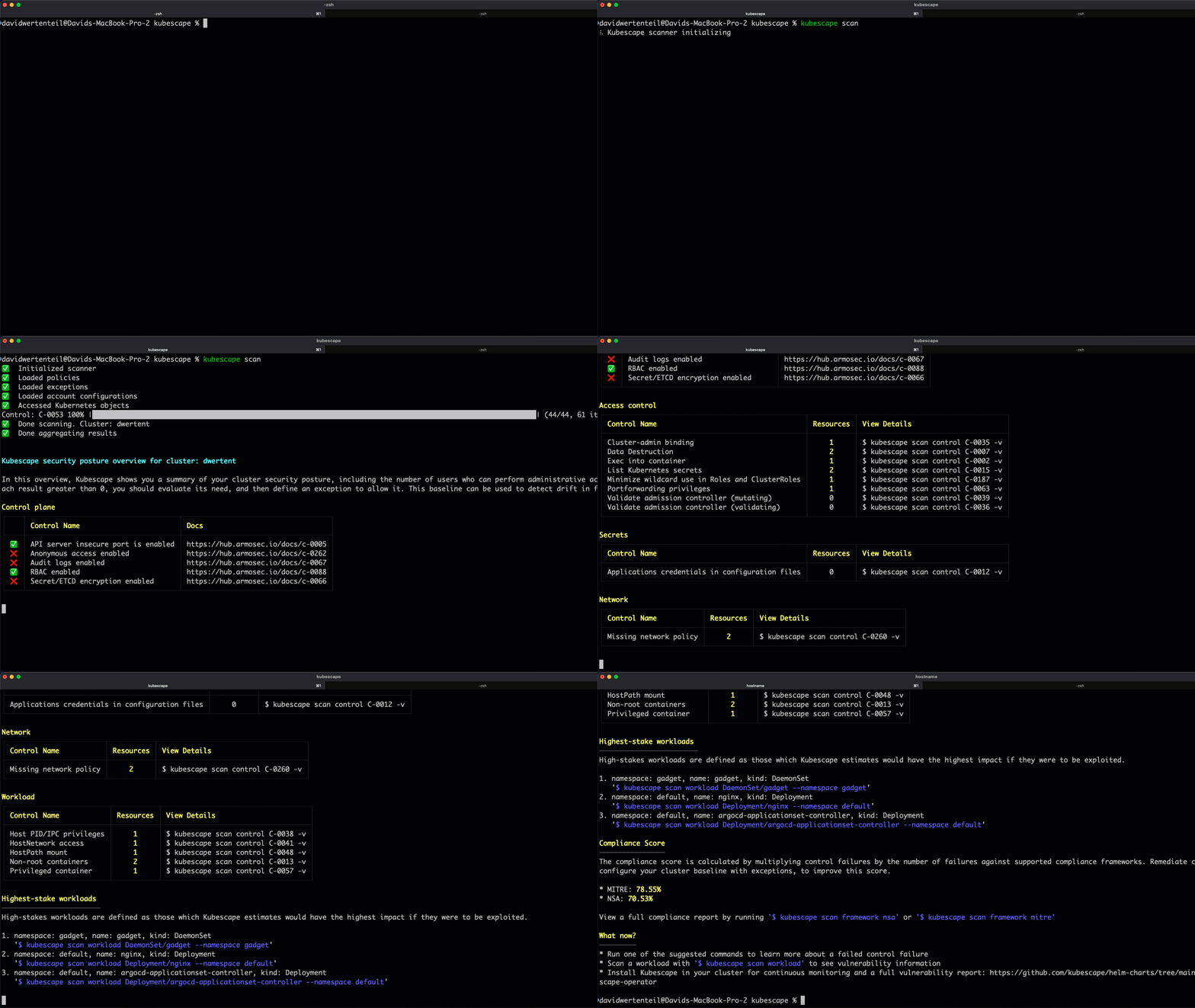
Kubescape provides a detailed security posture overview including:
# Default scan (all frameworks)
kubescape scan

# Scan with a specific framework
kubescape scan framework nsa
kubescape scan framework mitre
kubescape scan framework cis-v1.23-t1.0.1

# Scan a specific control
kubescape scan control C-0005 -v
Scan Files and Repositories
# Scan local YAML files
kubescape scan /path/to/manifests/

# Scan a Helm chart
kubescape scan /path/to/helm/chart/

# Scan a Git repository
kubescape scan https://github.com/kubescape/kubescape

# Scan with Kustomize
kubescape scan /path/to/kustomize/directory/
Scan Options
# Include/exclude namespaces
kubescape scan --include-namespaces production,staging
kubescape scan --exclude-namespaces kube-system,kube-public

# Use alternative kubeconfig
kubescape scan --kubeconfig /path/to/kubeconfig

# Set compliance threshold (exit code 1 if below threshold).
# Score thresholds apply to the framework/control subcommands and to
# --view resource|control.
kubescape scan framework nsa --compliance-threshold 80
kubescape scan --view resource --compliance-threshold 80

# Set severity threshold
kubescape scan --severity-threshold high
Report Metadata Protection
# Hide sensitive metadata using deterministic pseudonymization
kubescape scan --hide

# Set exactly one master key before encrypting and decrypting (at least 16 characters)
export KUBESCAPE_MASTER_KEY="your-secure-passphrase"

# Encrypt sensitive metadata into a JSON report
kubescape scan --encrypt --format json --output encrypted-report.json

# Decrypt the encrypted report
kubescape decrypt encrypted-report.json > decrypted-report.json
# Scan a public image
kubescape scan image nginx:1.21

# Scan with verbose output
kubescape scan image nginx:1.21 -v

# Scan a private registry image
kubescape scan image myregistry/myimage:tag --username user --password pass

# Scan a specific variant from a multi-architecture image index
kubescape scan image nginx:1.27 --platform linux/amd64
For workload scans, Kubescape can infer image platforms from scheduled Nodes, node selectors, and required node affinity. Use --image-platform with --scan-images to override inference. See multi-architecture image scanning for details.
Using an Offline Grype Database
# Start the offline Grype-DB server (using docker)
docker run --rm -p8080:8080 quay.io/kubescape/grype-offline-db:v6-latest

# Scan an image using the offline database:
kubescape scan image --grype-db-url http://localhost:8080/databases/ nginx:latest
Auto-Fix
Automatically fix misconfigurations in your manifest files:
# First, scan and save results to JSON
kubescape scan /path/to/manifests --format json --output results.json

# Then apply fixes
kubescape fix results.json

# Dry run (preview changes without applying)
kubescape fix results.json --dry-run

# Apply fixes without confirmation prompts
kubescape fix results.json --no-confirm

# Keep the originals untouched: write the fixed copies to a directory instead
kubescape fix results.json --output-dir ./fixed

# Fix a cluster scan: the patched manifests are printed, never applied for you
kubescape scan --format json --output cluster.json
kubescape fix cluster.json | kubectl apply -f -
Image Patching
Patch container images to fix OS-level vulnerabilities:
# Start buildkitd (required)
sudo buildkitd &

# Patch an image
sudo kubescape patch --image docker.io/library/nginx:1.22

# Specify custom output tag
sudo kubescape patch --image nginx:1.22 --tag nginx:1.22-patched

# See detailed vulnerability report
sudo kubescape patch --image nginx:1.22 -v
# List available frameworks
kubescape list frameworks

# List all controls
kubescape list controls

# Output as JSON
kubescape list controls --format json
Offline Support
Download artifacts for air-gapped environments:
# Download all artifacts
kubescape download artifacts --output /path/to/offline/dir

# Download a specific framework
kubescape download framework nsa --output /path/to/nsa.json

# Scan using downloaded artifacts
kubescape scan --use-artifacts-from /path/to/offline/dir
Configuration
# View current configuration
kubescape config view

# Set account ID
kubescape config set accountID

# Delete cached configuration
kubescape config delete
Operator Commands
Interact with the in-cluster Kubescape operator:
# Trigger a configuration scan
kubescape operator scan configurations

# Trigger a vulnerability scan
kubescape operator scan vulnerabilities
Start an MCP (Model Context Protocol) server for AI assistant integration:
kubescape mcpserver
The MCP server exposes Kubescape's vulnerability and configuration scan data to AI assistants, enabling natural language queries about your cluster's security posture.