DriveLens scans any drive or folder and shows exactly what is taking up space in an interactive, color-coded treemap. Browse folders sorted biggest-first, find the 100 largest files on a drive, and clean up safely - deleted items always go to the Recycle Bin, never permanently removed. No network access, no telemetry. Free and open source.
README
DriveLens 🔍
A fast, visual disk-space analyzer for Windows. Scan any drive, see exactly what's eating your space in an interactive treemap, and clean up safely — everything you delete goes to the Recycle Bin, never permanently removed.
Built with Electron. Free and open source under the MIT license.
Why
Windows drives fill up silently — a red usage bar in Explorer tells you that you're out of space, but not why. DriveLens shows you the why in seconds: which folders, which files, sorted biggest-first, drawn to scale.
Features
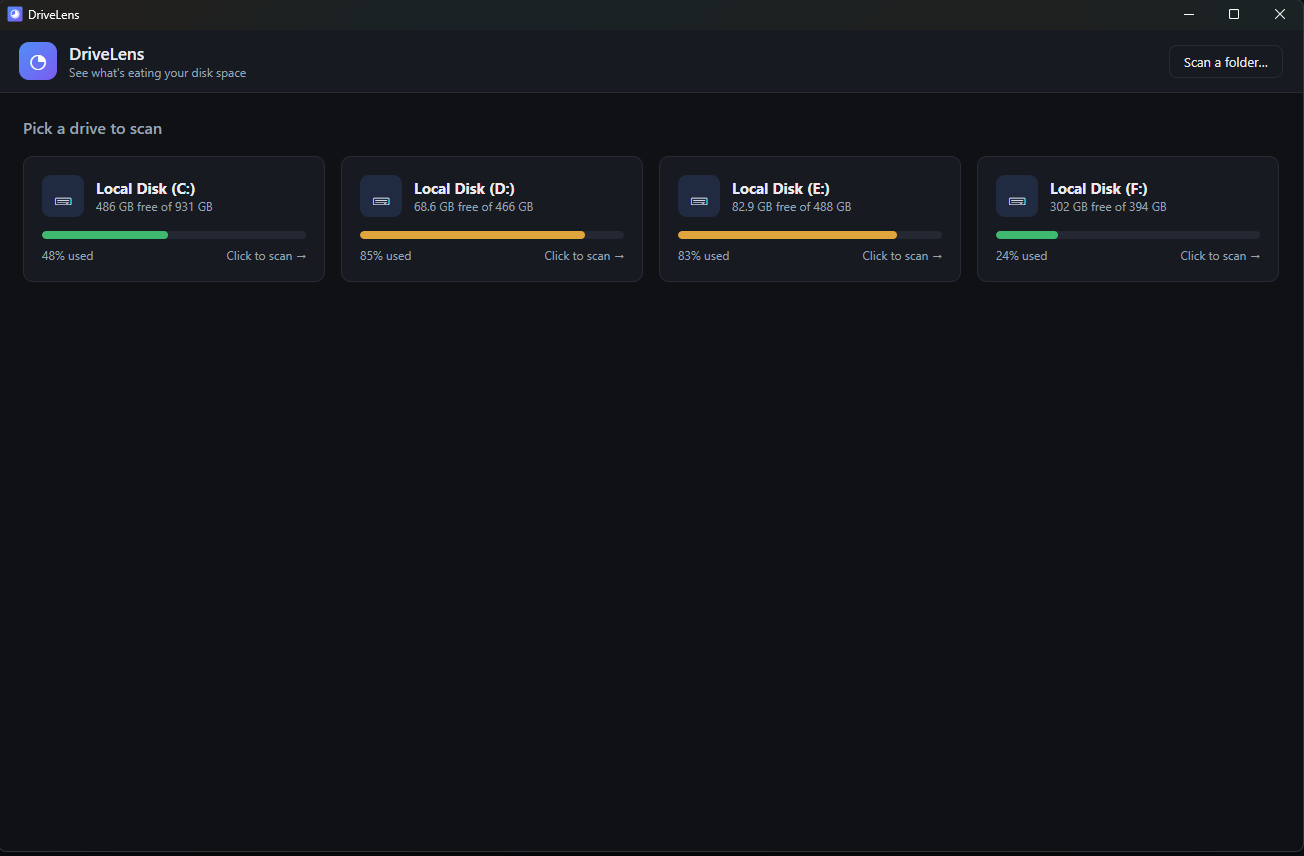
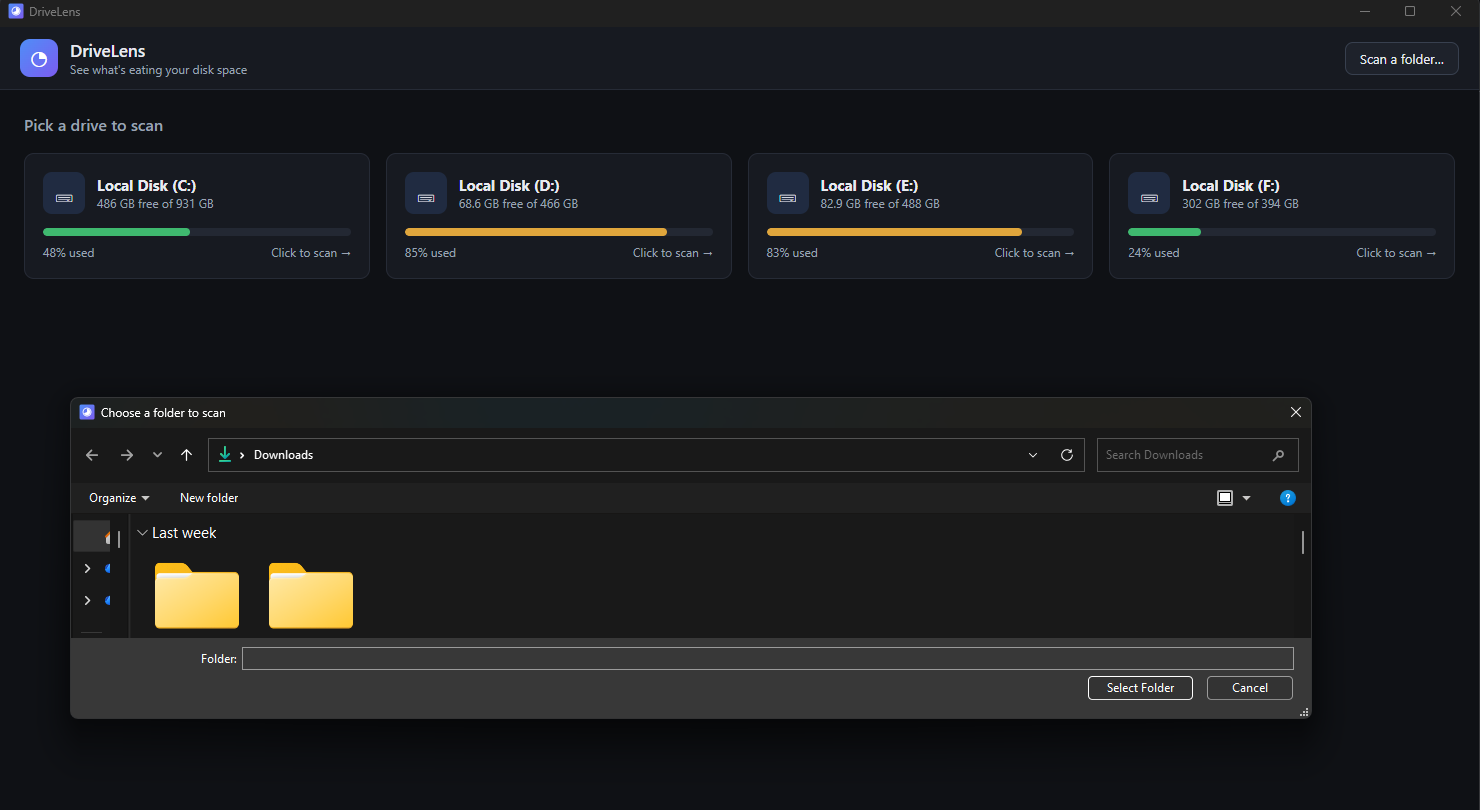
🖴 Drive picker — all your drives with usage bars (red when critically full)
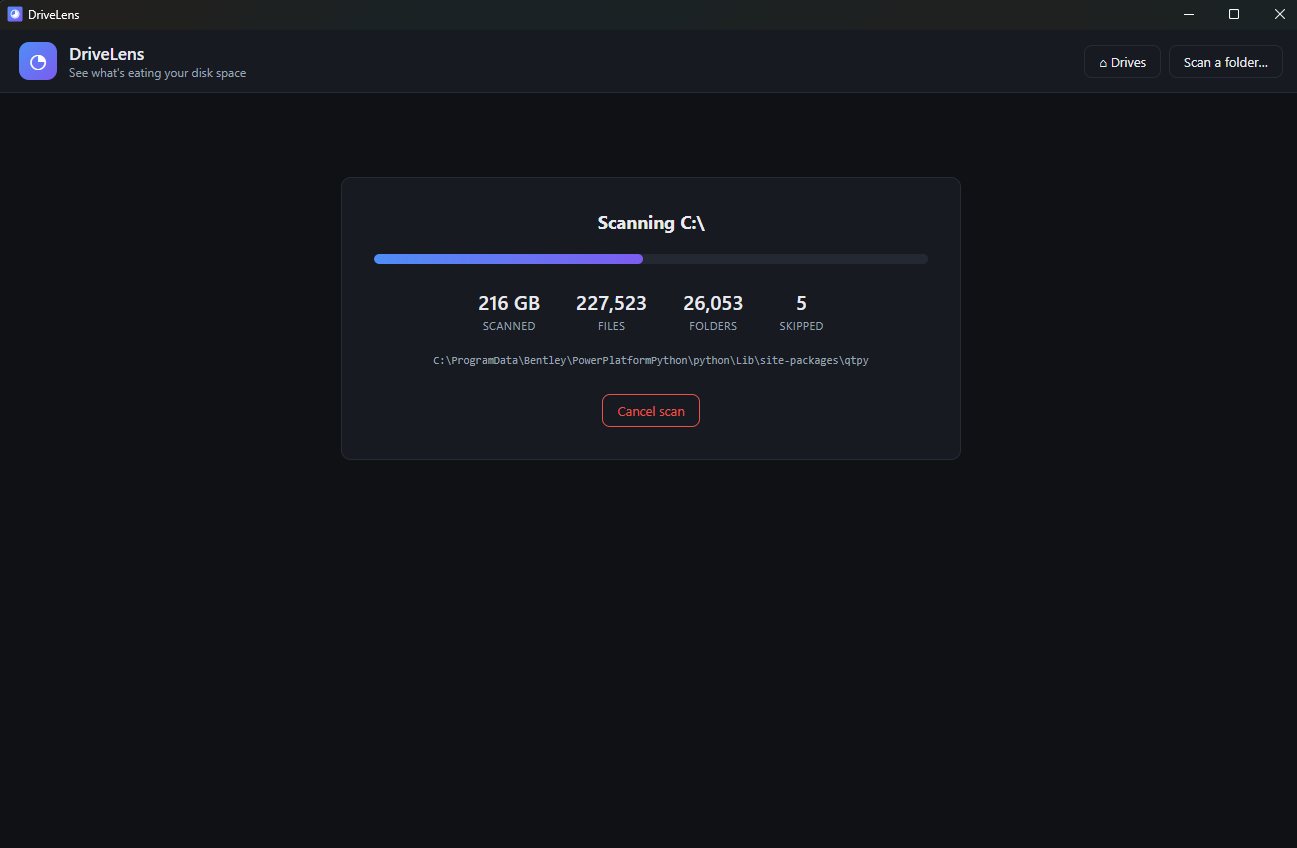
⚡ Fast scanning — walks the entire drive in a background thread with live progress; the UI never freezes
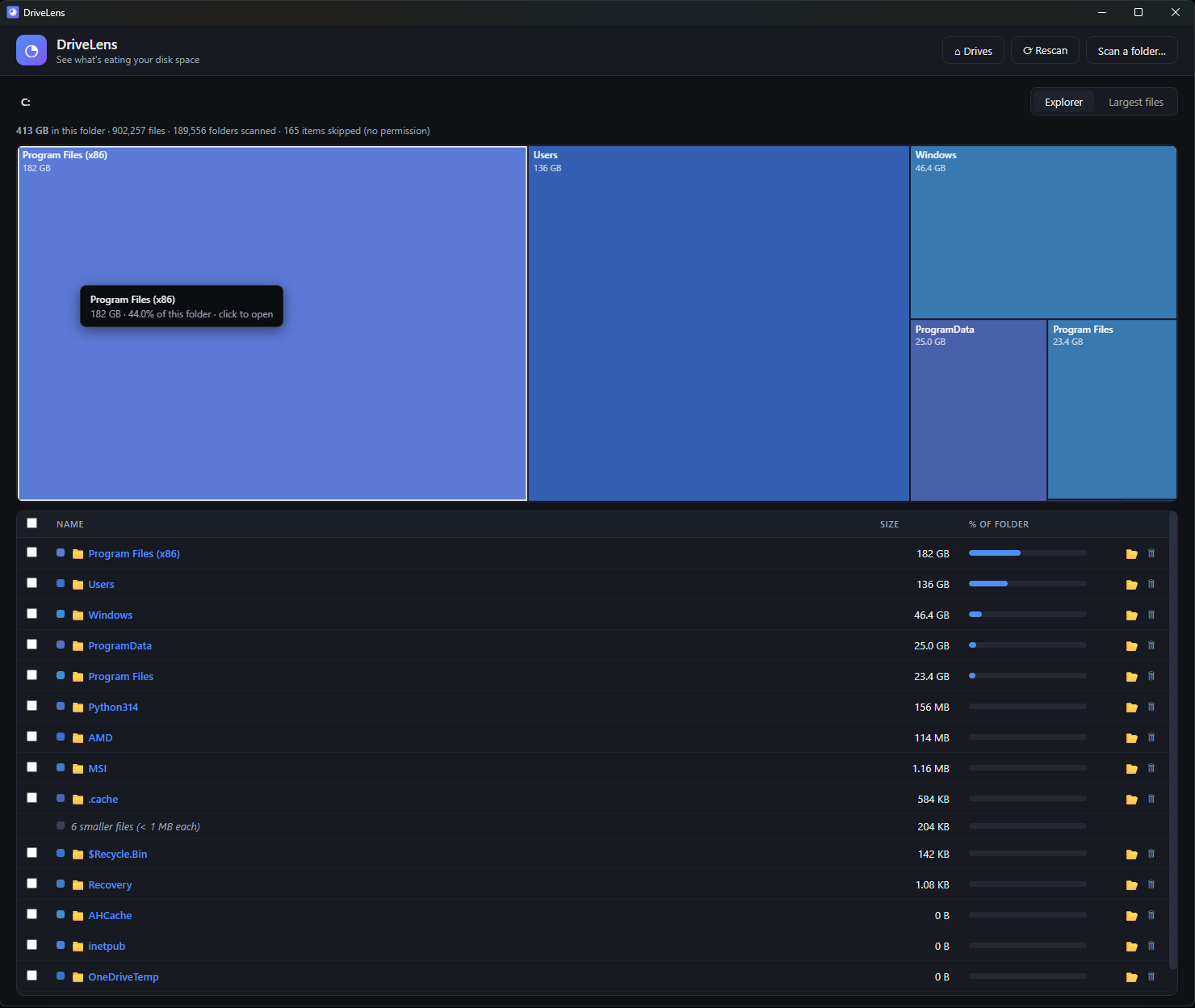
🗺️ Interactive treemap — rectangles sized by disk usage, color-coded by file type (video, audio, images, archives, apps…). Click a folder to drill in, hover for details
📊 Explorer list — folders and files sorted biggest-first with size bars and breadcrumb navigation
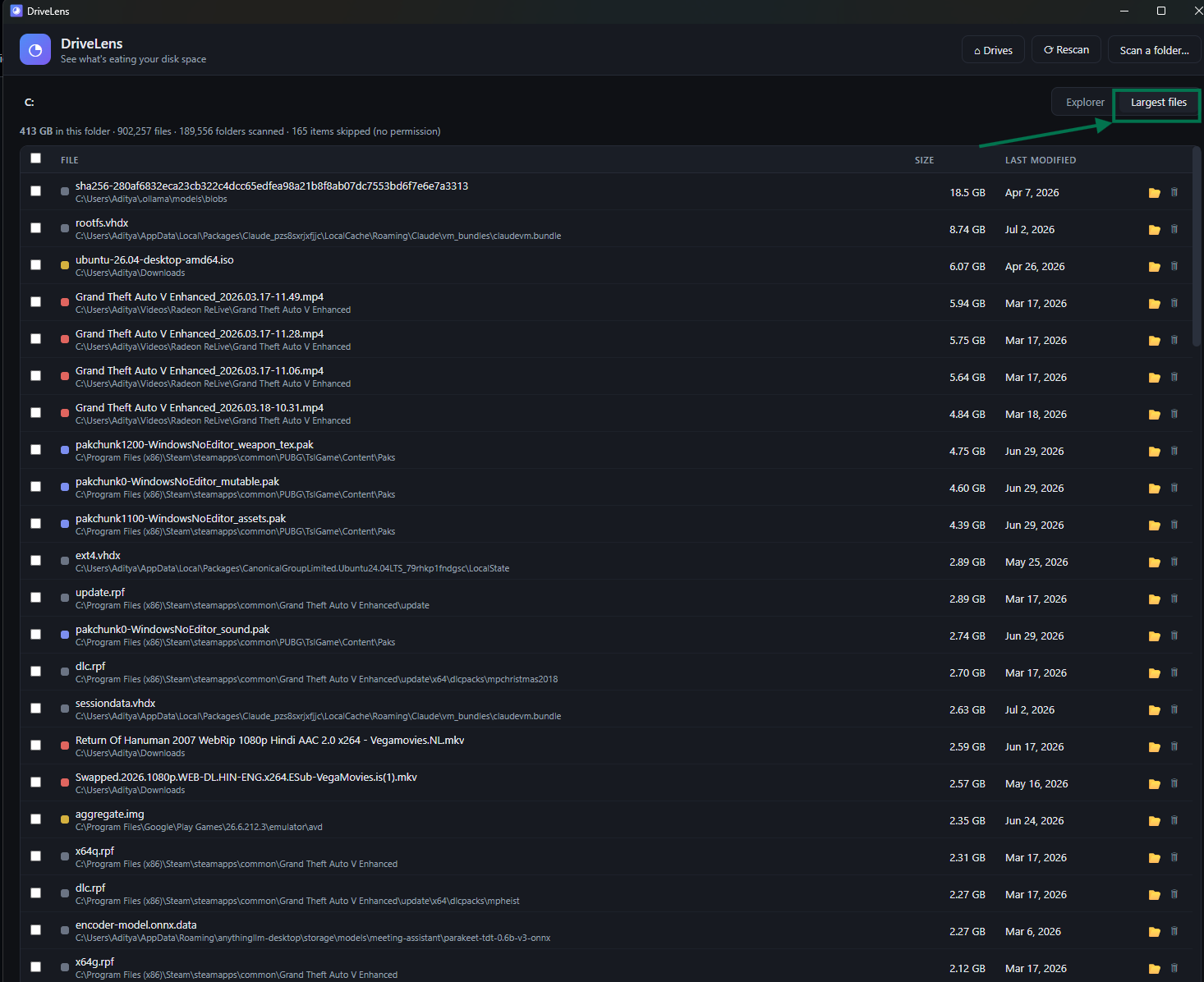
🏆 Largest files tab — the top 100 biggest files on the drive, with last-modified dates so you can spot forgotten giants
🗑️ Safe cleanup — multi-select with checkboxes, confirmation dialog showing exactly what will be removed, extra warning for Windows system paths, and deletion only to the Recycle Bin (always recoverable)
📁 Folder mode — scan a single folder instead of a whole drive
Screenshots
Drive picker
Live scan progress
Largest files
Scan any folder
Install
Download the latest DriveLens Setup.exe from the Releases page and run it.
> Note: the installer is not signed with a commercial code-signing certificate, so Windows SmartScreen may show an "unknown publisher" warning. Click More info → Run anyway. You can also audit the code and build it yourself (below).
git clone
cd drivelens
npm install
npm start        # run in development
npm run dist     # build the Windows installer into dist/
Security & privacy
No network access — DriveLens never connects to the internet. Your file names and sizes stay on your machine.
No telemetry, no accounts, no ads.
Recycle Bin only — the app cannot permanently delete anything.
Renderer runs sandboxed with context isolation; all IPC file paths are validated in the main process.
How it works
main.js — Electron main process: window creation, drive discovery, IPC (validated), Recycle-Bin deletion via shell.trashItem
scanner-worker.js — worker thread that walks the directory tree. Files under 1 MB are aggregated per-folder so even drives with millions of files scan fast and stay light in memory. Symlinks and junctions are skipped to avoid loops and double counting
renderer/ — the UI: canvas-based squarified treemap, file table, largest-files view. No frameworks, no external dependencies
Tips
Some system folders need admin rights to read — they show in the "skipped" count. Run as administrator to include them.
pagefile.sys / hiberfil.sys are Windows-managed and can't be deleted from here. Reclaim hibernation space with powercfg /h off in an admin terminal.
Contributing
Issues and pull requests are welcome! Some ideas:
File-age heatmap view
Duplicate file finder
Scheduled scans / tray icon with free-space alerts