Use this command to install Dependencies with WinGet:
winget install --id=lucasg.Dependencies -e
Dependencies is a modern, open-source tool designed to troubleshoot DLL load dependencies for Windows developers. It serves as a rewrite of the legacy "depends.exe" from the Windows SDK, providing updated functionality for diagnosing dependency issues in dynamic-link libraries (DLLs) and executables.
Key Features:
Dependency Analysis: Identifies direct, forwarded, and delay-load dependencies to help resolve DLL loading issues.
PE File Parsing: Analyzes Portable Executable (PE) files to uncover import/export relationships and potential conflicts.
Recursive Dependency Support: Offers configurable settings for recursive dependency resolution, though caution is advised due to memory-intensive operations.
Integration with ProcessHacker2 Tools: Leverages libraries like phlib and peview for robust PE file processing capabilities.
Dual Execution Modes: Available as both a command-line interface (CLI) tool (dependencies.exe) and a graphical user interface (GUI) application (DependenciesGui.exe).
Cross-Platform Compatibility: Designed to work on modern Windows systems, with support for x86 and x64 architectures.
Audience & Benefit:
Ideal for Windows developers and software engineers to diagnose and resolve complex DLL dependency issues efficiently. By providing detailed insights into PE file structures and their associated dependencies, Dependencies helps users troubleshoot errors, optimize application performance, and ensure compatibility across different environments. Its open-source nature also fosters community contributions and transparency in development.
Dependencies can be installed via winget for easy setup on Windows systems.
README
Dependencies - An open-source modern Dependency Walker
Dependencies is a rewrite of the legacy software Dependency Walker which was shipped along Windows SDKs, but whose development stopped around 2006.
Dependencies can help Windows developers troubleshooting their dll load dependencies issues.
Mearged several pull requests. Following are the fixes,
Pull request 266 - Now the root module data is displayed
Pull request 269 - No duplicate items in recent menu.
Pull request 265 - Binary Cache perfomace is improved.
Pull request 246 - Potential memory leak is fixed.
Pull request 260 - Copy file path and open in explorer options are added.
Updated code to use VS2022, Platform toolset V143 Windows SDK 10
Thank You all the contributors of the pull requests viruscamp, wekoil and DawmosTomie. I'll review and merge the other pull requests as the time permits.
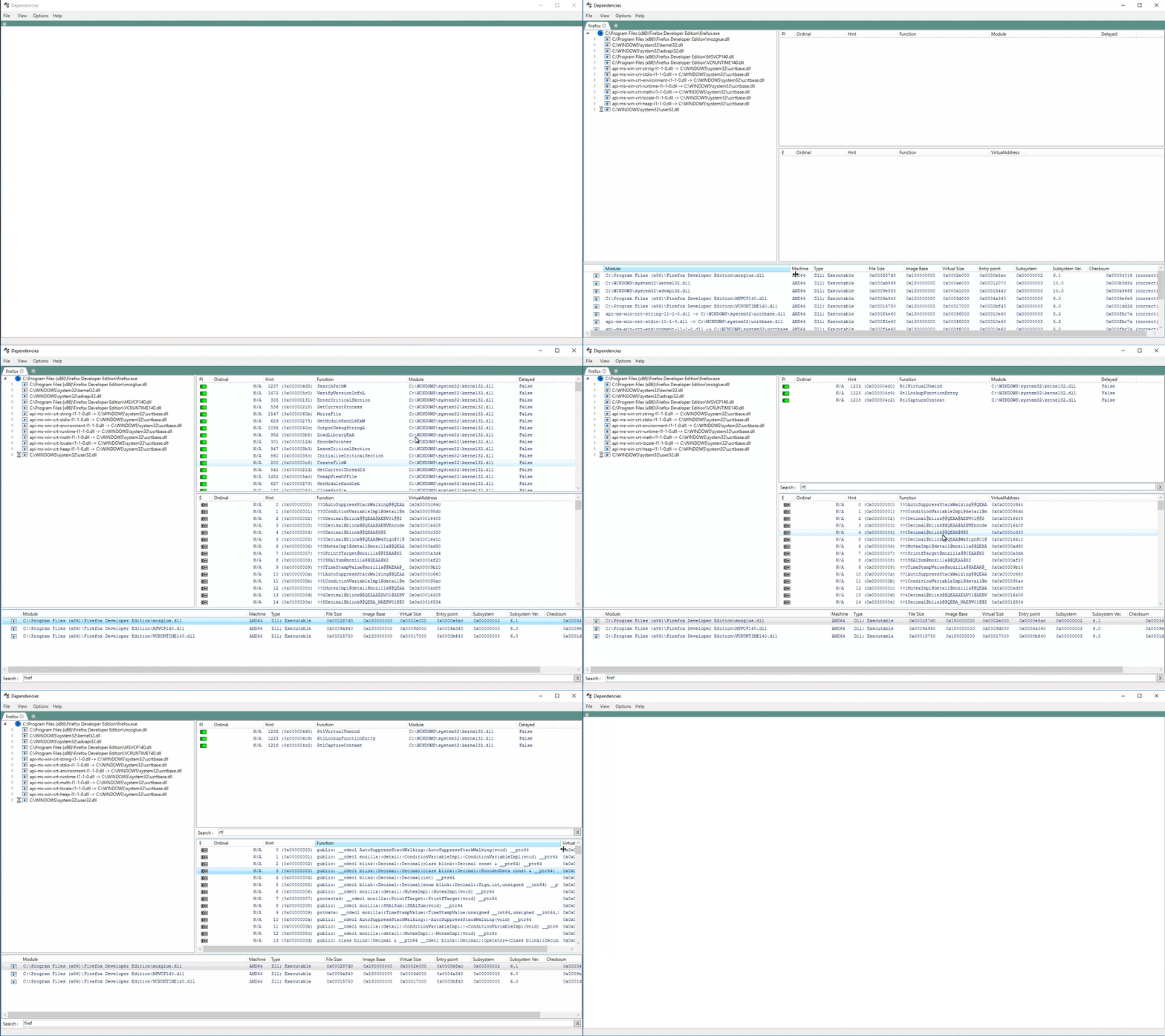
Dependencies is currently shipped as two binaries (no installer present) : Dependencies.exe as a CLI tool and DependenciesGui.exe for its GUI counterpart (see screenshot). Just click on one of the release numbers above (preferably the latest), download and uncompress the archive and run DependenciesGui.exe.
Since the binary is not signed, SmartScreen might scream at runtime. Dependencies also bundle ClrPhTester.exe, a dumpbin-like executable used to test for non-regressions.
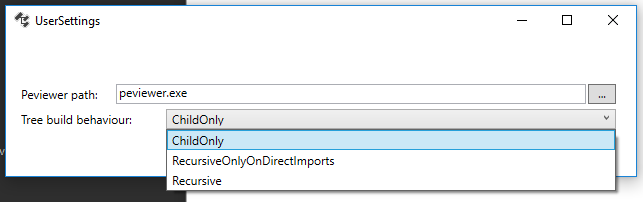
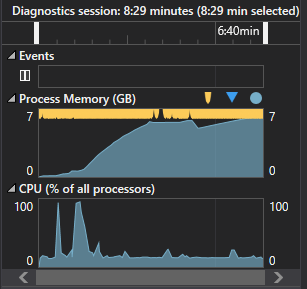
Dependencies currently does not recursively resolve child imports when parsing a new PE since it can be really memory-hungry to do so ( it can over a GB even for "simple" PEs ). This behavior can be overridden (app-wide) via a property located in "Options->Properties->Tree build behaviour".
Tree build behaviours available :
ChildOnly (default) : only process PE child imports and nothing beyond.
RecursiveOnlyOnDirectImports : do not process delayload dlls.
Recursive : Full recursive analysis. You better have time and RAM on your hands if you activate this setting :
Limitations
At the moment, Dependencies recreates features and "features" of depends.exe, which means :
Only direct, forwarded and delay load dependencies are supported. Dynamic loading via LoadLibrary are not supported (and probably won't ever be).
Support of api set schema redirection since 1.5
Checks between Api Imports and Exports.
Minimal support of sxs private manifests search only.
Building
Building is pretty straightforward.
The only caveat is you need to select the "Debug" or "Release" configuration and "x64" or "x86" platform which may not be the default.